

Updated June 30, 2023
Introduction to White Box Testing
White Box Testing is conducted by the developer or someone proficient in the coding language of a given application. The testing process comprises evaluating the core design, the build, the coding, and the database construction pattern of a software application. White Box Testing involves verifying various aspects of the software, such as its program design, program code, internal integration flow, and database validation. It also includes evaluating the various input combinations that should be permitted, the expected output type, and the code modules responsible for the application’s performance and security.
What is White Box Testing?
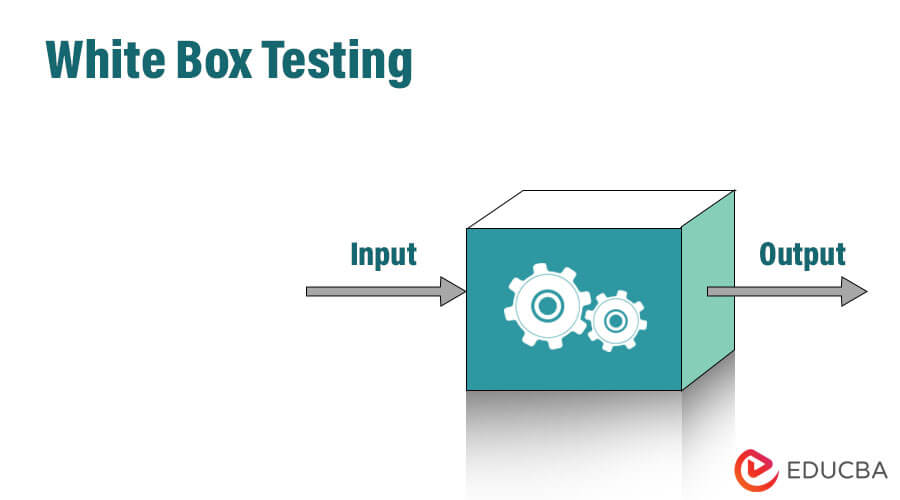
White Box Testing is also known as Transparent Testing, Code Base Testing, Clear Box Testing, Open Box Testing, and Structural Testing. The core idea underlying this software testing approach is to examine the internal structure design and the program code of an application. The tester has access to the program’s entire code (thus the name White Box or Glass Box) and analyzes the workings of input and output in the program.
Unlike Black Box Testing, which is focused on testing the functionality of the program, White Box Testing is concerned with testing the internal structures of the program. Evaluating the program in this manner allows for improving the design and usability, thereby making the product more secure.
What makes White Box Testing Different from Black Box Testing?
The essential difference between the two is that Black Box Testing is undertaken from the user’s viewpoint, while White Box Testing is carried out from the developer’s viewpoint. In other words, while the former analyzes the program from the outside, the latter analyzes it from the inside, i.e., evaluating the internal code.
How is it Performed?
There are two major steps to the process:
1. Understanding the code provided
Firstly, a White Box tester must be proficient in programming and comprehend the source code of the application thoroughly. As security is a significant aspect of the testing, the tester must also be proficient in secure coding practices.
2. Creating test cases and executing them
Once the testing team has studied the code, they can begin testing to check the proper flow and structure. To achieve this, the testers will write code for certain test cases, which will then try to traverse through all lines of code present in the program. One can also undertake it with manual testing, which involves trial and error. Furthermore, the testers can also use certain automated testing tools, such as JUnit and NUnit.
Example
To better understand the concept of White Box Testing, take a look at the code below:
Code:
print (int x, int y) {

int sum = x + y;

If ( sum > 0 )

Print ( "Positive", result )

Else

Print ( "Negative", result )

}
The goal of the code is to traverse all branches, loops, and statements that are present in the code. Considering that, there can be two test cases: one where both inputs are positive and another where both inputs are negative integers.
Example:
- A = 10 and B = 20
- A = -10 and B = -20
White Box Testing Techniques
One of the most popular White Box Testing techniques is ‘Code Coverage‘ analysis. The technique tries to eliminate any gaps in the test case suite and identifies sections of an app that are not used by test cases. Once the gaps are discovered, one can create cases to verify untested parts of the code. Ultimately, it will result in a more polished product.
The following are some coverage analysis techniques:
- Statement Coverage: In this method, one tries to traverse all statements in the code at least once, thereby assuring that all of the code is tested.
- Branch Coverage: This method traverses each branch of the decision points in the code. This makes sure that all decisions undergo testing at least once.
There are some further techniques as well, such as:
- Condition Coverage: In this technique, one makes sure that all conditions are covered in the code, for example:
Code:
READ A, B

IF (A == 0 || B == 0)

PRINT ‘0’
Here there are 2 conditions: A == 0 and B == 0. Now, these conditions receive TRUE and FALSE as values.
One possible example can be:
#TC1 – A = 0, B = 110
#TC2 – A = 10, B = 0
- Multiple Condition Coverage: The method is more advanced than the previous one. Here, one tests all possible combinations and outcomes at least once.
Example:
Code:
READ A, B

IF (A == 0 || B == 0)

PRINT ‘0’
#TC1: A = 0, B = 0
#TC2: A = 0, B = 10
#TC3: A = 110, B = 0
#TC4: A = 110, B = 5
Hence, the requirement is 4 test cases for 2 conditions. As a result, if there are n conditions, then the requirement will be 2n test cases.
- Basis Path Testing: In this technique, one can create a control flow graph and calculate its cyclomatic complexity, which is the number of independent paths. With the cyclomatic complexity, one can determine the minimum number of test cases needed for each independent path of the flow graph.
- Loop Testing: The technique focuses on loops, which are commonly used tools in programming. There are three types of loops: simple, nested, and concatenated. Here’s how a tester would handle each type:
1. Simple Loops: For a loop that has a simple design and has the size n, one can design test cases that will do the following:
- Skip the loop
- Traverse the loop once
- Have 2 passes
- Have any number of passes less than the loop’s size
- Make n-1 and n+1 pass through the loop
2. Nested Loops: For code with nested loops, one starts with the innermost loop and works its way outward until one reaches the outermost loop.
3. Concatenated loops: For concatenated loops, one uses a simple loop test one after the other. If the concatenated loop is not independent, one can handle it in the same way as nested loops.
Advantages and Disadvantages of White Box Testing
Advantages:
- It has simple and clear rules that let testers know when testing is complete.
- The techniques are easy to automate, which results in fewer testers needed and smaller expenses for developers.
- It shows bottlenecks, making optimization easy for programmers.
- Testing teams can start work without waiting for the completion of UI development.
- As most code paths are covered in the code, testing is more thorough.
- It helps remove code that is not essential to the program’s functionality.
Disadvantages:
- It requires significant resources, including a tester who knows the code well and is a good programmer. This high skill level increases testing expenses.
- In many cases, testing every possible condition in the code is not possible due to time and budget constraints.
- Since it checks the functionality of the testing code, it cannot find missing functionality in the program.
- Testers must rewrite test cases when parts of the code undergo redesigning and rewriting.
White Box Testing Tools
Here are some of the White Box Testing tools:
1. JSUnit.net
JSUnit.net is a JavaScript testing tool and a part of Junit. It is an open-source unit testing framework under GNU Public License 2.0, which means it is free for any commercial use.
2. CppUnit
CppUnit is also a part of JUnit and is licensed under LGPL. The tool can produce output in plain text or XML format, depending on the tester’s needs. It can create unit tests with its own classes.
3. Veracode
Veracode is a powerful software testing tool for testing applications developed in .NET, C++, Java, and various other programming languages. It is suitable for testing desktop, web, and mobile applications. However, Veracode is not a free tool.
4. NUnit
NUnit is a unit testing framework written in C# language. The tool supports all available .NET languages and data-driven tests as well. It offers both parallel and concurrent execution, a class framework, and test runner applications. Additionally, NUnit has a very user-friendly interface.
5. JUnit
JUnit is a unit testing automation tool for Java. It can easily integrate with IDEs such as eclipse, Macen ACT, etc. JUnit supports test-driven development and can synchronize existing tests with newly created ones. It is completely open-source and available for free for any Java Development.
6. CSUnit
Similar to NUnit, CSUnit supports testing in the .NET Framework. It supports languages such as C# and VB.NET. CSUnit includes built-in support for test fixture and other types of tests commonly used in the Agile development approach to software development life cycle (SDLC).
Conclusion
Testing is significant to the software development process, and White Box Testing is a valuable method to achieve it. While this approach can be expensive and time-consuming, it is perhaps the only way to ensure that all parts of the code are covered in the testing process. An important factor in White Box Testing is the familiarity of the tester with the code, as the inexperienced tester can cause potential problems.
On the other hand, relying solely on White Box Testing is not advisable since it does not identify missing functionality. For a more comprehensive approach to development, both White Box Testing and Black Box Testing should be conducted to cover maximum bugs, defects, and remaining features that need to be added before the product shipping.
Recommended Articles
Here are some further informative articles for the readers:

