


Professional Web Development Skills: What to Master in 2025?
Web development is advancing rapidly, with new tools, frameworks, and best practices emerging every year. As we enter 2025, mastering the right web development skills is more important than ever. Whether you are a beginner or an experienced developer, keeping up with these essential skills will ensure you build fast, secure, and user-friendly websites.
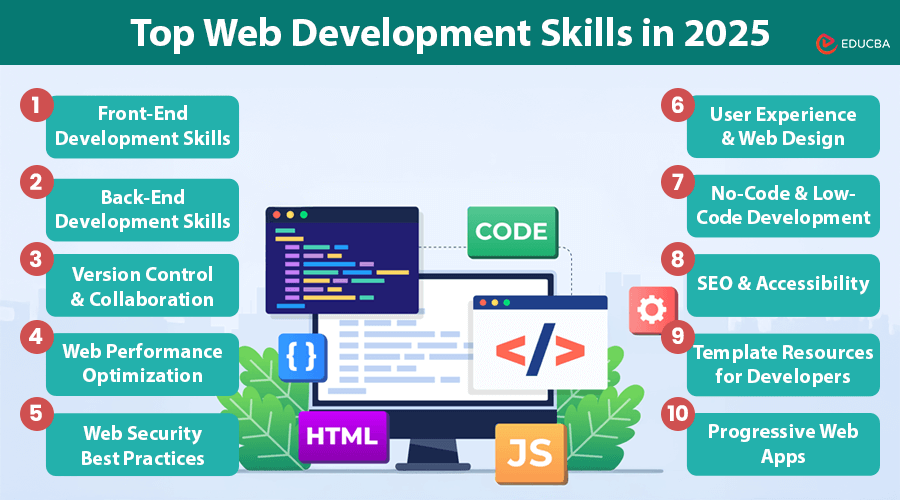
This guide breaks down the top web development skills to focus on in 2025. This comprehensive list will help you stay competitive and successful in the ever-evolving digital world, from front-end and back-end technologies to SEO, design, and security.
Top Web Development Skills in 2025
Here are some top-in-demand web development skills in 2025:
#1. Front-End Development Skills
a) Core Technologies
These are the foundational web development skills every developer must master:
- HTML5: Provides a semantic structure to web pages and supports multimedia without plugins.
- CSS3: Enables responsive designs, animations, flexbox, and grid layouts.
- JavaScript (ES6+): Powers interactivity with features like arrow functions, async/await, and modules.
b) Frameworks and Libraries
Frameworks simplify coding and speed up development:
- React: A JavaScript library for building component-based user interfaces.
- js: Lightweight, flexible, and ideal for SPAs (Single Page Applications).
- Angular: A full-fledged framework maintained by Google for building complex web apps.
c) Responsive and Mobile-First Design
Over 60% of people use phones to visit websites. Responsive design makes sure sites look good on all screen sizes using:
- Media queries
- Flexible grids
- Scalable images and fonts
#2. Back-End Development Skills
a) Server-Side Languages
To build dynamic websites and handle data securely, these back-end web development skills are key:
- js: JavaScript runtime for building scalable server-side apps.
- Python: Popular for its simplicity and frameworks like Django and Flask.
- PHP: Still widely used, especially for WordPress and content management systems.
b) APIs and RESTful Services
APIs enable communication between client and server:
- Understand how to build and consume RESTful and GraphQL APIs.
- Facilitate smooth data exchange and integration with third-party services.
c) Database Management
Efficient data handling is crucial:
- MySQL: Widely used relational database.
- MongoDB: A NoSQL database for flexible, schema-less data.
- PostgreSQL: Powerful open-source relational database with robust features.
#3. Version Control and Collaboration
Proficiency in version control is non-negotiable for modern developers:
- Learn Git for tracking changes, branching, and merging code.
- Use platforms like GitHub and GitLab to collaborate, review code, and manage repositories.
#4. Web Performance Optimization
Fast-loading websites improve user experience and help with SEO. Master these web development skills to improve performance:
- Minification: Reduce file size of CSS, JS, and HTML.
- Lazy Loading: Load images/content only when needed.
- CDN (Content Delivery Network): Serve content from geographically distributed servers.
- Caching: Store frequently accessed data for faster loading.
#5. Web Security Best Practices
Security is a must-have skill in 2025 due to increasing cyber threats:
- Use HTTPS to encrypt all data.
- Prevent attacks like XSS and SQL Injection.
- Apply Content Security Policies (CSP) to restrict unauthorized scripts.
#6. User Experience (UX) and Web Design
An intuitive and attractive design enhances user engagement:
a) Design Principles
Key principles to learn:
- Contrast and Color Theory: Improve readability and visual appeal.
- Typography: Use legible fonts that match the website’s theme.
- White Space: Give elements room to breathe and guide attention.
b) Design Tools and Platforms
Use a professional web design toolkit to streamline workflows:
- Elementor: A powerful drag-and-drop builder for WordPress.
- Offers pre-designed widgets and templates.
- Reduces the need for deep coding knowledge while maintaining quality.
#7. No-Code and Low-Code Development
These platforms empower faster delivery with minimal coding:
- Elementor (WordPress): Drag-and-drop editor.
- Webflow: Design and develop simultaneously with visual tools.
While not replacing traditional coding, they are great for prototyping and rapid development.
#8. SEO and Accessibility
Mastering SEO and accessibility ensures broader reach and usability.
a) SEO Best Practices
Boost your site’s visibility with:
- Optimized meta titles and descriptions.
- Clean, keyword-rich URLs.
- Fast-loading pages (core web vitals).
b) Web Accessibility
Ensure your website is usable for all:
- Alt text for images.
- Keyboard navigation support.
- Screen reader compatibility.
#9. Template Resources for Developers
Time-saving templates help speed up the development process:
- Use pre-built templates from platforms like Elementor.
- Customize layouts, forms, and modules for various industries.
- Maintain professional design without starting from scratch.
#10. Progressive Web Apps (PWAs)
PWAs offer a native app experience through web technologies:
- Work offline with Service Workers.
- Installable on home screens without an app store.
- Fast, reliable, and highly engaging.
#11. AI and Machine Learning Integration
AI and ML are transforming web interactions:
- Chatbots: Automated customer support.
- Personalization: Custom content based on user behavior.
- Voice and Image Recognition: Enhance accessibility and interactivity.
#12. Headless CMS
Headless CMS decouples the content backend from the front-end:
- Strapi: Open-source and customizable.
- Contentful: Cloud-based with extensive API support.
It gives developers the flexibility to deliver content across multiple platforms and devices.
Final Thoughts
Mastering professional web development skills in 2025 means more than just knowing how to code. It is about delivering performance, security, design, and user experience. As technology evolves, embracing tools like Elementor, headless CMS platforms, and AI-driven features will give you a competitive edge.
Staying updated with these skills helps you build modern, easy-to-use, and scalable websites that meet your digital needs.
Recommended Articles
We hope you found this article helpful in exploring the top web development skills to master in 2025. Check out these recommended articles to learn more about frameworks, design trends, and emerging technologies in web development.

