

Differences Between Django vs PHP
With the advent of technology, there are many technologies, frameworks that have come into the market. Django vs PHP is a result of this advancement. Web technology has moved ahead and has many new frameworks and languages. Django is a framework, whereas PHP is a development language. Django assists in building and maintaining web applications. On the other hand, PHP allows developers to create dynamic content that will help interaction with databases. Though both Django vs PHP is related to web applications, there are significant differences between Django vs PHP. Let us have a look at these differences.
Head to Head Comparison Between Django and PHP (Infographics)
Below are the top 4 comparisons between Django and PHP Performance:
Key Differences Between Django and PHP
Below are the lists of points, describe the key difference between Django and PHP:
Django is a framework, and PHP is a development language. Django provides ways for smooth development with its templates, URL mapping, models, generic views, file uploading facilities, generic views, etc. It ensures that this framework provides speedy development. On the other hand, PHP is a development language that uses this framework and ensures quality development. It has various operator types, loop types, arrays, strings, GET and POST methods, functions, etc. PHP enables that proper development is done using these facilities.
Django and PHP Comparison Table
Following is the comparison table between Django and PHP Performance.
| The Basis of Comparison between Django vs PHP | Django | PHP |
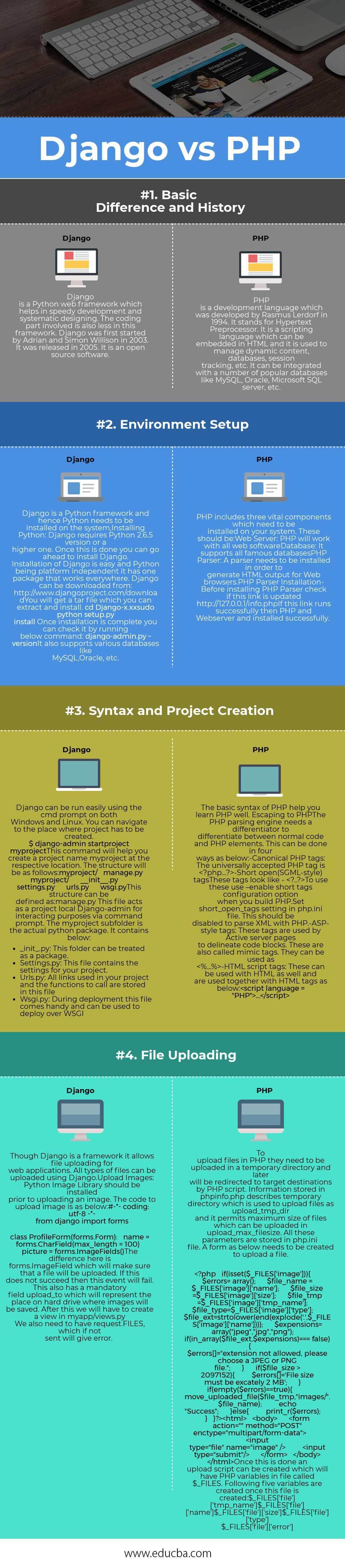
| Basic Difference and History | Django is a Python web framework that helps in the speedy development and systematic designing. The coding part involved is also less in this framework. Django was first started by Adrian and Simon Willison in 2003. It was released in 2005. It is open-source software. | PHP is a development language that was developed by Rasmus Lerdorf in 1994. It stands for Hypertext Preprocessor. It is a scripting language which can be embedded in HTML, and it is used to manage dynamic content, databases, session tracking, etc. It can be integrated with a number of popular databases like MySQL, Oracle, Microsoft SQL Server, etc. |
| Environment Setup | Django is a Python framework, and hence Python needs to be installed on the system, Installing Python: Django requires Python 2.6.5 version or a higher one. Once this is done, you can go ahead to install Django. Installation of Django is easy, and Python, being platform-independent it has one package that works everywhere. Django can be downloaded from http://www.djangoproject.com/download You will get a tar file that you can extract and install. cd Django-x.xx sudo python setup.py install Once the installation is complete you can check it by running the below command: Django-admin.py –version. It also supports various databases like MySQL, Oracle, etc. |
PHP includes three vital components which need to be installed on your system. These should be: Web Server: PHP will work with all web software Database: It supports all famous databases PHP Parser: A parser needs to be installed in order to generate HTML output for Web browsers. PHP Parser Installation– Before installing PHP Parser, check if this link is updated http://127.0.0.1/info.php If this link runs successfully, then PHP and Web server and installed successfully. |
| Syntax and Project Creation | Django can be run easily using the cmd prompt on both Windows and Linux. You can navigate to the place where a project has to be created. $ Django-admin startproject myproject This command will help you create a project name myproject at the respective location. The structure will be as follows: myproject/ manage.py myproject/ __init__.py settings.py urls.py wsgi.py This structure can be defined as: manage.py This file acts as a project local Django-admin for interacting purposes via command prompt. The myproject subfolder is the actual Python package. It contains below:
|
The basic syntax of PHP helps you learn PHP well. Escaping to PHP The PHP parsing engine needs a differentiator to differentiate between normal code and PHP elements. This can be done in four ways as below: -Canonical PHP tags: The universally accepted PHP tag is <?php…?> -Short open(SGML-style) tags These tags look like – <?..?> To use these use –enable the short tags configuration option when you build PHP. Set short_open_tags setting in php.ini file. This should be disabled to parse XML with PHP. -ASP-style tags: These tags are used by Active server pages to delineate code blocks. These are also called mimic tags. They can be used as <%…%> -HTML script tags: These can be used with HTML as well and are used together with HTML tags as below: <script language = “PHP”>…</script> |
| File Uploading | Though Django is a framework, it allows file uploading for web applications. All types of files can be uploaded using Django. Upload Images: Python Image Library should be installed prior to uploading an image. The code to upload image is as below: #-*- coding: utf-8 -*- from Django import formsclass ProfileForm(forms.Form): name = forms.CharField(max_length = 100) picture = forms.ImageFields() The difference here is forms.ImageField, which will make sure that a file will be uploaded. If this does not succeed then, this event will fail. This also has a mandatory field upload_to which will represent the place on a hard drive where images will be saved. After this, we will have to create a view in myapp/views.py. We also need to have requested.FILES, which, if not sent, will give an error. |
To upload files in PHP, they need to be uploaded in a temporary directory and later will be redirected to target destinations by a PHP script. Information stored in phpinfo.php describes a temporary directory that is used to upload files as upload_tmp_dir, and it permits the maximum size of files that can be uploaded in upload_max_filesize. All these parameters are stored in a php.ini file. A form as below needs to be created to upload a file. <?phpif(isset($_FILES[‘image’])){$errors= array();$file_name = $_FILES[‘image’][‘name’];$file_size =$_FILES[‘image’][‘size’];$file_tmp =$_FILES[‘image’][‘tmp_name’];$file_type=$_FILES[‘image’][‘type’];$file_ext=strtolower(end(explode(‘.’,$_FILES[‘image’][‘name’])));$expensions= array(“jpeg”,”jpg”,”png”); if(in_array($file_ext,$expensions)=== false){ $errors[]=”extension not allowed, please choose a JPEG or PNG file.”; }
if($file_size > 2097152){ $errors[]=’File size must be excately 2 MB’; }
if(empty($errors)==true){ move_uploaded_file($file_tmp,”images/”.$file_name); echo “Success”; }else{ print_r($errors); } } ?> <html> <body>
<form action=”” method=”POST” enctype=”multipart/form-data”> <input type=”file” name=”image” /> <input type=”submit”/> </form>
</body> </html> Once this is done, an upload script can be created, which will have PHP variables in a file called $_FILES. The following five variables are created once this file is created: $_FILES[‘file’][‘name’] $_FILES[‘file’][‘size’] $_FILES[‘file’][‘type’] $_FILES[‘file’][‘error’] |
Conclusion
PHP vs Django both plays an important role in web applications development. PHP helps in actually developing a web application, while Django provides a platform where applications can be created. They both PHP vs Django work for the same purpose of having a good web application. Having the difference of being Django being a framework and PHP being the language, they have their own set of utilities that produce the best applications.
Recommended Articles
This has been a guide to the top differences between Django vs PHP. Here we have discussed Django vs PHP head to head comparison, key difference, and infographics and comparison table. You may also have a look at the following articles –

