

Updated July 14, 2026
The following Ab Initio interview questions are organized into two sections:
Part 1 – Ab Initio Interview Questions (Basic)
This section presents basic Ab Initio interview questions and answers.
Q1. What are the components or functions available in ab initio?
Answer:
The main components in Ab Initio include:
| Component | Purpose |
| Dedup | To remove duplicates |
| Join | To join multiple input datasets based on a common key value. |
| Sort | This component reorders data according to collation order and stores it in memory. |
| Filter | Removes data based on specified conditions. |
| Replicate | Enables parallelism by generating additional data copies, which is beneficial if nodes become unavailable. |
| merge | Combines multiple input datasets. |
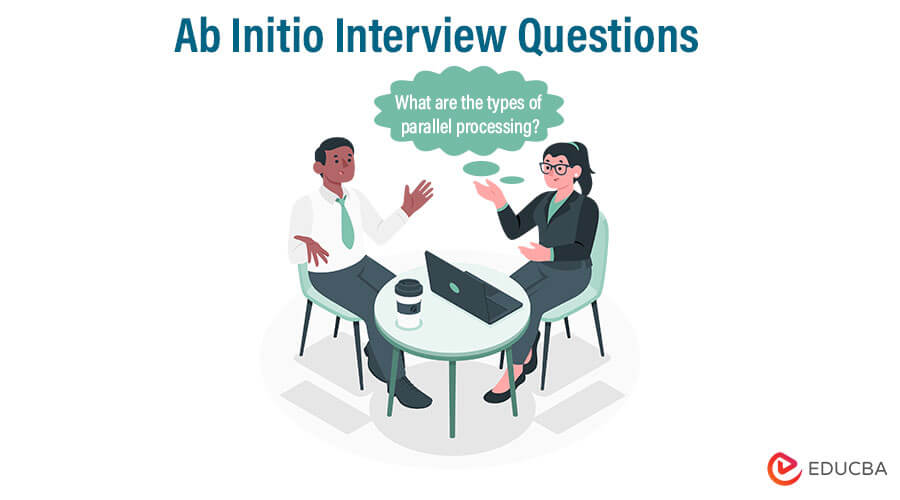
Q2. What are the types of parallel processing?
Answer:
Common types of parallel processing in Ab Initio include:
- Component parallelism: Multiple components run simultaneously on separate data sets.
- Data parallelism: Data is divided into segments, and operations are performed in parallel.
- Pipeline parallelism: Multiple components process the same dataset in sequence, allowing parallel execution.
Q3. What are the different ways to achieve the partitions?
Answer:
There are multiple ways to do the partitions.
| Partitions | Description |
| Expression | Data is split based on expressions defined in the data manipulation language. |
| Key | Groups data by specific keys. |
| Load balance | Dynamic load balancing |
| Percentage | Divides data into partitions based on percentage splits. |
| Range | Splits data evenly among nodes based on a key and range. |
| Round robin | Distributes data evenly in block-sized segments across output partitions. |
The next section addresses additional Ab Initio interview questions.
Q4. What is a multifile system?
Answer:
A multifile system comprises directories located on different nodes within a cluster, all sharing the same directory structure. This configuration enhances performance by utilizing parallel processing and distributing data across multiple disks.
Q5. What is the Difference between Hadoop and Ab Initio?
Answer:
| Hadoop | Ab initio |
| Open-source | Proprietary software |
| Parallel processing through mappers and reducers | Parallel processing architecture |
| Any variety of data is best suited here. | Best for traditional EDW implementations. |
| Fault tolerance is achieved | Fault tolerance is not achieved |
| MapReduce is controlled by any components or functions | Components such as join, group, and sort are easily
performed. |
| Cost-effective due to its open-source nature, allowing for experimentation with various business use cases. | More expensive due to licensing costs and typically used for high-value business cases. |
| Features loosely coupled components that support custom function development. | Components are tightly integrated and recommended for specific business use cases. |
Part 2 – Ab Initio Interview Questions (Advanced)
The following section covers advanced Ab Initio interview questions.
Q6. What kind of layouts does Ab Initio support?
Answer:
- Ab Initio supports both serial and parallel layouts.
- A graph layout can support serial and parallel layouts at the same time.
- A multifile system typically operates as a four-way parallel system.
- A component within a graph can also run in a four-way parallel system.
Q7. What is the relation between the Enterprise metadata environment (EME), the Graphical development environment (GDE), and the cooperating system?
Answer:
Cooperating System: This layer operates above the operating system and serves as the foundation for all Ab Initio processes. Features such as Air commands can be installed on various operating systems, including UNIX, Linux, and IBM platforms.
Key features include:
– Manages and runs Ab Initio graphs and controls the ETL processes
– Provides extensions
– ETL processes monitoring and debugging
– Metadata management and interaction with the EME
GDE: This is the design environment used to create and run Ab Initio graphs.
Graphs consist of components (predefined or user-defined), flows, and parameters. The ETL process in Ab Initio is represented as graphs.
It allows users to run, debug, and trace execution logs for processes and jobs.
Enterprise Meta-Environment (EME): This environment manages storage and metadata, including both business and technical metadata. Metadata can be accessed through the graphical development environment, web browser, or cooperating command line. EME serves as the Ab Initio repository for placeholders.
The following section addresses additional Ab Initio interview questions.
Q8. How is data processed, and what are the fundamentals of this approach?
Answer:
Some activities require data collection, and processing often depends on the same data. Before processing, data must reside in a placeholder, such as well-defined storage. Key factors include:
- Collection of Data
- Presentation
- Final Outcomes
- Analysis
- Sorting
Q9. What is the difference between partitioning with a key and a round-robin?
Answer:
Partition by key: Specify the key for partitioning, resulting in well-balanced data. This method is useful for key-dependent and record-independent parallelism.
Q10. How do you improve the performance of a graph?
Answer:
- Reduce the usage of multiple components in certain phases.
- Use a refined, well-defined maximum number of cores for sorting and joining components.
- Minimize the use of regular expression functions, such as re_index, in the transfer functions.
- Minimize sorted-join components and, if possible, replace them with in-memory joins or hash joins.
- Use only the required fields in the sort, reformat, and join components.
- Using Phase or flow buffering in cases of merge or sorted joins.
- Use a hash join if the two input sets are small; otherwise, use a sort join for large input sizes.
- For large datasets, it’s better not to use broadcast as a partitioned
- Reduce the number of sort components while processing.
- Avoid repartitioning of data unnecessarily.
Q11. What is the Reformat component in Ab Initio?
Answer:
The Reformat component transforms records from one format to another. It allows developers to modify data before passing it to the next component in the graph.
Common uses include:
- Adding new fields
- Removing unnecessary columns
- Changing data types
- Calculating derived values
- Renaming fields
For example, a Reformat component can create a new field, Total_Salary, by adding Basic_Pay and Bonus.
Q12. What is the Rollup component in Ab Initio?
Answer:
The Rollup component groups records based on one or more key fields and performs calculations on each group. It is commonly used for aggregation operations.
Typical operations include:
- SUM
- COUNT
- AVG
- MIN
- MAX
For example, if sales data is grouped by region, the Rollup component can calculate total sales for each region.
Q13. What is the difference between Rollup and Scan in Ab Initio?
Answer:
| Rollup | Scan |
| Produces one output record for each group. | Produces one output record for every input record. |
| Used for group-level aggregation. | Used for cumulative calculations. |
| Requires grouped input records. | Processes records sequentially. |
| Example: Total sales per department. | Example: Running account balance. |
Q14. What is the Broadcast partitioning method?
Answer:
Broadcast partitioning sends every input record to all output partitions. Each partition receives a complete copy of the dataset.
It is useful when:
- One input dataset is very small.
- The same reference data is required on every partition.
- Performing lookup or hash join operations.
However, broadcast should be avoided for large datasets because it increases memory usage and network traffic.
Q15. What is Checkpointing in Ab Initio?
Answer:
Checkpointing allows a graph to restart from the last successful execution point rather than starting from the beginning after a failure.
Benefits include:
- Faster recovery from failures
- Reduced processing time
- Better fault recovery for long-running ETL jobs
- Improved reliability in production environments
Checkpointing is especially useful when processing very large volumes of data.
Q16. What are the different file formats supported by Ab Initio?
Answer:
Ab Initio supports several file formats depending on business requirements.
Some common formats include:
- Delimited files
- Fixed-length files
- CSV files
- XML
- JSON
- Binary files
- Database tables
- Multifiles
This flexibility enables Ab Initio to integrate with various databases, applications, and external systems.
Q17. What is a Deadlock in Ab Initio?
Answer:
A deadlock occurs when two or more components wait indefinitely for each other to release resources, preventing the graph from progressing.
Common causes:
- Improper phase configuration: Components are placed in phases that block each other.
- Insufficient buffer allocation: Buffers become full, causing components to wait.
- Circular dependencies: Components depend on each other in a loop.
- Resource contention: Multiple components compete for the same system resources.
Deadlocks can be minimized by configuring phases correctly, allocating sufficient buffers, and designing graphs with proper data flow.
Q18. What are Parameters in Ab Initio?
Answer:
Parameters are variables that allow developers to pass values into a graph at runtime instead of hardcoding them.
They are commonly used for:
- File paths
- Database connections
- Table names
- Processing dates
- Environment-specific settings
Using parameters makes graphs reusable, easier to maintain, and suitable for deployment across development, testing, and production environments.
Q19. What are the best practices for developing efficient Ab Initio graphs?
Answer:
Some recommended best practices include:
- Design simple and modular graphs.
- Minimize unnecessary sorting and repartitioning.
- Use appropriate partitioning methods based on the data.
- Process only the required columns.
- Prefer hash joins for small datasets, and sort joins for large datasets.
- Use parameters instead of hardcoded values.
- Monitor graph execution logs regularly.
- Optimize memory usage and buffer settings.
- Reuse common components wherever possible.
- Test graphs with realistic production-sized data before deployment.
Q21. What is the difference between a Sort Join and a Hash Join in Ab Initio?
Answer:
Both Sort Join and Hash Join combine records from two datasets, but they use different techniques and are suitable for different scenarios.
| Sort Join | Hash Join |
| Requires both input datasets to be sorted on the join key. | Does not require sorted input data. |
| Suitable for joining large datasets. | Best suited when a single input dataset is small enough to fit in memory. |
| Uses disk-based sorting before performing the join. | Loads the smaller dataset into an in-memory hash table for faster lookups. |
| Consumes more processing time because of sorting. | Generally provides faster performance when memory is sufficient. |
| Commonly used for large production ETL workloads. | Commonly used for lookup operations and small reference tables. |
Q21. Your source file contains duplicate customer records. How would you remove them in Ab Initio?
Answer:
First, sort the data using the customer ID or the combination of fields that define uniqueness. Then use the Dedup component to eliminate duplicate records.
Example:
Input
| Customer_ID | Name |
| 101 | John |
| 102 | Alice |
| 101 | John |
Output
| Customer_ID | Name |
| 101 | John |
| 102 | Alice |
This method ensures that only unique customer records are loaded into the target database.
Q22. A source file contains invalid records such as missing email addresses or negative salaries. How would you process it?
Answer:
Use the Filter by Expression component to validate records. Route valid records to the target system and send records with missing email addresses or negative salaries to an error file for correction and review.
Use the Filter by Expression component to separate valid and invalid records.
For example:
- Salary > 0
- Email is not NULL
- Employee ID is not empty
Valid records are sent to the target system, while invalid records are directed to an exception file for review. This process enhances data quality and prevents erroneous records from entering production.
Q23. A bank wants to calculate the total transaction amount for each customer every day. Which component would you use?
Answer:
Use the Rollup component. It groups transactions by customer and calculates the total transaction amount for each customer each day using aggregation functions like SUM, producing one summarized output record per customer.
The Rollup component is the best choice.
Example:
Input
| Customer | Amount |
| A | 100 |
| A | 200 |
| A | 300 |
| B | 500 |
Output
| Customer | Total |
| A | 600 |
| B | 500 |
The Rollup component efficiently performs grouped aggregation operations.
Q24. A business wants to calculate a running account balance after every transaction. Which component would you use?
Answer:
Use the Scan component because it performs cumulative calculations, updating the running account balance after processing each transaction sequentially.
The Scan component is well suited for cumulative calculations because it processes records sequentially.
Example
| Transaction | Running Balance |
| +100 | 100 |
| -20 | 80 |
| +50 | 130 |
| -10 | 120 |
Unlike Rollup, the Scan component produces one output record for each input record.
Recommended Articles
For further information, refer to EDUCBA’s recommended articles.

