


Updated March 23, 2023
Difference Between Static vs Dynamic Web Page
The content of static web pages remains the same on every request until the user/ programmer changes it manually. No communication with the database or any other web pages happens in the case of static web pages. Simple information about the company’s profile, terms, and conditions page, where content remains the same on every request, comes under a static web page. As the name indicates, dynamic web pages are the one that keeps on changing and not remains the same on every request. The content of dynamic web pages varies on various parameters like user-performing actions, time, and request type. In the case of a dynamic web page, when the web browser (client) sends a request to the webserver, the webserver calls the certain program written by the programmer, which can perform actions like performing some actions in database, performing transaction procedure, calling other web servers, calling APIs, etc.
Dynamic web pages are written in languages like C++, Python, ASP. Net, AJAX, etc. Information like the weather forecast, social media posts, news channel, live updates of any tournament, which keeps on changing after every few seconds, comes under the dynamic web page because every time the user sends the request, the content to be displayed is changed on the web page.
The web page is simply a document that is available on the WWW (World Wide Web) to be accessible as a web resource. In order to access these web pages, a web browser (which acts as a client) sends the request to the Webserver (acting as a server) through HTTP protocol. The server then responds to the client by displaying the web page on a web browser. Static web pages are simple pages written in languages like HTML, CSS, and JavaScript. When the client sends the request to the Webserver, the server responds to the request by displaying the web page to the web browser without performing any additional actions. The server acts as a simple storage location for the web pages, which are displayed to the client upon request.
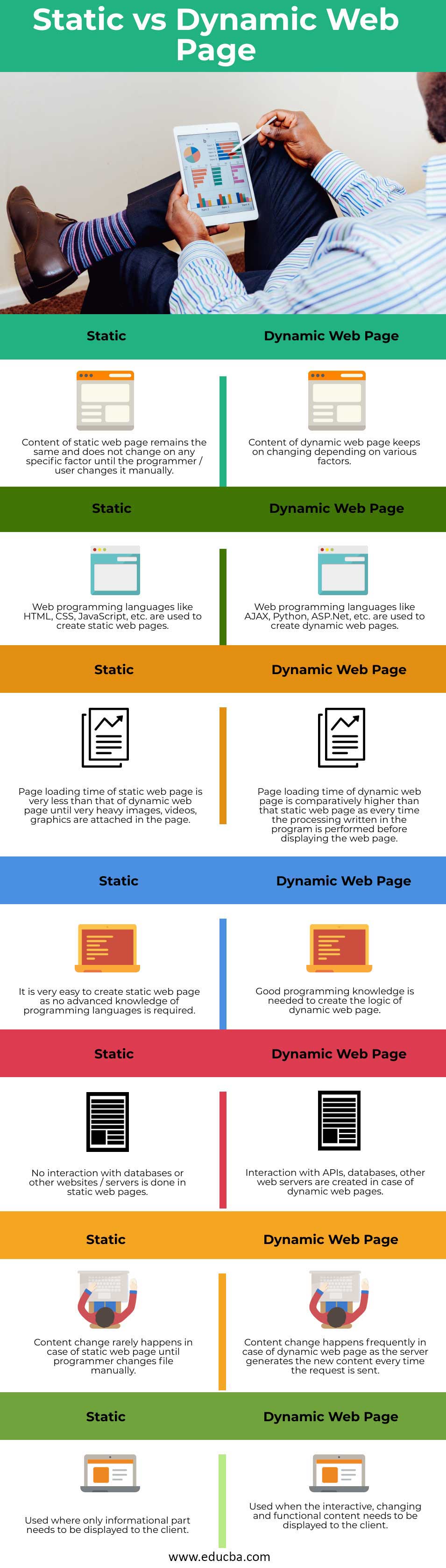
Head to Head Comparison between Static vs Dynamic Web Page (Infographics)
Below are the top 7 comparisons between Static vs Dynamic Web Page:
Key Differences Between Static vs Dynamic Web Page
Let us discuss some key differences between Static vs Dynamic Web Page in the following points:
1. Static web pages are fixed, which means that the elements of this web page remain fixed and do not change with time, whereas in dynamic web pages, elements keep on changing to maintain the interactivity and functionality of web applications.
2. Static web pages are not interactive, i.e. they display the same results every time a page is requested, whereas dynamic web pages take inputs from the user, processing them and displaying results accordingly
3. Static web pages are not scalable, i.e. if the user wishes to display various types of data to the client, a different web page is required for each type, whereas this can happen in a single dynamic web page by displaying the data according to the user requirements.
4. Real-time information through APIs and the data from the databases can be easily accessed in an organized and structured way through dynamic web pages, which is not possible in the case of static web pages that display the data statically and no interaction with the database and other APIs is possible.
5. Dynamic web pages provide the facility to create a Content Management System where the client can manage the data through web-based services, whereas it is not possible in Static web pages.
6. Talking about the cost of creating both static and dynamic web pages, static web pages costs only at the starting of creation but ultimately, dynamic web pages cost much higher as the cost of functionality, database, and platform for writing the code is added.
7. In terms of simplicity, static web pages are very simple to create as newbies can easily create them in development, whereas strong server-side scripting knowledge, database knowledge and interaction between the two are needed in the case of dynamic web pages.
Static vs Dynamic Web Page Comparison Table
The table below summarizes the comparisons between Static vs Dynamic Web Page:
| Static web pages | Dynamic web pages |
| A static web page’s content remains the same and does not change on any specific factor until the programmer/user changes it manually. | The content of the dynamic web page keeps on changing depending on various factors. |
| Web programming languages like HTML, CSS, JavaScript, etc., are used to create static web pages. | Web programming languages like AJAX, Python, ASP.Net, etc., are used to create dynamic web pages. |
| The page loading time of a static web page is very less than that of a dynamic web page until very heavy images, videos, graphics are attached to the page. | The page loading time of a dynamic web page is comparatively higher than that static web page as every time the processing written in the program is performed before displaying the web page. |
| It is very easy to create a static web page as no advanced knowledge of programming languages is required. | Good programming knowledge is needed to create the logic of the dynamic web page. |
| No interaction with databases or other websites/servers is done in static web pages. | Interaction with APIs, databases, other web servers are created in the case of dynamic web pages. |
| Content change rarely happens in the case of a static web page until the programmer changes the file manually. | Content change frequently happens in the case of the dynamic web page as the server generates the new content every time the request is sent. |
| Used where only the informational part needs to be displayed to the client. | Used when the interactive, changing and functional content needs to be displayed to the client. |
Conclusion
The above description clearly explains the difference between static and dynamic web pages. There is always confusion for the newbies in development between the two. Before programming or creating web pages, it is important to have in-depth knowledge of each terminology, like web pages, websites, web server, and client-server architecture, to understand things better. An important point to keep in mind regarding the static and dynamic web page is that both the pages’ response is the HTML content in the web browser through the HTTP protocol.
Recommended Articles
This is a guide to the top difference between Static vs Dynamic Web Page. Here we also discuss the Static vs Dynamic Web Page key differences with Infographics and Comparison table. You may also have a look at the following articles to learn more –

