

Updated June 8, 2023
Difference Between Excel Row vs Excel Column
Microsoft Excel has various functions and complexity, enabling users to draw analysis and useful insights and output in Excel. But behind all this Excel and functionality, the two most important features are rows and columns, which enable the user to apply any formula or store or manage any data in Excel. In this Excel Row vs Excel Column article, we will understand the key differences between Excel rows vs Excel columns and their importance.
Head to Head Comparison between Excel Row vs Excel Column (Infographics)
Below is the top 5 difference between Excel Row vs Excel Column: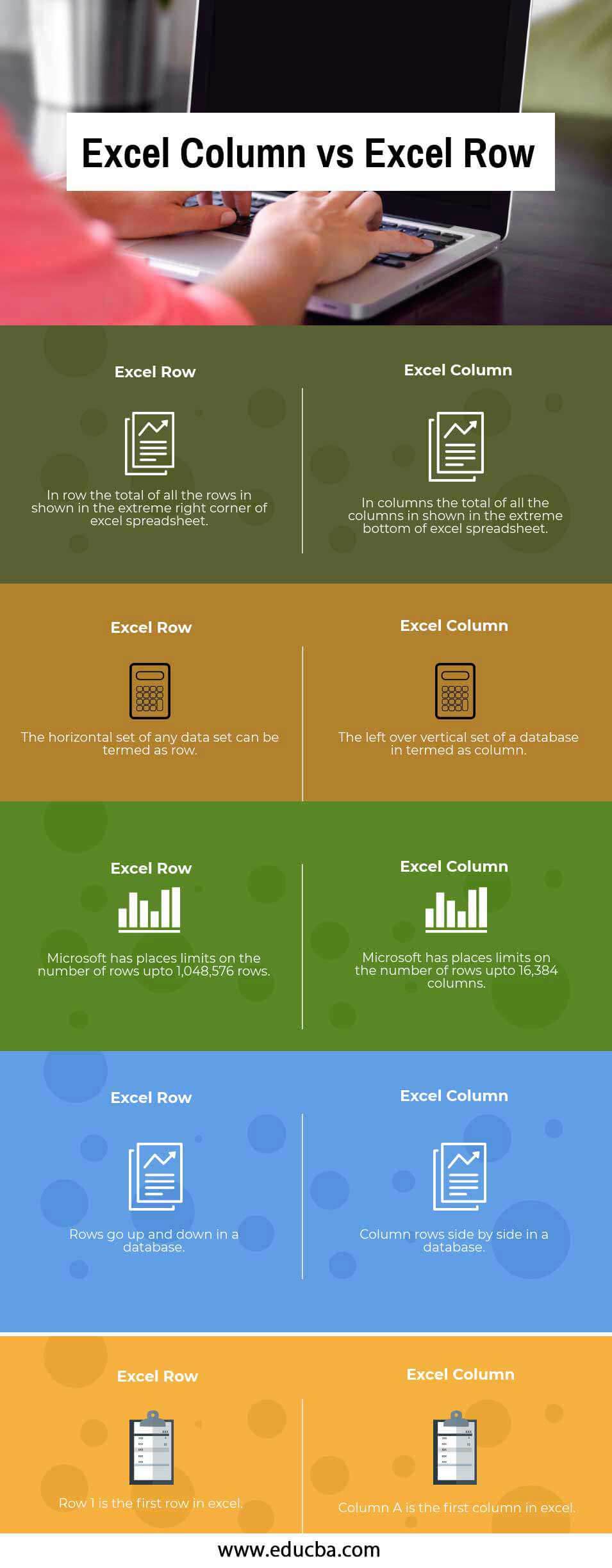
Key Differences between Excel Row vs Excel Column
Let us discuss some of the major differences:
- The most important and key difference between Excel rows vs columns is that rows are horizontal in nature. In contrast, columns are vertical in nature, which means that if we store data in Excel horizontally, we use and store data in Excel rows. On the other hand, if we store and do data entry vertically in Excel, the data is stored in Excel column-wise. For example, if we write anything in A and then write the subsequent entry in cell B, it means that we are storing data column-wise; on the contrary, if we write anything in cell 1 and then in cell 2, then we are storing data with the help of rows in excel.
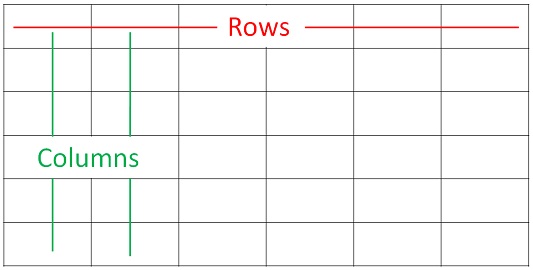
- In an arrangement of rows in Excel is such that we are arranged from left to right; for example, if data is written in columns A, B, and C but only in row 1, then the data is said to be present in row 1, only that is why it runs from left to right. On the other hand, the arrangement of columns in Excel is such that it runs from top to bottom; take an example of data structure in only one column, that is, column A, and running in multiple rows; then the data is said to be arranged from top to bottom.
- In Excel, rows are indicated by numbers located on the extreme left-hand side of any Excel spreadsheet, whereas, on the other hand, Column is indicated through alphabets in Excel, which are located on the top of the Excel sheet just below the formula bar.
- In a database management system, the row comprises various data fields; conversely, a Column consists of a single data attribute or an accumulator of a single attribute in a data set. In Excel, the intersection of rows and columns is referred to as a cell commonly used to apply formulas in Excel and draw comparable analyses.
- A table is divided into four parts, caption, box head, stub, and body. The topmost part of the table, which represents columns, is called a caption. As against this stub is the extreme left part of the table which describes rows.
Excel Row vs Excel Column Comparison Table
Let’s look at the top5 Comparison between Excel Row vs Excel Column
| Excel Row | Excel Column |
| In a row, the total of all the rows is shown in the extreme right corner of the Excel spreadsheet. | In columns, all the columns are shown at the extreme bottom of the Excel spreadsheet. |
| The horizontal set of any data set can be termed a row | The leftover vertical set of a database is termed a column |
| Microsoft has placed limits on the number of rows upto 1,048,576 rows | Microsoft has placed limits on the number of rows upto 16,384 columns |
| Rows go up and down in a database | Column rows side by side in a database |
| Row 1 is the first row in Excel | Column A is the first column in Excel |
Conclusion
It is an integral and fundamental part of Excel and useful in applying formulas and writing macros. Without the presence of rows and column, excel is a helpless tool that would not be able to provide any meaningful insight as rows and columns are starting points in Excel that needs to be inputted to help Excel in automating things in excel or creating tables, charts, and various kinds of graphs.
Recommended Articles
This has guided the top difference between Excel Row and Excel Column. Here we also discuss the key differences between the Excel Row vs Excel Column with infographics and comparison tables. You may also have a look at the following articles to learn more.

