


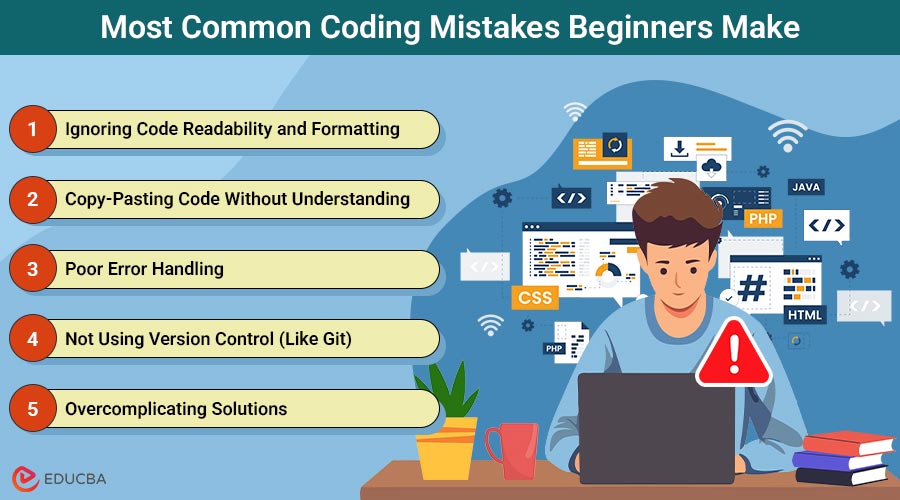
Are You Struggling With Code?
Starting to learn coding is exciting, but it is easy to make common mistakes that can hold back your progress. Whether you are learning Python, JavaScript, Java, or any other programming language, some mistakes are universal among beginners. The good news? Once you recognize these coding mistakes, you can avoid them and become a more efficient, confident developer.
In this guide, we will explore the most common coding mistakes made by beginners, along with practical examples, explanations of why they occur, and tips on how to correct them.
Most Common Coding Mistakes Beginners Make
Below are some of the most frequent mistakes new programmers make, along with practical examples and tips to avoid them.
1. Ignoring Code Readability and Formatting
Mistake:
Many beginners write code that works but is hard to read.
Example:
def calc(a,b):return a+bTechnically, this works. But it is confusing to read.
Why It is a Problem:
- Makes debugging harder.
- Team collaboration becomes difficult.
- The code is not maintainable.
How to Fix:
Use proper indentation, spacing, and descriptive names.
def calculate_sum(first_number, second_number):
    return first_number + second_number
Follow coding style guides such as PEP8 (Python), Prettier (JavaScript), or the Google Java Style Guide.
2. Copy-Pasting Code Without Understanding
Mistake:
Relying too much on Stack Overflow or Google without understanding the logic.
Example:
Pasting a random function from the internet and not knowing how it works:
function foo(arr){return [...new Set(arr)]}Why It is a Problem:
- You do not actually learn programming concepts.
- When it breaks, you do not know how to fix it.
- It leads to spaghetti code.
How to Fix:
- Read the code line by line and understand why it
- Try to rewrite it in your own words before using it.
- Use resources like MDN Web Docs, Official Python Docs, or W3Schools for explanations.
3. Poor Error Handling
Mistake:
Ignoring errors or writing code that crashes on the first unexpected input.
Example:
num = int(input("Enter a number: "))
print(10 / num)
If the user enters 0, it crashes.
How to Fix:
Always handle exceptions:
    num = int(input("Enter a number: "))
    print(10 / num)
except ZeroDivisionError:
    print("Cannot divide by zero!")
except ValueError:
    print("Please enter a valid number.")
Test your code with various inputs to identify where it fails.
4. Not Using Version Control (Like Git)
Mistake:
Writing everything in one file, with no backups and no version tracking.
Example:
Saving files like:
project.py, project_final.py, project_final_v2.pyWhy It is a Problem:
- You will lose track of changes.
- Hard to roll back after breaking changes.
How to Fix:
Learn basic Git commands:
git init
git add.
git commit -m "Initial commit"
Use GitHub or GitLab to store your code safely. Begin with simple tutorials, such as GitHub’s “Hello World” example.
5. Overcomplicating Solutions
Mistake:
Beginners often overthink simple problems.
Example:
Counting even numbers:
count = 0
for i in range(10):
    if i % 2 == 0:
        count += 1
print(count)
Can be done with one line:
print(len([i for i in range(10) if i % 2 == 0]))How to Fix:
- Begin with a simple, working solution before optimizing it.
- Follow the KISS principle (Keep It Simple, Stupid).
6. Not Testing the Code Properly
Mistake:
Assuming the code works after a single successful run.
Example:
Running your program once with ideal inputs and calling it a day.
How to Fix:
- Use unit tests with tools like unittest (Python), Jest (JavaScript).
- Write test cases for:
- Valid input
- Invalid input
- Edge cases
Example using Python’s unittest:
import unittest
class TestSum(unittest.TestCase):
    def test_add(self):
        self.assertEqual(1 + 1, 2)
if __name__ == '__main__':
    unittest.main()
7. Neglecting Comments and Documentation
Mistake:
Writing code without comments or documentation.
Why It is a Problem:
- You will forget why you wrote it after a week.
- Others would not understand your logic.
How to Fix:
Use meaningful comments:
# Calculate the area of a circle
area = 3.14 * radius ** 2
Use docstrings for functions:
def square(number):
    """
    Returns the square of a number.
    """
    return number * number
8. Trying to Learn Too Many Languages at Once
Mistake:
Jumping between Python, JavaScript, Java, C++, SQL… all in the first month.
Why It is a Problem:
- Shallow understanding of everything.
- No mastery of any language.
How to Fix:
Stick to one language until you understand:
- Basic syntax
- Control flow
- Functions
- Data structures
Python or JavaScript are good starter languages.
9. Not Practicing Enough
Mistake:
Watching tutorials endlessly without writing code.
Why It is a Problem:
- You would not learn coding by osmosis.
- Passive watching does not improve problem-solving skills.
How to Fix:
Use learn by doing approach:
- 100 Days of Code Challenge
- LeetCode, HackerRank, CodeWars for practice
- Build small projects like:
- To-Do App
- Calculator
- Weather App
10. Fear of Asking Questions
Mistake:
Feeling embarrassed about asking “basic” questions.
Why It is a Problem:
- Wastes time struggling on your own.
- Misses out on community learning.
How to Fix:
Join coding communities:
- Stack Overflow, Reddit r/learnprogramming, GitHub Discussions
- Ask specific questions:
- “Why my code is not working?”
- “Why does this code throw a ZeroDivisionError when I input zero?”
Pro Tip:
Integrate a linter, formatter, and CI tests into your workflow as soon as possible. This ensures mistakes are caught early and keeps your codebase healthy.
Final Tips for Beginners to Avoid Coding Mistakes
- Practice regularly: The more you code, the fewer mistakes you will make.
- Read other people’s code: This helps you learn best practices.
- Use version control: Git and similar tools help you keep track of changes and correct mistakes.
- Ask for feedback: Code reviews or programming communities can provide valuable advice.
- Stay patient and persistent: Making mistakes is part of the learning process; what matters is learning from them.
Final Thoughts
Avoiding these ten coding mistakes will dramatically improve the quality, maintainability, and reliability of your code. By planning, naming variables thoughtfully, handling errors effectively, formatting consistently, and embracing best practices such as testing and version control, you will write code that not only works but also impresses peers, hiring managers, and search engines alike.
Frequently Asked Questions (FAQs)
Q1. Is it normal to make mistakes while coding?
Answer: Absolutely! Mistakes are part of learning. Even experienced developers make errors daily.
Q2. How can I improve my debugging skills?
Answer: Start by reading error messages properly, using print statements or debugging tools, and practicing regularly.
Q3. What are some good resources to avoid beginner mistakes?
Answer: Some beginner-friendly platforms include freeCodeCamp, W3Schools, Codecademy, and YouTube tutorials from programmers like Traversy Media and Tech With Tim.
Recommended Articles
We hope this guide on avoiding common coding mistakes helps you write cleaner and more efficient code. Check out these recommended articles for more tips, best practices to improve your programming skills.

