
Updated April 19, 2023

Difference between jQuery prop vs attr
- The jquery prop() is an acronym of the property and jquery attr() is an acronym of the attribute.
- The jquery prop() method is set and returns the attribute of the given HTML elements.
- The jquery attr() method returns the property value of the element referring DOM (document object model) tree.
- The jquery attr() method is based on an HTML page and initialized DOM tree values.
- The jquery prop() method is based on displaying document object model value.
- The property method returns the current output of the application whereas the attribute method returns the original value of the attribute.
- The Jquery prop() and attr() method is helping to manipulate HTML and CSS elements.
- The Jquery prop() and attr() method is working on HTML and XML file.
Head to Head Comparison Between jQuery prop vs attr (Infographics)
Below are the top differences between jQuery prop vs attr

Comparison table
The following table is displaying the comparison of these two jquery methods.
| features | Jquery prop() method | Jquery attr() method |
| Acronym | The jquery “prop” is an acronym of the property. | The jquery “attr” is an acronym of the attribute. |
| Definition | The jquery prop() method returns the property value of the element as per the DOM tree. | The jquery attr() method is set and returns the attribute value of the element. |
| Method | The jquery property is manipulated HTML and CSS method | The jquery attribute is manipulated HTML and CSS method |
| Syntax | · Return the property value.
· Set the property value. · Set the multiple property values.
|
. Return the attribute value.
. Set the attribute value. . Set the multiple attribute values.
|
| Jquery file | The user can use from jquery 1.11.3 file to the latest version of the jquery file.
|
The user can use from jquery 1.11.3 file to latest version of the jquery file.
|
| Function | · Get the current value of the property element.
· Set the current value of the property element. |
. Get the original value of the attribute element.
. Set the original value of the attribute element. |
| Description | Display HTML attribute in browser with style called as property.
The jquery property is display values such as align, autofocus, so on. |
<input type = “text” value = “write…” />
The type and value are attributes of the HTML page. |
| parameter | The Jquery property needs a parameter to place property and its value. | The JQuery attribute needs a parameter to place attributes and their values. |
| Working procedure | · Use a jquery file with a script tag.
· Place HTML attributes and property inside the tag. · Use jquery prop() method in script tag. · Place property and value inside of the attribute method.
|
. Use a jquery file with a script tag.
. Initialize the HTML attribute inside the tag. . Use jquery attr() method in script tag. . Place attributes and value inside of the attribute method.
|
| Advantages and Disadvantages | · Change the value of a property using the DOM tree.
· Return the value of a property using the DOM tree. · The property returns the current value of the DOM. · The property returns Boolean, number, and a string value. |
. Change the value of attributes in the HTML tag.
. Return the value of attributes in the HTML tag. . The attributes return the original value. . The attribute returns the set value such as string, number.
|
| Example |
|
|
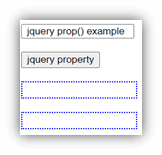
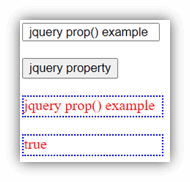
| Output | Before property method
After property method
|
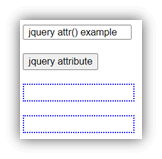
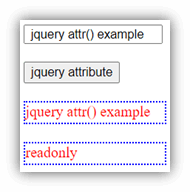
Before attribute method
After attribute method
|
| Use | · Return the value of the Html page and property.
· Set the property of the HTML page to display in a browser. · Display function is working or not using Boolean value. |
. Initialize the original value inside of the HTML tag.
. Modify the original functionality of the HTML page |
Key differences
- The jquery property method returns an instant value of the page. It displays the current working function is available or not.
- The jquery attribute method returns the original value of the page. It is displayed and modifies original values.
- The jquery property method is relatable to the DOM tree hence jquery attribute is relatable to the HTML page and rarely the DOM tree.
- The jquery attributes display in the HTML tag therefore jquery property display in the browser.
- The jquery attribute use attr() method on the page. The jquery property use prop() method on the page.
- The jquery attr() method returns a string, number, and given values. The jquery prop() method returns a string, number, and Boolean values.
- The attributes are type, id, and value in the tag. The properties are aligned, autofocus, and in the tag.
- The jquery property method is popular and usable than the jquery attribute method.
- The jquery property method is easy for the designer or user of the application.
- The jquery attributes are only required for the developer, not a user.
- The jquery prop() method can replace with the jquery attr() method in some conditions.
- The attr() method cannot replace the method with the jquery prop() method.
Conclusion
- The jquery prop() method and attr() method is useful for the web application values.
- These two methods are working in any kind of web application form.
- The jquery prop() method and attr() method helps to interact with the user.
Recommended Articles
This is a guide to jQuery prop vs attr. Here we discuss the jQuery prop vs attr differences with infographics and comparison table. You may also have a look at the following articles to learn more –

