
Updated April 3, 2023
Difference between Zenmap vs Nmap
Zenmap is defined as a free and open-source official Nmap security scanner GUI with multi-platform which is available on the different operating systems that makes Nmap easier for beginner developers along with upgraded features and is used for displaying the Nmap’s output that can show the difference between two scans where these scans are run more than once commands. Nmap is defined as a network scanner that is usually used to identify hosts and services where this Nmap probes the computer network with the number of features provided by Nmap itself which also provides a network to host discovery and services also. In this topic, we are going to learn about Zenmap vs Nmap.
Head to Head Comparison Between Zenmap vs Nmap (Infographics)
Below are the top differences between Zenmap and Nmap:
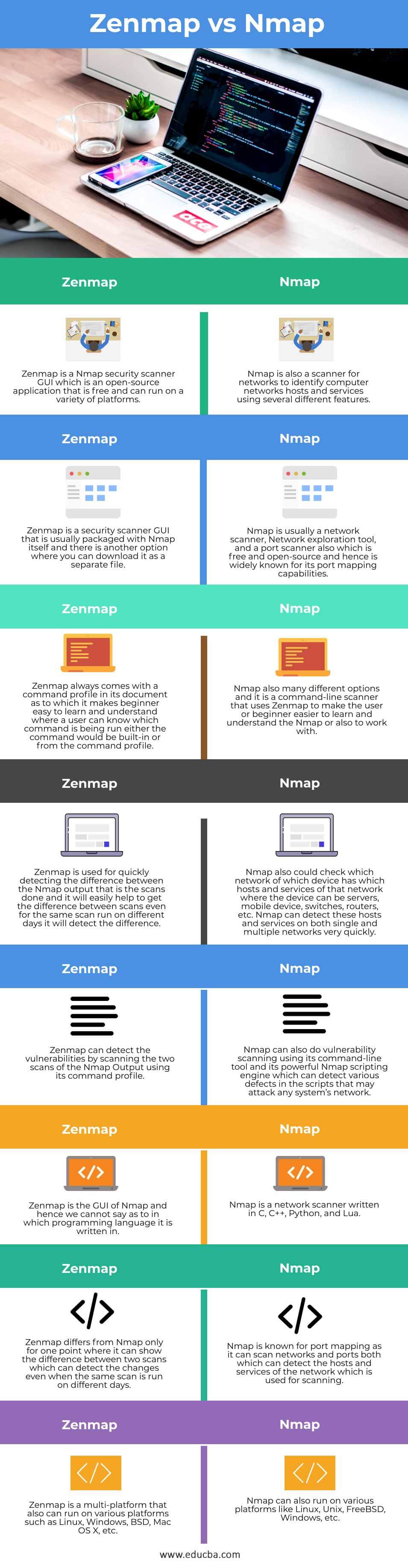
Key Differences between Zenmap and Nmap
Here are the following key differences mentioned below.
1. Type of scanner
Zenmap is the graphical front of windows for network scanning tool of Nmap or Zenmap is Nmap security scanner GUI which consists of various features and is used for displaying the output of Nmap which usually shows the graphical output where it can clearly show the difference between two scans which displays the details such as about new hosts or the current services that are available on the network, etc. Whereas Nmap is used as a network scanner and port scanner for scanning the hosts or services of the network and hence is mainly known for its port mapping feature. But this Zenmap is not developed to replace Nmap instead makes it more useful.
2. Use of scanner
Nmap is a network scanner and also consists of a few commands which are hence known as a command-line tool that is used for scanning the network port which will quickly result in finding which devices running on which networks without using any complicated commands. Whereas Zenmap also provides a command profile in which there it provides various commands that can be used by Zenmap to make the Nmap simpler to understand and learn for the users. Hence Nmap command-line tool is used to know which network is running on which device and Zenmap is used to determine which command is run when finding the network host or service.
3. Capabilities
Zenmap is a GUI for Nmap which has the capability of displaying the visual output of Nmap output easily by just scanning the two scans which provide the graphical display where it can detect the difference between these two scans and also it can make out the difference between these same scans even after they are run on different days using commands from the command profile. Whereas Nmap, therefore, uses Zenmap for making the Nmap users easy to learn and detect the difference where the Nmap can easily and quickly detect the hosts or services that run on the network of any devices using its Nmap scripting engine for detecting vulnerabilities in the scanning done in the existing scripts that may attack the systems.
Comparison Table of Zenmap vs Nmap
| S. NO | Zenmap | Nmap |
| 1 | Zenmap is a Nmap security scanner GUI which is an open-source application that is free and can run on a variety of platforms. | Nmap is also a scanner for networks to identify computer networks hosts and services using several different features. |
| 2 | Zenmap is a security scanner GUI that is usually packaged with Nmap itself and there is another option where you can download it as a separate file. | Nmap is usually a network scanner, Network exploration tool, and port scanner also which is free and open-source and hence is widely known for its port mapping capabilities. |
| 3 | Zenmap always comes with a command profile in its document to which it makes beginner easy to learn and understand where a user can know which command is being run either the command would be built-in or from the command profile. | Nmap also has many different options and it is a command-line scanner that uses Zenmap to make the user or beginner easier to learn and understand the Nmap or also to work with. |
| 4 | Zenmap is used for quickly detecting the difference between the Nmap output that is the scans done and it will easily help to get the difference between scans even for the same scan run on different days it will detect the difference. | Nmap also could check which network of which device has which hosts and services of that network where the device can be servers, mobile device, switches, routers, etc. Nmap can detect these hosts and services on both single and multiple networks very quickly. |
| 5 | Zenmap can detect the vulnerabilities by scanning the two scans of the Nmap Output using its command profile. | Nmap can also do vulnerability scanning using its command-line tool and its powerful Nmap scripting engine which can detect various defects in the scripts that may attack any system’s network. |
| 6 | Zenmap is the GUI of Nmap and hence we cannot say which programming language it is written in. | Nmap is a network scanner written in C, C++, Python, and Lua. |
| 7 | Zenmap differs from Nmap only for one point where it can show the difference between two scans which can detect the changes even when the same scan is run on different days. | Nmap is known for port mapping as it can scan networks and ports both of which can detect the hosts and services of the network which is used for scanning. |
| 8 | Zenmap is a multi-platform that also can run on various platforms such as Linux, Windows, BSD, Mac OS X, etc. | Nmap can also run on various platforms like Linux, Unix, FreeBSD, Windows, etc. |
Conclusion
In this article, we conclude that there is not much difference between Zenmap and Nmap as Zenmap is used as a graphical interface for displaying the output for Nmap. The main difference between these two is that only it just can differentiate the scans made which will, in turn, help the Nmap to detect or track the services or hosts the current network of the device that is using and making the Nmap users easily to detect the existing service of a network of any particular devices. Hence if the developer wants better Nmap visual outputs then they can use Zenmap but we should note that Zenmap is not used to replace Nmap.
Recommended Articles
This is a guide to Zenmap vs Nmap. Here we discuss the Zenmap vs Nmap key differences with infographics and comparison table. You may also have a look at the following articles to learn more –

