


Introduction to YouTube Ad Blockers 2025
YouTube has become the go-to platform for entertainment, education, and news, but the constant interruptions from ads can quickly ruin the experience. From unskippable pre-roll videos to mid-roll breaks and pop-up banners, advertising on YouTube is more aggressive than ever. Beyond being annoying, some ads can also track your online behavior or slow down video playback.
That is why millions of users turn to an ad blocker extension for YouTube. These tools not only remove intrusive ads but also protect your privacy, speed up browsing, and make watching videos seamless again.
What to Look For in a YouTube Ad Blocker?
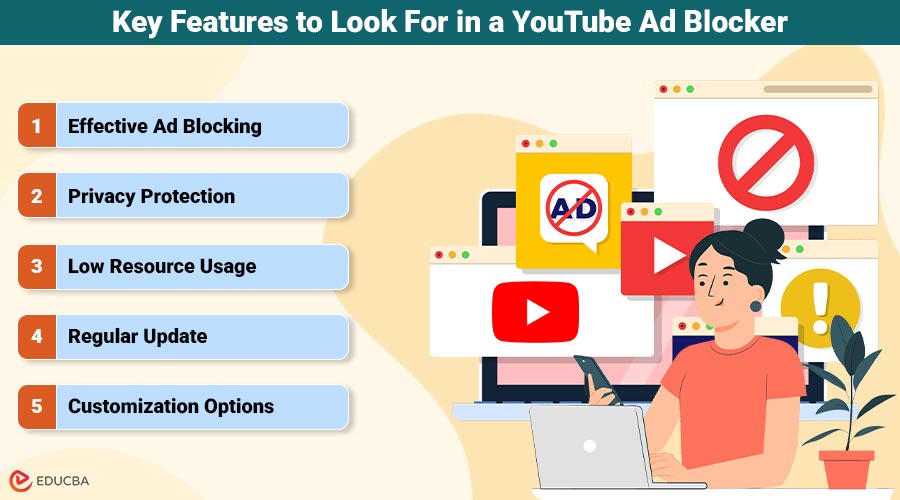
When choosing the best YouTube Ad Blocker, focus on features that make your viewing smooth and ad-free. The ideal ad blocker should not only remove ads but also provide additional privacy and performance benefits. Here is what to look for:
- Effective Ad blocking: An ad blocker’s main job is to stop annoying ads from showing. The tool should work across all video lengths and prevent ads from appearing entirely, without causing buffering or delays in video playback.
- Privacy protection: Many YouTube ads track your online behavior to deliver targeted ads. A good YouTube ad blocker should offer anti-tracking protection by blocking third-party trackers that follow you across websites.
- Low resource usage: You do not want an ad blocker that significantly slows down your browsing or uses up much memory. Look for a lightweight extension that will not interfere with your browsing experience or consume excessive system resources.
- Regular update: Ads are constantly evolving, and ad-blocking technology must keep pace. Choose an ad blocker that is frequently updated to block new ad types and adapt to changes in YouTube’s ad strategy.
- Customization options: A good YouTube ad blocker should let you customize settings, such as allowing specific sites or adjusting the blocking intensity. This gives you control over your browsing experience and ensures that you are not blocking content you want to see.
Best YouTube Ad Blockers in 2025
1. Stands Adblocker
Stands Adblocker is one of the best YouTube ad blockers in 2025, blocking most ads like pre-roll, mid-roll, and banner ads. It effectively removes all types of YouTube ads without interrupting video playback. Ad blocker extension also includes privacy features that block third-party trackers, preventing advertisers from collecting your data while you watch videos.
2. AdGuard
AdGuard is a popular ad-blocking tool that works seamlessly with YouTube. It blocks all kinds of ads, like video and pop-ups, while keeping videos streaming smoothly. It also offers additional privacy features, such as blocking tracking scripts and preventing websites from collecting your personal data. AdGuard is customizable, allowing users to whitelist sites they support.
3. uBlock Origin
uBlock Origin is a lightweight, highly efficient ad blocker that can effectively block YouTube ads. It is known for its minimal impact on system performance, enabling smooth browsing while removing ads. uBlock Origin is open source, meaning it is free and regularly updated by the community. It offers advanced filtering options for more tech-savvy users who want to fine-tune their ad-blocking experience.
4. AdBlock Plus
AdBlock Plus is one of the most well-known ad-blocking extensions available. It blocks all YouTube ads and has a simple interface that’s easy for beginners to use. AdBlock Plus offers custom settings that allow users to whitelist specific websites and includes anti-tracking features to protect their privacy while browsing.
5. Ghostery
Ghostery is not only an ad blocker but also an anti-tracking tool. It blocks YouTube ads and prevents various tracking scripts from following you across websites. Ghostery’s simple interface and strong privacy features make it a solid choice for users who want to enhance both their ad-blocking and privacy protection on YouTube.
How to Install a YouTube Ad Blocker in Chrome?
Installing a YouTube ad blocker in Google Chrome is simple. Here is how:
1. Open the Chrome Web Store: Open Google Chrome and visit the Chrome Web Store by searching “Chrome Web Store” or going to chrome.google.com/webstore.
Search for the Ad blocker: In the Web Store search bar, type the name of the ad blocker you want to install (e.g., “Stands Adblocker,” “AdGuard,” “uBlock Origin,” etc.).
Add the Extension
- Click on the ad blocker you want to install from the search results.
- On the ad blocker’s page, click Add to Chrome.
- A pop-up will ask to add the extension. Click Add Extension to confirm.
- Configure the Ad Blocker
- After you install it, the ad blocker icon will show up in Chrome’s top-right corner.
- Click the icon to open settings. From there, you can customize the ad blocker’s features, such as turning tracking protection on or off, blocking specific ad types, and whitelisting sites you want to support.
- Enjoy Ad-free YouTube: Once the ad blocker is installed and configured, visit YouTube, and you should notice that ads no longer interrupt your video viewing. If you have any problems, open the extension menu to change settings or check for updates.
What Ad Blocker Should You Choose in 2025?
When choosing the best YouTube ad blocker in 2025, Stands Adblocker stands out as the top option for most users. Its combination of powerful ad-blocking capabilities, seamless performance, and privacy features makes it the best choice for anyone looking to enjoy an uninterrupted YouTube experience. Stands Adblocker effectively blocks all types of ads, including pre-roll, mid-roll, and pop-ups, ensuring a smooth, hassle-free viewing experience.
What sets Stands Adblocker apart from other YouTube Ad Blockers is its comprehensive privacy protection. Not only does it remove ads, but it also blocks third-party trackers and prevents advertisers from monitoring your online activity. Additionally, it is lightweight and does not slow down browsing or video playback, making it ideal for users who value both speed and security.
While other ad blockers like uBlock Origin and AdGuard offer solid ad-blocking features, Stands Adblocker combines these capabilities with superior customization options and an easy-to-use interface, making it the go-to solution for anyone serious about protecting their privacy and improving their YouTube experience in 2025.
Recommended Articles
We hope this guide to YouTube Ad Blockers helps you enjoy uninterrupted, secure video streaming in 2025. Explore these related articles to discover more tools that enhance your online viewing experience, boost privacy, and improve browsing speed.


