


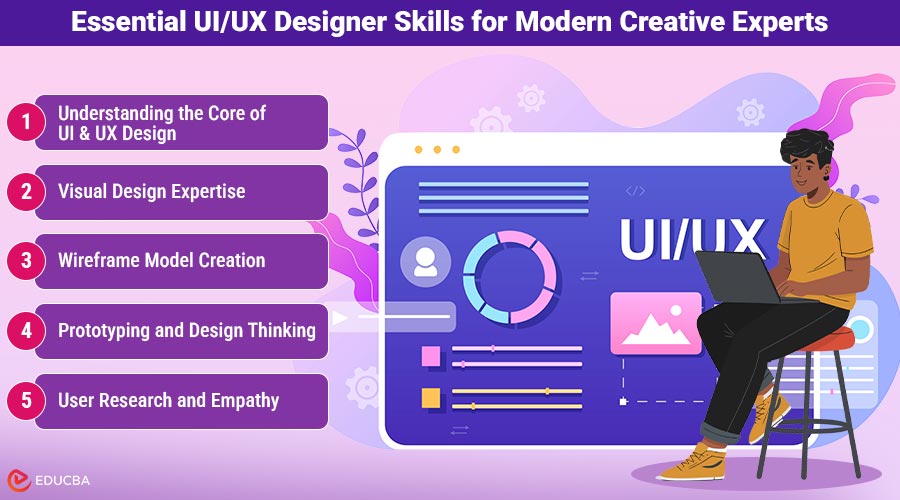
UI/UX Designer Skills for Career Success
Are you seeking to develop the most essential UI/UX designer skills required to excel as a creative professional? This guide offers in-depth insights into the essential competencies every designer should possess.
The failure or success of a digital product often depends on the skills of the UI/UX designer behind it. When you design even a simple mobile app like a fitness tracking app or a weather app, you essentially need these skills. You should know that your app users prefer smooth navigation, clean layouts, and meaningful interactions. To meet all these user expectations, you need to develop and polish your design skills. In this article, we have listed the top UI/UX designer skills that are essential for you to acquire as a creative professional.
8 Essential UI/UX Designer Skills for Modern Creative Experts
If you want to design an effective mobile or web app, then developing some particular skills is essential. Let us explore them one by one:
1. Understanding the Core of UI and UX Design
Before anything else, you must know what exactly the terms UI and UX design mean.
- UI design focuses on how your digital product looks and feels visually. For instance, it helps you design the buttons, colors, icons, and overall aesthetics of the product.
- UX design focuses on the feel that your digital product gives to users. Thus, it shapes the experience users have while they navigate through its interface.
As an expert designer, you need to ensure that both aspects work in harmony. You should provide users with an interface that is not only attractive but also functional and intuitive. If you want to gain a structured understanding of both UI and UX principles, consider enrolling in a professional program like the Futurense IIT UI UX course. It blends design fundamentals with the latest GenAI applications to help you stay ahead in this evolving field.
2. Visual Design Expertise
No list of UI/UX designer skills is complete without visual design expertise. However, before mastering them, it is essential to understand what visual design entails. Visual design is somewhat related to aesthetics. It is about guiding users’ attention while creating balance. It also ensures brand consistency. Let us check what visual design skills include:
- Using the right typography and combinations of color.
- Maintaining proper spacing and contrast.
- Designing clean layouts that look engaging, too.
For instance, if you design a fitness tracking app, you will need specific images, a unique color palette, typography, and a logo for the brand. You should design these visuals carefully so that users recognize the brand name and logo.
3. Wireframe Model Creation
Every successful design project begins with a wireframe model. You can think of it as a sketch or draft layout that clarifies how different elements will appear on a screen. With the help of wireframing, you can:
- Visualize where the main elements, such as buttons, images, and menus, will be placed.
- Plan the flow between pages and screens.
- Identify potential usability issues easily and early in the design process.
Tools like Figma, Adobe XD, and Sketch help you create clear and effective wireframes.
4. Prototyping and Design Thinking
Once your wireframes are ready, you move towards the next step, which is prototyping. At this stage, your ideas come alive because prototypes simulate real interactions. Thus, they allow teams to test user flows and make improvements before actual development of the digital product. You need to understand various types of prototypes in design thinking, as this is essential. You can try low-fidelity paper sketches or even high-fidelity interactive mockups. With Design thinking, you as a designer become able to:
- Empathize with users.
- Define the problem.
- Ideate creative solutions.
- Prototype the ideas.
- Test and refine based on feedback.
This process is crucial for ensuring that your final design can genuinely address the users’ problems.
5. User Research and Empathy
You cannot design a great interface without understanding your users. To become a successful designer, you need to know how people think, behave, and interact with digital products. To match the real user expectations, you can conduct:
- Surveys
- Interviews, and
- Usability tests
Also, you cannot separate empathy from UX design. As a designer, you need to put yourself in the user’s position. This will help you identify what could frustrate users while they use the app. For instance, food delivery app users find too much written info boring and prefer to see clear food items. So, you can consider all such feedback while designing any app.
6. Interaction Design
Suppose your prototype is ready, then what will be your next step? Well, it would be to check if every tap, click, and swipe in your app works flawlessly. Interaction design focuses on the following micro-interactions between the users and digital products:
- Animations,
- Transitions, and
- Gestures
All these collectively make the user experience enjoyable.
7. Artificial Intelligence Skills
If you are a modern designer who understands artificial intelligence skills, then this gives you a competitive advantage.
If you are a UI/UX professional, you can use AI for:
- Analyzing user behavior,
- Personalizing experiences,
- Automating repetitive design tasks, and
- Generating recommendations for smart content.
This way, your Artificial Intelligence skills can make your design work more adaptive and faster.
8. Collaboration and Communication Skills
Beyond technical expertise, strong collaboration and communication abilities are essential UI/UX designer skills. Design is inherently a team-driven discipline, requiring coordination with developers, product managers, and marketing professionals. Clear communication allows designers to:
- Present design concepts effectively
- Incorporate feedback constructively
- Align creative goals with business objectives
These interpersonal skills ensure that the final product reflects both user needs and organizational vision.
Final Thoughts
To be successful in this creative profession, you definitely need to master the above-listed UI/UX designer skills. From understanding visual design principles and crafting precise wireframe models to applying design thinking prototypes and learning artificial intelligence skills, a designer’s journey continues. Soft skills, such as presenting designs confidently and accepting feedback graciously, are equally important. Plus, you should learn to explain your design choices logically, besides other crucial technical skills.
Recommended Articles
We hope this comprehensive guide to UI/UX designer skills helps you enhance your design expertise. Explore these recommended articles for more insights to advance your creative career.

