


Updated February 18, 2023
Introduction to Photo Editing App
Now smartphone cameras provide capturing sharp outcomes as well as high-resolution, and many pictures are now clicked on cell phones. There are so many free and paid photo apps now available that allows you to film, edit, and better organize photos on your mobile phones.
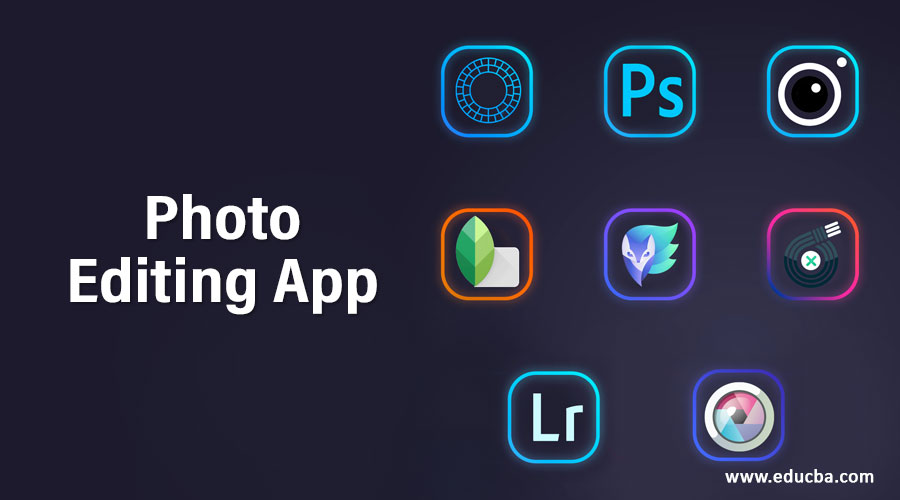
Photo Editing App for learning
In this article, we are going to see various photo editing apps with their features.
1. VSCO
The features of the VSCO camera are intimidating. VSCO also has built-in specialized camera apps that can also shoot manually. You can adjust focus and exposure, switch between 3 flash modes, allow balanced composition gridlines, and choose the color interface. VSCO also comes with an integrated camera, which can be set up manually used with features such as temperature correction, shutter speed, contrast, manual focus, ISO, and white balance.
VSCO provides two options for applying filters as well as presets or using manual adjustment tools. VSCO has a total of 10 presets, which allow you to change your images quickly and efficiently. VSCO provides other manual adjustment tools, which include photo clarity, crop, exposure, straighten, shadow save, contrast, sharpen, saturation, etc.
2. Snapseed
Snapseed is a professional photo editing app which is a free app that offers all tools which are needed for efficient photo editing. This software is also popular for its ability to edit RAW files. As smartphones are now able to shoot RAW images, it’s also important to edit them appropriately in a decent editing app.
It provides outstanding features such as HDR, healing brush, perspective, structure, etc. Snapseed has Another outstanding feature: the tool to save styles or presets, which can be used in other photos. Snapseed offers 29 filters as well as tools to double exposure, face poses, tune images, glamour glow, etc.
3. Adobe Lightroom for Mobile
Adobe Lightroom for Mobile is a widely used and most liked photo editing app by professional photographers because it is the only photography app able to edit, view, and organize a large number of images. Adobe Lightroom has an integrated camera feature that allows you to take RAW photos through a smartphone and, set aperture, exposure, and use other manual tools. Adobe provides advanced features like curves which help the user to make fine adjustments to the contrast, color, tone, exposure, etc. The Lightroom mobile edition of editing offers a broad variety of tools and presets, from basic to advanced adjustment and correction software. Navigation-wise, its presets and other tools can be used by tapping the presets once. It also has features such as white balance, and exposure, and a user can make it easy to find and change settings. The premium version of Adobe Lightroom has more outstanding features like cloud storage, healing brush, RAW image editing of DSLR photos, selective adjustments, and many more.
4. Adobe Photoshop Express
Photoshop Express offers flip and straighten functions that have more adjustable editing options, unlike other photo apps. In Adobe Photoshop Express, You can edit photos in RAW format and even in TIFF format. It has 45 filters that can be applied to your images, such as One-click sharing and watermarking.
5. Enlight
Enlight is a high-quality camera and photo editing app. It offers to capture double exposures. You can add text, blend images that are easy to use. Enlight provides functions such as setting color, exposure as well as cropping. It also has various unique features like black and white filters, built-in filters with duo color toning, and maximum control on the photo highlights and shadow quality.
6. TouchRetouch
TouchRetouch is also one of the best apps when it comes to editing and removing unwanted elements from pictures. It provides features such as healing and cloning, which helps to remove elements that users do not want in the picture. Users have to Tap the item or area of that picture that needs to clear with the fingertip, and this app will start examining the picture automatically and figure out the best way to smooth out the undesirable portion to create a natural and clear image.
7. InstaSize
InstaSize is a very popular and widely used app equipped with a robust library of resizing options, retouching tools, filters, text editing tools, border/photo frame packs, along video editing capabilities. InstaSize has 100+ filters that help in enhancing pictures. It also has 10+ photo adjustment tools such as contrast, brightness, sharpness, etc., as well as 6 retouching tools like blemish remover, whitening tool, glow enhancer, etc. It also offers features for resizing and cropping for stories, status, banners, etc. Videos can also be edited as well as color grading of the video is also available before uploading to social media platforms.
8. Pixlr
Pixlr is a popular and free photo editing app and has various photo filters, effects, and overlays, which help create visually appealing and unique images. It provides specialized tools, such as straightening, tone control tool, vignette, red-eye remover, and white balance, as well as regular editing tools, for example, setting contrast, captioning, and cropping. All the photos you captured and edited can be shared on social media sites.
Conclusion
This article has seen various photo editing apps for android, which will help you enhance your pictures. You can choose any of these apps based on several features mentioned in the article. I hope you will find this article helpful.
Recommended Articles
This is a guide to Photo Editing App. Here we discuss the Introduction and top 8 Photo Editing Apps in detail for better understanding. You can also go through our other related articles to learn more –

