

Updated March 4, 2023
Introduction to Oracle Table Partition
PARTITION in Oracle database can be defined as a concept in which data objects like tables, indexes, and index-organized tables can be reduced or subdivided into smaller areas or pieces and these portioned data objects can be accessed at the much finer level which helps in increasing the performance as it works on only on the relevant data, it is also easy to maintain and decreases the cost by appropriately storing the data and also increases the availability.
Syntax
Let us now look at the syntax of creating the Oracle Table Partition below.
Create table table_name(column_1 datatype

Column_2 datatype, …, column_n datatype)

Partition by range (column)

(partition p1 values condition,………

…partition pN values condition);
Parameters
Below are the parameters mentioned :
table_name: It refers to the name of the table we want to create
column_1 datatype, column_2 datatype, …, column_n datatype: These refer to the name of the columns and their data types
column: It refers to the column name based on which you will create the partition.
How to Perform Table Partition in Oracle?
In the previous section, we discussed the definition of table partition. In this section, we are going to discuss how to perform table partition in Oracle. To do this there are four ways in which we can do partition in Oracle.
• Range Partition
• Hash Partition
• List Partition
• Composite Partition
Let us now discuss each one of them below.
• Range Partition: This type of partition is used when data is distributed over a range of values. It maps data based on the ranges of values of the partitioning key and the range is already established for each partition and based on that the values are stored in each partition. It is one of the most common ways of doing partition.
• Hash Partition: it is used to evenly distribute data across all the partitions that are defined. The mapping of rows is based on the hash value of the partition key. Hash partition is also used as an alternative to range partition.
• List partition: This type of partition is completely different from the other two partitions. In list partition, the partition is defined by a discrete list of values. We can use more than one column as a partition key. In this way, it is different from range partition because in range partition a range of values is associated with partition whereas we can ourselves specify the list of values for the partition column.
• Composite partition: As the name suggests it is a type of partition where we are using the range method for partition and then we are using the hash method for subpartition.
Examples of Oracle Partition
Let us now look into a few examples so that we can get a better understanding of the concept.
Examples #1 – Using Partition by Range to Create a Table
In this section, we are going to create a table using the partition by range concept. Let us look at the query for the same.
Query:
CREATE table sale_product (year number(4),product_name varchar2(10), amount number(10))

partition by range (year)

(partition p1 values less than(2002),

partition p2 values less than(2003),

partition p3 values less than(2004),

partition p4 values less than(maxvalue));
In the above query, we can see that there are four partitions. The partition p1 is used to store the rows of the year 2002, similarly, partition p2 will store rows of the year 2003, partition p3 will store the rows of the year 2004 and the rest of the rows are stored in partition p4.
Let us execute the query and check the result.
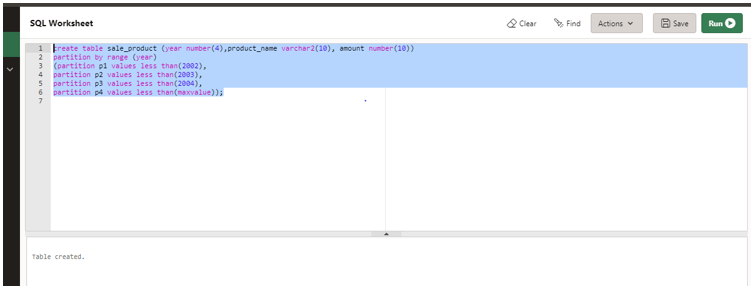
As per the screenshot above, we can see that the table sale_product has been created.
INSERTING DATA INTO THE PARTITIONED TABLE:
Let us now insert data into the table and check. So we will insert four rows of data into the table using the INSERT statement.
Query:
INSERT INTO sale_product (year, product_name, amount) VALUES ('2002', 'car', 400000);

INSERT INTO sale_product (year, product_name, amount) VALUES ('2003', 'truck', 1500000);

INSERT INTO sale_product (year, product_name, amount) VALUES ('2004', 'bike', 40000);

INSERT INTO sale_product (year, product_name, amount) VALUES ('2005', 'cycle', 4000);
Let us execute the query in the developer and check the result.
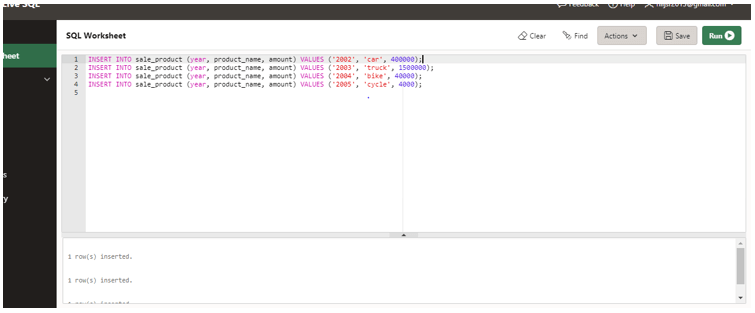
As we can see in the screenshot the data has been inserted.
Now let us check the table data after insert.
Query:
SELECT * from sale_product;
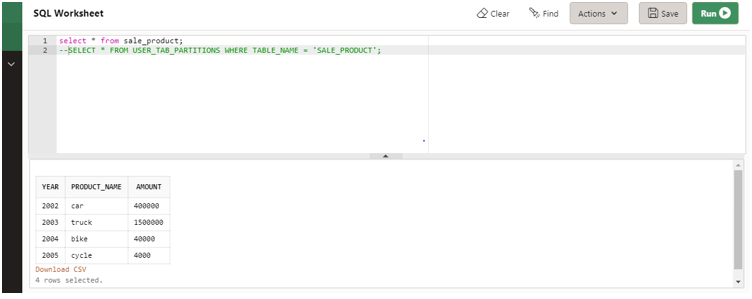
As we can see in the screenshot that four rows have been inserted.
Let us now check the partition details along with the partition name, position, and other details.
Query:
SELECT * FROM USER_TAB_PARTITIONS WHERE TABLE_NAME = 'SALE_PRODUCT';
Let execute the query in and check the result.
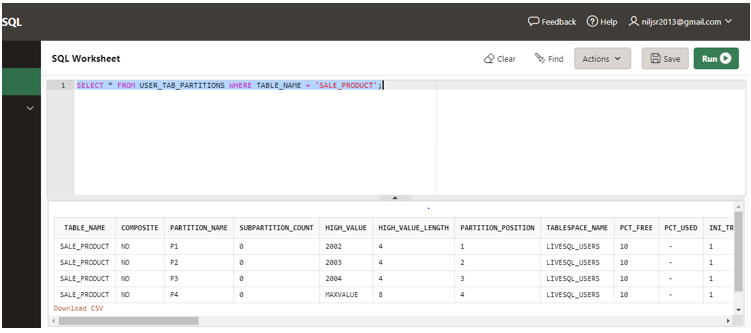
As we can see in the screenshot above the query displays the details.
Example #2 – Using Partition by Hash to Create a Table
In this example, we will create a table product with two columns. Let us look at the query below.
Query:
CREATE TABLE product(product_id NUMBER(4), description VARCHAR2 (100))

PARTITION BY HASH (product_id)

PARTITIONS 4

STORE IN (p1, p2, p3, p4);
In the above query, the partitioning column is product_id and p1, p2, p3, p4 are the tablespaces for the four partitions to store the respective values.
Let us execute the query and check the result.
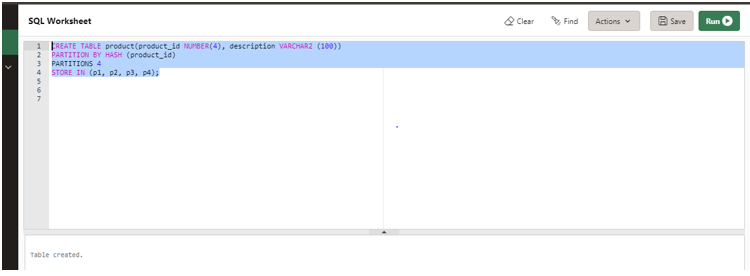
As we can see in the screenshot above the table has been created successfully.
Example #3 – Using List Partition to Create a Table
In this section, we are going to discuss the concept of list partition to create a table. In this example, we are going to create a partition table employee_database with three columns. Let us prepare the query for the same.
Query:
CREATE table employee_database (employee_id number (5), employee_name varchar2(20),City varchar2(20))

Partition by list (City)

(Partition p1 values ('NEWDELHI','LUCKNOW'),

Partition p2 values ('ASANSOL','JAMSHEDPUR'),

Partition P3 values ('MUMBAI', 'GOA'),

Partition p4 values ('LONDON','CHICAGO'));
In the above query, there are four partitions and the portioning column is the city.
Let us execute the query and check the result.
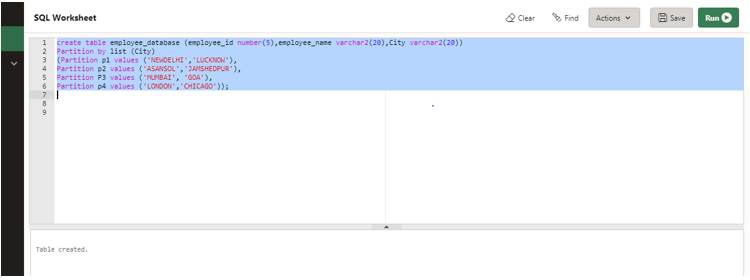
As we can check the above screenshot the table has been created.
Example #4 – Using Composite Partition to Create a Table
In this example, we are going to create a table product_list using the concept of composite partition. Let us prepare the query for the same.
Query:
CREATE TABLE PRODUCT_LIST (product_id NUMBER, description VARCHAR (100), costprice NUMBER(5))

PARTITION BY RANGE (costprice)

SUBPARTITION BY HASH(description)

SUBPARTITIONS 4 STORE IN (tab1, tab2, tab3, tab4)

(PARTITION p1 VALUES LESS THAN (2000),

PARTITION p2 VALUES LESS THAN (4000),

PARTITION p3 VALUES LESS THAN (MAXVALUE));
In this above query, we have created the partition using partition by range concept and four sub-partitions using partition by the hash concept.
Let us execute the query and check the result.
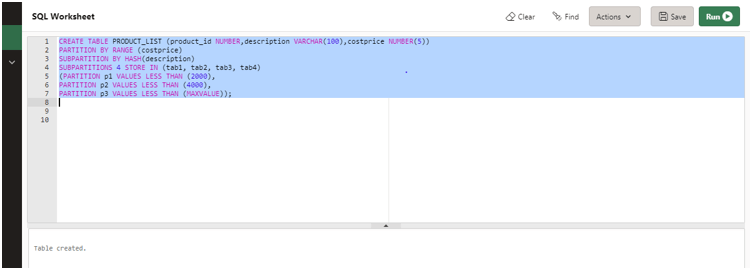
As the above screenshot, the table product_list has been created.
Conclusion
In this article, we discussed the concept of partition in Oracle. We began the article by the definition of the partition in the Oracle database and we then discussed the syntax and different ways to create a partition table. Later on, we went through examples for each concept.
Recommended Articles
This is a guide to Oracle Table Partition. Here we discuss how to Perform Table Partition in Oracle along with query examples for better understanding. You may also have a look at the following articles to learn more –

