
Updated February 20, 2023
Introduction to Maven kafka-clients
Maven kafka-clients are used to create the producer and consumer in the maven project. At the time of working the maven Kafka client, we need to add the Kafka client dependency in the pom.xml file, also we need to create the maven project to use the Kafka clients in maven. The build tools of maven will contain the pom.xml file. The pom.xml file is the default file that contains information regarding all projects.
Key Takeaways
- Maven Kafka client dependency is used to create the Kafka application by using Kafka producer and consumer. We need to add the slf4j dependency with the maven Kafka dependency into the maven Kafka application.
- We are defining the maven Kafka dependency into the pom.xml file which is the application configuration file.
Overview of Maven kafka-clients
While creating the Kafka client we need to add the dependency of the Kafka client into the pom.xml file. This file basically contains the information of artifact id, group id, and version. At the time of adding or editing this value of the Kafka client user need to define the dependencies of the Kafka client. While defining the dependencies of the Kafka client we need to add the same into the block of dependencies.
At the time of adding Kafka client dependencies in red color then we can say that we missed enabling the option of auto import. The project window of maven will appear on the right side of the project screen. We can create the Kafka client project by using the spring tool suite as well as eclipse IDE.
How to Create Maven kafka-clients Project?
The below steps shows how we can create the maven Kafka client project as follows.
For creating the project, we are using spring initializer and running this project by using the spring tool suite as follows:
1. While creating the maven Kafka client project first we are creating the template of the project by using a spring initializer. Below we are creating the template of the Kafka maven project by using a spring initializer. At the time of creating the template we are defining the value of group name as com.example, artifact name as maven_kafka_client, name as maven_kafka_client, packaging as jar, and defining the language as java.
Group name – com.example
Artifact – maven_kafka_client
Name – maven_kafka_client
Packaging – jar
Java version – 8
Language – java
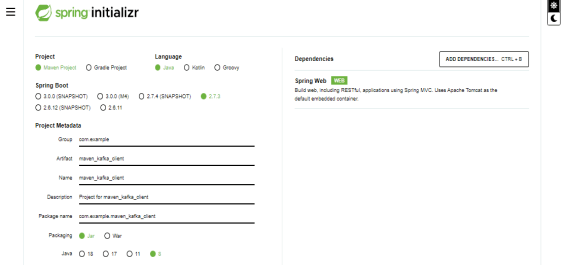
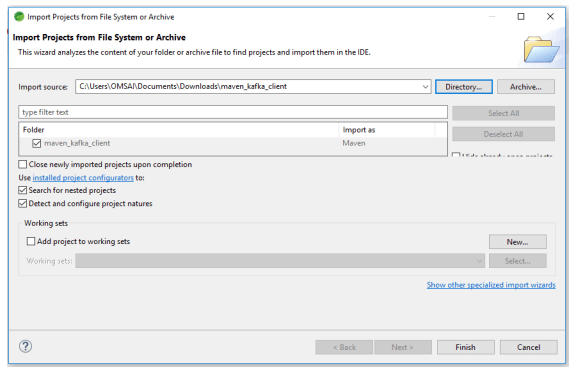
2. While creating the project template of the maven Kafka client project into the spring initializer now we need to download and extract the project template and need to open the same by using the spring tool suite as follows.
3. After downloading and extracting the project template of the maven Kafka client now in this step we are checking the pom.xml file and the structure of the project. The project structure is as follows.
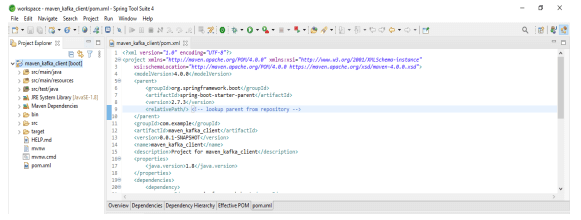
4. In the above example we can see that the pom.xml file is created while creating the project template. Now in the below example, we are adding the Kafka client dependencies into the pom.xml file as follows.
Code:
<dependency>
  <groupId> org.apache.kafka </groupId>
  <artifactId> kafka-clients </artifactId>
  <version> 3.0.0 </version>
</dependency>
Output:
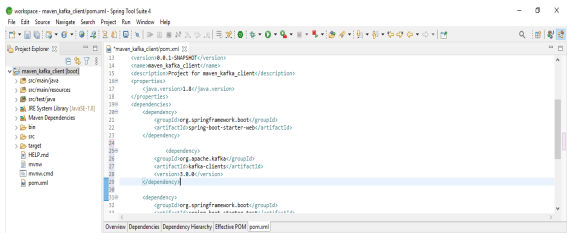
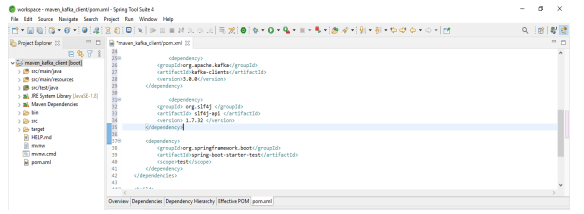
5. After adding the maven Kafka client dependency, now in this step we are adding the slf4j dependency as follows. This dependency is used for logging. It is enabling the logs which were running to the application.
Code:
<dependency>
  <groupId> org.slf4j </groupId>
  <artifactId> slf4j-api </artifactId>
  <version> 1.7.32 </version>
</dependency>
Output:
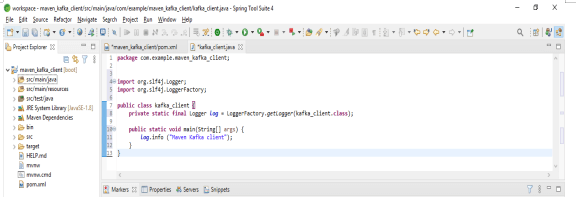
6. After adding the dependency of Kafka client and slf4j dependency now we are creating the class of maven Kafka client as follows. We are creating the class name as kafka_client as follows.
Code:
public class kafka_client {
………
  log.info ("Maven Kafka client");
  }
}
Output:
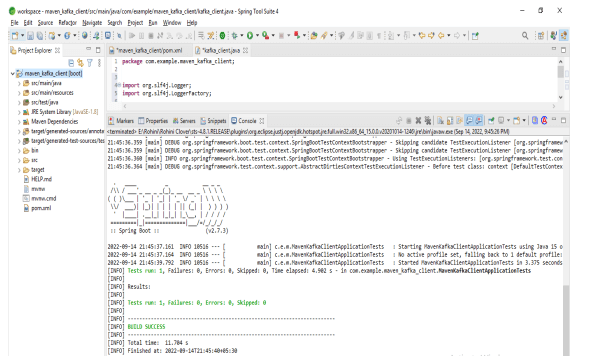
7. After creating the class of the Maven Kafka client now we are running the maven Kafka client as follows.
Maven Kafka-Client’s Applications
To create the Kafka client applications, we are using the project template of maven_kafka_client as follows. In the below example, we are creating the class of application name as maven_kafka as follows.
Code:
public class maven_kafka {
private static final Logger kafka = LoggerFactory.getLogger(kafka_client.class);
…
{
  kafka.info ("Kafka client");
  }
}
Output:
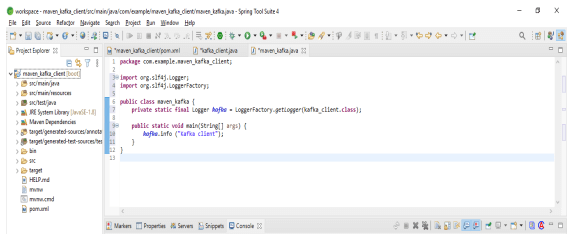
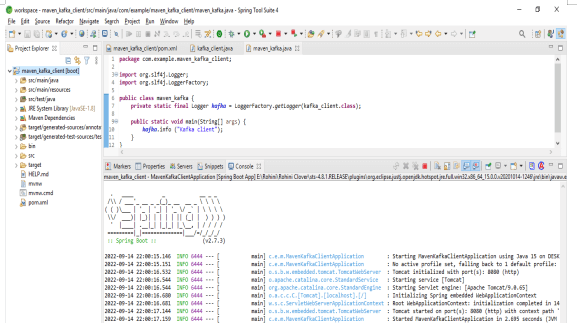
After adding the class of maven Kafka client now in the below example we are running the application by using the spring tool suite. In the above example, we are using the logger factory method and logger into the static method. In the below example, we can see that we have started the application of the maven Kafka client as follows.
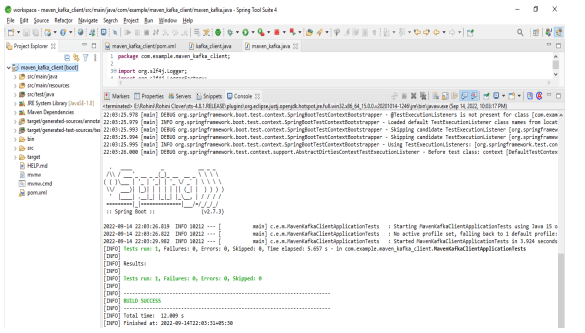
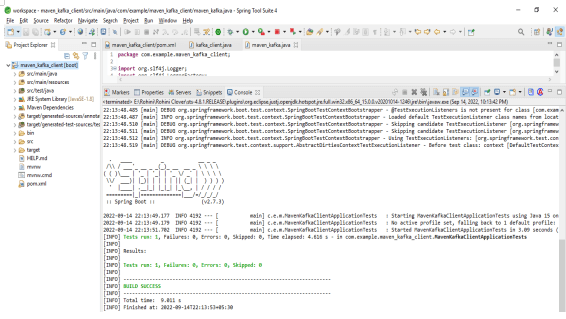
In the below example, we are running the maven Kafka application by using the maven test as follows.
Kafka Client Dependency is Required
While using the maven Kafka client we required the dependency of the Kafka client. Without using the Kafka client, we can use the same in our project. Kafka client dependency is very important at the time of developing the maven Kafka client application. To use the Kafka client dependency, we need to add the below code into the pom.xml file as follows. We are using pom.xml file for adding the Kafka client dependency.
Code:
<dependency>
  <groupId>org.apache.kafka</groupId>
  <artifactId>kafka-clients</artifactId>
  <version>3.0.0</version>
</dependency>
Output:
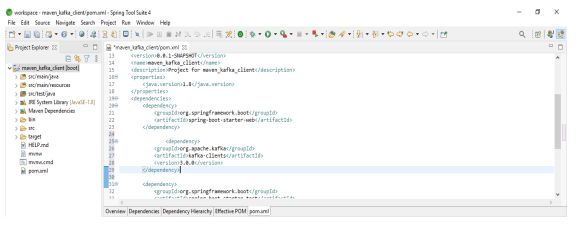
In the above example, we can see that we have required the dependency of the maven Kafka client. In the below example we are running the application by using the maven Kafka client.
FAQ
Given below are the FAQs mentioned:
Q1. Which file is required to add the maven Kafka client dependency in the maven project?
Answer: We need to use the pom.xml file of the application for adding the maven Kafka client dependency.
Q2. What is the use of maven Kafka client dependency in the maven project?
Answer: Maven Kafka client dependency is used to create the producer and consumer for the maven Kafka application. This dependency is very important while developing applications.
Q3. Which logging dependency we are using with Kafka client dependency?
Answer: We are using slf4j dependency with maven Kafka client dependency for logging the project logs.
Conclusion
While creating the Kafka client we need to add the dependency of the Kafka client into the pom.xml file. Also, we need to create the maven project to use the Kafka clients in maven.
Recommended Articles
This is a guide to Maven kafka-clients. Here we discuss the introduction, and how to create a maven kafka-clients project, applications and FAQ. You may also have a look at the following articles to learn more –

