


Introduction to Ext JS UI Design
In the digital-first world, custom software development is all about delivering unique business solutions that stand out for usability, power, and visual appeal. At the heart of these solutions lies the user interface (UI), which defines how users interact with software. For many enterprises across North America, Europe, Asia, and beyond, Ext JS UI design has become a top choice for building fast, data-rich, and visually appealing web applications. But what makes Ext JS such a strong tool for custom UI design? Let us explore how it simplifies the process.
What is Ext JS?
Ext JS is a mature JavaScript framework designed specifically for building interactive, cross-platform, and enterprise-grade web applications. It offers a comprehensive library of UI components, a powerful layout manager, data handling capabilities, and tools for theming, accessibility, and localization. Ext JS is known for its feature-richness, reliability, and the ability to reduce development time and complexity.
Why UI Design Matters in Custom Software Development?
User Interface design is the bridge between users and technology. In custom software, where requirements are unique and often complex, the UI must be intuitive, responsive, and aligned with business goals. Poor UI can lead to low user adoption, reduced productivity, and increased support costs. Effective UI design, on the other hand, boosts engagement, satisfaction, and ROI.
The UI Design Challenges in Custom Software Development
Before exploring how Ext JS solves UI challenges, it is important to understand the common pain points:
- Complexity: Custom business apps often have intricate data relationships, workflows, and user roles.
- Consistency: Maintaining a uniform look and feel across multiple modules and teams is tough.
- Responsiveness: Modern users demand seamless experiences on desktops, tablets, and smartphones.
- Scalability: UIs must handle large volumes of data and users.
- Localization: Since people around the world use software, developers ensure it supports various languages and formats.
- Accessibility: Compliance with accessibility standards (e.g., WCAG, Section 508) is mandatory for many sectors.
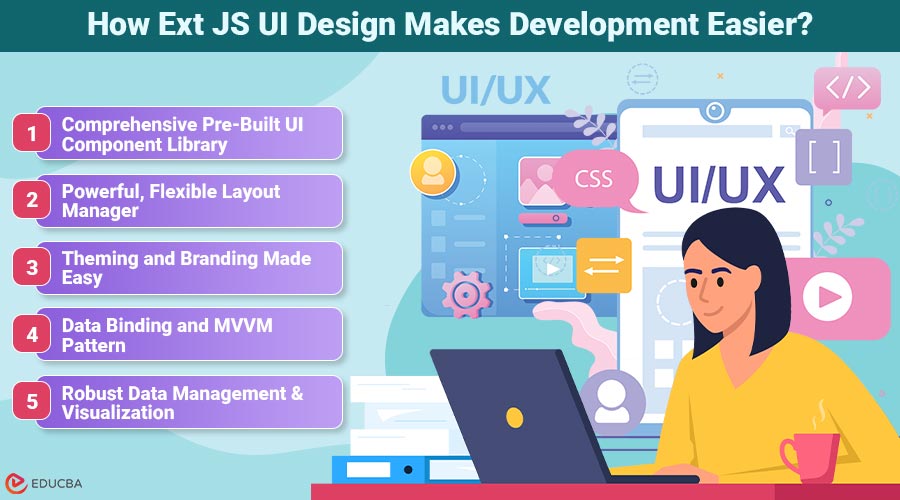
How Ext JS UI Design Makes Development Easier?
Below are the key ways Ext JS UI design simplifies the development process, from building responsive layouts to managing complex data with ease.
1. Comprehensive Pre-Built UI Component Library
Ext JS offers over 140 high-quality, customizable UI components, including:
- Data Grids and Trees
- Forms and Field Sets
- Tabs, Menus, Toolbars, Accordions
- Datepickers, Sliders, Carousels
- Charts and Data Visualizations
- Calendars and Dashboards
How it simplifies design:
- Rapid Prototyping: Drag and drop components to quickly assemble interfaces.
- Consistency: Pre-built components ensure a uniform look and feel.
- Extensibility: Components can be extended or customized for unique requirements.
2. Powerful, Flexible Layout Manager
Designing complex, responsive layouts is a breeze with Ext JS’s advanced layout system:
- Box, HBox, VBox, Border, Card, Fit layouts: Arrange components in rows, columns, panels, or responsive containers.
- Nested Layouts: Easily create dashboards, split views, and multi-pane interfaces.
- Adaptive Design: Configure layouts that automatically adjust to screen size and orientation.
3. Theming and Branding Made Easy
Every business wants its custom software to reflect its brand identity. Ext JS simplifies theming through:
- Sass-based theming engine: Customize colors, fonts, borders, and more.
- Pre-built themes: Triton, Material, Crisp, and custom themes.
- Dynamic Theme Switching: Users can toggle between light/dark or branded themes.
How it helps:
- Faster branding: No need to code every style from scratch.
- Consistency: Theme changes propagate across all components.
4. Data Binding and MVVM (Model-View-ViewModel) Pattern
Ext JS supports the MVVM pattern with powerful two-way data binding:
- Automatic UI updates: UI elements update when underlying data changes.
- Declarative bindings: Bind UI controls to data models with minimal boilerplate.
- Separation of concerns: Cleaner, more maintainable code.
5. Robust Data Management and Visualization
Custom applications often deal with large, complex datasets. Ext JS simplifies the UI for data-heavy apps with:
- Data Stores and Proxies: Retrieve, sort, filter, and paginate data from any source (REST, AJAX, WebSocket).
- Feature-rich Grids: Support for grouping, inline editing, drag-and-drop, and custom cell rendering.
- Pivot Grids: For business intelligence and analytics dashboards.
- Integrated charting: Bar, line, pie, radar, and more charts, all interactive and customizable.
How it helps UI design:
- Out-of-the-box solutions for common data challenges.
- Interactive, visually appealing UIs for end-users.
6. Integrated Tools for Faster UI Development
Sencha provides a suite of tools to accelerate UI design with Ext JS:
- Sencha Architect: Visual drag-and-drop UI builder.
- Sencha Themer: WYSIWYG tool for creating and applying themes.
- Sencha Fiddle: Online sandbox for experimenting with components and layouts.
How it helps:
- Lower learning curve: Even new developers can build complex UIs quickly.
- Rapid prototyping: Visualize and iterate designs before final implementation.
7. Responsive and Adaptive Design
Ext JS ensures your UIs look and work great on all devices:
- Responsive configs: Components adjust their appearance and behavior to the device.
- Classic and Modern toolkits: Classic for desktops, Modern for touch devices—choose or mix as needed.
- Media queries: Built-in support for CSS3 media queries.
8. Documentation and Community Support
- Extensive documentation: API guides, code examples, and best practices.
- Active community: Forums, Stack Overflow, and third-party resources.
Why it matters:
- Faster onboarding: New team members or offshore developers can get up to speed quickly.
- Reduced risk: Common UI challenges have well-documented solutions.
Ext JS vs. Other UI Frameworks
| Feature | Ext JS | React | Angular | Vue.js |
| UI Components | 140+ built-in | 3rd-party libs | 3rd-party libs | 3rd-party |
| Layout Manager | Advanced, built-in | Manual | Basic | Basic |
| Data Handling | Integrated | External libs | Integrated | External |
| Theming | Sass, visual tool | Manual | CLI, manual | Manual |
| Accessibility | Built-in | Manual | Varies | Manual |
| i18n | Built-in | External libs | External libs | External libs |
| Commercial Support | Yes | No | No | No |
Best Practices for Ext JS UI Design
1. Plan Your UI: Use wireframes and prototypes to map complex workflows before coding.
2. Componentize Reusable Elements: Encapsulate grids, forms, and toolbars for DRY (Do not Repeat Yourself) code.
3. Leverage Layouts: Use nested layouts for dashboards and admin panels.
4. Customize Themes: Reflect client branding with minimal effort using the theming engine.
5. Optimize Data Loading: Use buffered stores, lazy loading, and virtual rendering for performance.
6. Ensure Accessibility: Use ARIA attributes, keyboard navigation, and test with screen readers.
7. Internationalize Early: Prepare for localization from project start.
8. Profile and Test: Use Sencha Inspector and testing tools to catch UI issues early.
9. Document Components: Maintain up-to-date documentation for faster onboarding and maintenance.
10.Stay Updated: Follow Ext JS release notes for new features and best practices.
Final Thoughts
Ext JS UI design makes building user interfaces for custom software faster, easier, and more consistent by delivering a powerful combination of pre-built components, flexible layouts, theming, data handling, accessibility, and internationalization. For organizations in the US, Europe, Asia, and beyond, it is a proven framework for building scalable, maintainable, and world-class user interfaces—saving time, reducing risk, and ensuring user satisfaction. Whether you are building enterprise dashboards, healthcare systems, or logistics platforms, Ext JS empowers your team to design intuitive, beautiful, and powerful UIs without reinventing the wheel. Explore the Sencha Ext JS official site, try Sencha Fiddle, or connect with Ext JS experts in your region for tailored solutions.
Frequently Asked Questions (FAQs)
Q1. Is Ext JS suitable for mobile UI design?
Answer: Yes. With the Modern toolkit and responsive configs, Ext JS supports touch-friendly, mobile-optimized UIs.
Q2. Can Ext JS UIs be branded for different clients?
Answer: Absolutely. The theming engine allows deep customization to reflect any corporate identity.
Q3. How easy is it to localize an Ext JS app?
Answer: Ext JS provides built-in i18n tools for translating text, formatting dates, and supporting RTL languages.
Q4. What kind of UI complexity can Ext JS handle?
Answer: Ext JS excels at complex, data-heavy UIs such as admin panels, dashboards, and analytic tools.
Recommended Articles
We hope this guide to Ext JS UI design helps you create intuitive, powerful interfaces for your custom software projects. Explore these recommended articles for additional tips to optimize your UI development.

