


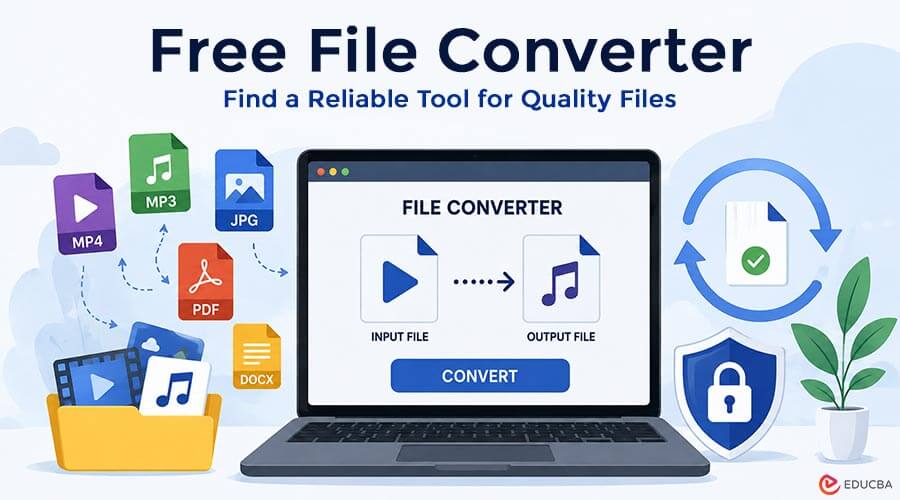
Paying for software is not always necessary when the job is simple. Many people only need to change a video, audio track, image, or document into another format so it works on a different device or platform. In that situation, a free mp4 to mp3 converter service or another no-cost Free File Converter can be perfectly practical, as long as it produces dependable results. The challenge is separating genuinely useful converters from those that add unnecessary limits, reduce quality, or make a basic task more complicated than it needs to be. A little attention to the details can make the difference between a smooth conversion and a frustrating one.
Start With the Formats You Actually Need
A Free File Converter can have an impressive-looking website and still be useless if it does not support the file types you work with. Before choosing a tool, check both the input and output formats carefully. Video users may need support for MP4, MOV, AVI, or WebM, while audio users may care more about MP3, WAV, AAC, or FLAC.
It also helps to think beyond the current task. A converter that supports several common formats can remain useful later, rather than forcing you to search for a new service whenever a different file appears. Broad compatibility makes everyday file handling easier and more predictable.
Look at File Size and Usage Limits
Free converters often come with limits, which is not always a problem. The key question is whether those limits match how you plan to use the service. A small upload cap may be acceptable for short audio clips but frustrating for longer videos or larger presentations.
Some tools restrict the number of conversions per day, while others limit file duration, resolution, or batch processing. Read these details before uploading anything important. A good Free File Converter should make its restrictions reasonably clear. That way, you can decide quickly whether the tool fits the job instead of discovering a limitation halfway through.
Pay Attention to Output Quality
A successful conversion is not just one that creates a new file. The new file also needs to look, sound, or function as expected. Poor converters can introduce blurry video, weak audio, missing pages, strange formatting, or noticeable compression.
For media files, compare the converted result with the original when possible. Listen for distortion, check whether speech remains clear, and look for unusual changes in picture sharpness or synchronization. For documents and images, inspect the layout, text, and visual details. A trustworthy Free File Converter should preserve the parts of the original file that matter while adapting it to the chosen format.
Simple Controls Are Usually a Good Sign
File conversion should not feel like learning professional editing software. For most everyday tasks, the ideal process is straightforward: upload the file, choose the output format, adjust useful settings if needed, and start the conversion.
A clear interface reduces mistakes. It also makes the tool more practical for people who do not work with file formats every day. Look for understandable labels, logical buttons, and settings that explain what they change. Too many confusing options can be just as inconvenient as having too few. Good design helps users make sensible choices without needing technical knowledge.
Check Whether Important Settings Are Available
Simplicity helps, but a little control can make a big difference in the final result. Depending on the file type, useful settings might include audio quality, bitrate, resolution, page range, image dimensions, or compression level.
Not everyone needs these options, yet having them available can prevent unnecessary quality loss. Someone converting a spoken recording may not need the same audio settings as a person saving music. A video intended for a phone may not require the same resolution as one being shown on a larger screen. A reliable Free File Converter gives users enough control to match the output to its purpose without overwhelming them.
Consider Privacy and File Handling
Convenience matters, but files can contain personal, professional, or sensitive information. Before uploading anything important, take a moment to understand how the service handles uploaded files. Reputable converters often explain whether they store files temporarily, when they delete them, and how they protect transfers.
For ordinary media, this may not feel like a major concern. For contracts, private recordings, business documents, or personal photographs, it deserves more attention. Avoid uploading sensitive material to a service that provides little information about its file-handling practices. Free tools can be useful, but sensible digital habits still matter when choosing a Free File Converter.
Do Not Assume Paid Means Better
A price tag can suggest extra features, but it does not guarantee better basic conversion. Paid software may offer batch processing, advanced editing, faster queues, cloud storage, or professional controls. Those features can be valuable for people who need them regularly.
For occasional users, however, paying for a large package may be unnecessary. A well-designed Free File Converter can handle common jobs perfectly well, especially when the goal is to create a compatible file for a phone, presentation, website, or media player. The smarter choice is the tool that fits the task, not automatically the most expensive one.
Test the Converter With a Small File First
When trying a new converter, a simple test can save time. Use a small, non-sensitive file before uploading something large or important. This lets you see how quickly the service works, whether the controls make sense, and what the final output looks like.
Check the converted file on the device or program where you plan to use it. A result that downloads correctly may still behave differently in another application. Testing a Free File Converter first is especially helpful when preparing files for a meeting, presentation, trip, or deadline. A few minutes of checking can prevent a bigger inconvenience later.
Choose Reliability Over Flashy Extras
The most useful converter is often the one that does its job well. Attractive graphics, long feature lists, and technical language can look impressive, but dependable format support, sensible limits, good output, and a clear process matter more.
A Free File Converter should make digital life easier, not turn a small compatibility issue into a project. When a tool consistently accepts the files you use, produces results that preserve important quality, and makes its limitations clear, it becomes genuinely valuable. You do not need to pay for features you will never use. A careful choice can deliver excellent results without adding another subscription to the monthly budget.
Final Thoughts
Choosing the right free file converter is about more than finding a tool that costs nothing. Format support, output quality, file limits, ease of use, privacy, and reliability all matter in deciding whether a converter is worth using. Taking a few moments to check these factors can help you avoid poor-quality results and unnecessary restrictions.
A reliable Free File Converter can handle everyday conversion needs without requiring expensive software or complicated setups. Whether you are converting videos, audio, images, or documents, focus on finding a tool that delivers the quality and features you actually need. With the right choice, file conversion can remain simple, convenient, and cost-effective.
Recommended Articles
We hope this guide helps you choose a reliable free file converter that delivers good quality, supports the formats you need, and keeps the conversion process simple. Explore these recommended articles for additional insights on file conversion, video and audio formats, online tools, digital file management, and practical conversion solutions.

