


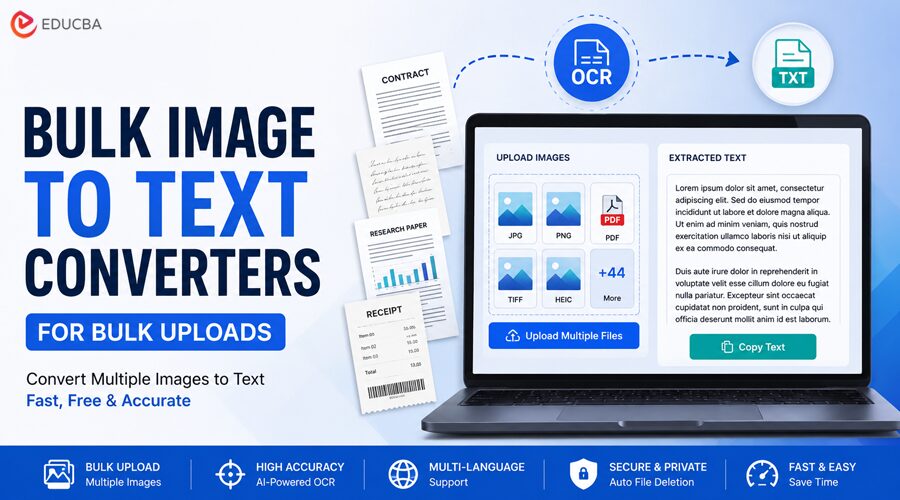
Converting one image to text is simple. Any basic OCR tool can handle it. The problem starts when you have ten, twenty, or fifty images to process, because most free tools force you to process them one at a time.
A good Bulk Image to Text Converter solves that problem. Instead of repeating the same upload-convert-copy cycle for every file, you queue multiple images at once and let the tool process them in a single run. For anyone dealing with scanned documents, research materials, screenshots, or archived records, the time difference is significant.
This guide covers seven free tools that actually support bulk image uploads. For each Bulk Image to Text Converter, we looked at how many images you can process at once on the free tier, what formats are supported, and where the tool falls short.
| Tool | Free Bulk Limit | Formats Supported | Registration Required |
| ImageToTextOCR | 50 images at once with a free account | JPG, PNG, GIF, JFIF, HEIC, PDF | No (optional for 50-image limit) |
| i2OCR | Unlimited (single file per session) | JPEG, PNG, GIF, BMP, TIFF, PDF, DjVu, ZIP | No |
| PDF24 Tools | Multiple files, no stated limit | JPG, PNG, TIFF, BMP, PDF, and others | No |
| NewOCR | Unlimited file uploads, one at a time | JPEG, PNG, GIF, BMP, TIFF, PDF, DjVu, DOCX, ODT, ZIP | No |
| OCR.best | 3 images per submission (free) | PNG, JPG, JPEG, WEBP, GIF, JFIF, TIF, TIFF, BMP, HEIC, AVIF, PDF | No |
| PictureToText | 5 images per submission (free) | JPG, PNG, GIF, WEBP, BMP, HEIC, PDF, TIFF | No |
| OnlineOCR | Batch processing on the paid tier only | JPG, PNG, BMP, TIFF, PDF | No (free); Yes (batch) |
Top 7 Bulk Image to Text Converter Tools You Can Use in 2026
Here are some of the best bulk image to text converter tools that allow users to process multiple images at once, saving time and improving productivity for OCR-based workflows.
1. ImageToTextOCR
The highest free bulk limit of any Bulk Image to Text Converter on this list, with no registration needed to get started.
What are ImageToTextOCR’s bulk upload capabilities?
ImageToTextOCR is a free image to text converter that supports 50 images per submission, which is the most generous free bulk allowance of any tool reviewed here. There is no daily cap on how many times you can run a batch, so processing large volumes is a matter of running multiple queues rather than hitting a wall. Files are processed securely and deleted automatically after conversion.
Key Features
- Up to 50 images per batch with a free registered account
- Supports JPG, PNG, GIF, JFIF, HEIC, and PDF
- AI-powered OCR with post-processing validation
- Handwriting recognition
- Mathematical syntax detection
- Multiple upload options: drag and drop, browse, paste, and URL
- Works on all devices and operating systems
- No daily usage limit.
Downsides: The 50-image batch limit requires creating a free account. Without registration, you are capped at 1 image per submission. The tool currently supports only plain text output; Word or Excel formats are not supported.
Rating: 4.6 / 5
Bulk upload generosity is the strongest factor here, and it is the best free offering available. Accuracy is high for standard printed text, ease of use is straightforward, and format support covers the most common image types. The only meaningful gaps are the registration requirement for the full batch limit and the absence of formatted output options.
2. i2OCR
A completely free Bulk Image to Text Converter service with no registration, no file limits, and support for over 128 languages.
What are i2OCR’s bulk upload capabilities?
i2OCR has a dedicated batch OCR section for both images and PDFs. The free single-image tool allows unlimited uploads with no registration, and the batch service handles high-volume conversions.
It is one of the few tools that support uploading multiple images to a ZIP archive, a practical feature for anyone working with large file sets. The batch service for very high volumes is offered as a paid option, while standard batch processing is free.
Key Features
- Dedicated batch OCR pages for images, PDFs, and documents
- ZIP archive upload for multiple files at once
- Supports 128+ languages
- Outputs to Word, plain text, or searchable PDF
- No registration required
- 10 MB maximum file size per upload
- Handles handwritten and printed text
Downsides: The interface is dated and less polished than more modern tools. The free batch tool requires uploading files one at a time on the standard interface; the true high-volume batch service moves to a paid tier. File size is capped at 10 MB per upload.
Rating: 3.9 / 5
Broad language support and the ZIP upload feature are genuinely useful. The free tier’s batch capability is functional but limited in practice, and the interface does not inspire confidence on first use. Accuracy is solid for clean, well-formatted images.
3. PDF24 Tools
A comprehensive free Bulk Image to Text Converter suite that includes batch OCR with no file count limits and no subscription.
What are PDF24 Tools’ bulk upload capabilities?
PDF24’s OCR tool accepts multiple files simultaneously with no stated cap on the number of images per session and no daily processing limits. It is one of the cleaner implementations of free batch OCR, with a straightforward interface that does not require account creation. Files can be uploaded, processed, and downloaded in bulk. PDF24 also allows you to adjust OCR settings before converting, which is useful for documents with unusual layouts or languages.
Key Features
- Multiple file upload with no stated batch limit
- No daily processing limits and no subscription required
- OCR language selection
- Outputs to PDF, Word, and plain text
- No software installation needed
- Files are automatically removed after processing
- Available as a desktop app for offline use.
Downsides: PDF24 is primarily PDF-focused, and the OCR tool is built around that use case. Direct image-to-text conversion is less seamless than dedicated image OCR tools. Processing speed can slow noticeably when handling large batches.
Rating: 4.1 / 5
The absence of a batch limit is a significant advantage for users processing large volumes. The PDF-centric design is a minor friction point for pure image OCR use cases, but the output quality and ease of use are both strong. No registration and no daily limits keep it practical for regular use.
4. NewOCR
A long-running free Bulk Image to Text Converter service with unlimited file uploads, broad language coverage, and ZIP archive support.
What are NewOCR’s bulk upload capabilities?
NewOCR claims unlimited file uploads on its free tier with no registration required. It supports uploading multiple images in a ZIP archive, allowing batch processing without queuing each file individually. It also handles multi-page TIFF and PDF documents natively, which covers a common use case for scanned document batches. The Tesseract-based engine supports 122 recognition languages, making it one of the broadest language coverage options on this list.
Key Features
- Unlimited file uploads, no registration required
- ZIP archive support for multi-file batch processing
- 122 recognition languages, including math/equation detection
- Outputs to TXT, DOC, and PDF
- Select specific page areas for OCR
- Rotate pages before processing
- Handles poorly scanned and low-resolution images.
Downsides: The interface is minimal and has not been updated significantly in years. There is no bulk queue where you upload multiple images and download individual outputs; ZIP-based processing merges everything into a single output. The tool lacks the accuracy improvements that AI-assisted OCR tools have introduced over the past few years.
Rating: 3.7 / 5
NewOCR earns its place for its breadth of language support and the ZIP upload option, both of which are practically useful. Accuracy and interface quality trail the more modern tools on this list, and the merged output from ZIP processing limits flexibility.
5. OCR.best
A modern browser-based Bulk Image to Text Converter with formatted text output support.
What are OCR.best’s bulk upload capabilities?
OCR.best allows up to 3 images per submission on the free tier without registration. That is a modest batch limit, but the tool makes up for it with strong format support, a clean interface, and the ability to extract formatted text rather than just plain text. It supports an unusually wide range of image formats, including HEIC, AVIF, and WEBP, as well as the standard formats, which is useful for users processing images from modern mobile devices.
Key Features
- Batch conversion with simultaneous multi-image upload
- Supports PNG, JPG, JPEG, WEBP, GIF, JFIF, TIF, TIFF, BMP, HEIC, AVIF, and PDF
- Formatted text output in addition to plain text
- Outputs to TXT and DOCX
- Powered by TensorFlow and Scikit-learn
- No registration required for the free tier
- Supports mathematical expression extraction.
Downsides: The free tier caps submissions at 3 images, the most restrictive batch limit on this list. Scaling up requires a paid plan starting at $5 per month. A reCAPTCHA verification step is required before each conversion, which adds friction for repeated use.
Rating: 3.6 / 5
The formatted output and broad format support are genuine strengths. The 3-image free limit is a real constraint for anyone with serious bulk needs, and the CAPTCHA requirement slows down repeated use. Works well for light batch tasks; not suited for high-volume workflows on the free tier.
6. PictureToText.info
A clean and lightweight Bulk Image to Text Converter that handles up to 5 images per batch.
What are PictureToText’s bulk upload capabilities?
PictureToText allows 5 images per submission on the free tier, accessible without creating an account. The tool processes batches quickly and delivers output per image rather than merging everything into a single file, which makes individual results easier to manage. It supports many image formats and lets users upload files through direct URLs, file browsing, or drag-and-drop.
Key Features
- 5 images per submission on the free tier
- Supports JPG, PNG, GIF, WEBP, BMP, HEIC, PDF, and TIFF
- Per-image output with individual copy and download options
- URL-based image upload
- Drag and drop, paste, and browse upload options
- Mathematical expression extraction
- Multilingual support across more than 10 languages.
Downsides: The 5-image free limit means processing larger batches requires multiple sessions. The free tier does not include formatted text output; only plain text. Premium is required for anything beyond basic batch use.
Rating: 3.8 / 5
Per-image output is a practical advantage over tools that merge batch results. The 5-image limit is workable for light use but not for serious volume. Accuracy is reliable for standard printed content, and the interface is clean.
7. OnlineOCR.net
A reliable Bulk Image to Text Converter platform with premium batch-processing features.
What are OnlineOCR’s bulk upload capabilities?
OnlineOCR offers single-file conversion on its free tier, with batch processing reserved for registered and premium accounts. The free plan limits the number of pages you can convert per day, which is limiting for bulk use. That said, OnlineOCR is included here because its premium tier is affordable, its accuracy is consistently strong, and it supports a wide range of output formats. For users who convert images regularly and need reliable batch results, the paid upgrade is worth considering.
Key Features
- Batch processing on the premium tier
- Supports JPG, PNG, BMP, TIFF, GIF, and PDF
- Outputs to Word, Excel, and plain text
- 46 language support
- Secure processing with automatic file deletion
- Available via web and desktop interfaces.
Downsides: Batch upload is not available on the free plan. The free tier has daily page limits and file size restrictions. This is the only tool on this list with a paywall for bulk capability.
Rating: 3.2 / 5
Although OnlineOCR scores lower specifically because bulk free uploads are not available, its accuracy and output format range are both strong, and the premium pricing is reasonable. However, it does not meet the free-bulk-upload premise of this article without an upgrade.
Final Thoughts
Most free OCR tools handle single-file conversion well. A Bulk Image to Text Converter is where the differences become significant.
Of the tools reviewed here, ImageToTextOCR.com offers the most practical free bulk capability: 50 with a free account, combined with solid accuracy, no daily limits, and support for the most common image formats. For users who need to process images in volume without paying for a subscription, it covers most use cases.
i2OCR and PDF24 Tools are strong alternatives, particularly for users with PDF-heavy workflows or multilingual documents. OCR.best and PictureToText are better suited to lighter batch needs where the per-submission limits are not a constraint. NewOCR remains useful for its language breadth. OnlineOCR delivers reliable accuracy but requires a paid plan to access batch processing.
The right Bulk Image to Text Converter depends on volume. For occasional use, most of these tools will do the job. For anything beyond a few files at a time, ImageToTextOCR.com is the most capable free option available.
Recommended Articles
We hope this guide on free bulk image to text converter tools helps you process multiple images faster, improve productivity, and simplify OCR-based workflows. Explore these recommended articles for more insights on OCR technology, document digitization, image processing tools, and online productivity solutions.

