


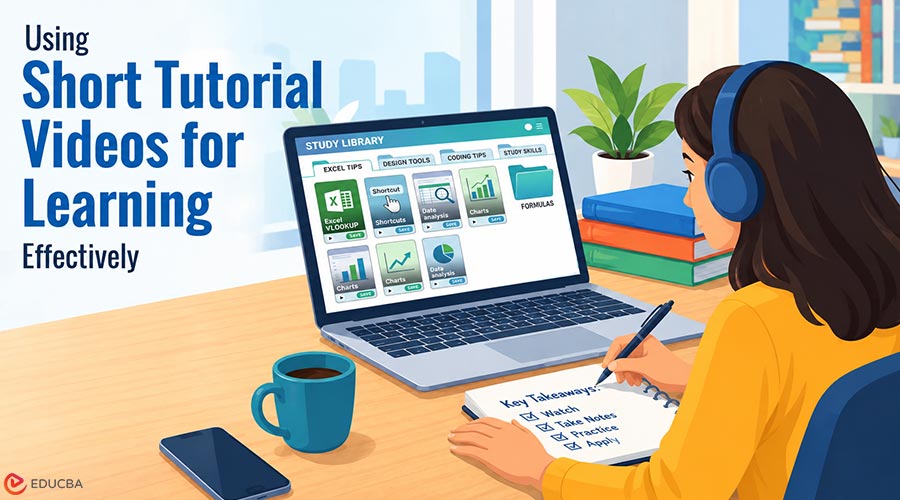
Anyone who has tried to learn a practical skill lately knows that a surprising amount of the best teaching now happens in short vertical videos. A thirty-second demonstration of a spreadsheet shortcut, a quick walkthrough of a design tool, a concise explanation of a concept that a textbook spends three pages on these clips have become genuine learning material. Short tutorial videos for learning have become valuable educational resources, but they often live inside apps designed for endless scrolling rather than focused study. That gap is why it helps to treat them differently.
If you are serious about learning from them, treat the clips you value like notes or bookmarks: something to keep, organize, and return to. That takes a little intention, but the payoff is a personal reference library you actually use.
Why Scrolling is a Poor Substitute for Studying?
The feed is designed to keep you moving. That is excellent for discovery and terrible for revision. When you want to practice a technique, you do not want to hunt back through an endless timeline, hoping the clip resurfaces. You want it in a known place, ready to replay as many times as it takes. A saved copy gives you that; a vague memory of “something I saw last week” does not.
Content also disappears. Creators edit posts, switch accounts to private, or take videos down. If a clip was genuinely useful to your learning, depending on it still being there weeks later is a gamble you do not need to take.
Understand What a Saved Clip is
A reel is a compressed video with an audio track, wrapped in a player that reports views back to the platform. When you keep a copy, you keep the picture and the sound not the comments, not the like count, not the profile around it. It is a fixed snapshot of the video at the moment you saved it. For study, that is exactly what you want: a stable reference that will not change under you while the live post might.
Stay with Public Posts
The one rule that keeps this sensible is to save only content shared publicly. A private account reflects a deliberate choice by its owner about who may see their work, and no tool can override that choice. Public posts are meant for open viewing, and keeping a reference copy is like clipping a public article or saving a diagram you want to revisit. That difference matters before you choose how to save anything.
Choosing a Method that Respects the Source
Browser extensions, desktop programs, and web-based services can turn a public reel link into a standard video file. If you prefer not to install anything, a web tool such as Sssinstagram lets you paste a public link and retrieve the clip in the browser. Whatever route you pick, judge it by the same standards: it should ask only for the public URL, it should never require you to log in with your own account, and it should not drown you in pop-ups and redirects.
Treat any request for your username and password as a warning sign. Saving a public clip never needs account access, and handing credentials to an unknown service is the quickest way to lose control of your account.
Create a Simple Workflow for Short Tutorial Videos for Learning
A consistent workflow can make it easier to turn useful clips into an organized learning resource.
- Confirm the account is public before you save anything.
- Copy the link to the specific reel, not to the whole profile.
- Download it as a standard video file through your chosen tool.
- Rename it with a clear description “excel-vlookup-demo” beats a string of random characters.
- Group clips into folders by subject, so your study material stays navigable.
Naming and sorting take seconds and turn a pile of files into something you can actually search when revising.
Credit the People Who Taught You
Saving a clip for your own study is reasonable. Resharing it without acknowledgment is not. If a video ever leaves your own device in study notes you circulate, say name the creator and link back to the source where you can. Creators invest real effort in explaining things well, and a visible credit respects that while protecting you from questions about ownership.
Keep the Library Healthy
Video files are far larger than text notes, so a growing collection will eat into your storage. Review it regularly, delete clips you have outgrown, and back up the ones you rely on to a second place an external drive or a cloud folder. A study library is only useful if it is still there and still organized when you come back to it. Keep maintaining it so the system stays useful over time.
Final Thoughts
Short tutorial videos for learning have quietly become valuable sources of practical knowledge. Stick to public posts, avoid any tool that wants your login, credit the creators you learn from, and organize what you keep so it is easy to find later. Do that, and you will build a reliable study library ready whenever you want to practice, with or without a connection. In the end, the goal is simple: make each saved clip easy to use. Keep it current, keep it organized, and it will keep working for you.
Recommended Articles
We hope this guide to short tutorial videos for learning helps you build a more organized and effective study routine. Check out these recommended articles for more learning tips and strategies.