


Updated April 4, 2023

Introduction to Timers in JMeter
Jmeter is a java based tool used for load balancing testing scenarios for user requirements and analyses the issues measuring the performance of the applications and related services. Jmeter have different kinds of tools and the Timers in jmeter is one of the built-in tools we can plugin theses in Jmeter used in the client request. There are different kinds of Timer in Jmeters like constant timer, uniform random timer. Each timer have their own features and flexibility in the tool based on the client request it may vary upon the setting in the timer the period level will change In default Jmeter sends the client request without waiting or pausing between all the request.
Syntax:
The basic syntax for the Jmeter in java as follows.
import java packages;
import jmeter packages;
class class name
{
main method()
{
---some user defined methods with jmeter parameters and method calls—
Program logic
}
}
In Jmeter we have a separate tool and plugins also we can test the http request in the Jmeter environment.
How to Use Timers in JMeter?
Jmeter timers are used to define the time duration interval between the client requests if we did not specify any client requests in the jmeter it automatically executes the other requests after complete the first request without waiting times default. jmeter thread sent multiple requests without options like pausing the request we can specify the delay timers is recommended for each type of the request delay is added for any available timers in the Thread groups.
The timers will enable and processed each client’s requests with a certain amount of times if we want to add more than one-timer in the Thread group. jmeter used to sum of the average timers and they paused for that some time period intervals before executing the user request which is to be already specified in the timer config like Sampler.
If we want to apply the single sampler like any type of request HTTP, java, jdbc requests we will add the timer configuration in child node elements of the sampler. The timer config will be applied before the sampler is executed in the meter. If we use some jmeter timers like Gaussian and Poisson Random timer its work on some mathematical operations we can add constant delay offset and some deviation time will be calculated and reset automatically.
Examples of Timers in JMeter
Following are the examples of timers in meter:
Example #1
Code:
public class JmeterTest {
public static void main(String[] args){
StandardJMeterEngine jmeter = new StandardJMeterEngine();
JMeterUtils.loadJMeterProperties("c://tmp//jmeter.properties");
HashTree h = new HashTree();
HTTPSampler Sampler = new HTTPSampler();
Sampler.setDomain("www.facebook.com");
Sampler.setPort(80);
Sampler.setPath("/");
Sampler.setMethod("GET");
TestElement loop = new LoopController();
((LoopController)loop).setLoops(1);
((LoopController)loop).addTestElement(Sampler);
((LoopController)loop).setFirst(true);
SetupThreadGroup group = new SetupThreadGroup();
group.setNumThreads(1);
group.setRampUp(1);
group.setSamplerController((LoopController)loop);
TestPlan test= new TestPlan("Welcome To My Domain");
h.add("plan", test);
h.add("loop", loop);
h.add("group", group);
h.add("Sampler", Sampler);
jmeter.configure(h);
jmeter.run();
}
}
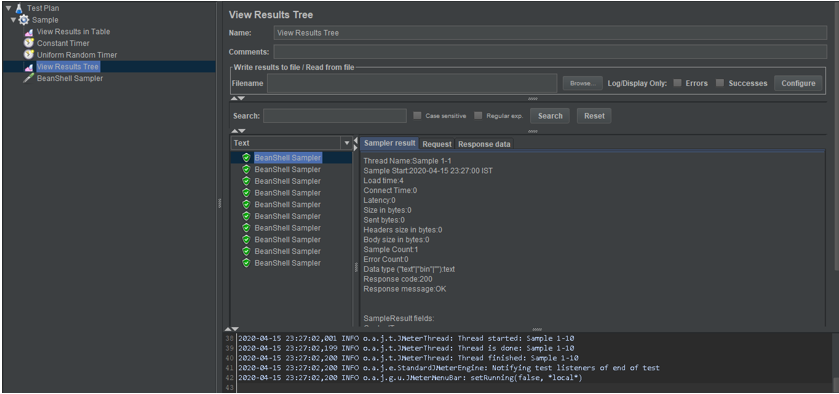
Output:
Example #2
Code:
public class JmeterTest {
public static void main(String[] args) throws IOException {
int ports = JMeter.UDP_PORT_DEFAULT;
if (args.length > 1){
ports = Integer.parseInt(args[1]);
} else if (args.length == 0) {
throw new RuntimeException("commands [port]");
}
String s = args[0];
System.out.println("Request Sending "+s+" requestport "+ports);
DatagramSocket s1 = new DatagramSocket();
byte[] b = s.getBytes("ASCII");
InetAddress a = InetAddress.getByName("localhost");
DatagramPacket p = new DatagramPacket(b, b.length, a, ports);
s1.send(p);
s1.close();
}
}
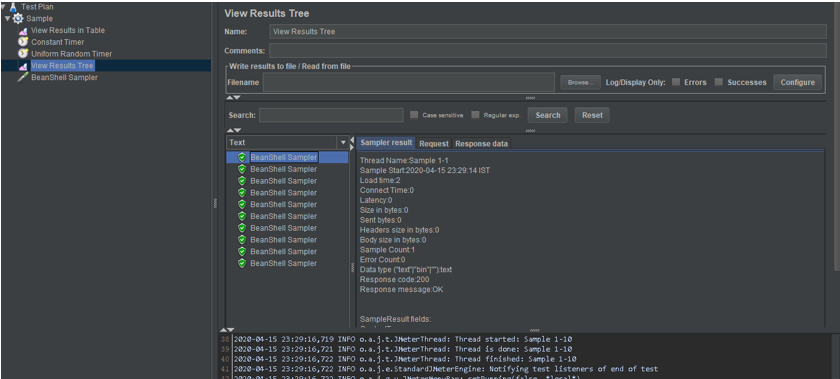
Output:
Example #3
Code:
public class sample {
static final String root = "f://";
static final String jmx = "f:///";
static final String report = "f://";
static final String file = "f://";
private BrowserEventListener event;
private URL u;
private int c;
private CountDownLatch t;
private int time;
public sample(URL u) {
this.u = u;
t = new CountDownLatch(1);
this.c = 5;
time = 60;
}
private void setup() throws TemplateException, IOException {
Configuration cfg = new Configuration(Configuration.DEFAULT_INCOMPATIBLE_IMPROVEMENTS);
Map<String, Object> data = new HashMap<String, Object>();
data.put("protocols", u.getProtocol());
data.put("ports", String.valueOf(u.getPort()));
data.put("hosts", u.getHost());
data.put("paths", u.getPath());
data.put("Users", c);
Template template = cfg.getTemplate(root + file + ".ftl");
Writer files = new FileWriter(new File(jmx + file));
template.process(data, files);
files.flush();
files.close();
}
public void start() throws Exception {
this.addEventListener(new BrowserEventListener() {
@Override
public void onEvent(String event) {
t.countDown();
}
});
setup();
final String Extension = ".jmx";
final String jtl = ".jtl";
final String html = ".html";
final String log = report + "jmeter.log";
final String jmeter = root + "bin/jmeter.properties";
final File f = new File(root + "bin/jmeter-results-detail.xsl");
File fileFeports = new File(report);
if (!fileFeports.exists()) {
fileFeports.mkdir();
}
JMeter j = new JMeter();
String[] files = new File(jmx).list();
for (String file : files) {
if (file.toLowerCase().endsWith(Extension)) {
String fileNoExt = file.substring(0, file.length() - Extension.length());
String outputFileJtl = report + fileNoExt + jtl;
String[] arguments = { "-n", "-t", jmx + file, "-p", jmeter, "-d", root,
"-l", outputFileJtl, "-j", log };
j.start(arguments);
ByteArrayOutputStream baos = new ByteArrayOutputStream();
System.setOut(new PrintStream(baos));
boolean b = true;
do {
BufferedReader br = new BufferedReader(new StringReader(baos.toString()));
String line;
while ((line = br.readLine()) != null) {
b = !line.equals(“end");
}
} while (b);
String outputFileHtml = report + fileNoExt + html;
jtl2html(f, new File(outputFileJtl), new File(outputFileHtml));
}
}
File f2 = new File(jmx + file);
f2.delete();
}
private void jtl2html(File stylesheet, File datafile, File fileOutput) throws Exception {
DocumentBuilderFactory factory = DocumentBuilderFactory.newInstance();
DocumentBuilder builder = factory.newDocumentBuilder();
Document document = builder.parse(datafile);
TransformerFactory transformerFactory = TransformerFactory.newInstance();
StreamSource stylesource = new StreamSource(stylesheet);
Transformer transformer = transformerFactory.newTransformer(stylesource);
DOMSource source = new DOMSource(document);
StreamResult result = new StreamResult(fileOutput);
transformer.transform(source, result);
event.onEvent("end");
}
public boolean waitForEnding() throws InterruptedException {
return t.await(getTimeout(), TimeUnit.SECONDS);
}
public void addEventListener(final BrowserEventListener event) {
this.event = event;
}
public void setUrl(URL u) {
this.u = u;
}
public int getConcurrentUsers() {
return c;
}
public void setConcurrentUsers(int c) {
this.c = c;
}
public URL getUrl() {
return u;
}
public int getTimeout() {
return time;
}
public void setTimeout(int time) {
this.time = time;
}
}
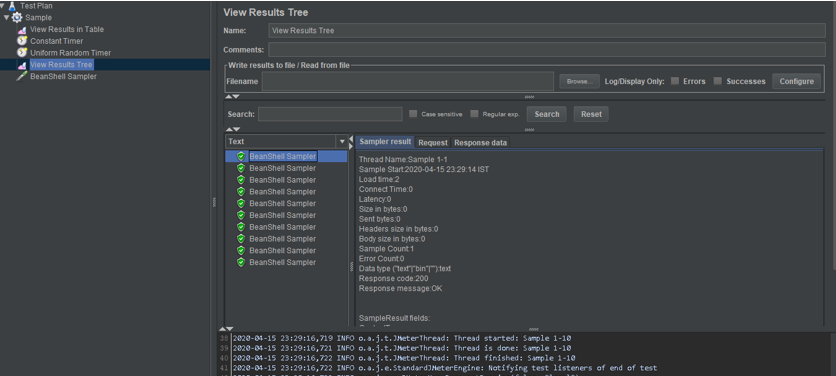
Output:
Conclusion
In Jmeter we have test the different kinds of environments like HTML, java,jsp, etc these come under the sampler in the Thread group. We have created more than one Thread Group for the test cases. The Jmeter timer are expected to load test expert uses to create a scenario for which time knows to use and applied
Recommended Articles
This is a guide to Timers in JMeter. Here we also discuss the Introduction and how to use timers in jmeter? along with different examples and its code implementation. You may also have a look at the following articles to learn more –

