



Introduction to Types of Computer Hardware
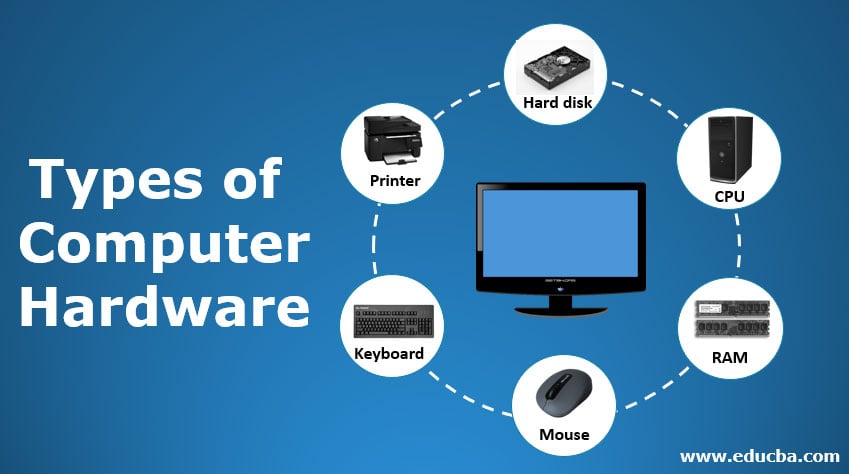
A computer system needs hardware and software components to function properly. Several hardware components are attached to the computer system as per the requirements. Computer hardware consists of mechanical and electronic elements. The hardware of the computer system includes a monitor, CPU, keyboard, mouse, printer, sound system, RAM, hard disk, and many more.
Hardware is used to receive user input, store data, display output, and execute commands. In software engineering interviews, understanding how hardware interacts with software can be crucial, underscoring the importance of efficient data handling, processing, and user interface design in developing robust software solutions.
Different Types Of Computer Hardware
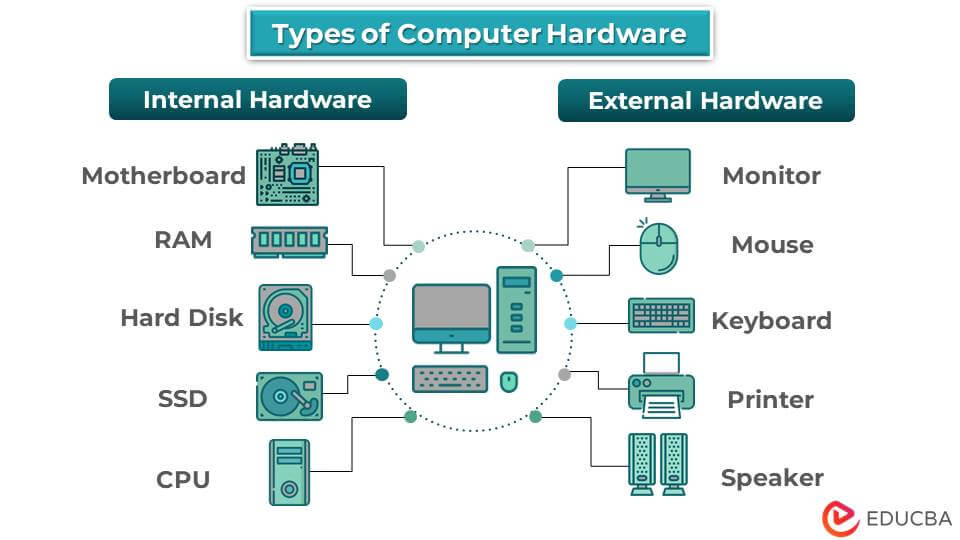
There are two main types of computer hardware: internal and external components.
Internal Hardware Components
Internal hardware components are devices built into the motherboard or added as expansion cards or add-ons to the computer. Leading hardware development companies, such as InTechHouse, develop these systems for industrial, embedded, and commercial applications. The most important internal hardware components are RAM, Hard disk, SSD, Monitor, and CPU. The motherboard connects all other components and serves as the backbone of the computer system. In the section below, you will learn about the internal components in detail.
1. Motherboard
The motherboard is a central printed circuit board (PCB) designed by a skilled PCB design company (e.g., Conclusive Engineering) that connects various components, directly or indirectly. It is the backbone of the computer system. It enables electrical and logical channels for communication and data transfer between the CPU, RAM, storage devices, expansion cards, and other computer hardware components. Professional PCB layout services play a crucial role in designing efficient motherboard circuits, ensuring optimal performance and reliability. There are various types of motherboards, including Advanced Technology (AT), Standard ATX, Micro ATX, Extended ATX, BTX, and Mini ITX.
RAM (Random Access Memory) is computer hardware that stores and processes information. RAM processing speed is much faster than that of a hard disk. RAM is a volatile device, meaning it loses all stored information when a computer system shuts down. RAM easily stores and fetches data. Data fetching from RAM is much faster than from a hard disk. There are two types of RAM: DRAM (Dynamic Random-Access Memory) and SRAM (Static Random-Access Memory). SRAM is used in the CPU cache. In comparison, DRAM is used mostly in modern computers.
3. Hard Disk
Another internal computer hardware used for storing data is the hard disk. It can be preinstalled in the CPU or utilized as an external device. The hard disk is a non-volatile component, meaning it permanently stores data and does not lose data when the system is shut down. The internal hard disk consists of stacked disks with electromagnetic surfaces that store large amounts of data and can be accessed easily. A hard disk can store trillions of bytes of data. Every hard disk has a certain processing speed ranging from 4200 to 15000 rpm. The higher the RPM, the faster the hard disk’s processing speed. Supercomputers typically use a high-performance hard disk.
4. SSD
A solid-state drive (SSD) is a computer data storage device that uses semiconductor memory. This non-volatile storage device depends on flash-based memory, NAND, and NOR to store and retrieve data electronically. SSDs perform the same function as traditional hard disk drives (HDDs) in computers. SSDs are a popular choice for laptops, desktops, servers, and other devices because they offer faster read/write speeds, lower power consumption, and higher durability than HDDs. Different types of SSDs are “SATA”, “PCIe”, “NVMe”, and “M.2”.
5. CPU
CPU (Central Processing Unit) is the core hardware of the computer system, which interprets and executes most of the commands using other computer parts. The CPU is also a core part of laptops, tablets, and notebooks. The CPU, also known as the computer’s brain, executes all operations in the computer system. It comprises a computer chip with billions of small transistors installed on the CPU. These transistors perform all the calculations of the computer system. The CPU connects the other hardware components, including the monitor, keyboard, mouse, printer, and sound system.
6. GPU (Graphics Processing Unit)
The GPU is a specialized processor designed to handle graphics rendering and parallel computations. While basic computers can function with integrated graphics built into the CPU, a dedicated GPU significantly enhances performance for demanding tasks. Modern GPUs are essential for gaming, video editing, 3D modeling, artificial intelligence, and machine learning applications.
GPUs range from affordable consumer models to high-end enterprise solutions. For example, professional-grade GPUs, such as the NVIDIA H100, are used in data centers and AI research facilities. However, the NVIDIA H100 price reflects its enterprise-level capabilities and can reach tens of thousands of dollars. Consumer-grade GPUs are more accessible and suitable for gaming and creative work. The GPU connects to the motherboard via PCIe slots and has its own memory (VRAM) for storing graphics data, enabling it to process complex visual information without burdening the CPU.
Since the CPU and GPU work so closely together, an imbalance between the two can quietly hold back your entire system, even if both parts are individually powerful. Before upgrading either component, it’s a good idea to check how well they’re paired with a Bottleneck Calculator, which analyzes your CPU and GPU together and highlights which one is limiting your system’s overall performance. This can save you from spending money on the wrong upgrade.
External Hardware Components
External hardware components are devices added outside of the computer case. These hardware components provide input and output to the computer, enabling users to communicate with the system. The most common external hardware components include a mouse, keyboard, printer, speaker, and camera. In the section below, you will learn these components in detail.
1. Monitor
Another computing device, the monitor, directly connects to the CPU and displays its output, including videos and other graphics. The video displayed on the monitor is processed by the video card. The monitor screen is comparable to a TV screen. But the difference lies in the resolution and graphics. The monitor displays a higher resolution than the TV screen. A cable connects it and mounts it in a video card installed in the computer system’s motherboard. For laptops and tablets, the system pre-builds the monitor, eliminating the need for separate hardware. There are two types of computer monitors: CRT and LCD. The CRT is an obsolete computer display technology. Modern computers use LCDs because they are thinner, lighter, and easier to use than CRT monitors.
2. Mouse
Input devices such as keyboards and mice enable users to interact efficiently with their computers. As computers become more central to our daily lives, securely sharing login credentials among trusted users has also become important. Using tools that allow you to share passwords securely ensures sensitive information remains protected even when multiple users need access. A person operates a mouse, an input device, by hand to point out something on the screen. The mouse can be either wired or wireless. A wired mouse connects directly to the CPU. The mouse has a laser/scroll ball to scroll up or down on the screen. The cursor on the screen will move directly under the mouse’s movement.
3. Keyboard
A keyboard is a computer hardware device used to enter text and commands into a computer. It can be either wired or wireless. The keyboard contains numbers, alphabets, special characters (#,*,&,%), and other buttons to give input to the computer. This device receives user input and processes commands.
4. Printer
A Printer is a computer hardware output device that produces hard copies of content, digital documents, or images on paper or other media. It takes electronic data from a computer system and transforms it into a printed image or text. Printers are classified by their features, including inkjet, laser, dot-matrix, and 3D printers.
5. Speaker
A speaker is an essential external audio output device for a computer. It produces audio output for listening to music, watching videos, playing games, and conducting video conferences. The computer sends audio signals to the speakers, which convert them into audible sound waves. Users usually connect speakers to the computer’s audio output port, typically a USB port. They come in various sizes, shapes, and designs, with features such as wireless connectivity, voice control, and built-in microphones.
Choosing Computer Hardware Based on Use Case
| Use Case | Recommended CPU | RAM | Storage | GPU | Additional Requirements |
| Students & Everyday Use | Mid-range processor | 8–16 GB | SSD | Integrated | Lightweight system, good battery life |
| Office & Business Work | Multi-core processor | 16 GB | SSD | Integrated / Entry-level | Dual monitor support, security features |
| Programming & Development | High-performance CPU | 16–32 GB | NVMe SSD | Optional | Virtualization support, fast I/O |
| Gaming | High-end CPU | 16–32 GB | NVMe SSD | Dedicated high-performance | High-refresh-rate display, advanced cooling |
| Graphic Design & Video Editing | Multi-core CPU | 32 GB+ | NVMe SSD | Dedicated GPU | Color-accurate monitor, fast rendering |
| AI, Data Science & ML | Multi-core / AI-optimized CPU | 32–64 GB+ | High-speed SSD | High-end GPU / Accelerator | Parallel computing support |
| Servers & Enterprise Systems | Scalable processors | ECC RAM | RAID / SSD | Optional | Redundancy, high availability, security |
| Portable & Remote Work | Energy-efficient CPU | 8–16 GB | SSD | Integrated | Lightweight, long battery life |
Advantages of Computer Hardware
The following are the advantages of computer hardware
- It establishes an effective communication model within organizations to improve organizational standards.
- It automates tasks and enables the storage of large volumes of data, benefiting the organization or individual.
- The user can issue commands to the hardware, which will produce the output specified by those commands.
- The high processing speed of a hardware device enables the execution of more operations simultaneously.
- Computer hardware is multiprocessor, meaning that multiple hardware devices can be used simultaneously.
- Installing and upgrading hardware devices in a computer system is straightforward, depending on the user’s requirements.
Latest Trends in Computer Hardware (2026)
- AI-First Hardware: CPUs and laptops now include NPUs (Neural Processing Units) for on-device AI tasks like voice, vision, and automation.
- Next-Gen CPUs: ARM-based and hybrid CPUs deliver better performance per watt, longer battery life, and near-desktop power in laptops.
- Advanced GPUs: GPUs focus on AI, ray tracing, and parallel computing, supporting gaming, 3D design, and machine learning.
- DDR5 & High-Bandwidth Memory: Faster RAM improves multitasking, gaming, and AI workloads.
- Ultra-Fast Storage: PCIe Gen 5 NVMe SSDs offer extremely high read/write speeds and near-instant boot times.
- Energy-Efficient Hardware: Manufacturers prioritize lower power consumption and sustainable designs.
- Edge Computing Devices: Compact, powerful systems process data locally for IoT, robotics, and real-time applications.
- Modern Form Factors: Dual-screen laptops, ultra-thin desktops, and modular PCs are becoming more common.
- Improved Security Hardware: Built-in TPM, secure boot, and hardware encryption enhance system protection.
- Custom & Specialized Chips: ASICs and accelerators increasingly power AI-specific and enterprise workloads by delivering faster, more efficient performance than general-purpose processors.
Final Thoughts
There are many types of hardware devices present in the market. Hardware devices vary in size and specifications, and should be selected based on the computer system’s compatibility. Choosing the appropriate hardware device with the correct specifications yields the best performance. Different types of hardware devices have different roles. A complete set of hardware components constitutes an effective computer system.
Frequently Asked Questions (FAQs)
Q1. What computer hardware improves performance the most?
Answer: Upgrading RAM and switching from an HDD to an SSD usually provides the most noticeable performance improvement for most users.
Q2. Can a computer work without a graphics card?
Answer: Yes, computers with integrated graphics can perform everyday tasks such as browsing, office work, and media playback.
Q3. How long does computer hardware typically last?
Answer: Most computer hardware lasts 3–7 years, depending on usage, quality, and technological advancements.
Q4. Is it better to upgrade hardware or buy a new computer?
Answer: Upgrading hardware is cost-effective if the system supports modern components; otherwise, buying a new computer is better.
Q5. How do I check my computer hardware specifications?
Answer: Users can check hardware specifications in system settings, the Device Manager, or system information tools.
Recommended Articles
This article provides an overview of types of Computer Hardware. Here, we discuss the basic concept of the seven Types of Computer Hardware and their advantages. You can also review our other suggested articles to learn more–


