


Webex Training Center Alternatives: Overview
Virtual training programs continue to expand across organizations of all sizes, and the demand for structured, scalable, and interactive learning platforms grows every year. As companies modernize their enablement strategies, many training teams are evaluating solutions that offer greater flexibility, stronger engagement features, and better integration with the broader learning ecosystem. Webex training center has long served as a dependable choice for instructor-led sessions; however, many organizations are now seeking platforms that support richer learning experiences, hands-on practice, and streamlined management workflows. This guide explains why companies are shifting away from Webex and offers the best Webex training center alternatives.
Why Organizations Are Moving Away From Webex Training Center?
Before comparing alternatives, it is important to understand why many companies are reconsidering the Webex training center in 2026:
- Need for More Interactive Learning Experiences: Webex Training Center provides solid conferencing, but training teams also need hands-on labs, varied content, and real-time progress analytics features it lacks.
- Growing Demand for Scalable Virtual Training Labs: Technical organizations prefer platforms that replicate real-world environments instead of relying solely on lecture-based training.
- Integrations With Modern Learning Ecosystems: Training ecosystems now rely on LMSs, CRMs, analytics tools, and cloud systems. Many alternatives offer more robust integrations.
- Better Cost-to-Value Ratios: Some alternatives provide richer training features at a lower cost.
- Enterprise-Level Engagement Tools: Breakout rooms, assessments, certification workflows, and feedback loops are essential in 2026 but often limited in legacy training tools.
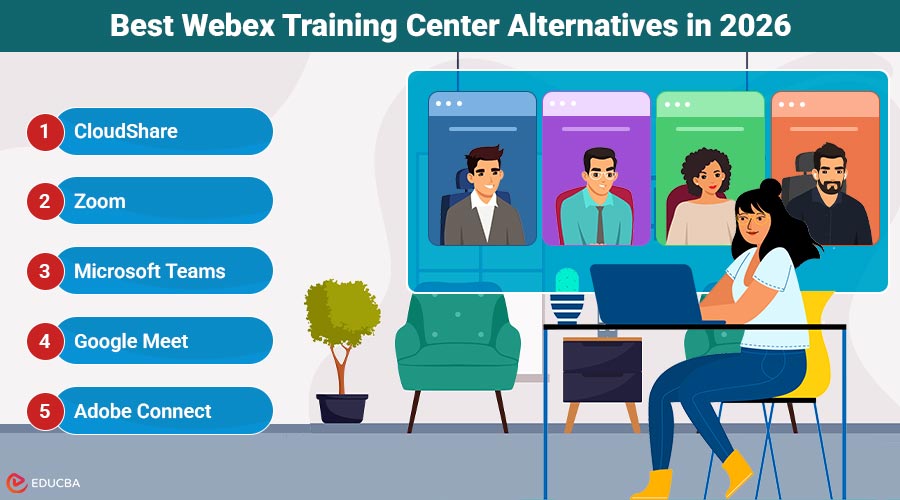
The 5 Best Webex Training Center Alternatives in 2026
Here are the top Webex training center alternatives that organizations should consider in 2026.
1. CloudShare
CloudShare stands out as the most advanced alternative to Webex Training Center for organizations that rely on practical skills development, technical training, and realistic lab environments. Unlike traditional video-focused training tools, CloudShare provides fully interactive virtual IT labs that replicate real-world systems. CloudShare enables learners to work inside live environments, including servers, networks, containers, and SaaS applications, making it indispensable for software companies, cybersecurity training providers, IT certification programs, and enterprise training teams.
CloudShare’s guided labs give trainees real hands-on practice instead of just watching content. Instructors can run multiple virtual machines, track learner actions, reset environments, and watch performance in real time. Built-in analytics show progress, completion rates, and user activity, helping teams improve training results.
Key Features
- Realistic hands-on IT labs
- Virtual environments with full isolation
- Instructor monitoring and real-time assistance
- LMS and CRM integrations
- Environment templates and automated provisioning
- Detailed analytics and scoring tools
2. Zoom
Zoom remains one of the most widely adopted platforms for live, instructor-led training in 2026. Its simplicity, reliability, and global scalability make it a natural choice for organizations wanting a familiar interface without complex onboarding. Zoom has grown from simple video calls to a full platform with breakout rooms, shared whiteboards, AI notes, recordings, and participant analytics making it great for training.
Zoom supports up to thousands of participants, making it ideal for high-volume webinars, onboarding classes, and corporate workshops. The platform integrates with leading LMS, HR, and productivity ecosystems, including Moodle, Slack, Canvas, Microsoft platforms, and more.
Key Features
- Breakout rooms for team-based learning
- AI tools: summaries, notes, action lists
- Whiteboard collaboration
- Polling and live quizzes
- Recording with searchable transcripts
- Robust integrations with LMS/HR systems
3. Microsoft Teams
Microsoft Teams is a powerful Webex training center alternative for companies already embedded in the Microsoft ecosystem. In 2026, Teams has evolved into an all-in-one collaboration suite combining meetings, chat, document sharing, and workflow automation. Its integration with Microsoft 365 apps, including PowerPoint Live, OneNote, SharePoint, and LMS connectors, makes it ideal for structured, recurring training programs.
Teams now offers more training features, including meeting templates, analytics dashboards, presenter controls, breakout rooms, live captions, and AI content tools. Because it’s tightly built into daily corporate work, Teams makes it easy to deliver training where employees already are.
Key Features
- Integrated Microsoft 365 training workflows
- Breakout rooms and presenter modes
- PowerPoint Live and shared digital workspaces
- Persistent training channels
- Enterprise security and compliance
- Integration with Viva Learning and LMS platforms
4. Google Meet
Google Meet has become a leading alternative to Webex Training Center for organizations seeking a simple, browser-based platform that requires no downloads or technical complexity. As part of Google Workspace, it integrates seamlessly with Docs, Sheets, Slides, Drive, and Classroom, making it an efficient choice for education, distributed teams, start-ups, and small-to-mid-size enterprises.
Its strong integration with Google Workspace makes collaborative training easy, especially when creating content, managing docs, and handling follow-up tasks in the same system. Meet is fully cloud-based and performs well on any device, including tablets and Chromebooks, making it an attractive option for educational institutions and remote-first companies.
Key Features
- Browser-based training sessions
- Breakout rooms, polls, and Q&A
- AI meeting summaries and transcriptions
- Real-time translation
- Integration with Google Workspace
- Strong mobile and ChromeOS performance
5. Adobe Connect
Adobe Connect is a well-established alternative to Webex Training Center, built specifically for structured training, virtual classrooms, and immersive learning experiences. Unlike simple video conferencing platforms, Adobe Connect allows instructors to design and customize persistent “learning rooms” with modular layouts, interactive elements, and reusable training templates.
The platform also offers strong recording tools, letting you edit sessions and add bookmarks or interactive features. Its detailed analytics and compliance tracking are especially useful for teams running certification or regulated training programs.
Key Features
- Customizable, persistent training rooms
- Interactive pods: polls, chats, files, videos
- Scenario-based and simulation learning
- Editable recordings
- LMS integration and compliance tools
- Strong accessibility features
How to Choose the Right Webex Training Center Alternative?
Selecting a new virtual training platform becomes much easier when approached through a structured set of criteria rather than focusing on brand names. Training teams should review their needs in teaching style, tech requirements, integrations, scalability, and governance.
Start with the Fundamentals
Identify what type of learning experience you deliver most often. Instructor-led programs emphasize live interaction and ease of access, while technical training may require hands-on environments or simulation tools. Compliance or certification programs often need repeatable room setups, detailed tracking, and clear assessment steps.
Core Questions to Guide Your Evaluation
- What is the primary format of your training? (live sessions, hands-on labs, multi-day programs, certification tracks)
- How many learners do you typically support, and does this vary significantly from session to session?
- Do learners require real-time collaboration tools, breakout rooms, or interactive modules?
- Does your training rely on technical environments or practical exercises?
- What level of reporting or analytics do you need to measure participation and outcomes?
- Are there strict compliance, governance, or data-handling requirements?
Operational and Technical Considerations
- Integration with your LMS, CRM, HRIS, identity provider, and productivity tools
- Administrative features such as automated enrollment, environment preparation, follow-up workflows, and certificate issuance
- Scalability for both small recurring groups and large global cohorts
- Quality and reliability of audio, video, and screen-sharing
- Accessibility across device types and internet conditions
Security and Governance
- SSO and identity management
- Audit logs, encryption, and policy control
- Data residency and compliance alignment
Final Thoughts
The demand for adaptable, scalable, and engaging virtual training platforms continues to rise. The Webex training center alternatives detailed in this guide offer powerful capabilities that support diverse learning styles from technical, hands-on training to instructor-led programs and collaborative learning environments. Whether you need realistic labs, structured virtual classrooms, AI collaboration, or simple browser-based tools, there’s a solid option ready for your 2026 training needs.
Recommended Articles
We hope this guide to Webex training center alternatives helps you find the right virtual training platform. Check out these recommended articles for more insights and strategies to enhance your training programs.

