

Web data collection is easy to demonstrate and harder to repeat. A script may return plausible records while silently missing pages, mixing currencies, or treating an error page as useful content. Reliability starts with making each result explainable: what was requested, which conditions applied, what came back, and why the resulting record was accepted. A reliable web data collection workflow combines careful request planning, controlled sessions, explicit failure handling, and checks that connect the final dataset to its sources.
Define the Dataset Before Starting Web Data Collection
Write down the business question and the smallest set of fields needed to answer it. For a product catalog, that might mean product identifier, title, displayed price, currency, availability, source URL, and collection time. Define what each field means. A missing price should remain missing, rather than becoming zero. Decide how to represent unavailable products, duplicated listings, and pages that cannot be retrieved.
Set a clear web data collection boundary: approved sources, relevant categories, expected update frequency, and a stopping condition. Prefer a documented data feed or API when one provides the required information. For page collection, review the source’s access conditions and avoid collecting unnecessary personal information. These decisions reduce ambiguity before a crawler starts making requests.
Make Each Web Data Collection Run Reproducible
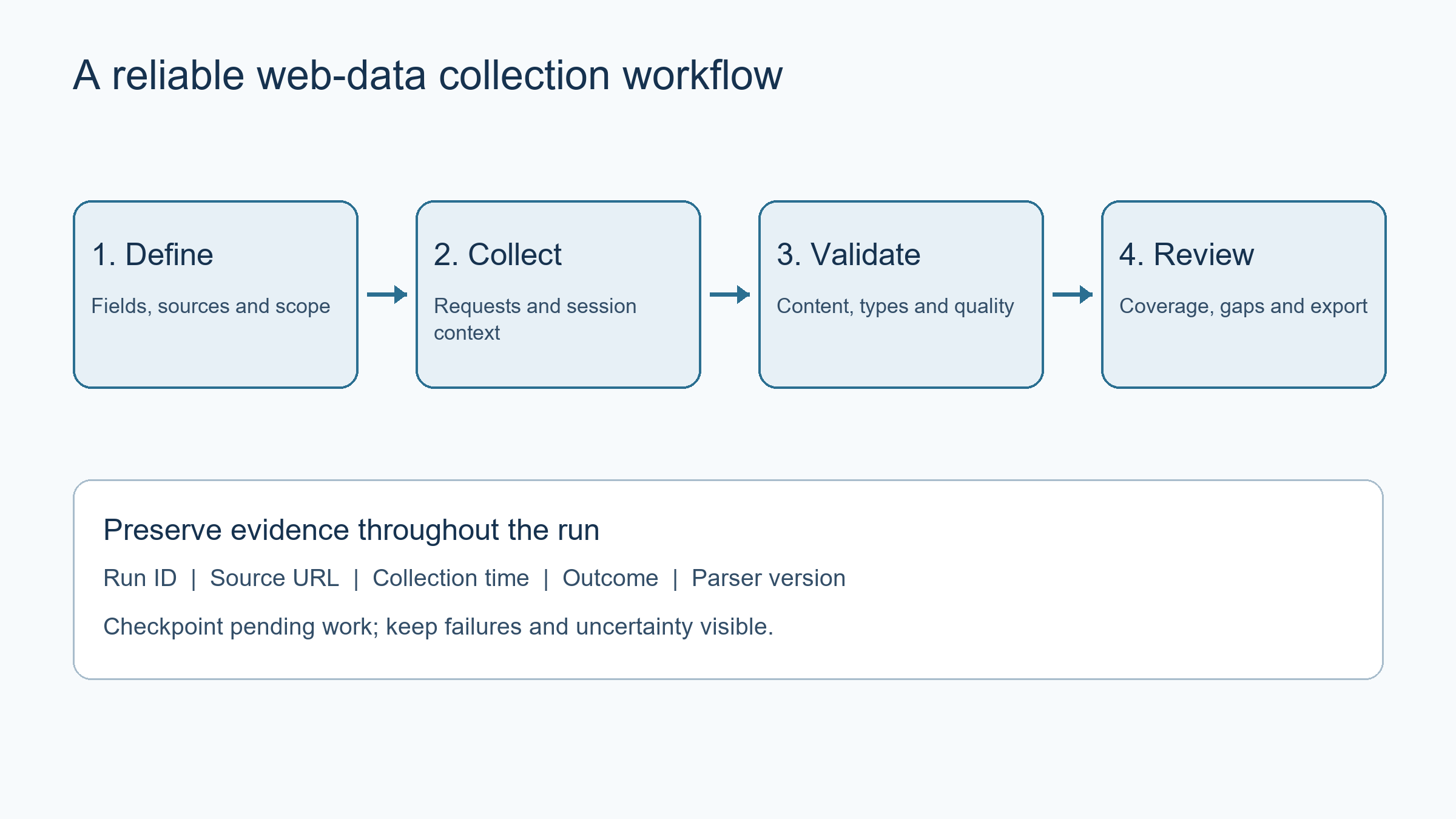
Give every run an identifier and save its configuration alongside the output. Record the requested URL, request time, parser version, locale settings, and relevant session configuration. Keep a small representative sample of responses for troubleshooting, with sensitive values removed. A successful request alone does not prove that the right page or expected fields were returned.
Separate discovery from extraction. First record which pages belong to the web data collection process, then process that inventory with a versioned parser. Track pagination and duplicate URLs explicitly. If a run stops halfway through, a checkpoint should distinguish completed pages from pending and failed pages. Resuming should not overwrite good records with incomplete replacements or count the same page twice.
Control Sessions and Regional Checks
Use a consistent session when the workflow depends on cookies, language selection, or a multi-step browsing state. Avoid sharing one session across unrelated tasks. If a page changes between regions, compare controlled runs instead of attributing every difference to the connection. Browser language, account state, currency preferences, and cached content may also affect the result.
When evaluating SmartProxy for regional web data collection checks, confirm the locations and connection behavior needed for the specific workflow. Record the connection used for each run, verify its observed exit address, and keep other settings consistent. A proxy is a transport choice, not evidence that the collected data is complete or correct. Compare the actual response and extracted fields against the same acceptance rules used for a direct connection.
Treat Failures As Useful Information
Use explicit timeouts and a bounded retry policy. Distinguish connection failures, rate limits, authentication failures, and parsing failures because they need different responses. Retrying an unchanged parser will not repair a changed page structure. Repeated requests should not conceal a persistent access problem or overload the source. Apply appropriate backoff and respect retry guidance provided by the service.
Record the final outcome for every page. Useful states include completed, temporarily unavailable, access restricted, and extraction failed. Keep the original failure category even if a later attempt succeeds. Report recovered pages separately from pages that succeeded immediately. This makes it possible to understand whether apparent progress came from broader coverage, better parsing, or repeated attempts against the same small set of pages.
Validate Web Data Collection Records Before Combining Them
Apply basic checks as close to extraction as possible. Confirm required identifiers, expected data types, sensible currency formats, and relationships between fields. Check that a result contains the requested item rather than a generic error, login screen, or empty template. Unexpectedly identical responses across many URLs deserve investigation, even when every request reports success.
Maintain a small set of reference pages covering ordinary and difficult cases. Include pages with missing fields, several variants, changed layouts, and no results. Compare parser output with a manual reading of these pages after changes. Store the original text value alongside a normalized value when that helps preserve meaning. Normalization should make records comparable without erasing uncertainty or inventing information.
Measure Coverage, Not Just Volume
Track discovered pages, attempted pages, accepted records, duplicates, failures, and unresolved gaps separately. Large output files can still represent poor coverage if a pagination loop repeats the same records. Compare the expected web data collection boundary with the pages actually processed. For incremental runs, state which sources were refreshed and which values were carried forward from an earlier observation.
For example, a catalog run might discover one hundred pages and successfully extract ninety. The remaining ten should appear as named gaps with their last observed outcomes. They should not disappear from the report, and the successful ninety should not be described as the entire catalog unless the source inventory establishes that.
Keep freshness visible in downstream reports. A timestamp attached only to the exported file can hide old records inside it. Store collection times at the record or source level, and avoid presenting historical values as newly verified. If part of a collection is unavailable, publish a clearly scoped partial result when useful, while preserving the unfinished work for a later run.
Close The Loop With a Small Review
Before delivering a dataset, inspect a sample of source pages and compare it with the exported records. Check both successful and failed cases. Confirm that credentials, session tokens, and unrelated personal data have not entered logs or output files. Keep configuration and secrets separate, and grant the collection process only the access it needs.
Finally, write a short web data collection run summary: what changed, what was checked, where coverage remains incomplete, and what the next run should revisit. The goal is a workflow another person can inspect and reproduce. Reliable web data collection depends less on making more requests than on preserving context, handling uncertainty honestly, and proving that the final records match the intended sources.
Contributed by the SmartProxy Team
Recommended Articles
Explore our recommended articles to learn more about web data collection techniques, data extraction, and web scraping best practices. Discover practical strategies to improve data accuracy, automate collection workflows, and ensure reliable, high-quality datasets.