


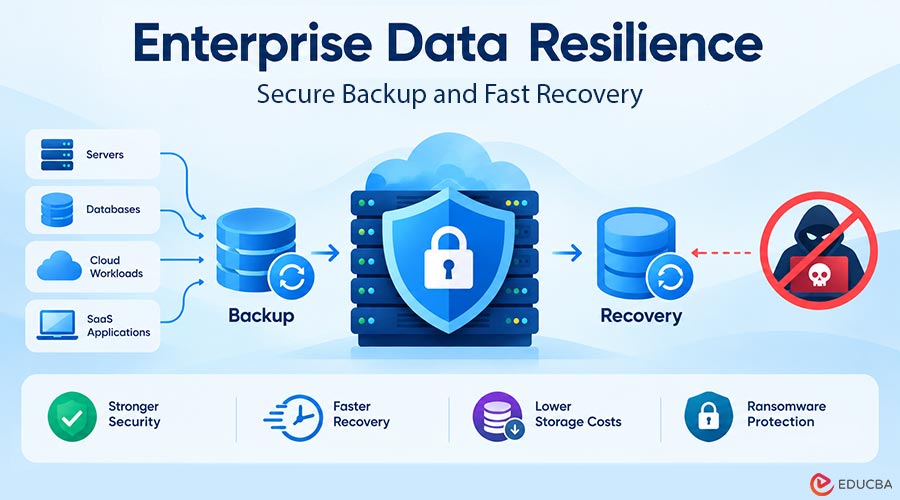
Most organizations assume backups protect them. The problem is that backup success and recovery readiness are not the same. Enterprise Data Resilience closes this gap by keeping backup data secure and recoverable during a crisis. Ransomware attackers targeted backup repositories in 94% of the incidents Sophos tracked last year and succeeded more than half the time. Backup repositories have become a primary target, not an afterthought.
For IT administrators, infrastructure teams, and IT managers responsible for business continuity, this changes the conversation around data protection. The challenge is no longer just creating backup copies. It is ensuring those copies remain recoverable when systems fail, data becomes corrupted, or attackers deliberately target the recovery environment. This article explains what enterprise data resilience means in practice, the common weaknesses that undermine it, and the strategies organizations can use to strengthen their recovery posture.
What is Enterprise Data Resilience?
Data resilience is an organization’s ability to keep operating through data loss, corruption, or a cyberattack, not just to have a backup file sitting somewhere.
It covers three things at once:
- The completeness of what is protected
- How quickly systems can be recovered after a disruption?
- The assurance that backup data itself has not been compromised
A business can back up every server every night and still fail a resilience test if a restore takes three days or the same ransomware encrypted the backups.
The Core Pillars of an Enterprise Data Resilience Strategy
In practice, enterprise data resilience comes down to a few critical capabilities that directly impact recovery outcomes.
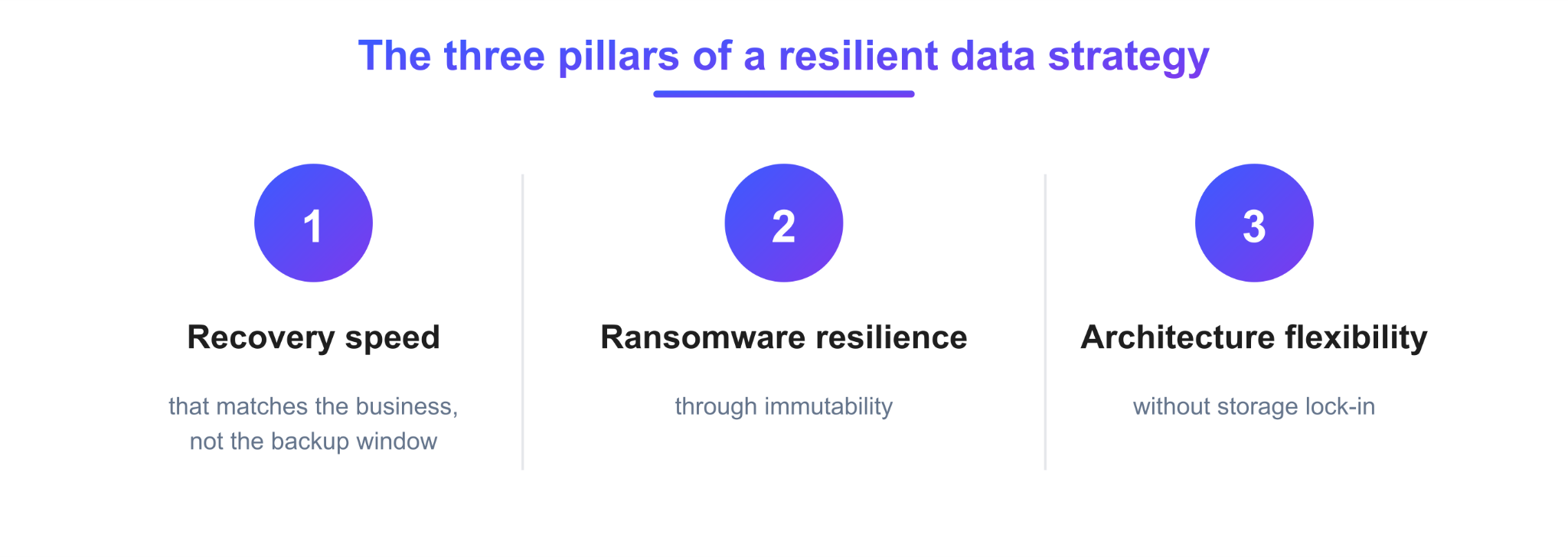
1. Recovery Speed That Matches the Business, Not the Backup Window
The Recovery Point Objective and Recovery Time Objective are the two numbers that define resilience. An RPO of under an hour means a business loses, at most, an hour of data in any incident. That is a very different risk profile than a nightly backup with a 24-hour exposure window.
Chunk-level restore architectures also matter here: when you only need to restore changed data blocks rather than an entire backup set, the oldest and newest recovery points restore at roughly the same speed.
2. Ransomware Resilience Through Immutability
Immutable storage means a backup, once written, cannot be altered or deleted by an attacker and, in stricter configurations, not even by an administrator with compromised credentials.
This is achieved through mechanisms like Object Lock on cloud storage or filesystem-level immutability on local storage. Without it, a backup is only as safe as the account credentials protecting it.
3. Architecture Flexibility Without Storage Lock-In
Enterprises rarely run on a single storage platform anymore. A resilient architecture should work across local disk, NAS, and any major cloud or S3-compatible storage destination, without forcing a migration every time storage strategy changes.
Deduplicating data before it leaves the source can also reduce the volume of data organizations need to transfer and store, cutting storage consumption by up to 90% and making it more cost-effective to retain recovery points for longer.
Where Enterprise Data Resilience Falls Short?
Three patterns recur in organizations that discover their resilience gaps the hard way.
1. Fragmented Backup Environments
Many enterprises rely on separate tools for servers, databases, virtual machines, cloud workloads, and SaaS applications, each with its own console, retention policy, and alerts. Teams must log into four or five different places to check whether last night’s backup jobs succeeded, often overlooking SaaS or database backups.
2. Backups That Are Never Tested
A successful backup job does not guarantee a successful recovery; it only confirms that the system copied the data. Organizations that rarely run recovery drills often discover a missing dependency, an expired credential, or a restore that takes twelve hours instead of one at the exact moment they can least afford it.
3. Rising Storage Costs Without Better Recovery Outcomes
As data volumes grow, storage costs climb, and without deduplication or efficient retention management, that spend usually goes toward keeping more raw copies rather than better ones. Instead, the budget that could have paid for immutable storage or more frequent testing goes into disk space.
Closing the Gap: Best Practices for Enterprise Data Resilience
Understanding the common gaps is only half the challenge. The next step is adopting practices that strengthen recoverability, reduce risk, and keep backups usable when you need them most.
1. Follow the 3-2-1-1-0 Rule for Enterprise Data Resilience
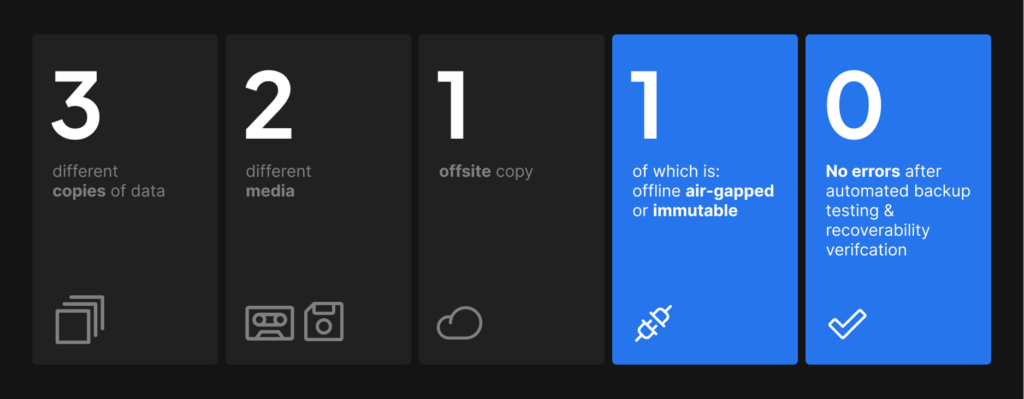
Image Source: Zmanda
An effective data resilience strategy follows the 3-2-1-1-0 rule: maintain three copies of data across two types of storage media, keep one copy offsite and another in immutable storage, and aim for zero errors through routine recovery testing.
2. Test Recovery as Frequently as You Back Up
Treat recovery testing as an operational requirement, not an annual compliance exercise. Regular restore drills validate backup integrity, uncover configuration issues, and ensure you can meet recovery objectives.
3. Prioritize Restore Performance for Enterprise Data Resilience
A backup is only as valuable as its ability to restore critical systems within business expectations. Evaluate recovery speed, RPOs, and RTOs alongside backup completion rates.
4. Optimize Storage Efficiency Without Sacrificing Protection
Technologies such as client-side deduplication can significantly reduce storage requirements and network utilization, making it more practical to retain more recovery points for longer periods.
5. Build Ransomware Resilience Into the Architecture
Features such as immutable storage, access controls, and isolated backup repositories help ensure recovery data remains available even if production systems are compromised.
Platforms built around forever-incremental backup, client-side deduplication, and immutable storage are designed specifically to close this gap. Zmanda Pro’s data resilience solution is one example, built so deduplication and immutability work by default.
Final Thoughts
Enterprise Data Resilience sets a higher standard than backup, and most organizations get caught out in the gap between the two. Not because they had no backup, but because it was too slow, too fragmented, or too easy to compromise.
Building toward sub-hour recovery, immutable storage, and flexible architecture is not a one-time project. It is an ongoing discipline that pays off when you actually test it under pressure.
Frequently Asked Questions (FAQs)
Q1. What is the difference between data backup and data resilience?
Answer: Backup means keeping a copy of data stored separately from production. Resilience is the broader ability to recover quickly and completely from loss, depending on recovery speed, backup integrity, and how well the organization can operate during recovery.
Q2. Why is immutable storage important for enterprise backups?
Answer: Immutable storage prevents attackers from altering or deleting backup data during a set retention period, even if they compromise administrator credentials. This directly counters ransomware attacks that specifically target and encrypt backup repositories.
Q3. How often should enterprises test their backup recovery process?
Answer: Recovery testing should happen regularly, not only during audits. You can not assume a backup will work when you need it unless you have restored and verified it.
Recommended Articles
We hope this comprehensive guide to enterprise data resilience helps you strengthen data protection, improve recovery readiness, and safeguard your business against cyber threats. Explore these recommended articles for more insights and strategies to strengthen your data security and recovery planning.

