
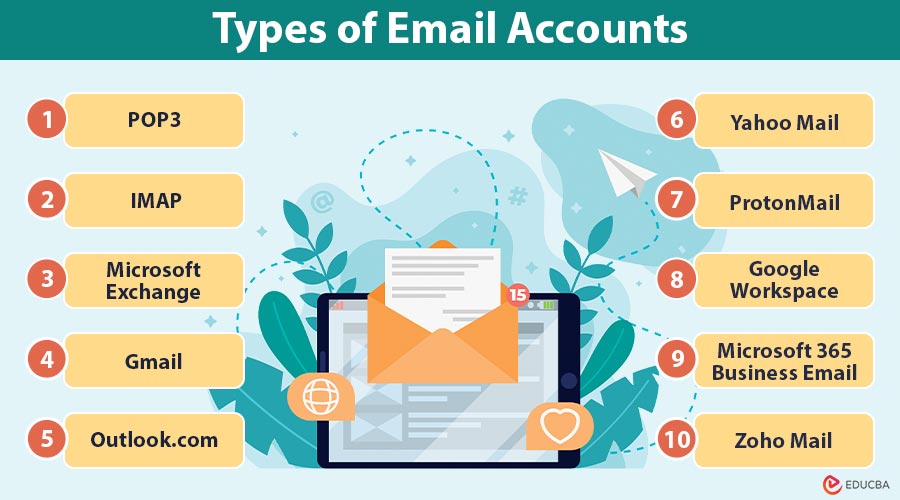
Introduction to Types of Email Accounts
Types of email accounts refer to the various classifications of email systems based on how emails are accessed, stored, and managed. These include client-based accounts (such as POP3, IMAP, and Microsoft Exchange), web-based email services (like Gmail, Outlook.com, and Yahoo Mail), and custom domain or enterprise email accounts used for business communications. Each type offers different features in terms of synchronization, accessibility, storage, and security.
Different Types of Email Accounts
Email accounts can be broadly classified into:
- Client-Based Email Accounts
- Web-Based Email Accounts
- Enterprise and Custom Domain Email Accounts
Let us explore each type along with popular protocols and services.
#1. Client-Based Email Accounts
Users access these accounts through email client applications such as Microsoft Outlook, Mozilla Thunderbird, or Apple Mail. These applications typically connect to mail servers using protocols like POP3, IMAP, or Exchange.
i. POP3 (Post Office Protocol 3)
Unless otherwise set up, POP3 downloads emails from the server to a local device and then deletes them from the server.
Key Features:
- Offline access to emails
- Minimal server storage usage
- Simple setup
ii. IMAP (Internet Message Access Protocol)
IMAP (Internet Message Access Protocol) stores emails on a server, allowing real-time synchronization and access across multiple devices while preserving folder structure and read status.
Key Features:
- Real-time syncing
- Email folders and structure retained
- Server-side search and filtering
iii. Microsoft Exchange (or Exchange ActiveSync)
Microsoft Exchange (or Exchange ActiveSync) is a proprietary Microsoft protocol that enables enterprise-grade email, calendar, contact, and task synchronization across devices with real-time updates.
Key Features:
- Full synchronization of emails, calendar, tasks, and contacts
- Advanced security and policy controls
- Push notifications
#2. Web-Based Email Accounts
Web-based email accounts are hosted online and accessed via web browsers, offering convenience, mobility, and integration with cloud services without requiring desktop email clients for sending or receiving messages.
i. Gmail
Gmail is Google’s free, web-based email service, offering 15 GB of storage, smart features like spam filtering and tagging, and seamless integration with Google Workspace tools.
Provider: Google
Website: mail.google.com
Key Features:
- 15 GB of free storage is available (shared with Google Drive).
- Spam filtering, tagging, and smart replies
- Google Workspace integration
ii. Outlook.com
Outlook.com is Microsoft’s web-based email service, offering 15 GB storage, a focused inbox, and seamless integration with Calendar and Office Online tools.
Provider: Microsoft
Website: outlook.com
Key Features:
- Focused inbox for prioritizing important emails
- Calendar and Office Online integration
- 15 GB free storage
iii. Yahoo Mail
Yahoo Mail is a web-based email service by Yahoo, offering 1 TB of free storage, customizable themes, folder organization, and disposable email addresses for added privacy.
Provider: Yahoo
Website: mail.yahoo.com
Key Features:
- 1 TB storage (free)
- Custom themes and folder organization
- Disposable email addresses
iv. ProtonMail
ProtonMail is a secure web-based email service by Proton AG, offering end-to-end encryption, anonymous sign-up, and protection under strict Swiss privacy laws.
Provider: Proton AG
Website: protonmail.com
Key Features:
- End-to-end encryption
- Swiss-based privacy laws
- Open-source and anonymous sign-up
#3. Enterprise and Custom Domain Email Accounts
Enterprise and custom domain email accounts are professional-grade email services designed for businesses, utilizing personalized domain names to enhance branding, facilitate team collaboration, and provide advanced security and administrative controls.
i. Google Workspace (formerly G Suite)
Google Workspace (formerly G Suite) is Google’s cloud-based productivity suite offering Gmail with custom domains, collaboration tools, and scalable storage for businesses and remote teams.
Provider: Google
Features:
- Gmail with custom domain support
- Google Meet, Drive, Docs, and Admin controls
- 30 GB to unlimited storage (paid plans)
ii. Neo
Neo is an all-in-one platform for small businesses that bundles professional email, a free custom domain, and an AI-powered website builder—helping entrepreneurs launch and grow their business instantly.
Provider: Neo
Features:
- Business email with free custom domain included
- AI-powered website builder with ready-to-use templates
- SmartWrite AI for faster, professional email drafting
- Email tracking, read receipts, and priority inbox
- Appointment scheduler and lead capture forms
- Mobile and web apps for seamless access
Best For: Freelancers, small businesses, and entrepreneurs who need a simple, professional solution to establish an online presence with email, domain, and website—all in one place.
iii. Microsoft 365 Business Email
Microsoft 365 Business Email is Microsoft’s enterprise-grade email solution, featuring Outlook and Exchange support, Teams integration, and advanced features tailored for businesses that use Microsoft Office tools.
Provider: Microsoft
Features:
- Outlook with Exchange support
- Microsoft Teams and Office apps
- Shared mailboxes and advanced policies
iv. Zoho Mail
Zoho Mail is an ad-free, custom domain email hosting service by Zoho, offering seamless integration with Zoho business tools and affordable plans for small businesses.
Provider: Zoho
Features:
- Ad-free email hosting with a custom domain
- Integration with Zoho CRM and business tools
- Budget-friendly plans
Choosing the Right Email Account: Factors to Consider
When selecting an email account, consider the following:
1. Purpose of Use
Determine whether the email is for casual, professional, or sensitive communications that require enhanced features and tools.
2. Number of Devices
Choose based on whether you need access from one device or multiple devices with synchronization capabilities.
3. Storage Requirements
Assess how much storage you need, especially for handling large attachments, archiving, or long-term email retention.
4. Security and Privacy
Consider encryption, spam protection, and compliance with regulations like GDPR for secure and private communication.
5. Budget
Decide between free basic plans or premium email services with advanced features, custom domains, and priority support.
Final Thoughts
Email is a cornerstone of online communication, but not all email accounts are created equal. Understanding the different types – from client-based setups like POP3 and IMAP to web-based services like Gmail and secure options like ProtonMail – allows you to make informed decisions based on your needs. Whether you are a solo entrepreneur in need of a custom business email or a casual user satisfied with Gmail, selecting the right email account can significantly boost your productivity, security, and overall digital experience.
Recommended Articles
We hope that this EDUCBA information on “Types of Email Accounts” was beneficial to you. You can view EDUCBA’s recommended articles for more information.

