


What are SysAdmin Tools?
SysAdmin Tools (short for System Administrator Tools) refer to software and utilities designed to help system administrators manage, configure, and maintain computer systems, networks, and servers.
In this article, we will look at the top 10 SysAdmin Tools to streamline server management, enhance network security, and boost overall IT efficiency.
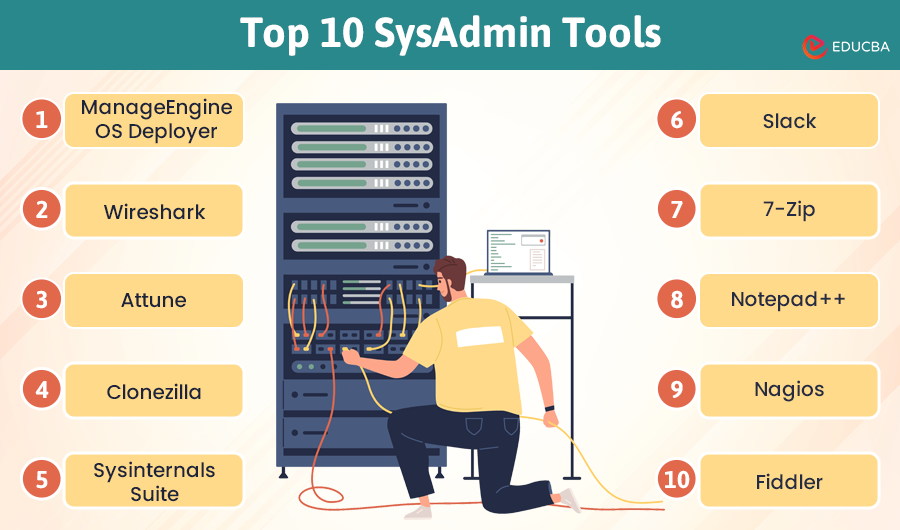
Top 10 SysAdmin Tools
Here are the top 10 SysAdmin Tools:
#1. ManageEngine OS Deployer
Imagine quickly mimicking your perfect system setup and installing it on several devices. That is exactly what ManageEngine OS Deployer does. It simplifies OS deployment, allowing you to create a master image and effortlessly deploy it across multiple systems.
When to use: Use this tool to deploy operating systems across multiple machines efficiently.
Key Features:
- Centralized production and use of images
- Before and after deployment Customization
- Accommodates several OS platforms
#2. Wireshark
With Wireshark, you can view network activity at the microscopic level. It is your magnifying glass for network traffic, helping you diagnose issues and optimize performance.
When to use: Ideal for network troubleshooting, analysis, and protocol development.
Key Features:
- Deep inspection of hundreds of protocols
- Live capture and offline analysis
- Rich VoIP analysis
Download from: Wireshark
#3. AttuneOps
Automation is the game’s name, and AttuneOps takes it to the next level. This tool helps you automate repetitive tasks, streamline workflows, and ensure consistency across your infrastructure. It’s your extra pair of hands that never get tired.
When to use: Best for automating repetitive tasks and managing complex deployments.
Key Features:
- Task automation and orchestration
- Consistent deployment processes
- Integrates with existing IT tools
Download from: AttuneOps
#4. Clonezilla
This tool is an open-source alternative to several commercial disc copying programs. It is strong and dependable, ideal for setting up systems or backups.
When to use: Perfect for disk imaging and cloning, especially for system backups and deployments.
Key Features:
- Supports multiple file systems
- Efficient disk cloning and imaging
- Multicast support for large deployments
#5. Sysinternals Suite
When troubleshooting a Windows system, the Sysinternals Suite is your best friend. This collection of Microsoft utilities covers everything from process management to disk utilities.
When to use: Use this suite for advanced troubleshooting and system monitoring on Windows.
Key Features:
- Comprehensive process management
- Detailed system monitoring tools
- Advanced file and disk utilities
#6. Slack
Communication is key in any IT team, and Slack is the gold standard. This messaging platform helps you stay connected with your team, share updates, and collaborate in real time.
When to use: Ideal for team communication, collaboration, and project management.
Key Features:
- Real-time messaging and file sharing
- Integrates with numerous third-party apps
- Customizable notifications and channels
#7. 7-Zip
File compression and extraction might not sound exciting, but they’re important tasks for any sysadmin. 7-Zip is an open-source tool that easily handles several compression formats.
When to use: Use for compressing and decompressing files efficiently across multiple formats.
Key Features:
- High compression ratio
- Supports numerous file formats
- Strong AES-256 encryption
#8. Notepad++
Every SysAdmin needs a good text editor, and Notepad++ is one of the best. It’s lightweight, fast, and packed with features like syntax highlighting, macro recording, and a robust plugin system.
When to use: Great for editing text and code files with advanced features and plugins.
Key Features:
- Syntax highlighting for multiple languages
- Macro recording and playback
- Extensive plugin support
#9.Nagios
Monitoring your IT infrastructure is important, and Nagios excels at it. This tool provides comprehensive monitoring and alerting for servers, switches, applications, and services.
When to use: Use for comprehensive IT infrastructure monitoring, including servers, networks, and applications.
Key Features:
- Real-time monitoring and alerting
- Extensible plugin architecture
- Detailed reporting and visualization
#10. Fiddler
When it comes to debugging web applications, Fiddler is a must-have tool. It captures and lets you examine, debug, and adjust the web traffic between your computer and the internet.
When to use: Perfect for debugging and analyzing HTTP/HTTPS traffic for web applications.
Key Features:
- Capture and inspect web traffic
- Debug and simulate web requests
- Modify HTTP/HTTPS requests and responses
Final Thoughts
The top 10 SysAdmin tools highlighted here are essential for streamlining IT operations, enhancing system management, and improving overall efficiency. Each tool offers unique features to address various aspects of system administration, from deployment and automation to monitoring and debugging. A recent Auvik IT Trends Report revealed 58% of IT professionals spending half their week on support tickets instead of strategic projects, something the right SysAdmin tools can help alleviate. Using these tools helps you manage your IT systems more effectively, increase productivity, and create a more reliable and secure environment.
Recommended Articles
We hope this guide to the top SysAdmin tools helps you find the right solutions for managing your IT infrastructure. Check out these additional articles for more insights into enhancing your IT operations and optimizing your system management practices.

