
Updated March 29, 2023
Introduction to spring boot integration test
Spring boot integration test is required before deploying our application on a production environment. The integration test includes correct wiring of our spring context of loc container. Integration test also includes the data access by using ORM or JDBC tool, this is including the SQL statement correctness like JPA entity, mappings and hibernate queries. The spring boot framework provides very good support for the integration test in the spring test module. The name of the actual JAR includes the release version on org.springframework.test; it depends on where we will get it from.
What is a spring boot integration test?
- The spring boot integration test provides the @SpringBootTest annotation, which provides the spring boot features over the test module of spring boot.
- We can use @SpringBootTest annotation by creating an application context which was used in our test through the spring application.
- It will start the embedded server, after starting the embedded server will creating the web environment, and then we are enabling the @Test method for the integration testing.
- Integration test has several options are as follows.
- Random port
- Mock
- None
- Defined port
- The random_port option is used to load the application context of the web server, and it will providing the real web environment. The embedded server is starting and listen using a random port. This was used in integration test.
- Mock is the default option of the integration test, which loads the application context of the web server, and it will provide the mock web environment.
- None option is used to load the application context by using the spring boot application, but it will not provide any web environment.
- Defined_port is used to load the application context of the web server, and it will providing the real web environment.
- @SpringBootTest annotation provides the value if we want to test the whole functionalities of our application. SpringBootTest annotation is a very convenient method to setup the application context, which test is very close in production.
- We have using @SpringBootTest annotation when we need to bootstrap the entire container.
- This annotation is works by creating the application context which was utilized in our test.
- Using integration test, we can use the web environment attribute to configure the runtime environment.
Integration tests with spring boot
- Using integration test in spring boot, we can put our whole application in scope or put only certain components based on what we have tested.
- Integration test with spring boot requires resources like an instance of database or hardware allocated to them.
- By using hardware and database interactions, we can mock out to improve the test performance of our application.
- Integration test with spring boot very useful while our application contains the spring boot CRUD operations.
- Our application shall be run inside from the embedded server to create the application context and beans.
- Most of this beans are overridden from the certain behaviour of mock.
- Integration test in spring boot will covering the multiple units. It will also test the interaction between two or more clusters of classes.
- Integration test will covering the multiple layers. This test will be covering the whole path of our application.
Use Custom Properties
- The custom properties are the simple property file containing the key-value information used to configure the custom properties of our application.
- An integration test is providing the multiple options to bundle files in our application.
- Bundle with jar
- Load from the file system at the time of starting the project.
- The property file is in the central control unit for our application, which was useful to override or customize the default framework.
- This file is also used in custom properties to control the application. For example, in this file, we have to define the username and password of API integration.
- The custom properties file is very important in integration testing.
Goals of Integration Testing
Below are the goals of integration testing in spring boot are as follows.
- The integration test provides the consistent loading of caching application context. Therefore, support of this context is very important.
- Transaction management is an important goal to test the application by using integration tests.
- Spring test context provides the abstract classes to support the writing of test integration.
Spring boot integration test example
Below example code shows the example of integration test is as follows.
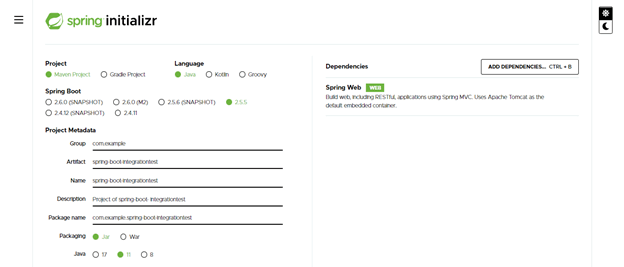
- Create project template using spring initializer –
In the below example, we have creating the project template for the integration test. We have to create the project name as spring-boot-integrationtest.
Group – com.example
Artifact name – spring-boot-integrationtest
Name – spring-boot- integrationtest
Description – Project of spring-boot- integrationtest
Package name – com.example.spring-boot- integrationtest
Packaging – Jar
Java – 11
Dependencies – spring web.
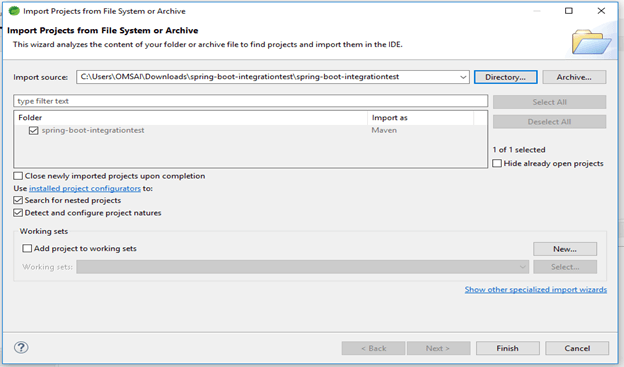
- After generating the project, extract files and open this project by using the spring tool suite –
We have extracting the project and opening the same using the spring tool suite are as follows.
- After opening the project using the spring tool suite, check the project and its files –
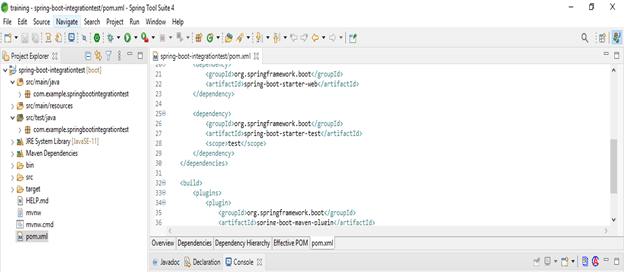
- Add the dependency
Code –
<dependency>   -- Start of dependency tag.
<groupId>org.springframework.boot</groupId>   -- Start and end of groupId tag.
<artifactId>spring-boot-starter-test</artifactId>  -- Start and end of artifactId tag.
</dependency>    -- End of dependency tag.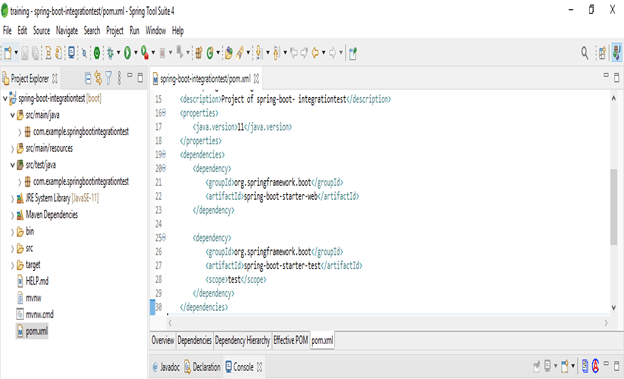
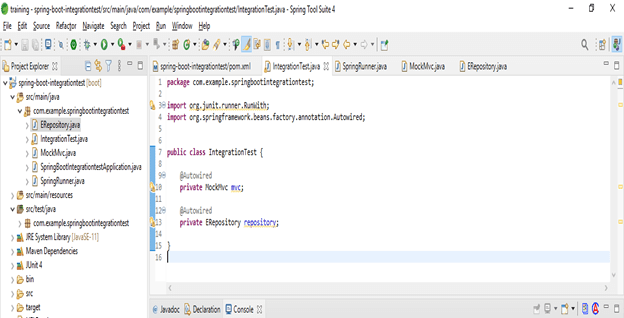
- Integration testing with spring boot
Code –
public class IntegrationTest
{
@Autowired
private MockMvc mvc;
@Autowired
private ERepository repository;
}
- Configure the application properties file
Code –
spring.datasource.url = jdbc:postgresql://localhost:5432/spring_boot_integrationTest
spring.jpa.properties.hibernate.dialect = org.hibernate.dialect.PostgreSQLDialect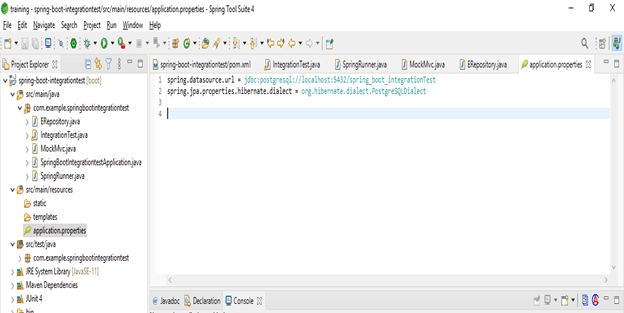
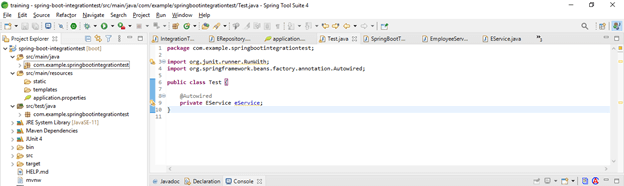
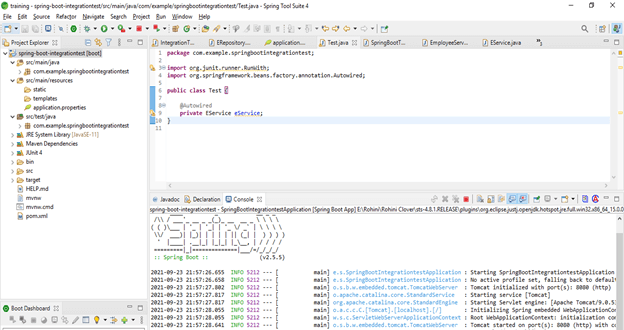
- Test the configuration
Code –
public class Test {
@Autowired
private EService eService;
}
- Run and test the application –
Conclusion
An integration test provides @SpringBootTest annotation, which includes spring boot features over the test module of spring boot. An integration test is required before deploying our application in a production environment. Integration test also includes the data access by using ORM or JDBC tool.
Recommended Articles
This is a guide to spring boot integration test. Here we discuss What is a spring boot integration test along with the examples and codes. You may also have a look at the following articles to learn more –

