

Updated February 28, 2023
Introduction to Spark Broadcast
Shared variables are used by Apache Spark. When a cluster executor is sent a task by the driver, each node of the cluster receives a copy of shared variables. There are two basic types supported by Apache Spark of shared variables – Accumulator and broadcast. Apache Spark is widely used and is an open-source cluster computing framework. This comes with features like computation machine learning, streaming of APIs, and graph processing algorithms. Broadcast variables are generally used over several stages and require the same data. SparkContext.broadcast(v) is called where the variable v is used in creating Broadcast variables.
Syntax
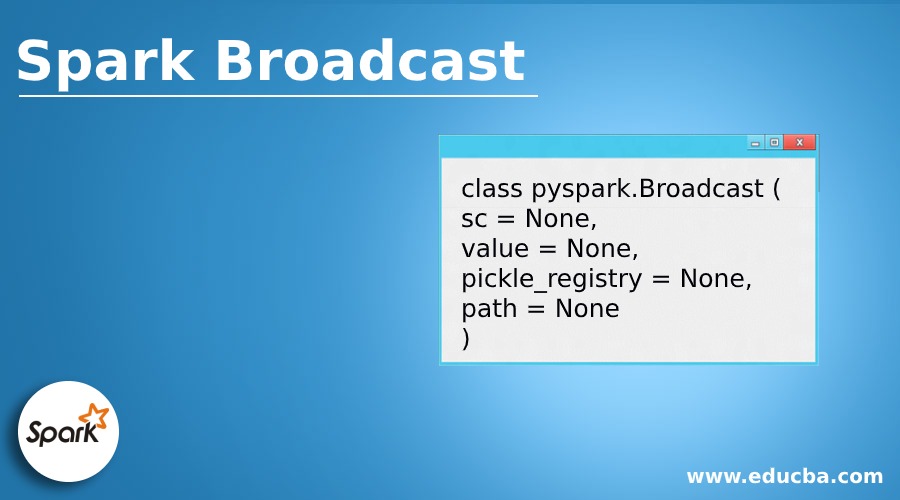
The above code shares the details for the class broadcast of PySpark.
class pyspark.Broadcast (
sc = None,
value = None,
pickle_registry = None,
path = None
)
Explanation: Variables of the broadcast are used to save a copy of huge datasets of all nodes across. Cached on all machines is this variable and is not sent tasks on machines.
Why Spark Broadcast is used?
When huge datasets are needed to be cached in executors, the broadcast variables are used. Let us imagine, we need to lookup for pin codes or zip codes for doing a transformation and in this case, it is neither we will be able to query the huge database every time nor it is practicable to send the huge lookup for the table every time to the executors. The only solution is by converting the table lookup into a broadcast variable and will be cached by Spark in every executor in reference for future use.
How does Spark Broadcast Works?
Variables of broadcast allow the developers of Spark to keep a secured read-only cached variable on different nodes. With the needed tasks, only shipping a copy merely. Without having to waste a lot of time and transfer of network input and output, they can be used in giving a node a large copy of the input dataset. Broadcast variables can be distributed by Spark using a variety of broadcast algorithms which might turn largely and the cost of communication is reduced.
There are different stages in executing the actions of Spark. The stages are then separated by operation – shuffle. In every stage Spark broadcasts automatically the common data need to be in the cache, and should be serialized from which again will be de-serialized by every node before each task is run. And for this cause, If the variables of the broadcast are created explicitly, the multiple staged tasks all across needed with the same data, the above should be done. The mentioned above broadcast variable creation by wrapping function SparkConext.broadcast.
Code:
val broadcastVar = sc.broadcast(Array(1, 2, 3))
broadcastVar: org.apache.spark.broadcast.Broadcast[Array[Int]] = Broadcast(0)
broadcastVar.value
res2: Array[Int] = Array(1, 2, 3)
package org.spark.broacast.crowd.now.aggregator.sample2
import org.apache.spark.broadcast.Broadcast
import org.apache.spark.rdd.RDD
import org.hammerlab.coverage.histogram.JointHistogram.Depth
trait CanDownSampleRDD[V] {
def rdd: RDD[((Depth, Depth), V)]
def filtersBroadcast: Broadcast[(Set[Depth], Set[Depth])]
@transient lazy val filtered = filterDistribution(filtersBroadcast)
(for {
((d1, d2), value) ? rdd
(d1Filter, d2Filter) = filtersBroadcast.value
if d1Filter(d1) && d2Filter(d2)
} yield
(d1, d2) ? value
)
.collect
.sortBy(_._1)
}
The variable of the broadcast is called value and it stores the user data. The variable also returns a value of broadcast.
from py spark import SparkContext
sc = SparkContext("local", "Broadcast app")
words_new = sc.broadcast(["scala", "java", "hadoop", "spark", "akka"])
data = words_new.value
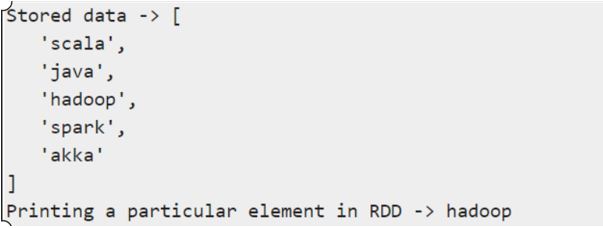
print "Stored data -> %s" % (data)
elem = words_new.value[2]
print "A particular element is being printed"
The broadcast command line is given below:
$SPARK_HOME/bin/spark-submit broadcast.pyOutput:
Advantages and uses of Spark Broadcast
Below are mentioned the advantages & uses:
- Memory access is very direct.
- Garbage values are least collected in processing overhead.
- The memory format is a compact columnar.
- Query catalyst optimization.
- Code generation is the whole stage.
- Advantages of compile tile type by datasets over the data frames.
Conclusion
We have seen the concept of Spark broadcast. Spark uses shared variables, for processing and parallel. For information aggregations and communicative associations and operations, accumulators variables are used. in a map-reduce, for summing the counter or operation we can use an accumulator. Whereas in spark, the variables are mutable.
Recommended Articles
This is a guide to Spark Broadcast. Here we discuss an introduction to Spark Broadcast, syntax, why it is used, How does it work, advantages. You can also go through our other related articles to learn more –

