


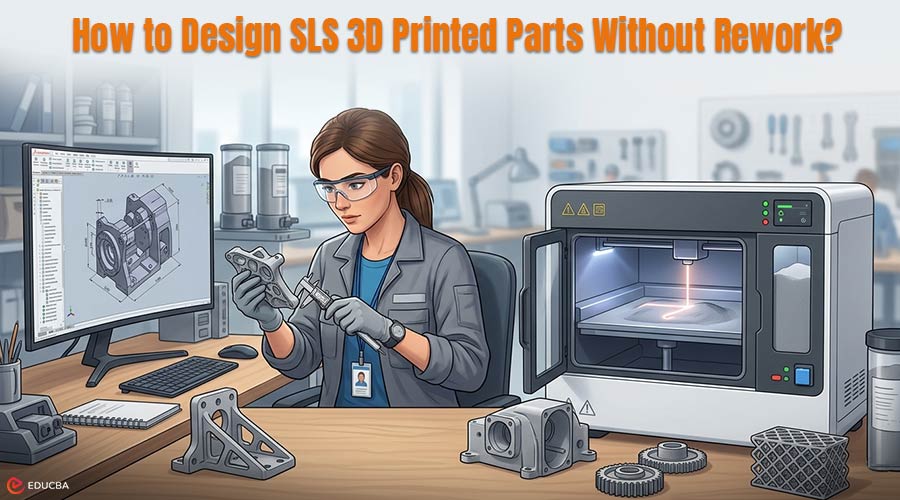
Understanding SLS 3D Printing Design Guidelines
Selective Laser Sintering (SLS) is a 3D printing method in which a laser fuses fine-powdered material layer by layer to create solid parts. It is widely used for functional plastic components because it can produce strong, accurate parts without the support structures required by many other 3D printing methods. Following SLS 3D printing design guidelines makes it especially useful for brackets, housings, covers, fixtures, and other parts that need to do more than look good on a screen.
For teams new to SLS, the main point is simple. It is often chosen when a part needs to behave more like a real product component rather than a quick visual mockup. That is also why SLS 3D printing design guidelines become important early in the process. A part that prints successfully is not always one that performs well in assembly, testing, or repeated use.
Defining the Part’s Purpose Using SLS 3D Printing Design Guidelines
The best SLS parts usually begin with a clear view of purpose. Teams can follow SLS 3D printing design guidelines to determine whether a part is intended for fit checking, functional testing, customer review, or a short production run, since each use requires different design choices. Many avoidable problems arise when teams design a part as if all use cases were interchangeable.
That is why the first design question should not be whether the shape can be printed. It should be whether the shape makes sense for the job ahead. If the part will be handled repeatedly, mounted to other components, or expected to hold its form under stress, the geometry should reflect that from the start.
Wall Thickness Considerations in SLS Design
One of the easiest mistakes in SLS design is treating wall thickness as a minimum rule and nothing more. A wall may be thick enough to print but still feel unstable, too weak around fastening points, or too flexible in everyday handling. This is a common issue that proper SLS 3D printing design guidelines help prevent.
Teams that want reliable parts usually think beyond the minimum and ask what kind of performance the part actually needs. In practice, this often means resisting the urge to make everything as thin and light as possible. A slightly stronger design is usually more useful than one that saves a little material but later needs revision because it feels weak in use.
Geometry and Shape Optimization Before Printing
SLS gives teams a great deal of freedom, which is one of its strengths, but that freedom can also hide weak design choices. Sharp transitions, thin corners, and sudden changes in geometry may look acceptable in CAD while still creating trouble later in testing or assembly.
Designers should make the shape work harder before they produce the part. Smoother transitions, better-supported features, and more balanced geometry usually reduce the chances of stress building up where the team does not want it.
This does not require turning every design into a deep engineering exercise. It simply means thinking about how the part will behave in the real world rather than assuming the first printed version will answer everything.
Post-Processing and Production Planning
A smart SLS design does not stop at the moment the part comes out of the machine. Strong SLS 3D printing design guidelines also consider what happens next. Will the part need cleaning, finishing, dyeing, tapping, or assembly with other components?
Consider whether easy access to certain surfaces or internal spaces will be required. Also, think about whether the part will remain practical once it moves beyond the build stage.
For teams that reach that stage, the challenge is often no longer just getting access to SLS 3D printing. It becomes a matter of getting better process judgment before production starts, especially when material choice, finish expectations, or repeat builds carry more weight than they did in the first round. This is where working with experienced providers like Upside Parts can help teams make more informed design and production decisions.
Designing for Iteration and Future Revisions
Even when an SLS part is only the first version, it is worth designing as if there may be a second. Teams using SLS 3D printing often expect revisions, so designs that support clean iteration are more valuable than one-time solutions.
A part should help the team learn, improve, and move forward without creating unnecessary rework in the next round.
Good SLS design is not just about getting a part made. It is about creating a part that does its job, supports the next decision, and does not force the team back into avoidable corrections later.
Final Thoughts
Designing for SLS 3D printing ensures parts print successfully and perform reliably in real-world use without repeated fixes. Following SLS 3D printing design guidelines helps teams make better decisions around geometry, wall thickness, and functional requirements from the very beginning, reducing the chances of rework later in the process.
Ultimately, a strong SLS design is proactive rather than reactive. When designers consider manufacturing, post-processing, and iterations early, they create reliable parts that are easier to refine and better suited.
This results in quicker development timelines and more efficient product results.
Recommended Articles
We hope this guide on SLS 3D printing design guidelines helps you reduce rework and improve part performance in your projects. Explore these recommended articles for additional insights and strategies to strengthen your 3D printing design and manufacturing workflow.

