


Updated May 21, 2026
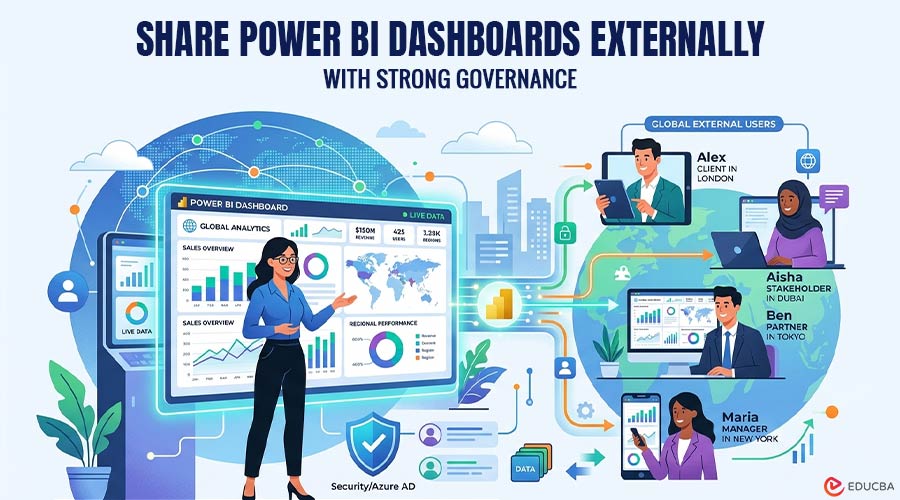
Sharing a Power BI dashboard externally sounds simple until governance comes into play. You are not just sending someone a link. You need to control who can access the dashboard, what data they can see, how permissions are managed, whether external users need licenses, and how the experience is delivered. This guide explains seven ways to share Power BI dashboards externally, starting with the strongest option for governed, scalable external dashboard delivery.
7 Ways to Share Power BI Dashboards Externally
| Method | Best For | Governance Strength | Main Tradeoff |
| Reporting Hub | Client-facing, white-label dashboard delivery | Very High | Requires dedicated platform adoption |
| Microsoft Entra B2B Guest Sharing | Named external users | High | Requires guest management and licensing |
| Power BI Apps | Curated report distribution | High | Requires app setup and audience configuration |
| Power BI Embedded Custom App | SaaS or custom analytics portals | High | Requires development effort |
| In-Place Semantic Model Sharing | Partner analytics collaboration | High | Not ideal for simple viewing |
| Secure Embed (SharePoint/Portals) | Controlled collaboration environments | Medium–High | Depends on tenant configuration |
| Publish to Web | Public dashboards | Low | No security or access control |
1. Reporting Hub
Reporting Hub is the best option when external Power BI dashboard sharing needs to be governed, branded, scalable, and easy to manage without building a custom embedded analytics platform from scratch. Instead of relying on basic link sharing or manually managing external dashboard access across multiple workspaces, Reporting Hub gives organizations a dedicated delivery layer for Power BI Embedded. It is designed as a white-label, no-code business intelligence platform that deploys to your Azure environment and provides a customizable platform for delivering Power BI content. For companies delivering dashboards to clients, customers, partners, or multiple external audiences, Reporting Hub is the strongest option because it combines external access, branding, multi-tenant sharing, and access control in a single, governed experience.
Why It Stands Out?
- Built for external dashboard delivery: Reporting Hub is designed to share Power BI content with external customers seamlessly, rather than forcing teams to adapt internal workspace sharing for client-facing use cases.
- White-label experience: It supports custom-branded portals, enabling users to access dashboards through a professional, client-facing experience rather than a generic Power BI interface.
- Granular access control: Reporting Hub messaging highlights enterprise-grade user-level access management to safeguard dashboard access.
- Scales without per-user friction: Reporting Hub is positioned for unlimited internal or external sharing without incremental per-user licensing costs.
2. Microsoft Entra B2B Guest Sharing
Microsoft Entra B2B guest sharing is one of the most direct ways to share a Power BI dashboard externally. With this approach, external users are invited as guest users, then granted access to a dashboard, report, or app. Microsoft documentation states that you can invite an external user by adding them to a dashboard or report through the share feature, or to an app through the access page. Microsoft also notes that dashboards can be shared with guest users outside your organization, although guest users cannot reshare dashboards. This method works well when you know exactly who needs access and you are comfortable managing external users through Microsoft identity and Power BI permissions.
Why It Stands Out?
- Native Microsoft approach: It uses Power BI’s built-in sharing model and Microsoft Entra B2B identity management.
- Good for named external users: It works well when you need to share dashboards with specific clients, vendors, or partners.
- Permission visibility: Power BI provides a Manage permissions pane that dashboard owners can use to review and grant direct access.
- Stronger than public links: Unlike public publishing, guest sharing keeps access tied to authenticated users.
3. Power BI Apps
Power BI Apps are useful for packaging dashboards, reports, and related content into a curated experience for an audience. Instead of sharing individual dashboards one by one, you can publish a Power BI app and manage who receives access. Microsoft describes apps as a way to publish collections of dashboards and reports with built-in navigation. For external sharing, Power BI Apps can be especially helpful when different client groups or stakeholder groups need a clean, organized dashboard experience.
Why It Stands Out?
- Curated content delivery: Apps let you package multiple dashboards and reports into a structured experience.
- Audience-based access: You can define audiences so users see the right content for their role or group.
- Better than scattered links: Apps reduce confusion by providing users with a single, organized place to access approved analytics.
- Useful for repeatable distribution: Apps work well when external users need ongoing access to a consistent set of dashboards.
4. Power BI Embedded Custom App
Power BI Embedded is a strong option for embedding dashboards, reports, or tiles into your own custom application. Microsoft states that Power BI Embedded allows teams to embed Power BI content into an application, and in the “embed for your customers” model, app users do not need to sign in to Power BI or have a Power BI license. Microsoft also notes that custom web apps built with embedded analytics allow developers to control and customize the user experience. This method is powerful, but it typically requires engineering resources to design, build, secure, and maintain the application.
Why It Stands Out?
- Full user experience control: You can embed dashboards inside your own application and design the surrounding experience.
- Strong fit for SaaS products: It works well when dashboards are part of a customer-facing software platform.
- No Power BI sign-in for end users in app-owns-data scenarios: This can simplify access for external customers.
- Highly customizable governance model: Your app can control authentication, authorization, tenant logic, and user workflows.
5. In-Place Semantic Model Sharing
In-place semantic model sharing is designed for a different kind of external collaboration with Power BI. Instead of simply sharing a finished dashboard, it allows authorized external users to work with shared semantic models in their own Power BI tenants. Microsoft describes this as a preview capability that allows external users to access shared semantic models from their own organization’s tenant. It also notes that data is not copied to the consumer tenant, and that consumers can build their own composite models and reports on top of shared data. This is best for external partners, subsidiaries, consultants, or business partners who need governed access to data models, not just dashboard viewing.
Why It Stands Out?
- Great for partner analytics: External users can build reports from shared semantic models rather than request static dashboard exports.
- Data stays with the provider: Microsoft notes that storage and computation remain within the provider tenant.
- Supports Power BI security controls: Shared data respects Power BI permissions, including row-level security.
- Reduces manual data transfer: Partners can work from governed, shared models rather than receiving spreadsheet extracts or copied datasets.
6. Secure Embed in SharePoint or Internal Portals
Secure embedding can be useful when external users already collaborate with your organization through a controlled portal, such as SharePoint Online or another authenticated internal site. Microsoft distinguishes secure embedding from Publish to web, noting that Embed and Embed in SharePoint Online enforce permissions and data security when users view internal data. Microsoft’s embedded capacity documentation also includes Microsoft 365 apps, such as SharePoint Online and PowerPoint, as supported embedding scenarios. This approach can work for partner portals, intranet-style collaboration environments, and controlled access scenarios, but it depends heavily on your identity, licensing, and tenant configuration.
Why It Stands Out?
- Keeps dashboards inside a familiar portal: Users can access analytics where they already collaborate.
- Maintains Power BI permissions: Secure embed options enforce existing Power BI access and data security.
- Useful for partner collaboration: It works well when external users already have guest access to a Microsoft 365 environment.
- Better governed than public embed: Unlike public publishing, secure embed requires authenticated access.
7. Publish to Web
Publish to web is the easiest way to make a Power BI report publicly accessible, but it is also the least appropriate method for governed external dashboard sharing. Microsoft is very clear that Publish to web makes content available to anyone on the internet without authentication, including detailed-level data and underlying model data. Microsoft explicitly warns against publishing confidential or proprietary information using this method. For that reason, you should use Publish to web only for public, non-sensitive dashboards where open internet access is acceptable.
Why It Stands Out?
- Fastest public-sharing option: It is easy to generate an embed code or public link for non-sensitive content.
- No viewer license required: Microsoft notes that report viewers do not need a Power BI license.
- Admin-controlled availability: Power BI administrators can control who can create Publish to web embed codes via tenant settings.
- Useful for public-facing data: It can work for open data, public performance dashboards, marketing pages, or non-confidential reporting.
Final Thoughts
Choosing how to share Power BI dashboards externally is not just a technical decision—it is a governance decision. The best approach should help you answer five questions:
- Who can access the dashboard?
- What data can they see?
- How are permissions managed?
- Does the user experience fit the audience?
- Can the model scale as external usage grows?
For externally governed sharing, prioritize access control, identity management, tenant separation, auditability, and scalability before choosing the simplest sharing method.
Recommended Articles
We hope this guide on how to share Power BI dashboards externally helps you improve secure and scalable dashboard delivery. Check out these recommended articles for more insights and strategies.

