


Introduction to Minecraft Coding for Kids
Minecraft is not just a game—it is a powerful learning tool. With Minecraft coding for kids, young programmers can create their own mods, automate tasks, and even build games within the game. This hands-on approach makes learning coding fun and interactive.
Whether your child is a Minecraft enthusiast or new to programming, here is how to get started with Minecraft coding.
Why Teach Kids Coding Through Minecraft?
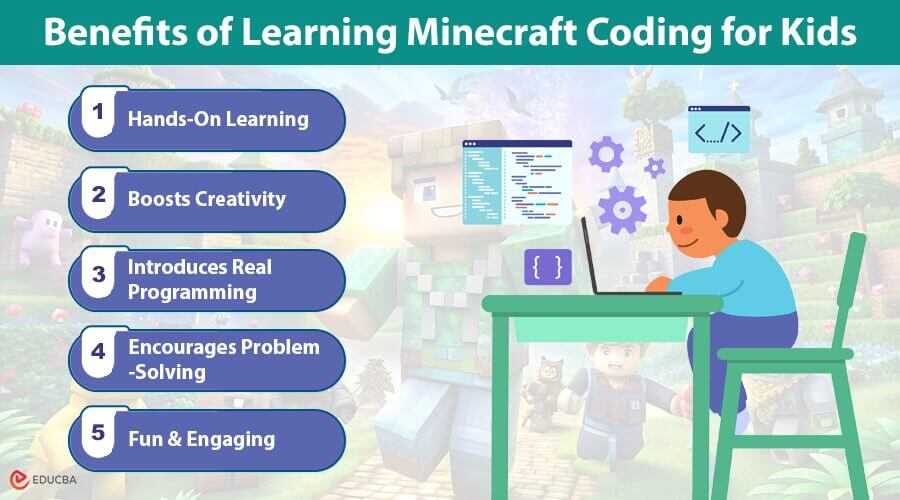
Minecraft is a popular game that fosters creativity, problem-solving, and logical thinking—key skills for coding. Here is why Minecraft coding for kids is a great learning tool:
- Hands-On Learning: Kids see their code come to life in the game.
- Boosts Creativity: They can build anything they imagine using code.
- Introduces Real Programming: Kids learn Python, JavaScript, and Java, which are used in real-world applications.
- Encourages Problem-Solving: Develops logic and debugging skills.
- Fun and Engaging: Learning through Minecraft feels like play, not work.
How Kids Can Code in Minecraft?
Kids can learn Minecraft coding in multiple ways based on their skill level.
1. Minecraft Education Edition (Block Coding)
- Best for beginners
- Uses drag-and-drop blocks (similar to Scratch)
- Kids can program agents to complete tasks like farming, mining, and building
- Great introduction to coding logic and automation
- Ideal for ages 7+
2. Python Coding for Minecraft
- Uses Python, a beginner-friendly programming language
- Allows kids to control Minecraft with actual code
- Introduces loops, variables, and functions
- Works with Minecraft Pi (Raspberry Pi) or special mods
- Ideal for ages 10+
3. Java & JavaScript for Minecraft Mods
- Used for creating custom Minecraft mods
- Kids can add new blocks, items, and game mechanics
- Requires understanding of object-oriented programming (OOP)
- Great for kids who want to create advanced mods
Fun Minecraft Coding Projects for Kids
Here are some exciting projects that make Minecraft coding for kids both educational and entertaining.
1. Make an Auto-Building Script (Python)
What kids will learn: Loops, functions, automation
Instead of building manually, kids can use Python to automate structures.
Challenge: Modify the script to build a house.
2. Create a Time Machine (Block Coding)
What kids will learn: Events, loops, conditionals
In Minecraft Education Edition, kids can use block coding to teleport to another time or biome.
How it works:
- The player builds a “time machine” with a button.
- Pressing the button teleports them to a different location.
Challenge: Add special effects like lightning or sound.
3. Spawn an Army of Mobs (Python or JavaScript)
What kids will learn: Loops, game scripting
Kids can use Python or JavaScript to quickly spawn a large group of mobs.
Challenge: Create friendly mobs instead of zombies.
4. Code a Self-Building Castle (Java Modding)
What kids will learn: Java programming, modding, structures
Kids learning Minecraft modding can code a castle that builds itself when they place a special block.
How it works:
- Kids create a mod that detects when a block is placed.
- The mod triggers a function that generates castle walls, towers, and doors.
Challenge: Add traps or secret doors to the castle.
5. Make an Exploding Arrow (Java Modding)
What kids will learn: Java programming, custom game mechanics
This mod makes arrows explode like TNT on impact.
How it works:
- When a player shoots an arrow, it explodes on impact.
Challenge: Add custom effects like lightning.
The Importance of Online Learning for Minecraft Coding
Online courses make learning Minecraft coding for kids easier than ever, and reliable Minecraft hosting can help kids share their projects with friends. Here is why online learning is a great option:
- Self-Paced Learning: Kids learn at their own speed.
- Interactive Lessons: Many platforms offer quizzes, challenges, and games.
- Real Projects: Kids apply coding skills in Minecraft.
- Expert Guidance: Courses provide step-by-step instructions from coding experts.
Final Thoughts
Minecraft coding for kids is a fantastic way to introduce computer science in a fun, hands-on way. Whether they are building structures with Python, creating custom mods with Java, or learning block coding, Minecraft makes coding engaging and exciting.
Frequently Asked Questions (FAQs)
Q1. At what age can kids start coding Minecraft?
Answer: Kids as young as 7 years old can start with block coding. For Python and Java, 9+ years old is ideal.
Q2. Do kids need Minecraft Java Edition for coding?
Answer: Yes. Most advanced coding (Python and Java) requires Minecraft Java Edition, but Minecraft Education Edition allows block coding.
Q3. Is Minecraft coding difficult for kids?
Answer: No. Kids can start with easy drag-and-drop coding before moving to Python or Java.
Q4. What programming languages are used for Minecraft coding?
Answer:
- Block Coding (Scratch-style): Easy for beginners
- Python: Used for scripting and automation
- JavaScript: Used for game commands and mods
- Java: Used for creating advanced mods
Q5. How can my child get started with Minecraft coding?
Answer: Start with Minecraft Education Edition for block coding. If they are ready for text-based coding, try a Python course for kids or Minecraft modding camps.
Recommended Articles
We hope this guide on Minecraft coding for kids has been helpful. Check out these recommended articles for more insights on fun coding projects, beginner-friendly programming tips, and exciting ways to learn through Minecraft.

