

Updated April 12, 2023
Introduction to Maven Repository
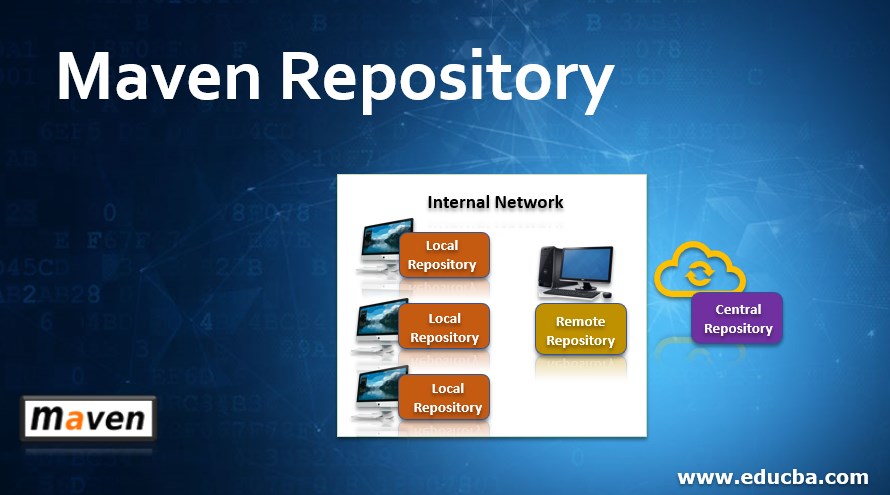
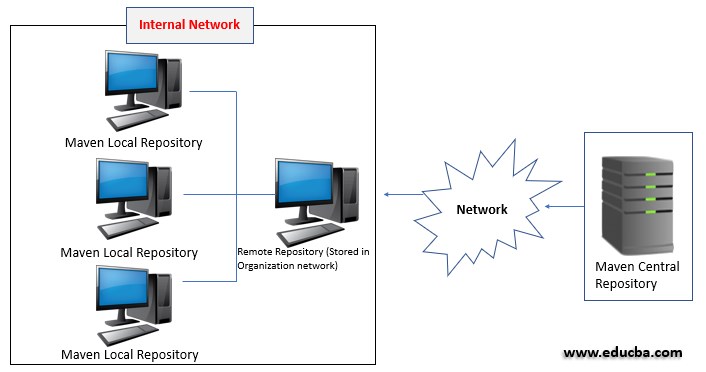
Maven repository is a directory where all the packages, JAR files, plugins or any other artifacts are stored with POM.xml. Repository in maven holds build artifacts and dependencies of various types. It provides three types of repositories.
Types of Repositories
Consider the following to understand the types and where they are stored.
Dependency management is a core feature of Maven.
1. Local Repositories
Maven local repository is located in the local computer system.it is created by maven when the user runs any maven command. The default location is %USER_HOME%/.m2 directory. When maven build is executed, Maven automatically downloads all the dependency jars into the local repository. For new version maven will download automatically. If version declared in the dependency tag in POM.xml file it simply uses it without downloading. By default, maven creates local repository under %UESR_HOME% directory.
Update and Setting the Maven Local Repository:
To update, find this file {MAVEN_HOME}\conf\settings.xml
And to set, use following code:
Code:
<settings>
<localRepository>/path/to/local/repo/</localRepository>
<interactiveMode>true</interactiveMode>
<offline>false</offline>
</settings>
The default value or the path is: ${user.home}/.m2/repository.
- interactiveMode is true if you want to interact with the user for input, false if not.
- Offline mode is true if the build system operates in offline mode, true if.
Advantages
- Reduced version conflict.
- Less manual intervention for the first time build process.
- Single central reference repository for all dependent software libraries rather than several independent local libraries.
- Fasten the clean build process while using local repositories.
2. Central Repositories
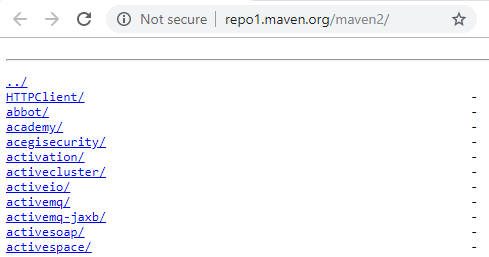
This repositories are located on the web. It has been created by the apache maven itself.it contains a large number of commonly used libraries. It is not necessary to configure the maven central repository URL. Internet access is required to search and download the maven central repository. When maven cannot find a dependency jar file for local repository its starts searching in maven central repository using URL: http://repo1.maven.org/maven2/.
To override default location make changes in settings.xml file to use one or more mirrors. Any special configuration is not required to access a central repository. Except in the case system under firewall, you need to change the proxy settings.
To set up a maven proxy setting, follow the below steps:
- Navigate to path – {M2_HOME}/conf/settings.xml
- Open xml in edit mode in any text editor.
- Open and update <proxy>
3. Remote Repository
This is stored in the organization’s internal network or server. The company maintains a repository outside the developer’s machine and are called as Remote Repository.
The following pom.xml declares remote repository URL and dependencies.
<project>
<dependencies>
<dependency>
<groupId>com.educba.lib</groupId>
<artifactId>library</artifactId>
<version>1.0.0</version>
</dependency>
<dependencies>
<repositories>
<repository>
<id>edu.lib_1</id>
<url> http:// (Organization URL)/maven2/lib_1</url>
</repository>
<repository>
<id>edu.lib_2</id>
<url>http:// (Organization URL)/maven2/lib_2</url>
</repository>
</repositories>
</project>
Adding Remote Repository
Not every library is stored in the Maven Central Repository, some libraries are available in Java.net or JBoss repository.
1. Java.net Repository
<repositories>
<repository>
<id>java-net-repo</id>
<url>https://maven.java.net/content/repositories/public/</url>
</repository>
</repositories>
2. JBoss Repository
<repositories>
<repository>
<id>jboss-repo</id>
<url>http://repository.jboss.org/nexus/content/groups/public/</url>
</repository>
</repositories>
3. Spring Repository
<repositories>
<repository>
<id>spring-repo</id>
<url>https://repo.spring.io/release</url>
</repository>
</repositories>
Advantages
- Artifact team sharing.
- Effective separation of artifact still projects under development and release phase.
- Centralize libraries management provides security and each client speaks with a single global repository, avoiding the risk that different elements of the team.
- The remote repository allows keeping under control the nature of third-party libraries used in projects, thus avoiding introducing elements not compliant with company policies.
Repository Manager
A repository manager is a dedicated server application designed to manage repositories. The usage of a repository manager is considered an essential best practice for any significant usage of Maven.
- Repository Manager is considered one of the proxy servers for public Maven Repositories.
- Allows Repositories as a destination for Maven project outputs.
Advantages
- Repository Manager reduces the complexity of downloading remote Repository hence the time consumption is less and increases build performance.
- Due to trustful dependence, external repositories Repository Manager Increases build stability.
- Due to interaction with remote SNAPSHOT repositories, the Repository Manager increases the performance.
- Repository Manager controls the provided and consumed artifacts.
- Repository Manager acts as Central Storage and provides access to artifacts and MetaData.
- Repository Manager acts as a platform for sharing or exchanging binary artifacts.
- Building artifacts from scratch is not required.
Available Repository Managers
The followings are the open-source and commercial repository managers who are known to support the repository format used by Maven.
- Apache Archiva
- CloudRepo
- Cloudsmith Package
- JFrog Artifactory Open Source
- JFrog Artifactory Pro
- MyGet
- Sonatype Nexus OSS
- Sonatype Nexus Pro
- packagecloud.io
Maven Dependency Checking Process
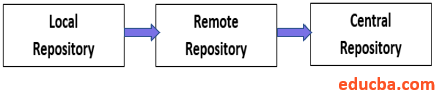
- First, it scans through local repositories for all configured dependencies.
- If it’s found continues with further execution.
- Absence of dependencies in local repository; maven scans in central repositories for that particular dependency.
- Available dependencies are downloaded in local repositories for future execution of the project.
- Even dependencies are not found in Local Repository and Central Repository, Maven starts scanning in Remote Repositories.
- In case dependencies are not available in any of the three Repositories- Local Repository, Central Repository, Remote Repository, Maven throws an Exception “not able to find the dependencies & stops processing”.
- It downloads all found dependencies into the Local Repository.
Conclusion – Maven Repository
Maven repositories permit artifacts Javadoc to distribute close by the artifacts JAR and integrated development environment. Maven simplifies when a code has dependency outside source control organizers. Mavens’ dependency handling is systematically organized in a coordinated manner for identifying artifacts-software libraries or modules, POM references of the JUnit coordinates as a direct dependency. Consider an example: the hibernate library has to be declared in the POM.XML file maven automatically downloads the dependencies that Hibernate dependency required, Maven stores automatically in Local Repository. In an Organization project developed on a single machine depends on other machines through the Local Repository.
Recommended Articles
We hope that this EDUCBA information on “Maven Repository” was beneficial to you. You can view EDUCBA’s recommended articles for more information.

