

Updated July 6, 2023
Introduction to Matlab ezplots
MATLAB is also a great tool for visualization. It provides us with the ability to create a wide variety of plots. In this article, we will focus on ezplot function for creating plots of functions and equations.
Syntax:
Let us understand the Syntax of ezplot function in MATLAB
ezplot (f)ezplot (f, [minimum, maximum])ezplot (x, y)
Description of Matlab ezplots
- ezplot (f):
- ezplot (f) will create a plot of an equation, symbolic expression, or a function passed as an argument
- Ezplot (f), by default, will plot a function or an expression over [–2π to2π] or a subinterval of [–2π to 2π]
- ezplot (f, [minimum, maximum]):
- This function will plot the input function or equation over the range passed in the argument
- ezplot (x, y):
- This function will plot the planar-defined curves x and y over 0 <= z <= 2π or over a subset of 0 <= z <= 2π
Examples
Let us understand ezplot (f) with a couple of examples:
Example #1
Let us take a simple example of the sine function and try to plot it using ezplot.
syms x[initializing variable x]
ezplot(sin(x))[passing the input function]
[Here, notice that we have not passed any argument for the interval, so by default, ezplot function will plot the sine wave in the interval [–2π to 2π] ]
Input:
syms x

ezplot(sin(x))
Output:
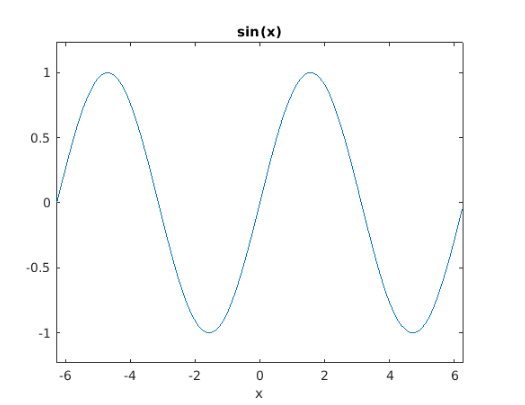
As we can see in our output, the sin function is plotted between the range [–2π to 2π] ].
Next, we will pass an argument to define the interval for our output.
Example #2
Let us take a cos function and try to plot it using ezplot in the range 0 to 2π
syms x[initializing variable x]
ezplot(cos(x), [0, 2 * pi])[passing the input function and the required interval]
Input:
syms x

ezplot(cos(x), [0, 2 * pi])
Output:
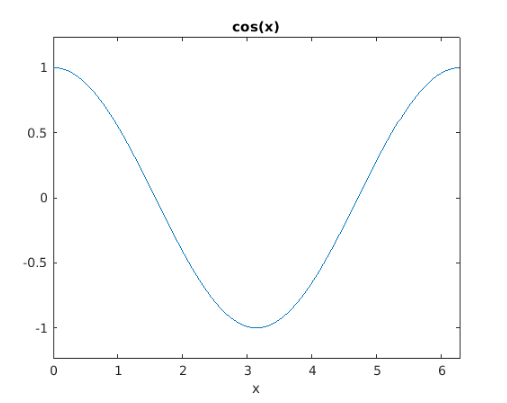
As we can see in our output, the cos function obtained is in the range 0 to 2 pi; as expected by us.
Example #3
In this example, we will use ezplot (x, y) to create a plot of a straight-line equation
syms x y[initializing variables x& y]
ezplot(x == 5 * y )[passing the input straight line equation]
Input:
syms x y

ezplot(x == 5 * y )
Output:
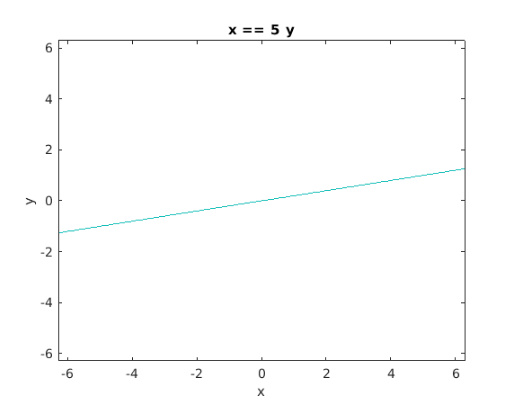
As we can see, we have obtained a graph for the equation of a straight line.
Example #4
In this example, we will plot an equation for a sphere using ezplot (x, y).
syms x y[initializing variables x& y]
ezplot(x ^ 2 + y ^ 2 == 25 )[passing the equation of a sphere with radius 5]
Input:
syms x y

ezplot(x ^ 2 + y ^ 2 == 25 )
Output:
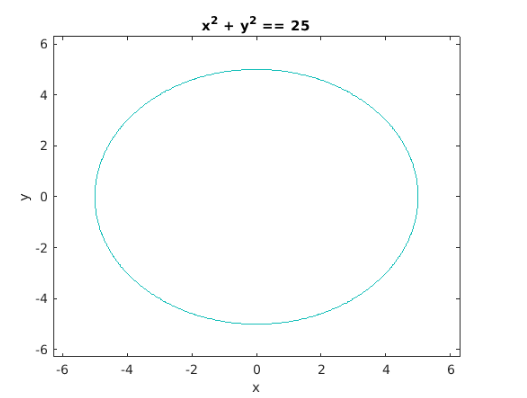
As we can see in our output, we have obtained a sphere of radius 5 sing ezplot function.
Conclusion
MATLAB can be used to plot our data for visualizing and intuitively understanding it. There could be instances when we have to plot equations or functions. In such cases, we make use of ‘ezplot’ function in MATLAB. We can make use of the default range or define our own range for plotting the functions or equations.
Also, remember that if an equation or function is of 2 variables, then the variable which comes first alphabetically will come on the horizontal axis & the other one will be on the vertical axis.
Recommended Articles
This is a guide to Matlab ezplots. Here we discuss the Introduction, syntax, description, and examples with code implementation of Matlab ezplots. You may also have a look at the following articles to learn more –

