


What is Load Testing?
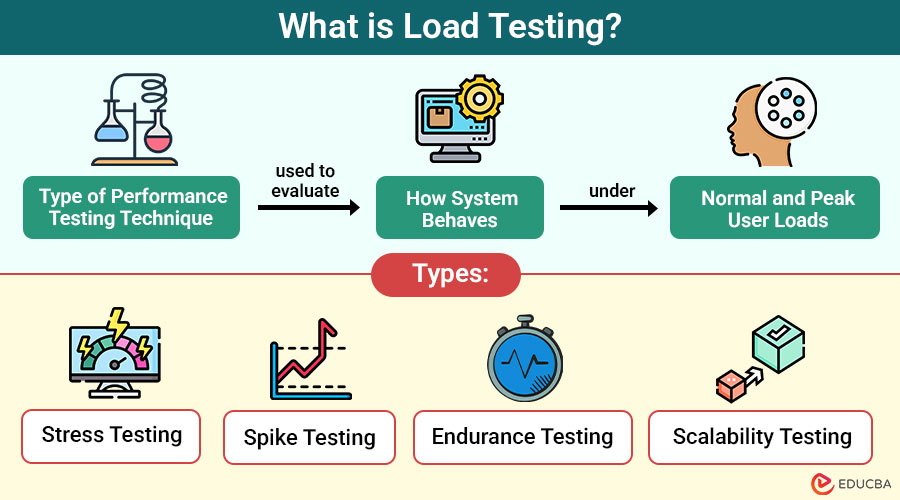
Load Testing is type of performance testing technique used to evaluate how a system behaves under normal and peak user loads. The main goal is to evaluate the system’s stability, response time, throughput, and resource usage when subjected to expected levels of traffic.
For example, suppose you are launching an e-commerce platform expected to handle 10,000 concurrent users during a holiday sale. In that case, load testing helps you confirm whether your infrastructure can support that load without crashing or slowing down.
Table of Contents:
Key Takeaways:
- Load testing proactively detects issues that could impact user experience during high-demand application usage.
- It enables performance validation under simulated real-world traffic before software reaches end-users.
- A well-executed load test helps reduce downtime risks during peak business operations.
- Selecting the right load testing tool is crucial for achieving reliable, scalable, and actionable results.
Why is Load Testing Important?
In the current digital age, where milliseconds matter, we cannot overstate the importance of load testing. Here is why:
1. Ensures Stability
Load testing confirms that applications remain functional, responsive, and error-free even during periods of high user traffic.
2. Identifies Bottlenecks
It reveals critical issues such as slow APIs, memory leaks, or database delays that degrade system performance under load.
3. Improves User Experience
By ensuring fast response times and reliability, load testing enhances customer satisfaction, retention, and overall digital experience.
4. Prevents Revenue Loss
Avoids outages during peak times, such as product launches or holiday sales, thereby preventing financial losses and damage to the brand’s reputation.
5. Supports Scalability Planning
Helps organizations determine system thresholds and prepare infrastructure for future growth and higher user demand effectively.
Key Metrics in Load Testing
When conducting a load test, engineers monitor a range of metrics, including:
1. Response Time
Determines how long it takes the system to react to a user request under different load levels.
2. Throughput
Tracks the number of successful transactions or requests the system processes per second or minute under test conditions.
3. CPU and Memory Utilization
Indicates the amount of processing power and memory the application consumes when subjected to heavy or prolonged user activity.
4. Error Rate
Shows the percentage of failed or incomplete user requests due to timeouts, crashes, or incorrect server responses.
5. Concurrent Users
Represents the total number of virtual users interacting with the system simultaneously during the load testing process.
Types of Load Testing
While load testing itself focuses on expected traffic, it overlaps with other forms of performance testing:
1. Stress Testing
Pushes the system beyond its maximum capacity to determine its breaking point and how it fails gracefully. This type of testing helps identify system limitations and potential failure points under extreme conditions.
2. Spike Testing
Examines the system’s response to sudden and dramatic increases in user load. This is particularly useful for scenarios such as flash sales or viral traffic spikes, where user volume surges abruptly.
3. Endurance Testing
Also known as soak testing, evaluates how the system performs over an extended period. It checks for issues like memory leaks, database connection failures, or performance degradation over time.
4. Scalability Testing
Focuses on determining how well a system can scale as the load increases. It helps assess whether adding more resources (such as servers or processing power) improves performance proportionally.
How Load Testing Works?
Here is the list of essential steps involved in conducting effective load testing:
Step 1: Define Test Objectives
Determine what to measure—such as concurrent users, response time, or throughput—to align with performance expectations.
Step 2: Create User Scenarios
To represent realistic system usage under load, simulate actual user operations, such as signing in, browsing, and making purchases.
Step 3: Configure the Environment
Prepare test infrastructure including servers, databases, and network settings, to ensure accurate and reproducible testing conditions.
Step 4: Execute the Test
Use virtual users to apply load, gradually increasing traffic while capturing system responses and stability under pressure.
Step 5: Monitor and Analyze
Track performance metrics using dashboards to identify errors, slowdowns, or resource bottlenecks in real time.
Step 6: Optimize
Enhance system efficiency by fine-tuning configurations, upgrading hardware, or refining code based on test results to optimize performance.
Challenges in Load Testing
Despite its benefits, load testing presents some challenges:
1. Environment Limitations
Test environments may lack the production-level accuracy necessary for accurate performance results, leading to misleading performance data and a misinterpretation of potential bottlenecks.
2. Complex User Flows
Mimicking real user behavior patterns with various paths and conditions requires detailed scripting and significant development time.
3. Tool Selection
Using unsuitable tools may reduce test reliability, lack needed features, or complicate integration with CI/CD pipelines.
4. Data Management
Maintaining consistent, clean, and reusable datasets during large-scale tests is critical yet often difficult to achieve effectively.
5. Cost
Enterprise-grade tools and scalable testing environments often come with high licensing fees, infrastructure expenses, or consultant costs.
Industries that Rely Heavily on Load Testing
The following is a list of important sectors where load testing is essential for guaranteeing dependability and performance:
1. E-Commerce
Ensures websites and apps remain responsive during peak traffic events, such as Black Friday or major holiday sales.
2. Banking & Finance
Maintains secure, uninterrupted access to online banking, fund transfers, and financial transactions during heavy user activity.
3. Telecommunication
Supports seamless connectivity by managing sudden increases in voice, messaging, and data traffic across large user bases.
4. Healthcare
Ensures smooth operation of online appointment booking, patient portals, and health record systems under increased usage.
5. Entertainment & Media
Prepares platforms to handle high demand from live streaming, viral content, or new media releases without failures.
Final Thoughts
In the competitive digital landscape, performance is a deal-breaker. Users expect speed, stability, and reliability, and anything less leads to drop-offs. Load testing ensures your applications are battle-tested and ready to deliver seamless experiences under pressure. Load testing should be a key component of any software quality plan, regardless of whether you are a startup preparing to launch or a business expanding to millions of customers.
Frequently Asked Questions (FAQs)
Q1. How does load testing differ from functional testing?
Answer: Functional testing checks features; load testing checks performance under heavy user activity.
Q2. Can load testing be performed on cloud-based applications?
Answer: Yes, it simulates large user loads across global regions on cloud infrastructure.
Q3. When is the best time to conduct load testing?
Answer: Before release or after major updates, ideally in a pre-production environment.
Q4. Do load tests pose any risks to production systems?
Answer: Yes, if not isolated, they can overload live systems. Use staging environments.
Recommended Articles
We hope that this EDUCBA information on “Load Testing” was beneficial to you. You can view EDUCBA’s recommended articles for more information.

