

What Does API Stand for?
The full form of API is Application Programming Interface that allows other software and hardware to communicate.
Let’s decode the API as a term here:
- Application: Software with a distinct function.
- Interface: It is similar to a contract of service between two applications which determines how the involved software will communicate.
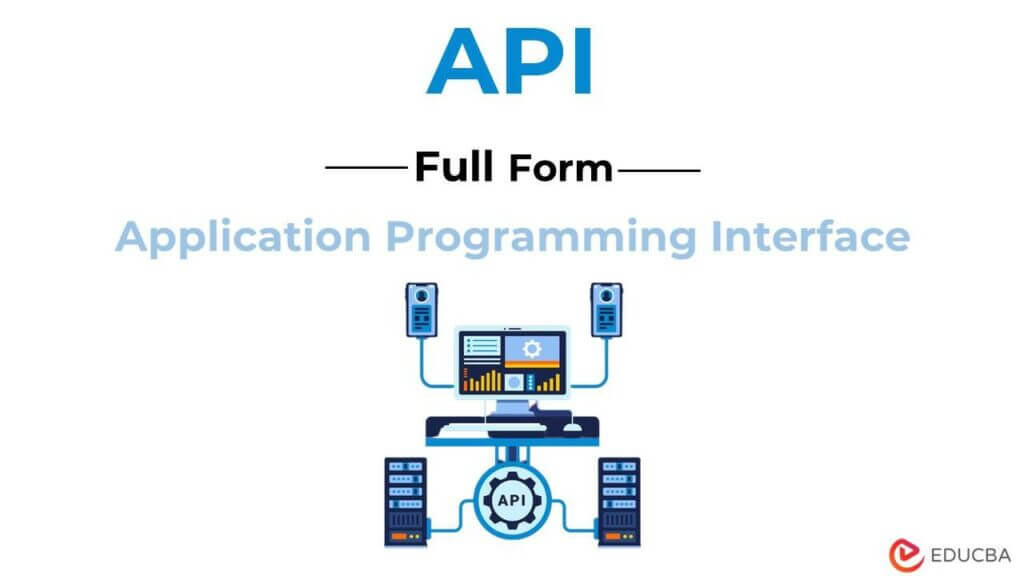
What Exactly is an API?
The full form of API (Application Programming Interface) is like a set of rules set for the developers that may include; data structures, methods, and types of data allowed for the exchange between the designated software.
Types of API
The two most common types of API are:
#1 Web APIs
It allows the developers to access the functionality of web services, such as Google Maps, Twitter, etc.
#2 Software APIs
It allows the developers to access the working of other software applications, like Microsoft Office or Adobe Photoshop.
How do Developers Decode API?
The developers follow the following steps to decode an API and its functionality.
#1 Understanding API with API Documentation
Developers study extensive API documentation that includes the API’s functionality and manual for usage.
#2 Initiate Call for Request
The developer using HTTP will request data retrieval for processing. It involves the request to reach the API’s Uniform Resource Identifier(URI), which processes it from the sender application to the web server. For example, when working with an AI API, the developer might request image analysis, text generation, or sentiment scoring from the AI-powered endpoint, which then returns structured, machine-learned insights.
#3 Response of the WebServer
In response to the request, the web server provides access to the requested information to the application that initiated the request.
Why Use API? Top Benefits of API Development and Usage
#1 Fasten The Application Building Process
It helps the developers to leverage the functionality of other software applications or web services rather than building everything from scratch. It thus saves costs and resources, besides giving more time to work on the application’s unique features.
#2 Boost Functionality
Developers can integrate already successful APIs in their software applications. For example, an e-commerce website may leverage Google Pay API for processing payments rather than building a separate payment processing system. Additionally, developers can also integrate AI API Models, such as recommendation APIs, that can suggest more products to users based on what they have searched or purchased before.
#3 Improvise User Experience
One can improve user experience by integrating other software applications’ services via API. A clothing store may use Google Maps API to provide location-based services or Facebook API to allow users to sign in with their Facebook account.
#4 Seamless Integration
APIs allow different applications and services to work together seamlessly. It can help businesses to streamline their operations and provide users with a more cohesive experience.
#5 Increase Revenue Streams
Businesses can streamline their business revenues by providing API access to other companies. It helps build partnerships and monetization opportunities, called API Economy.
Top 4 Downsides of API Usage
While APIs are quite innovative to include in businesses, there are a few challenges one can face while using them:
#1 Complexity Can Make Working With Them Difficult
The documentation for some APIs can be futile to understand, and some even may require developers to have a deep understanding of the underlying technology to use the APIs effectively.
#2 Security Issues
APIs can risk leaking sensitive data or functionality if not made its proper regulation. It is a major issue with the APIs that are in use by a large number of third-party developers.
#3 Risk Application Failure
Those using third-party APIs may face failure in smooth functioning in case the API fails or breaks down. As a result, one must spend extra time and resources on fixing it, a downside of dependency on third-party APIs.
#4 An Expense to Bear
While most APIs are open-source and free, other high-quality ones that grant access to valuable assets can be costly.
How to Develop or Use API For Profitability?
One can develop an API for profitability using certain steps:
#1 Clearly Define API Documentation
Define the API documentation clearly, giving insight into the API’s functionality, working, and ways of its utilization. Besides, it should be readily accessible.
#2 Utilize Standardized Protocols
Developers must use standardized protocols while developing API. These can be like using HTTPS to ensure broad applicability and use through different programming languages.
#3 Prioritize Security
Utilize authentication and access control mechanisms, such as API keys or OAuth, to prevent unauthorized access and leakage of sensitive data.
#4 Regular Monitoring
One must monitor API periodically to ensure its smooth functioning. A real-time monitoring and alert system can spot the problem before it becomes critical.
#5 Provide Support And Resources
API developers must ensure that those using their API must have proper support.
Today, API is one of the top-priority software amongst businesses. Acting as an intermediary layer between the application and the web server or another software application, it allows for third-party access to the developers, business partners, etc., for the target application’s data and functionality.
While APIs can boost functionality, user experience, and revenue streams, they can also downgrade them if not monitored properly for bugs or security threats.
Recommended Articles
We hope that this EDUCBA information on “Full Form of API” was beneficial to you. You can view EDUCBA’s recommended articles for more information –

