


What is Content Pruning?
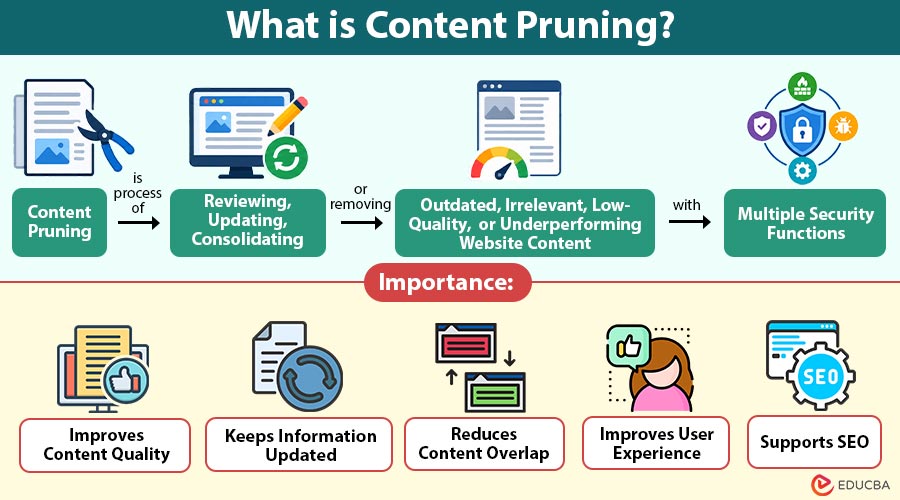
Content pruning is process of reviewing, updating, consolidating, or removing outdated, irrelevant, low-quality, or underperforming website content.
The goal is not simply to reduce the number of pages on a website. Instead, content pruning helps businesses maintain a useful, accurate, relevant, and high-quality content library that better serves users and supports SEO performance.
As websites grow, they often accumulate old blog posts, duplicate articles, outdated statistics, thin pages, expired offers, and content that no longer matches search intent. Keeping every page indefinitely can make content management harder and may keep businesses from focusing resources on higher-value pages.
A structured content-pruning process helps identify which pages to improve, consolidate, redirect, or remove.
Table of Contents:
- Meaning
- Importance
- Which Content Should be Considered for Pruning?
- Working
- Common Mistakes
- Best Practices
- How Often Should You Perform Content Pruning?
Key Takeaways:
- Content pruning keeps websites useful by strategically updating, consolidating, redirecting, or removing low-value content.
- Low traffic alone does not justify deletion; consider relevance, backlinks, conversions, rankings, and business value.
- A structured pruning process involves auditing content, evaluating performance, categorizing pages, implementing changes, and monitoring results.
- Regular content reviews help reduce duplication, maintain accuracy, improve user experience, and strengthen overall content quality.
Why is Content Pruning Important?
Websites can contain hundreds or thousands of pages, and not all of them continue to provide value. Content pruning lets businesses regularly evaluate existing content and make informed decisions about what should remain on the website.
1. Improves Content Quality
Removing or improving weak pages can help create a stronger overall content library. Visitors are more likely to find accurate, useful, and relevant information when you address outdated or low-value content.
2. Keeps Information Updated
Facts, statistics, products, regulations, technologies, and industry trends can change over time. Content pruning helps identify outdated information and update it with current details.
3. Reduces Content Overlap
Multiple pages may sometimes target similar keywords or answer nearly identical questions. Reviewing these pages can reveal opportunities to consolidate overlapping content into a stronger, more comprehensive resource.
4. Improves User Experience
Visitors do not want to encounter outdated information or irrelevant pages. Maintaining a cleaner content library makes it easier for users to navigate a website and find information that meets their needs.
5. Supports SEO
Search engines aim to provide useful results that satisfy search intent. Maintaining relevant and helpful content can support a website’s overall search visibility. However, don’t treat content pruning as a guaranteed ranking tactic; evaluate each page based on its purpose, quality, traffic, links, and business value.
Which Content Should Be Considered for Pruning?
Not every page with low traffic should automatically be deleted. A page may have low traffic but still generate leads, attract valuable backlinks, support another page, or serve an important audience. Instead, look for several signals together.
1. Outdated Content
Articles containing old statistics, expired information, discontinued products, or obsolete recommendations may need substantial updates or removal.
2. Thin Content
Thin pages provide little useful information and may fail to satisfy the user’s search intent. If the topic remains valuable, expanding the page may be better than deleting it.
3. Duplicate or Similar Content
Several pages covering nearly the same topic can create unnecessary overlap. These pages may be candidates for consolidation.
4. Pages With Little or No Value
Some pages may receive virtually no organic traffic, have no meaningful backlinks, generate no conversions, and provide little value to visitors. These pages may be suitable for removal after careful evaluation.
5. Expired Content
Temporary announcements, discontinued services, expired offers, old events, and outdated seasonal pages may no longer have a useful purpose.
How Does Content Pruning Work?
A successful content pruning process usually involves several steps.
Step 1: Create a Content Inventory=-
List the website’s important pages and collect details such as:
- URL and page title
- Target keyword
- Organic traffic and rankings
- Backlinks and conversions
- Publication and update dates
- Content type and business importance
This inventory provides a clear overview of the website’s content.
Step 2: Analyze Performance
Review organic traffic, engagement, conversions, backlinks, and rankings. Do not rely on traffic alone, as pages with fewer visits may still generate leads or support customer journeys.
Step 3: Evaluate Relevance and Quality
Check whether each page provides accurate, useful, and relevant information. Consider whether it satisfies search intent, offers sufficient detail, differs from similar pages, and supports business goals.
Step 4: Categorize Each Page
Assign an appropriate action to every page:
- Keep: Retain valuable content.
- Update: Refresh outdated information.
- Consolidate: Merge overlapping pages.
- Redirect: Send users to a relevant replacement.
- Remove: Delete content without value or a suitable replacement.
Step 5: Update Valuable Content
Improve promising pages by correcting inaccuracies, refreshing outdated information, adding useful examples, and improving structure. Focus on meeting readers’ needs.
Step 6: Consolidate Similar Pages
Merge overlapping articles into one comprehensive resource when appropriate. For example, similar articles about content marketing strategies, techniques, and tips can be combined to reduce duplication.
Step 7: Redirect or Remove Carefully
Remove obsolete pages that offer no value and have no suitable replacement. Redirect pages when a relevant alternative exists. Before making changes, check backlinks, internal links, traffic, and conversions.
Step 8: Monitor the Results
Track performance after pruning to understand its impact. Monitor these metrics:
- Organic traffic and keyword rankings
- Indexation and click-through rates
- Conversions and engagement
- Crawl behavior and internal links
Use these results to identify improvements and determine whether further adjustments are needed.
Common Content Pruning Mistakes
Content pruning can become counterproductive when you make decisions without enough analysis.
1. Removing Pages Only Because They Have Low Traffic
Low-traffic pages may still attract targeted visitors, support conversions, answer niche queries, or contribute valuable information.
2. Deleting Content in Large Quantities
Removing many pages at once without analysis can cause ranking losses, broken links, reduced visibility, and unexpected performance issues.
3. Ignoring Backlinks
Pages with valuable backlinks can add authority to a website, so backlink evaluation matters before you remove or consolidate content.
4. Forgetting Internal Links
Removing pages without reviewing internal links can create broken pathways, orphaned pages, poor navigation, and weaker connections between related website content.
5. Treating Word Count as the Main Quality Metric
Word count alone does not determine content quality because concise pages can satisfy search intent better than lengthy, repetitive content.
6. Pruning Without a Clear Objective
Content pruning should have a defined purpose, such as improving relevance, reducing duplication, updating information, or strengthening important topic areas.
Best Practices for Content Pruning
To make the process more effective, follow these practices:
1. Use Multiple Data Points
Combine traffic, rankings, backlinks, conversions, engagement, relevance, and business value to make informed content pruning decisions.
2. Prioritize Quality Over Quantity
Focus on maintaining useful, relevant, and valuable pages instead of simply reducing the total number of published pages.
3. Update Before Deleting When Appropriate
If a topic remains relevant, improve outdated information, structure, or usefulness before deciding to remove the existing page.
4. Consolidate Overlapping Content
Combine similar pages when consolidation can create a stronger, more comprehensive resource that better satisfies user search intent.
5. Preserve Valuable Links
Review backlinks and internal links before removing pages to protect valuable authority, navigation pathways, and connections across website content.
6. Maintain Accurate Information
Regularly review content containing changing facts, statistics, regulations, technologies, or industry developments to keep information accurate and useful.
7. Document Your Decisions
Record whether pages were updated, consolidated, redirected, or removed to maintain transparency and support future content management decisions.
How Often Should You Perform Content Pruning?
The ideal frequency depends on a website’s size and nature.
A small website may conduct a detailed content review once or twice a year. Larger websites with frequently changing content may benefit from quarterly reviews or ongoing monitoring.
Industries with rapidly changing information may require more frequent evaluations. For evergreen topics, annual reviews may be sufficient unless performance or relevance changes significantly.
Final Thoughts
Content pruning helps keep a website relevant, useful, and up-to-date. By reviewing pages for quality, relevance, duplication, backlinks, conversions, and business value, businesses can strategically update, consolidate, redirect, or remove content. Regular pruning improves user experience, strengthens content quality, reduces unnecessary pages, and focuses resources on valuable audience-focused information.
Frequently Asked Questions (FAQs)
Q1. Who is responsible for content pruning?
Answer: Content pruning can be handled by SEO specialists, content teams, digital marketers, website managers, or a combination of these roles.
Q2. Does content pruning apply to old website pages only?
Answer: No. Both old and recently published pages can be reviewed if they no longer serve their intended purpose or provide sufficient value.
Q3. Can content pruning be performed manually?
Answer: Yes. Smaller websites can review pages manually, while larger websites may use analytics, SEO, and content management tools to handle the process more efficiently.
Q4. Is content pruning suitable for every website?
Answer: Yes. Websites of different sizes can benefit from reviewing their content, although the approach and frequency may vary based on the website’s needs.
Recommended Articles
We hope that this EDUCBA information on “Content Pruning” was beneficial to you. You can view EDUCBA’s recommended articles for more information.


