
Introduction to Autodesk Character Generator
Autodesk Character Generator is popular cloud-based software that designs 3D characters without external tools or functions. With the fast-paced growth of technology in the 3d industry, users can now design and create 3D models and human characters with the help of this software.
Autodesk Character Generator is helpful and has a friendly user interface. The product is available in paid and freeware versions to students, teachers, professional trainers, and 3D modelers. 3D artists use this software to design projects and assignments where models are created with accuracy and precision. In addition, it requires minimal effort from the user’s end to generate the required characters.
What is Autodesk Character Generator?
Autodesk Character Generator is a software tool designed to ease the artists’ effort and labor and create realistic and reasonable 3d characters with creative ideas and imagination. The program helps the user to create fully rigged 3D models and human characters. In addition, the users can choose and create clothes, hairs, and face structures of different textures, gradient styles, artistic textures, and patterns.
The Autodesk Character Generator also helps the user create rigged and textured models and models that can be used in animations and movies. Autodesk Character Generator software has a huge collection of body type skin forms, hair samples, eye colors, clothes, and other creative features used in creating a well-designed and depicted 3D model. The users can easily choose and modify models’ existing styles and designs and create their unique characters with this program.
Autodesk Character Generator is a well-versed program that owns a library of characters and models of male, female, creative designs, and more. The best part of creating designs on this program is that it helps the user export the models to other Autodesk programs such as MAYA, BLENDER, MAX, and other programs. This will help the users create and generate models for visualization and put ideas and imagination into reality.
Some of the main functions of Character Generator are-
- The models and characters can be chosen from a vast library with Character Generator. Moreover, to use the 3D models directly in gaming programs or animation movies, the software offers a wide range of fully rigged models of male, female and other designs.
- The best feature that Character Generator offers to its users is the selection of body skin, hair color and type, clothes, shoes, and other worldly features from a wide range of pre-defined libraries. Moreover, this technique lets users easily modify their 3D models and characters.
- Another important function offered by Character Generator is the function of blending two different characters from the same group. The users can use two different models and merge them to create a realistic and eccentric model.
Although the freeware version of Character Generator has been terminated, the program is only available with other Autodesk program suites of Maya, Maya LT, 3D Max, Mudbox, and other programs.
How to Use Autodesk Character Generator?
Following are the steps to using Character Generator-
- In the web browser, open https://charactergenerator.autodesk.com/
- Next, click on the SIGN IN option
- Sign in to the Autodesk website with the email id created.
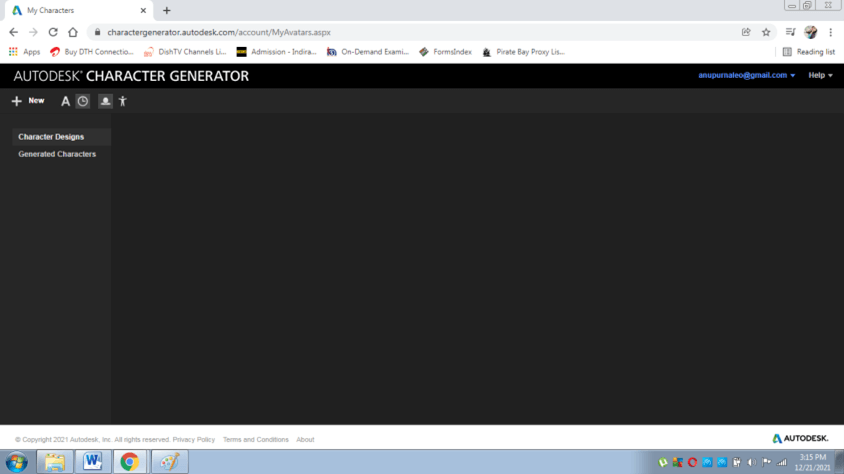
- After signing in, a page shown below will be uploaded.
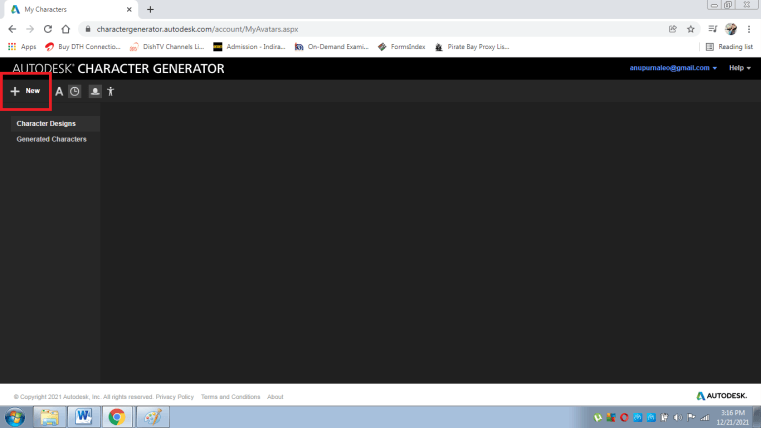
- Click on the NEW option as shown below.
- Once you click on NEW, a page will be uploaded, shown below
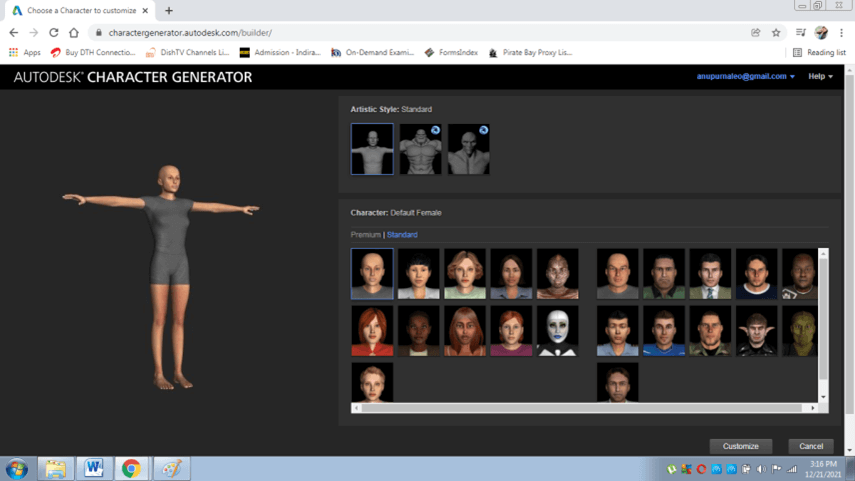
- Select the model and the Character as shown below
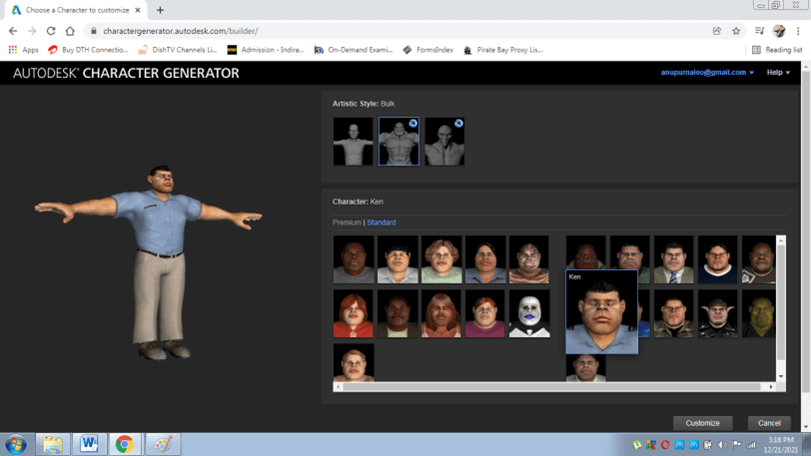
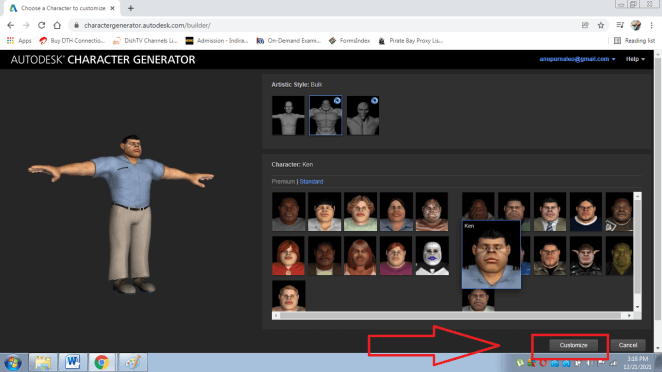
- Click on customize to modify and add other features to the existing model
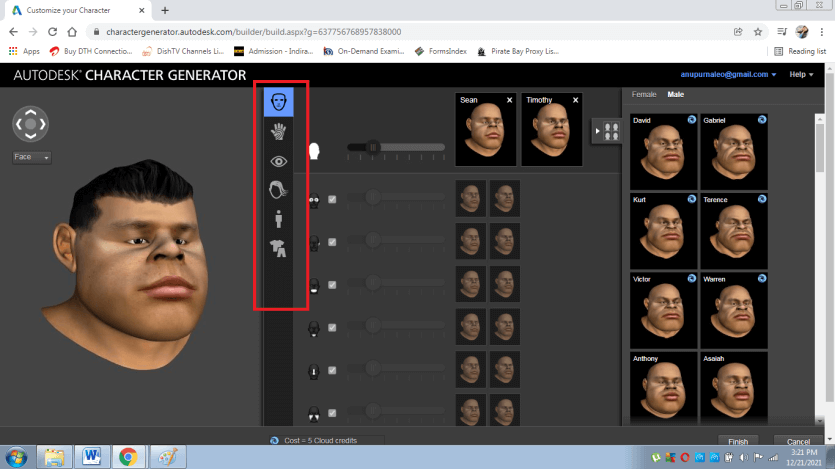
- After this, we can see a page where all the features such as the face, eyes, hair, body, and clothing are available to choose and select from, as shown below
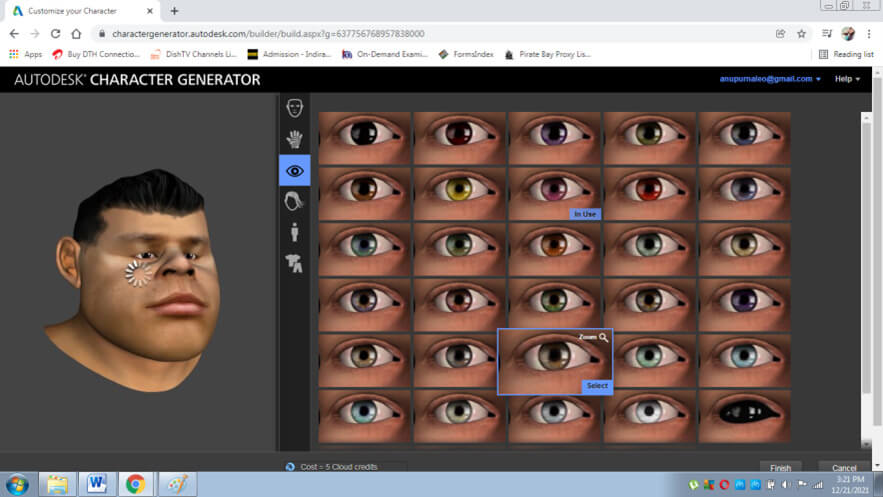
- Next, select eyes from the option and choose accordingly
- Next, select hairstyle from the option and choose accordingly
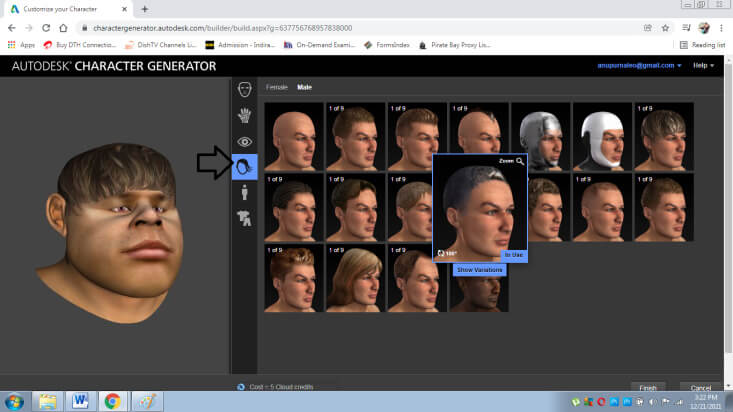
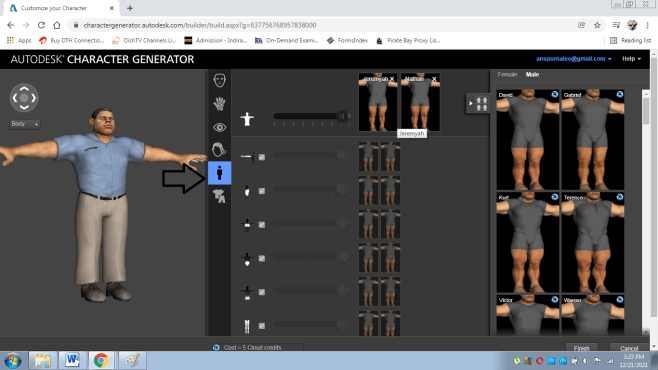
- Next, select body type from the option and choose accordingly, as shown below
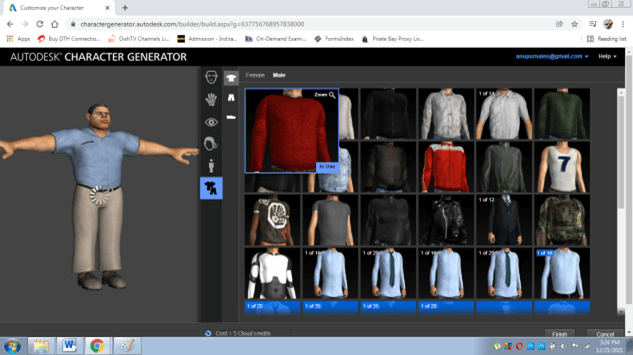
- Next, select cloth type from the option and choose accordingly, as shown below
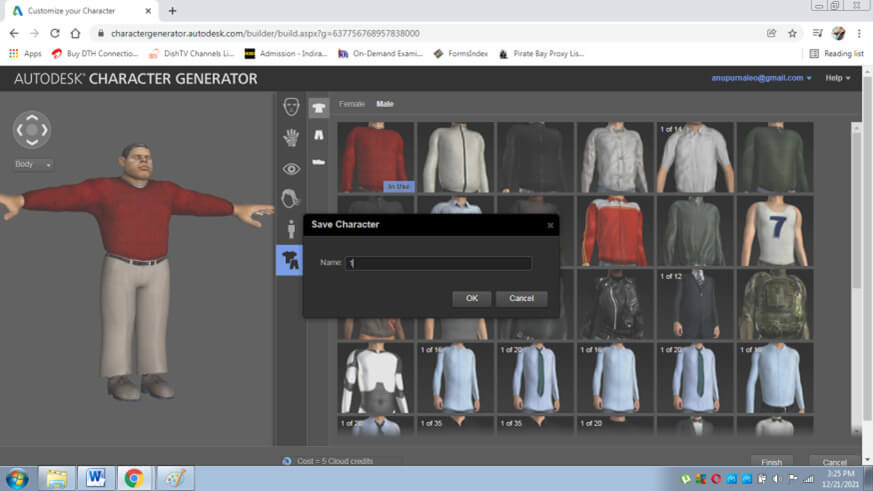
- Finally, click on FINISH and save the Character as shown below
- Similarly, we can create female characters and other creative models as well
Conclusion
In the above article, we learned in detail about the Character Generator and its numerous functions and features. The program is handy software with minimal or no extra effort from the user’s end.
Autodesk Character Generator, when used appropriately, can provide a platform for young 3D artists or beginners in model and character generation without learning a complex program such as 3D Max. The software will boost and strengthen 3D knowledge amongst beginners.
Recommended Articles
This is a guide to Autodesk Character Generator. Here we discuss the Autodesk Character Generator and its numerous functions and features. You may also have a look at the following articles to learn more –

