


Introduction
Assistive Technology in Education (AT) plays a vital role in ensuring inclusivity and accessibility for students with disabilities. A forward-thinking approach means anticipating potential challenges in learning and designing proactive, technology-driven solutions such as AT-compatible devices and software to help all students succeed in both physical and digital classrooms.
Why Assistive Technology in Education Matters?
An effective Assistive Technology (AT) strategy enables students with disabilities to participate in traditional classrooms and online environments fully. By integrating AT into learning systems, educators empower students to gain independence, improve academic performance, and engage confidently in all aspects of education.
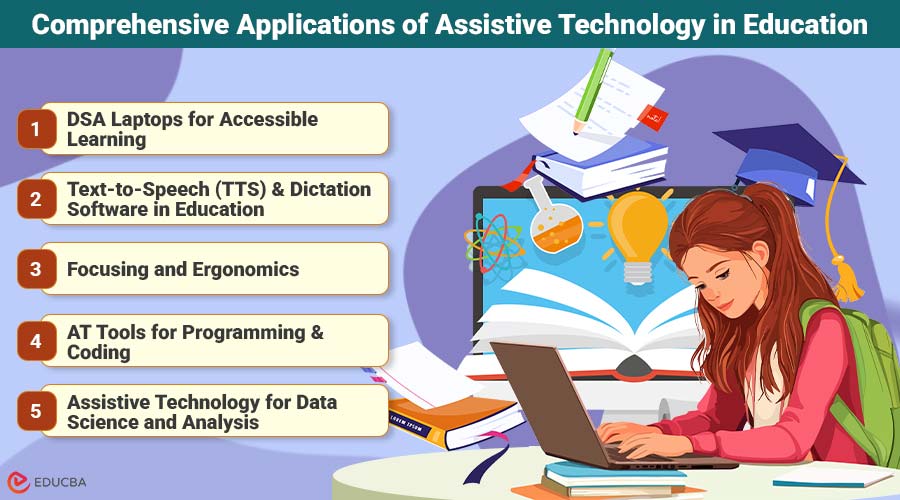
Comprehensive Applications of Assistive Technology in Education
Assistive Technology in Education bridges accessibility and innovation, empowering students with diverse learning needs to achieve academic success through tailored digital tools and inclusive design.
1. DSA Laptops for Accessible Learning
One of the most compelling examples of AT-assisted student success programs is the UK’s Disabled Students’ Allowance (DSA) laptop initiative. The DSA grant provides essential financial support to students with:
- Disabilities
- Chronic or long-term health conditions
- Specific learning differences (SpLDs)
The DSA student support package comes with an AT-enabled laptop, customized to meet each student’s unique individual and academic needs. The DSA program removes financial barriers to otherwise expensive AT technologies. Families should apply for a DSA laptop well ahead of the school year to ensure students have everything they need to succeed.
DSA laptops are pre-installed with AT software, so there’s no need to purchase separate software and install it yourself. These laptops are ready to use and come with such AT tools as:
- Mind-Mapping
- AT dictation programs
- Text-to-speech tools
AT laptops for students are designed for maximum reliability, ensuring minimal technical issues or crashes for smooth, uninterrupted learning. This strong quality control builds confidence in Assistive Technology by guaranteeing that essential software remains consistently available across all learning environments. These DSA laptops also promote independent study, offering user-friendly virtual classroom tools and learning portals with access to lectures and assignments ideal for students who cannot attend regular classes or prefer remote learning.
2. Text-to-Speech (TTS) and Dictation Software in Education
Text-to-speech AT software allows students to convert written material from textbooks, documents, websites, and e-books into clear audio material. TTS is extremely beneficial to students with dyslexia, visual impairments, or reading difficulties. Students can optimize TTS tools with screen readers that verbalize on-screen content, including:
- Text
- Buttons
- Images
- Navigation controls
Screen readers are of great assistance to students with severe visual impairments, including blindness. Speech-to-Text, or dictation, software is an AT learning software that converts audio into written text. Students who have motor impairments like dysgraphia find this type of AT particularly helpful. Students who struggle with typing or live with particular physical disabilities can also use AT dictation software.
Dictation tools come with user-friendly captioning and transcript features. Captions are synchronized with multimedia and generated on screen. Transcripts are separate documents generated in another window and may be used for more precise note-taking.
3. Focusing and Ergonomics
Focus aids are vital AT technologies, especially for students with ADHD or executive function disorders. The following tools can help these students manage distractions to maintain concentration:
- Screen masks
- Visual timers
- Distraction-blocking apps
Poor posture from sitting or using technology can also cause distractions and exacerbate existing chronic pain issues in some students. Ergonomic study equipment is designed to reduce such physical strain and stress. Tools include:
- Ergonomic keyboards and mice
- Adjustable monitor stands
- Specialized chairs
Students recovering from major injuries can also benefit from these adaptive features.
4. AT Tools for Programming and Coding
Students with disabilities pursuing computer science can utilize dictation software to write code and add comments, reducing the need for extensive and repetitive typing. These tools should be paired with ergonomic equipment to further prevent repetitive strain injuries from long coding sessions.
Students working on debugging errors can use TTS tools (with screen readers) to better read compiler errors and code aloud. For example, student developers with dyslexia may find it easier to identify logic or syntax mistakes when they can hear the code rather than reading it visually.
TTS software can also make complex and densely packed APIs and technical documentation easier to read. Text-to-Speech can reduce reading fatigue, enabling better comprehension for students with reading difficulties.
5. Assistive Technology for Data Science and Analysis
Screen readers can improve data visualization comprehension by adding captioning (and text alternatives) to graphs and charts.
Dictation tools can be used to take better data analysis notes and perform commands in data analysis software, such as Python or R notebooks. The same tools may be used to generate final data analysis reports, followed up with TTS tools to review and edit data reports for accuracy.
6. Assistive Technology for Design and Creative Arts
AT tools are making digital design even more accessible to students with disabilities. For example, students with vision impairments can use screen magnification software to enlarge interfaces and tool sets used in Photoshop or Illustrator. Integrating ergonomic tools like specialized mice or graphics tablets can also reduce hand and wrist strain.
Students can use captioning software for concept presentations, ensuring that students with hearing impairments can absorb all information being presented. Captioning allows all students to participate in post-presentation discussion, providing valuable feedback for UX design.
7. AT Software for Business and Management Tasks
Business students can use TTS readers to listen and take notes on dense case studies, industry articles, and financial reports. This strategy reduces reading fatigue, allowing students to be more productive. Students can also use captioning tools when presenting business data using video or audio media.
Dictation software allows business students with disabilities to generate drafts of business plans and reports. Focus aids like screen masks can assist with proofreading by reducing visual clutter for better concentration.
8. Integrate AT Strategies in Your Learning Plan
Remember to follow accessibility frameworks like Universal Design for Learning (UDL) and Web Content Accessibility Guidelines (WCAG) when building and integrating AT tools into educational technology. These frameworks will ensure all platforms are designed for flexible learning and accessibility.
Keep looking for ways to integrate AT effectively, opening more doors (and minds) to participation and innovation. Ensure AT information is available to all students who need it, including where and how to receive the tools they need to succeed.
Final Thoughts
The integration of Assistive Technology in Education transforms the learning landscape for students with disabilities. It empowers independence, enhances participation, and fosters equality in both traditional and digital classrooms. By investing in inclusive technology and accessibility frameworks, educators can ensure that every student regardless of their physical or cognitive abilities has the opportunity to thrive, innovate, and succeed in their academic journey.
Recommended Articles
We hope this guide on Assistive Technology in Education inspires inclusive learning. Explore our recommended articles for more accessibility insights.

