


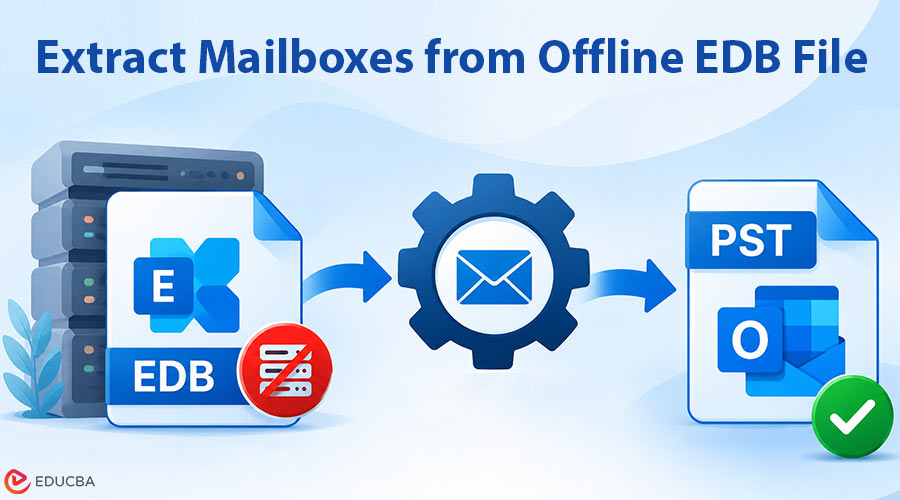
Email data can remain important long after a company stops using its old email system. When a business shuts down its Exchange Server but keeps a copy of its old mailbox database, it may eventually need to extract mailboxes from offline EDB files to recover important emails, attachments, contacts, or employee records. An auditor wants records from 2019, HR needs a former employee’s messages, or a client dispute depends on an email nobody can find. The only place it still exists is a single large file ending in .edb.
That file is an Exchange database (EDB), and it holds everything: emails, attachments, calendars, contacts, and more. The problem is that Exchange Server built it to open it. Without one running, you cannot simply double-click the file, and Outlook will not open it either. In this guide, we explain what an offline EDB file is and how to extract mailboxes from an offline Exchange database (EDB) without Exchange Server, using ESEUTIL and a dedicated EDB to PST converter.
What “Offline” Really Means for an EDB File?
An Exchange mailbox database is built on the Extensible Storage Engine (ESE). The .edb file holds the mailboxes, but it does not work alone. Exchange writes changes to transaction log files first (the E00xxxxx.log series) and only later commits them to the database. A checkpoint file (.chk) keeps track of how far that commit process has gotten.
When people say a database is “offline,” they usually mean one of a few things:
- It is dismounted cleanly and copied somewhere else.
- The server crashed, so the database was never shut down properly.
- It is an orphaned file from a server that no longer exists, often with the log files long gone.
- It is restored from a backup to a location with no Exchange installed.
The most important detail is the database’s shutdown state. When Exchange commits all transaction logs to a database, it places the database in Clean Shutdown state, making it self-contained. In Dirty Shutdown state, Exchange still needs to replay some transaction log files to complete the process. If those logs are missing or damaged, Exchange will refuse to mount the file, and some extraction methods would not work either.
Can you Extract Mailboxes Without Running Exchange Server?
Yes. But not with any of Microsoft’s own tools. You can only extract mailboxes from EDB by using a dedicated EDB-to-PST converter. Such tools read the EDB file directly and export mailbox data, including emails, attachments, contacts, and calendars, into PST files. Alternatively, ESEUTIL and Recovery Database methods are available but require additional technical setup.
Ways to Extract Mailboxes from Offline EDB to PST
There are two main approaches to consider when working with an offline Exchange database.
Option 1: Use ESEUTIL to Get the Database into a Clean State
ESEUTIL is Microsoft’s command-line utility for ESE databases. It ships with Exchange, so you would not find it on a regular Windows machine. If you still have the Exchange installation media or another server of the same version, you can copy eseutil.exe and its supporting DLLs from the Exchange \Bin folder to a workstation and run it there. The files need to come from a matching Exchange version, or you will run into errors. It is important to be clear about what ESEUTIL does and does not do. It can check, recover, and repair the database, it does not export mailboxes. Think of it as a way to make the file healthy enough for the next step.
Soft recovery is the safe option when the database is in Dirty Shutdown, and you still have the log files:
This replays the outstanding logs into the database. If it succeeds, run /mh again, and you should see Clean Shutdown.
Hard repair (eseutil /p) is the last resort when logs are missing or the database is badly damaged. It discards pages it cannot interpret, which may cause some data to disappear without leaving any record of what it lost. Use it only on a copy, and only after the other options have failed. Microsoft has long recommended restoring from backup instead wherever possible.
Option 2: Use a Dedicated EDB Converter Tool
Stellar Online EDB to PST Converter is a browser-based tool that extracts Exchange mailbox data from offline EDB files and converts it into Outlook-compatible PST files. It is particularly useful for IT administrators and users who need to access mailbox data without connecting to the original Exchange Server or installing Microsoft Outlook. It can extract emails, attachments, contacts, calendars, tasks, notes, and mailbox folders while retaining the available folder structure.
A key advantage is that users can preview the converted mailbox data and folder hierarchy before downloading the results. The converted mailboxes are provided as individual PST files within a ZIP archive, making them easier to save and access.
Key Features:
- Browser-Based Conversion: Convert EDB files without installing Outlook or Exchange Server.
- Free Conversion: Convert one EDB file per session, up to 500 MB, without requiring a credit card.
- Mailbox Preview: Preview converted mailboxes, folder structures, and item counts before downloading.
- Multiple Exchange Versions: Supports EDB files from Exchange Server 5.5 through 2019 and Exchange Server SE.
- Secure Processing: Uses an encrypted connection, with uploaded data automatically deleted within 24 hours on the free plan.
- Individual PST Export: Download extracted mailboxes as individual PST files in a ZIP archive.
- Data Security: The service automatically deletes Free users’ data within 24 hours and Premium users’ data within 48 hours.
Stellar Price Plans
Stellar offers free, premium online, and desktop plans depending on EDB file size and mailbox conversion requirements.
| Plan | Price | EDB File Limit | Mailbox Limit | Key Features |
| Free (Online) | $0 | Up to 500 MB | Free mailbox conversion | Preview and download within 24 hours; no credit card required |
| Premium (Online) | $99.99 | Up to 5 GB | 10 mailboxes | Preview and download within 48 hours; secure online conversion |
| Desktop Edition | $399/year | Unlimited | Up to 500 mailboxes | Offline conversion; local saving; export to PST, Live Exchange, and Microsoft 365 |
Final Thoughts
An offline EDB file does not mean that its mailbox data is permanently inaccessible. You can recover and access old Exchange emails, even when the original Exchange Server is no longer available. ESEUTIL can help check, recover, and repair an Exchange database, particularly when transaction logs are available. However, it cannot export individual mailboxes to PST files. For direct mailbox extraction, a dedicated EDB-to-PST converter can be a more straightforward option.
Before choosing a method to extract mailboxes from offline EDB, check the database’s shutdown state, preserve a copy of the original file, and consider the availability of transaction logs. Also verify the recovered emails, attachments, and folder structures before using the exported data. With the right recovery approach, an old Exchange database can remain a useful source of archived business communication rather than becoming an inaccessible file on a backup drive.
Recommended Articles
We hope this comprehensive guide on how to extract mailboxes from offline EDB helps you recover important Exchange mailbox data without Exchange Server. Check out these recommended articles for more insights and strategies to protect your email data.

