


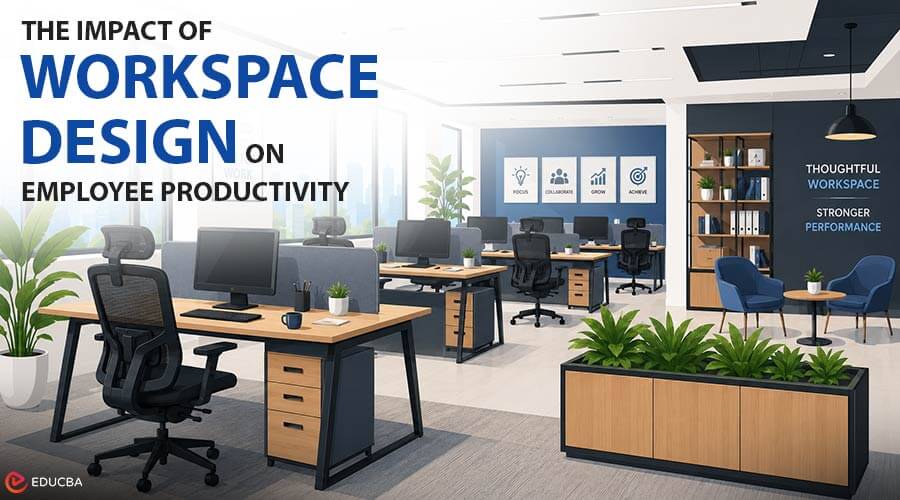
Organizations invest heavily in training programs, learning platforms, and skill development initiatives to build a capable workforce. Yet one factor that quietly shapes how well employees absorb and apply that training often gets overlooked: the physical environment they learn and work in. A poorly designed workstation or an uncomfortable chair does not just cause physical strain, it directly affects focus, retention, and long-term productivity. As companies expand their investment in corporate training and digital learning, it is worth stepping back to look at how workspace design supports (or undermines) those efforts.
Why Workspace Design Matters for Learning and Productivity?
Cognitive performance is closely tied to physical comfort. Employees distracted by back pain, poor posture, or an awkward desk setup can not concentrate as well during training sessions, virtual workshops, or focused independent work. This is especially relevant for organizations running self-paced learning programs, where employees may spend hours at a single workstation working through modules without the natural breaks a classroom environment provides.
Companies that invest in structured productivity tools for remote workers often overlook that software alone cannot fix an uncomfortable or poorly organized physical setup. Digital tools and ergonomic furniture work together, not as substitutes for each other, and both need to be part of a workplace productivity strategy.
Modern Workstations: More Than Just a Desk
Workstation design influences how employees organize their day, manage multiple screens or reference materials, and transition between focused tasks and collaborative work. A cramped or outdated desk setup creates friction that adds up over a full workday, especially in hybrid environments where employees may have only one dedicated desk to handle everything from video calls to deep-focus work. Modern workstations are built to address this shift.
Rather than a single fixed desk shape, modern workstation ranges typically include modular configurations, cable management systems, and adjustable surfaces designed for the mix of screen-based, collaborative, and independent work that defines most corporate roles today. For organizations setting up training centers, corporate offices, or hybrid work hubs, treat workstation design as part of the productivity infrastructure, not just office aesthetics.
Executive Seating and Sustained Focus
Leadership and senior staff often spend long, uninterrupted hours in meetings, reviewing reports, or working through strategic planning sessions. Standard task chairs often lack the postural support needed for several hours of sustained use.
An executive office chair is designed specifically for this use case, typically offering higher backrests, reinforced lumbar support, and more substantial padding than standard task seating. Beyond comfort, proper executive seating reduces the physical fatigue that can affect decision-making quality during long strategic sessions, a factor that is easy to underestimate but has a real impact on leadership performance over time.
Building a Workplace Productivity Strategy That Includes Furniture
When organizations think about improving productivity, the focus tends to land on training content, software, and processes. Furniture and workspace design are rarely part of that conversation, even though they directly affect how well employees apply what they learn.
A few practical steps for HR and operations teams:
- Audit workstations for adjustability: Desk height, monitor positioning, and available surface space should match the actual tasks employees perform daily.
- Prioritize seating for high-usage roles: Employees and leaders who spend the most hours at a desk benefit most from investing in proper ergonomic and executive chairs.
- Pair physical setup with digital productivity tools: Combining a well-designed workstation with the right time tracking and productivity software gives a more complete picture of what is actually limiting output.
- Reassess furniture during any training center or office redesign: This is the easiest point to upgrade workstations and seating without disrupting daily operations.
Final Thoughts
Skill-based training and digital learning platforms are only as effective as the environment employees use them in. Organizations that treat furniture and workspace design as part of their productivity strategy alongside training content and software tools, tend to see better focus, fewer physical complaints, and stronger long-term engagement from their teams. UAE-based suppliers like Urban 411, for instance, offer modern workstations and executive seating built for sustained, high-performance use, making them worth considering for any broader workplace or training center upgrade.
Recommended Articles
We hope this workspace design guide helps you create a productive and comfortable work environment. Check out these recommended articles for more insights and strategies to improve workplace efficiency and employee performance.

