


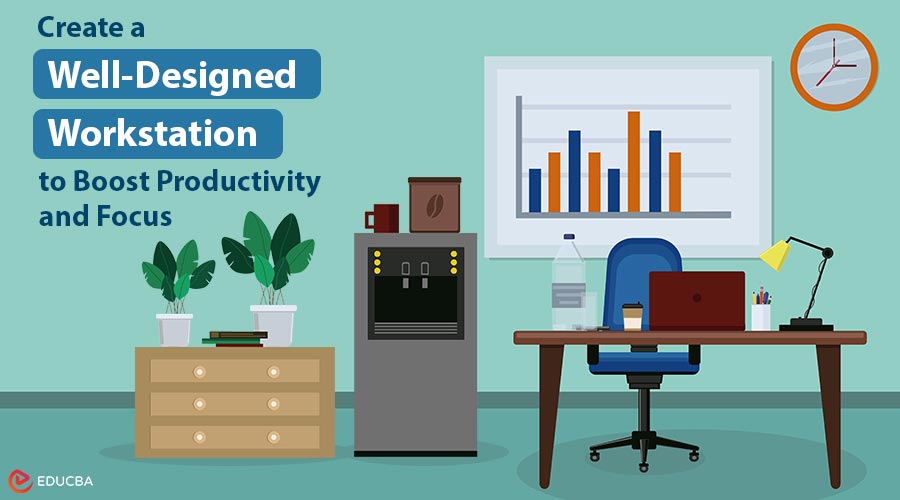
The Overlooked Foundation of Professional Performance
Most discussions about workplace productivity focus on common strategies like time management, goal-setting, focus techniques, and motivation. While these factors are important, there is a deeper, often overlooked element that fundamentally shapes professional performance: the physical environment where work happens. Specifically, the desk and workstations are where professionals spend most of their time. A well-designed workstation is far from a neutral backdrop. It actively influences productivity, creativity, and overall well-being.
Some workspaces naturally feel like places where good work flows, while others feel like a constant struggle. This difference is rarely accidental it reflects the intention or neglect applied in designing the workstation. Thoughtful design transforms a workspace into an ecosystem that supports excellence, while careless assembly introduces friction that drains energy and hampers performance.
Understanding the Productivity Ecosystem
A productivity ecosystem is more than just a desk. It is the integration of multiple elements working together to support focused, excellent work. This includes:
- Desk surface and organization
- Chair and lighting
- Proximity to tools and information
- Visual aesthetics and psychological comfort
- Ergonomic support and spatial design
When these elements align, a well-designed workstation allows excellent work to flow naturally. Misaligned or poorly considered elements, however, create friction at every turn. For instance, someone at a poorly designed workstation may struggle with hard-to-reach documents, glare on the screen, uncomfortable desk height, or visual clutter. These small friction points accumulate, draining energy and reducing performance. By contrast, a well-designed workstation eliminates friction. Tools are within reach, lighting is optimal, posture is supported, and the visual environment is calm. Energy previously spent fighting the environment is now available for actual work.
The Spatial Organization Advantage of Well-Designed Workstations
One of the most underestimated aspects of a workstation is spatial organization. How are tools, documents, and resources arranged? Are frequently used items easily accessible? Is information organized intuitively? Thoughtful spatial organization reduces cognitive load. You do not need to think about where things are they are where you expect them to be. Each time you avoid searching for something, you preserve cognitive energy. Over time, these small savings add up. A good organization also reduces decision fatigue. You are not constantly deciding where to put things or hunting for what you need. Instead, the environment guides behavior toward efficiency.
The best workstations include zones:
- Primary work zone: for active tasks
- Reference zone: for information needed during work
- Storage zone: for less frequently used materials
- Tool zone: for essential implements
This mirrors how the brain organizes information and tasks, making workflow seamless.
The Visual Environment Impact
The visual environment greatly influences both cognitive ability and overall well-being. Research in environmental psychology consistently shows that visual clutter increases cognitive load. Even when you are not consciously noticing it, your brain is processing visual distractions, which diverts attention from meaningful work. A well-designed workstation minimizes clutter, incorporates aesthetically pleasing elements, and carefully considers color and natural elements:
- Color: Calming colors enhance focus, while energizing colors boost creativity.
- Natural light and views: Access to daylight and nature improves mood, attention, and overall well-being.
- Plants and greenery: Incorporating natural elements reduces stress and increases cognitive performance.
These factors are essential they scientifically boost productivity and directly improve professional performance.
The Tool Accessibility Factor in a Well-Designed Workstation
An often-overlooked aspect of workstation design is tool accessibility. How easy is it to access the tools you need to do your work? For some people, this might mean having reference materials within arm’s reach. Meanwhile, for others, it might involve keeping specific software easily accessible on their computer. Furthermore, for others still, it could mean ensuring that writing instruments, notepads, or other physical tools are readily available to support their work.
When tools are easily accessible, workflows are easy; when they are hard to access, work becomes effortful. The person who needs to get up to find something is creating interruptions in their own workflow. A person who keeps essential tools within reach can sustain focus and maintain momentum.
The best workstation designs anticipate what tools will be needed and position them for easy access. This requires understanding the actual work being done and designing accordingly. Generic workstations can not do this. Thoughtfully customized workstations can.
Balancing Personalization and Structure
There is an interesting tension in workstation design between standardization and personalization. Completely standardized workstations fail because different people do different work and have different needs. But completely personalized workstations can become chaotic. The best approach is thoughtful personalization within a structure.
A framework that provides organization and functionality, but with flexibility for individual customization. This gives people the opportunity to arrange their workstations in ways that support their specific work and preferences, while maintaining enough structure to prevent chaos. Personalization matters psychologically, too. People feel more ownership and investment in workstations they have helped design. This ownership translates to better care of the space and more intentional use of it.
The Focus Support System
A well-designed workstation actively supports focus. It minimizes distractions, keeps the necessary information visible and accessible, signals to the brain: this is a space for focused work. Some of the most effective focus support features are simple: a desk orientation that faces away from high-traffic areas, reducing visual distractions. Desk partitions that create visual boundaries without complete isolation.
A surface organized so that only current work is visible, reducing visual clutter. Good lighting that reduces eye strain and supports alertness. These features work together to create an environment that makes it easier to focus. The person sitting at such a workstation is not fighting constant distractions. They thrive in an environment structured to minimize obstacles and streamline their workflow.
The Health and Wellbeing Connection
A well-designed workstation supports physical health and well-being. This includes ergonomic considerations like desk height, monitor positioning, and chair support. But it also includes less obvious factors, such as lighting quality, air quality, and access to movement. Workstations that support health also support productivity.
Healthier employees are more engaged, more creative, and more productive. They take fewer sick days. They are less likely to experience chronic pain or repetitive strain injuries. When organizations invest in quality desks and workstations designed with health in mind, they support long-term employee well-being and performance.
The Signal About Values
The workstations that an organization provides send powerful signals about organizational values. Cheap, poorly designed workstations signal that the organization does not care much about employee experience or productivity. Well-designed, thoughtfully considered workstations signal that the organization values its people and understands what supports excellence.
This signal affects culture. Employees in well-designed workstations feel more valued and cared for. They are more likely to invest in their work and their organization. They are more likely to stay. Additionally, the quality of workstations affects how external visitors perceive the organization. Clients, partners, and potential employees all notice. Well-designed workstations communicate professionalism and intentionality.
Creating A Well-Designed Workstation
The best desks and workstations are not one-size-fits-all.
To design an effective workspace:
- Understand the work being done.
- Identify necessary tools and environmental conditions.
- Address ergonomic considerations.
- Continuously refine the setup as work evolves.
The result is a productivity ecosystem a combination of spatial organization, ergonomics, tool accessibility, visual appeal, and psychological support. The best workstations evolve as work needs change, as people learn what works best, and as new tools become available. It is an iterative process of improvement, not a one-time setup.
Final Thoughts
A well-designed workstation goes beyond simply arranging furniture it is a complete productivity ecosystem. It thoughtfully integrates spatial layout, ergonomic support, visual design, easy access to tools, and psychological considerations to enhance performance and efficiency.
When organizations and individuals invest in carefully designed desks and workspaces, they are not just making aesthetically pleasing areas they are fostering environments that encourage high-quality work. Such setups reduce obstacles, support concentration, show intentional care, and establish the foundation for people to perform at their best. This is the true impact of a well-crafted productivity ecosystem.
Recommended Articles
Check out these recommended articles for more tips and strategies to optimize your workspace and work performance.

