


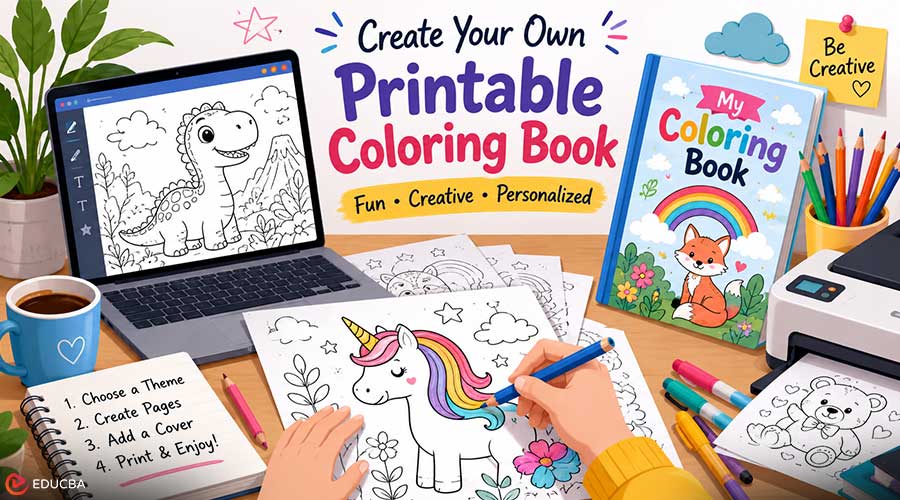
A printable coloring book is more than a collection of black-and-white illustrations. It can become a creative learning resource, a thoughtful gift, a classroom activity, or even a profitable digital product. Coloring books have remained popular across generations because they are engaging, relaxing, and suitable for people of all ages. In the past, creating a coloring book often required advanced drawing skills or hiring a professional illustrator. Today, someone can start with a theme, a short idea, or a simple concept and build a printable coloring book much faster.
A good coloring book does not need to be complicated. It needs a clear topic, consistent pages, clean outlines, and a cover that makes people want to open it. Whether the goal is a classroom activity pack, a birthday party booklet, a small Etsy product, or a family keepsake, the same basic principles apply.
Why Printable Coloring Books Are So Useful?
Printable coloring books are popular because they are easy to distribute and easy to use. A digital file can be printed at home, shared with students, included in a party pack, or sold as a downloadable product. There is no need for inventory, shipping, or complex production. This makes printable coloring books useful for many people.
A parent can create a small book for a child’s birthday party. A teacher can prepare a themed booklet for a science or reading lesson. A small brand can make a seasonal coloring book for customers. A creator can build printable products around animals, holidays, mindfulness, travel, fantasy, food, or educational topics. The format is simple, but the uses are flexible. That is why coloring books continue to work in both personal and commercial projects.
Start With a Clear Theme
Every strong coloring book begins with a clear theme. Without a theme, the pages may feel random. With a theme, even a short book feels more complete. A theme can be broad, such as animals, flowers, vehicles, or fantasy. But a more specific theme is usually stronger.
- Instead of “animals,” try “cute woodland animals for preschoolers.”
- Instead of “flowers,” try “relaxing wildflower coloring pages for adults.”
- Instead of “space,” try “simple planets and rockets for young learners.”
A focused theme helps guide every decision. It affects the page subjects, line style, detail level, cover design, and even the title. It also helps the final book feel more useful to the right audience.
Good Theme Ideas
Some themes work well because people naturally search for them. Animals, holidays, seasons, nature, food, fairy tales, vehicles, dinosaurs, classroom topics, and mindfulness patterns are all common choices. Other themes work because they feel personal.
A family pet coloring book, a wedding activity booklet, a travel memory coloring book, or a local business coloring pack can feel more meaningful than a generic collection. The best theme matches both the creator’s purpose and the user’s interests.
Decide Who the Coloring Book is For
A coloring book for preschool children should not look like one for adults. The audience affects everything. For young children, pages should have large shapes, bold outlines, simple subjects, and plenty of open space. A page with tiny flowers, intricate patterns, or a crowded background may be frustrating for them. For older children, pages can include more variety. They may enjoy scenes with animals, characters, objects, and small decorative details. The design can be a little more complex, but it should still be easy to understand.
For adults, detail can be richer. Floral patterns, cozy interiors, mandalas, nature scenes, decorative objects, and detailed landscapes can all work well. Many adults enjoy coloring pages that feel calming rather than childish. For classroom use, the page should clearly support the lesson. If the topic is the water cycle, the illustration should help students remember the concept. If the topic is vocabulary, the image should connect directly to the words being taught.
Build a Strong Page List
Before creating the pages, make a simple list. This keeps the book organized and prevents repetition. For a small printable coloring book, 8 to 12 pages may be enough. For a larger product, 20 to 30 pages can feel more complete. The right number depends on the purpose. A party activity booklet can be short. A printable product for sale may need more depth. For example, a “Cute Ocean Animals” book might include:
Sample Page Plan
- Smiling whale
- Happy dolphin
- Sea turtle with bubbles
- Octopus holding shells
- Starfish on the sand
- Jellyfish floating underwater
- Crab near a bucket
- Seahorse with seaweed
- Clownfish near coral
- Seal on a rock
This type of list helps keep the content balanced. It also makes it easier to check whether the book has enough variety.
Create Pages With Consistent Style
Consistency is one of the most important parts of a polished coloring book. The pages do not need to be identical, but they should feel related. Line thickness should be similar from page to page. The level of detail should feel balanced. The composition should match the audience. If one page is extremely detailed and another is almost empty, the book may feel uneven.
For creators who want to move from idea to printable pages more easily, an AI coloring book generator free can be a helpful starting point for building themed coloring pages without drawing every outline from scratch. That said, the final result still needs review. A generated page may need small changes before it is ready to print. Extra lines may need removal. Shapes may need simplifying. Margins may need adjustment. Good editing turns a quick draft into a finished, printable document.
What Makes a Printable Coloring Page Work Well?
A coloring page should be enjoyable, not just visually interesting. Some images look impressive on screen but are hard to color on paper. A good coloring page usually has a few key qualities.
- Clear Outlines: The lines should be dark, clean, and easy to see. Thin or broken lines can disappear when printed. Strong outlines are especially important for children, but they also make adult coloring pages feel more polished.
- Open Spaces: Open spaces give users room to color. If every part of the page is filled with tiny sections, the experience may feel stressful. A balanced page gives people both detail and breathing room.
- A Recognizable Subject: The user should quickly understand what the page shows. If the subject is confusing, the page becomes less satisfying to color.
- Printable Margins: Important parts of the design should not sit too close to the edge. Many home printers leave margins, so artwork placed too close to the border may be cut off.
- Audience-Friendly Detail: A page for a five-year-old should have a different level of detail than a page for an adult. Matching detail to the audience is one of the easiest ways to improve the final book.
Do Not Forget the Cover
The cover is often the first thing people see. Even if the inside pages are strong, a weak cover can make the book feel unfinished. A good coloring book cover should clearly show the theme. It should include a readable title, a strong main image, and a style that matches the pages inside. For a children’s coloring book, the cover might be cheerful, simple, and playful. For an adult coloring book, it might feel calmer, more elegant, or more decorative.
The cover does not need to be crowded. In fact, many good covers are simple. A clear title and one strong image can be more effective than too many small details. If the book is being sold online, the cover becomes even more important. People often decide whether to click based on the thumbnail. That means the title should remain readable at small sizes, and the main artwork should be easy to understand at a glance. For creators working on the front page of a printable coloring project, the iColoring AI book cover generator can help shape a cover concept that matches the book’s theme and gives the project a more finished look. Tools like KDP Magic can make this process easier by helping creators design professional-looking book covers quickly, even without advanced design skills.
Add Small Details That Improve the Book
A coloring book can feel more professional with a few simple additions. These require little effort but improve the user experience.
- Title Page: A title page gives the book a clean beginning. It can include the book title, a small illustration, and perhaps a short message.
- This Book Belongs To Page: For children’s coloring books, a “This book belongs to” page adds a personal touch. It makes the book feel more like something they own.
- Simple Instructions: If the book is for a classroom or activity event, a short instruction page can help. Keep it simple. Most coloring books do not need much explanation.
- Bonus Pages: Bonus pages can include a blank drawing page, a create-your-own character page, or a simple pattern page. These add value without changing the main theme.
How Coloring Books Can Be Used?
Printable coloring books can fit many situations.
- For Families: Use coloring books on weekends, during road trips, for birthdays, on holidays, for quiet time, or on rainy days. A custom coloring book based on a child’s interests can feel much more special than a random store-bought book.
- For Teachers: Use coloring books to support lessons. A booklet about plants, animals, seasons, maps, or vocabulary can make learning more visual and hands-on.
- For Small Businesses: Create coloring books for customers. A bakery might make a coloring booklet for cupcakes. A pet shop might create an animal-themed activity pack. A bookstore might offer reading-themed coloring pages during an event.
- For Digital Product Sellers: Printable coloring books are a natural fit for digital shops. They can be sold as PDF downloads and organized by theme, age group, or season.
Common Mistakes to Avoid
One mistake is choosing a theme that is too broad. A broad theme can make the book feel unfocused. A more specific theme is easier to market and easier to design. Another mistake is mixing too many styles. If some pages are cartoon-like, some are realistic, and some are decorative, the book may feel inconsistent. A third mistake is ignoring print quality.
Always check whether the lines are strong enough and whether the page margins work. It is also important not to make every page too complex. Detail is good, but too much detail can make coloring feel tiring. A good book gives users a pleasant rhythm from page to page.
Final Thoughts
Creating a printable coloring book is not just about filling pages with outlines. It is about making a small experience that feels clear, enjoyable, and complete. A strong theme gives the book direction. Consistent pages make it feel polished. A good cover makes people want to open it. Clean lines and smart detail levels make the book pleasant to use. Whether you are making a coloring book for children, students, customers, or printable buyers, the same rule applies. Keep it clear, keep it useful, and design it for the person who will actually color it. A simple coloring book can become a classroom resource, a family keepsake, a party activity, a brand handout, or a digital product. With a thoughtful theme and a little care, even a small printable book can feel personal, professional, and worth keeping.
Recommended Articles
We hope this guide to creating a printable coloring book has inspired you to bring your creative ideas to life. Explore these recommended articles for additional design tips and creative strategies.

