
It is 11 PM. Your exam is in 14 hours. The professor uploaded a 47-page PDF weeks ago, and now you are opening it for the first time. Page 12 refers to page 38. Page 38 assumes you understood a concept from page 6. You scroll, re-scroll, highlight, lose focus, and realize 25 minutes have passed with almost no real understanding. The issue is not effort or attention. It is the format. PDFs were never designed for studying; they were designed for printing. They are static, linear, and slow to comprehend. That is why modern best PDF tools for students have become essential: they transform passive documents into interactive study systems.
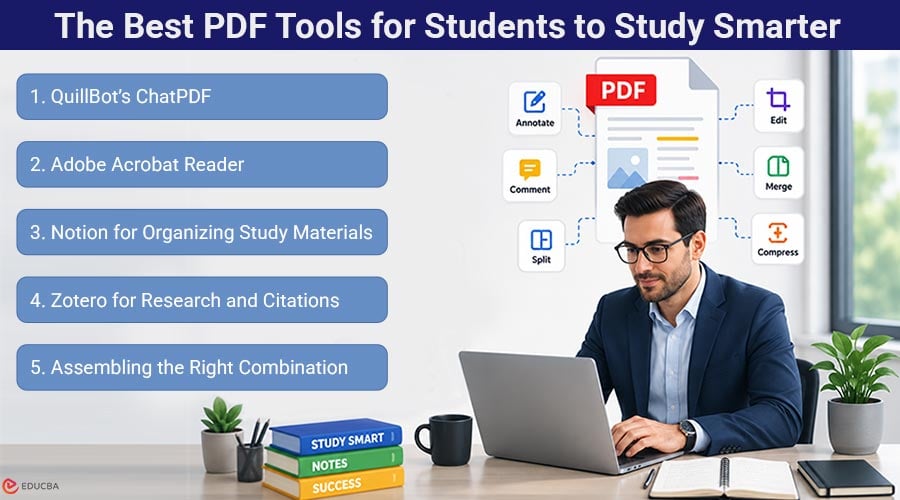
The Best PDF Tools for Students to Study Smarter
Here are the best PDF tools for students that make reading, organizing, annotating, and understanding study material faster and easier.
1. QuillBot’s ChatPDF
QuillBot’s Chat PDF changes how students interact with PDFs. Instead of scrolling endlessly through dense academic material, you can upload a document and ask direct questions like, “What is the core argument in chapter two?” or “Summarize pages 14–22.” The tool scans the entire document and provides specific, text-based answers rather than vague summaries.
For students preparing for exams, this can save hours. A 60-page research paper that once required an entire evening of reading can now be understood in minutes. It is especially useful for scientific papers, legal analyses, and policy documents filled with complex terminology. Rather than struggling through difficult passages, students can simply ask for explanations and move forward faster. Free, browser-based, and easy to use, it stands out as one of the best PDF tools for students.
2. Adobe Acrobat Reader
Acrobat is the tool you already have. It opens every PDF reliably, lets you highlight and comment, and handles form submissions. For courses that require annotated reading submissions, it covers the basics at no cost. That dependability is why it remains the default across most university computer labs. Its limitation is that it treats every PDF as a static document. You can mark it up, but you cannot ask it anything. For straightforward readings, that is fine. For a 70-page paper on monetary policy that uses “quantitative easing” 43 times without once explaining it clearly, you need something that answers questions. That is where ChatPDF picks up where Acrobat stops.
3. Notion for Organizing Study Materials
The reading itself is only half the challenge. If you are taking four courses, each with its own PDFs, lecture slides, and supplementary articles, tracking which document covers which concept becomes a task in itself. Notion lets you build a database of materials, tagged by course and exam topic, embed PDFs alongside notes, and search across everything. It does not help you understand content. It ensures you can find it.
4. Zotero for Research and Citations
If you write research papers, the time you spend on citation formatting is time you could spend on the argument itself. Zotero automates that. Save a paper, and it automatically extracts the author, title, journal, date, and volume. When you write, insert citations directly into your document in whatever style your department requires: APA, MLA, Chicago, or Harvard. It also includes a built-in PDF reader with annotation tools that sync across devices. For dissertation and thesis work, where your reference list eventually reaches into the hundreds, Zotero shifts from convenient to essential.
5. Assembling the Right Combination
You do not need all four of these. You need the ones that address your specific study bottleneck. If dense reading materials are slowing you down, start with ChatPDF. If managing coursework across multiple subjects is becoming disorganized, add Notion. And if citation management is taking too much time, use Zotero. Acrobat handles annotation and form work. The practical combination for most students is ChatPDF for comprehension, Zotero for citations, and Acrobat for markup. Three tools, no overlap, and each one earns its place by solving a problem the others do not touch.
Final Thoughts
Studying effectively is not about reading more, it is about extracting the right information quickly. Most students feel overwhelmed not because they lack ability, but because they lack systems that simplify dense academic content. Modern best PDF tools for students, such as ChatPDF, Zotero, Notion, and Acrobat, are changing that reality. They turn static PDFs into interactive learning systems and reduce hours of reading into minutes of understanding. Begin with the tool that addresses your most important challenge. For most students, that is comprehension, and AI tools like ChatPDF deliver exactly that.
Author Bio:
Nimisha Sureka is a SaaS (Software as a Service) content writer at Anchorial, a link-building agency. With extensive experience writing for SaaS brands from early-stage startups to established platforms, she specializes in turning complex products into clear, compelling narratives that rank, resonate, and convert.
Frequently Asked Questions (FAQs)
Q1. Can ChatPDF process long academic papers and full textbook chapters?
Answer: Yes. It handles documents from 15-page journal articles to 90-page policy reports. You can ask about any section, request summaries of specific page ranges, or ask for terminology explanations. For lengthy readings where manual scanning is impractical, ChatPDF compresses comprehension from hours to minutes.
Q2. Is using ChatPDF considered acceptable under academic integrity policies?
Answer: Using AI to improve your understanding of assigned readings is comparable to using a tutor or a study group. ChatPDF helps you comprehend source material. It does not write your essays or generate original analysis on your behalf. In most institutional policies, the key distinction is whether AI is used as a learning aid or as a replacement for one’s own work. If you are uncertain where your institution draws that line, review their published guidelines or ask your instructor directly.
Q3. Do these tools work on tablets and phones, or only on desktop computers?
Answer: ChatPDF runs in any browser: tablets, phones, and laptops; no installation needed. Acrobat has mobile apps for iOS and Android. Zotero syncs across devices with full functionality on desktop. Notion works across all platforms. For reviewing materials between classes or on the commute, browser-based tools like ChatPDF provide the most flexible access.
Recommended Articles
We hope this guide to the best PDF tools for students helps you study more efficiently, stay organized, and simplify exam preparation. Check out these recommended articles for more insights and digital tools to improve your academic workflow.


