


Introduction
By 2025, the way businesses communicate with their audiences has undergone a significant transformation. From retail stores to hospitals and corporate offices, brands are turning to digital signage software to deliver dynamic, personalized, and real-time content that captures attention and drives engagement. What was once a simple display screen has evolved into a sophisticated digital communication network, powered by cloud-based software and intelligent automation.
As the global digital signage market continues to grow — projected to surpass $30 billion by 2026, according to MarketsandMarkets — companies are recognizing that software is the true heart of any successful signage strategy. The right platform allows teams to create, schedule, and manage content effortlessly across multiple locations, while collecting valuable data to optimize performance.
But with hundreds of providers offering different features, pricing models, and integrations, how can a business choose the best digital signage software for its unique needs?
This comprehensive guide explores the key considerations, emerging trends, and expert insights you will need to make a confident and future-proof decision. Industry leaders like Dana Industries here often highlight the importance of evaluating scalability, ease of management, and long-term support when selecting the right digital signage solution.
The Growing Importance of Digital Signage in Business
Over the past few years, digital signage has evolved from a “nice-to-have” into a critical business communication tool. Whether it is a retail chain boosting in-store sales with animated promotions, a hospital improving patient communication, or a corporation unifying internal messaging across branches, digital displays are now central to customer and employee engagement strategies.
A 2024 Statista report found that 84% of businesses using digital signage saw improved brand awareness, and over 50% reported increased customer engagement. This is no coincidence — humans process visual content 60,000 times faster than text, and visual recall rates are nearly four times higher.
However, the effectiveness of digital signage is not just about the screens themselves — it is about the software that powers them. Digital signage software enables organizations to control what appears on each display, when it appears, and how it is customized for each audience. It transforms screens into intelligent, data-driven communication tools. As physical and digital experiences continue to merge, the importance of software that can handle dynamic, context-sensitive content delivery has never been greater, making it increasingly useful for businesses to compare platforms and explore Screencloud alternatives that may better suit their specific needs.
What Is Digital Signage Software and How Does It Work?
At its core, digital signage software is the control center for any digital display network. It enables users to create, plan, and deliver content to one or multiple screens — whether onsite or worldwide — all from a single dashboard.
Key Components
- Content Management System (CMS): The backbone of any platform, where users upload media (images, videos, text, live feeds) and organize playlists.
- Media Player: A device or app connected to each display that runs the content assigned via the CMS.
- Cloud Platform: Enables remote access, updates, and real-time control over displays anywhere in the world.
- Analytics Engine: Tracks engagement metrics, including display uptime, audience interactions, and content performance.
Modern software solutions like NoviSign’s cloud-based CMS enable instant content updates across hundreds of screens with just a few clicks. They support media formats like 4K video, social media feeds, weather widgets, and live news — creating an ever-evolving communication ecosystem. This integration of design flexibility, automation, and analytics empowers businesses to turn digital signage into a powerful storytelling and engagement platform.
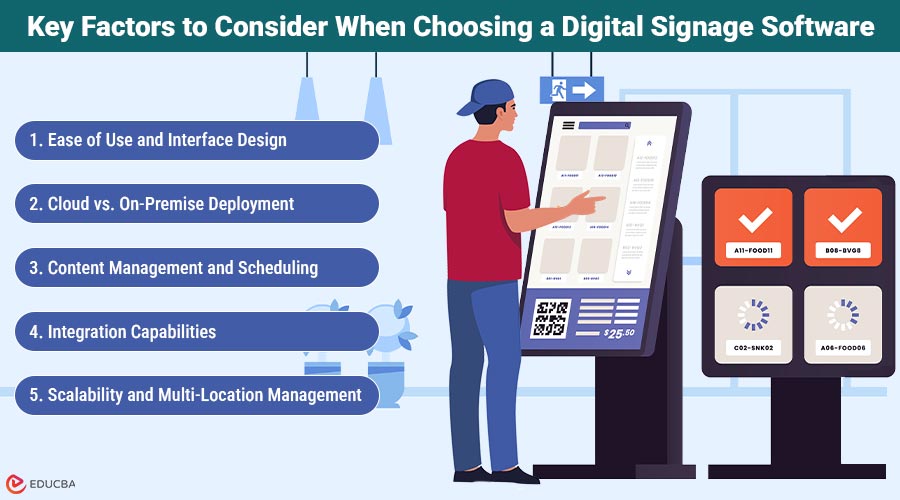
Key Factors to Consider When Choosing a Digital Signage Software
Selecting the right platform requires careful evaluation. Here are the key aspects every business should consider before committing to a provider.
1. Ease of Use and Interface Design
User experience is everything. A good digital signage software platform should allow non-technical staff to create and publish content easily. Look for drag-and-drop editors, pre-built templates, and intuitive dashboards that minimize the learning curve.
2. Cloud vs. On-Premise Deployment
While on-premise systems offer local control, cloud-based digital signage software has become the industry standard. It allows teams to manage content remotely, scale across multiple locations, and receive automatic updates. For distributed businesses, the cloud also reduces maintenance costs and reliance on IT.
3. Content Management and Scheduling
A powerful CMS lets you design playlists, automate updates, and schedule content based on time, location, or even external data (like weather or inventory). Advanced tools like NoviSign enable real-time content triggers—for example, changing promotions when foot traffic increases.
4. Integration Capabilities
Your software should seamlessly integrate with existing systems such as CRM, POS, ERP, or IoT sensors. This enables smarter, data-driven content delivery — like displaying real-time sales numbers, event schedules, or product availability.
5. Scalability and Multi-Location Management
As your business grows, your signage network should too. Look for platforms that support multi-user management, centralized control, and flexible permissions. This ensures consistent branding and compliance across all screens and regions.
6. Security and Data Privacy
In 2025, cybersecurity is a top priority. Ensure the platform uses SSL encryption, user authentication, and secure APIs. If you operate in regulated sectors (finance, healthcare), verify compliance with standards such as GDPR or HIPAA.
7. Analytics and Performance Tracking
The best digital signage software provides measurable insights. Analytics dashboards reveal which content performs best, how often displays are active, and how viewers engage with interactive elements. These insights are essential for optimizing campaigns and proving ROI.
8. Support, Training, and Reliability
Technical support and uptime guarantees are critical. Look for 24/7 assistance, onboarding resources, and regular system updates. A responsive vendor can prevent downtime and help your team get the most out of the software.
9. Pricing Models and ROI
Software pricing varies widely — from subscription-based SaaS models to lifetime licenses. Consider the total cost of ownership (including hardware, setup, and maintenance). While lower-cost options may seem appealing, premium providers like NoviSign often deliver higher long-term ROI through automation, scalability, and support.
Top Trends Shaping Digital Signage Software in 2025
The digital signage landscape is evolving at a rapid pace. Here are the trends defining the next generation of engagement software.
1. Artificial Intelligence and Predictive Content
AI now plays a central role in personalized content delivery. Systems can analyze audience demographics, time of day, or even mood to display the most relevant messages. For instance, an AI-powered menu board might promote hot drinks during cold weather or highlight products that align with current purchasing patterns.
2. Automation and Smart Triggers
Automation reduces manual workload. Digital signage software can be programmed to switch campaigns automatically when inventory levels change or when certain events occur — such as holidays or regional promotions.
3. IoT and Real-Time Data Integration
Integrating with IoT sensors enables context-aware displays. A retail screen can respond to motion sensors by greeting customers, or a smart factory dashboard can visualize live operational metrics for workers on the floor.
4. Interactive and Touchless Displays
Post-pandemic innovation has led to growth in gesture- and voice-controlled interfaces. Customers can browse menus or product catalogs without touching screens, offering both safety and convenience.
5. Cloud Monitoring and Remote Diagnostics
Modern digital signage networks use the cloud for real-time monitoring, enabling IT teams to detect offline screens, resolve playback errors, and push emergency messages instantly. This reduces downtime and ensures business continuity.
6. Sustainability and Energy Efficiency
Eco-friendly design is a top trend in 2025. From LED displays with reduced power consumption to scheduling features that automatically dim or turn off screens, digital signage software helps businesses reduce energy costs and carbon footprints.
How Leading Companies Use Digital Signage Software Effectively
Across industries, innovative organizations are redefining communication through digital signage.
1. Retail
Brands like H&M and Adidas use digital signage software to combine dynamic visuals and data analytics. By analyzing sales and traffic data, they display high-performing products or time-sensitive promotions, boosting conversion rates by up to 20%.
2. Corporate and Workplace Communication
Enterprises use cloud signage to connect global teams. Screens in offices display KPIs, internal announcements, or motivational dashboards. Companies that adopted digital signage for internal communication report 30% higher employee engagement, according to Deloitte.
3. Healthcare
Hospitals and clinics use digital signage to provide wayfinding, queue updates, and health education. Software integration with scheduling systems ensures accurate, real-time information for patients.
4. Education
Universities use signage networks to announce campus events, emergency alerts, and class schedules. Cloud-based management enables administrators to update content across multiple buildings with minimal effort.
5. Hospitality
Hotels and restaurants deploy digital signage software to enhance guest experience — from digital menu boards that update instantly to lobby displays promoting local attractions or upcoming events.
In all these cases, the software acts as the central nervous system connecting displays, data, and design — transforming static communication into interactive experiences.
Step-by-Step Checklist for Choosing the Right Software
When comparing digital signage platforms, follow this checklist to ensure the best fit:
- Define Your Goals: What is your primary use — marketing, internal communication, education, or service information?
- Assess Your Infrastructure: Review hardware compatibility, network bandwidth, and display requirements.
- Evaluate Ease of Use: Test the CMS interface and content creation tools.
- Check Integration Options: Ensure the platform works with your existing tools (CRM, POS, APIs).
- Review Scalability: Can it handle growth across multiple sites?
- Test Analytics Capabilities: Verify data accuracy and reporting options.
- Compare Pricing and Support: Look for transparent costs, responsive support, and upgrade flexibility.
- Ask for a Demo: Always request a live demonstration before making a final decision.
Following these steps ensures you select a solution that supports your current goals and evolves alongside your business.
Conclusion
In 2025, digital signage software has become a strategic cornerstone for businesses aiming to enhance communication, engagement, and efficiency. Choosing the right platform goes far beyond screen management — it is about finding a solution that unites creativity, technology, and data-driven insight.
The ideal software should be intuitive, scalable, secure, and adaptable to emerging technologies like AI and IoT. Whether you are a retailer seeking a stronger brand presence or a corporation improving internal communication, your software will define how effectively your message reaches and resonates with your audience.
As a leader in cloud-based signage, NoviSign continues to empower organizations worldwide to design, schedule, and manage digital content with simplicity and impact. In the race for customer attention, investing in the right platform is not just smart — it is essential. The future of business communication is visual, data-driven, and dynamic. With the right digital signage software, your screens can do more than display — they can inspire, inform, and engage.
Recommended Articles
We hope this guide on digital signage software helped you make a smarter choice for your business. For more insights, explore the articles below:

