
Updated April 5, 2023
Difference Between Chrome Remote Desktop vs Teamviewer
The following article provides an outline for Chrome Remote Desktop vs Teamviewer. An extension of Chrome desktop view from a remote center and controlling it instead of the person in front of the desktop is called Chrome remote desktop view. This can also be used to access the system from any other place via mobile phone or tablet through Chrome remote desktop application. To maintain the computer and any other systems, Teamviewer is used that remotely access and control computer software for any of the activities. The free software that was released in 2005 works in all the operating systems. It works with the help of the internet and can be used for conferencing and file sharing as well.
Head to Head Comparison Between Chrome Remote Desktop vs Teamviewer (Infographics)
Below are the top 5 differences between Chrome Remote Desktop vs Teamviewer:
Key Difference Between Chrome Remote Desktop vs Teamviewer
Let us discuss some of the major key differences between Chrome Remote Desktop vs Teamviewer:
- We can see the user the problem of the desktop while managing the system via remote access with the help of Whiteboards in Teamviewer. Also, we can copy the files using the drag and drop feature where file-sharing will not take much time. Whiteboards are not available on Chrome desktop making it difficult to make users understand the issue. Also, in chrome desktop, the screen appears little lagging for the other end users for them to figure out the issue.
- Monitoring different screens are made easy is Chrome desktop by sharing all the screens at a time and multitasking the same via the application. We can do the same even with mobile devices. This helps to know the status of all the systems being managed via Chrome desktop. Monitoring is available in Teamviewer as well but not efficient as Chrome desktop. Alerts are not provided as Chrome desktop making the users check the application in between to know the status of the systems being managed by Teamviewer.
- Teamviewer is easy to do remote administration and helps in file transfer even for big files. Also, we can manage remote servers via Teamviewer with multiplatform remote control and a centralized dashboard. Screen sharing and instant messaging services make Teamviewer more appealing among users. With Chrome remote desktop, we cannot manage the servers, and transfer of big files is not possible. But we can authenticate via smart cards and also we can access power off or sleeping computers and manage them easily. Active Directory is available for Chrome remote desktop making it easy for customers to know all the features available.
- Chrome remote desktop is simple to use with a google account alone. Any prior training is not needed as it is easy for a beginner to understand and manage the desktops at any distance. Licensing is not required for chrome desktop and it can be managed without any complexities in the system. Teamviewer is useful for devices with a large geographical footprint. Cost can be reduced in case of travel and users can manage the mobile phones even from any geographical location.
- Anyone with a Google account can use Google chrome remote desktop as it requires only an account in Google. Teamviewer is offered for free and with a subscription. We have a business plan, corporate plan, and premium plan where Teamviewer can be used to control up to 500 devices with a single software. The price ranges from $50 to $200 and the number of users can be a maximum of 300.
Chrome Remote Desktop vs Teamviewer Comparison Table
Let’s discuss the top comparison between Chrome Remote Desktop vs Teamviewer:
| Chrome Remote Desktop | Teamviewer |
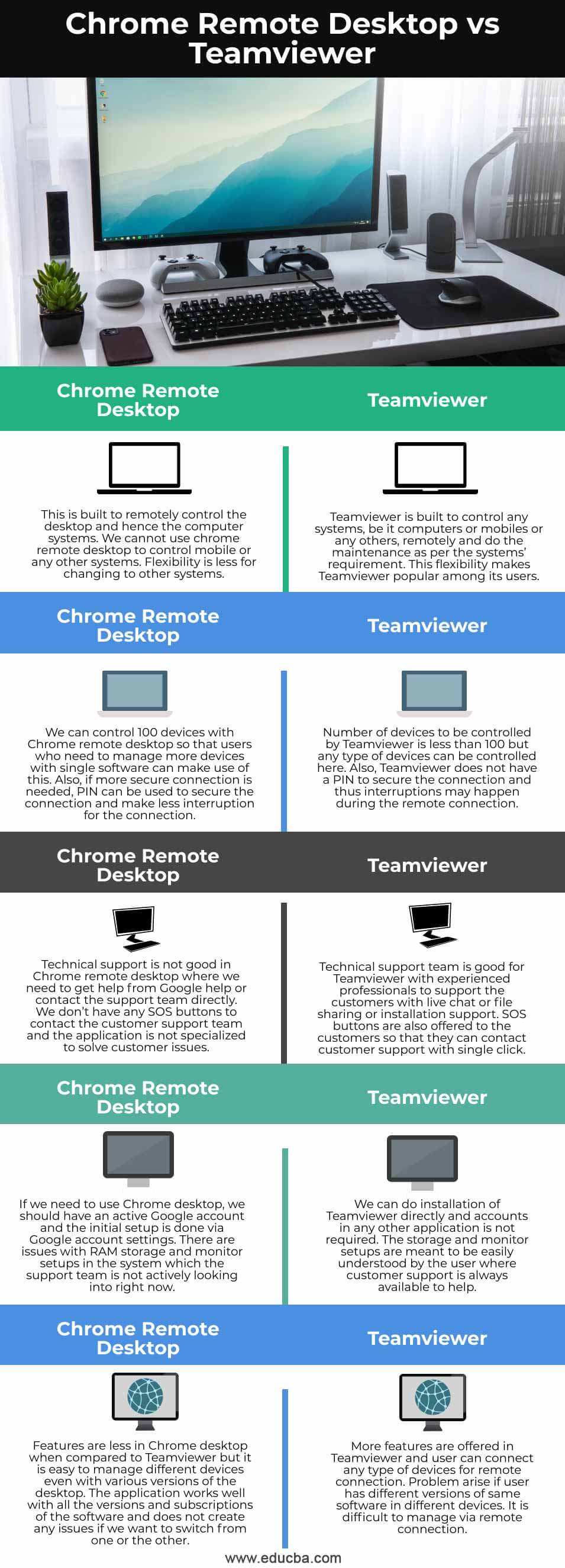
| This is built to remotely control the desktop and hence the computer systems. We cannot use chrome remote desktop to control mobile or any other systems. Flexibility is less for changing to other systems. | Teamviewer is built to control any systems, be it computers or mobiles or any others, remotely and do the maintenance as per the systems’ requirement. This flexibility makes Teamviewer popular among its users. |
| We can control 100 devices with Chrome remote desktop so that users who need to manage more devices with single software can make use of this. Also, if a more secure connection is needed, PIN can be used to secure the connection and make less interruption for the connection. | The number of devices to be controlled by Teamviewer is less than 100 but any type of device can be controlled here. Also, Teamviewer does not have a PIN to secure the connection and thus interruptions may happen during the remote connection. |
| Technical support is not good in Chrome remote desktop where we need to get help from Google help or contact the support team directly. We don’t have any SOS buttons to contact the customer support team and the application is not specialized to solve customer issues. | The technical support team is good for Teamviewer with experienced professionals to support the customers with live chat or file-sharing or installation support. SOS buttons are also offered to the customers so that they can contact customer support with a single click. |
| If we need to use Chrome desktop, we should have an active Google account and the initial setup is done via Google account settings. There are issues with RAM storage and monitor setups in the system which the support team is not actively looking into right now. | We can do installation of Teamviewer directly and accounts in any other application is not required. The storage and monitor setups are meant to be easily understood by the user where customer support is always available to help. |
| Features are less in Chrome desktop when compared to Teamviewer but it is easy to manage different devices even with various versions of the desktop. The application works well with all the versions and subscriptions of the software and does not create any issues if we want to switch from one or the other. | More features are offered in Teamviewer and users can connect any type of device for remote connection. The problem arises if the user has different versions of the same software on different devices. It is difficult to manage via remote connection. |
Conclusion
Both the application has its own pros and cons but the free subscription of Chrome desktop and numerous features of Teamviewer makes them attractive to users. When the requirement is simple, Chrome desktop will serve the purpose and if it is a huge requirement with more users, Teamviewer is a go-to solution.
Recommended Articles
This is a guide to Chrome Remote Desktop vs Teamviewer. Here we discuss key differences with infographics and comparison table respectively. You may also have a look at the following articles to learn more –

