

Introduction to CorelDraw Viewer
A CorelDraw Viewer is a program that helps the user to view the CorelDraw files without having to download the CorelDraw software. CorelDraw is a vector software that creates a specific file Extension .CDR.
.CDR is a file extension that cannot be viewed or opened on every software, just like the JPG format. To view the files with this extension, the user needs a definite program that helps them to do the same.
List of CorelDraw Viewer
Some of the programs that help the user to view or edit .CDR files are finite but are either downloadable freeware programs or are available online instantly.
Following are the programs that are open & freeware and can be downloaded easily to view the .CDR files:-
1. Imagine
This is a freeware program available in the market. The users can easily download the software and use it to view .CDR files. In addition, this program can create animations and batch sequence images as well. It is a useful program for graphic designers who are looking for open-source software. Following are the steps to view .CDR files:-
- Download and install the software.
- Open the software
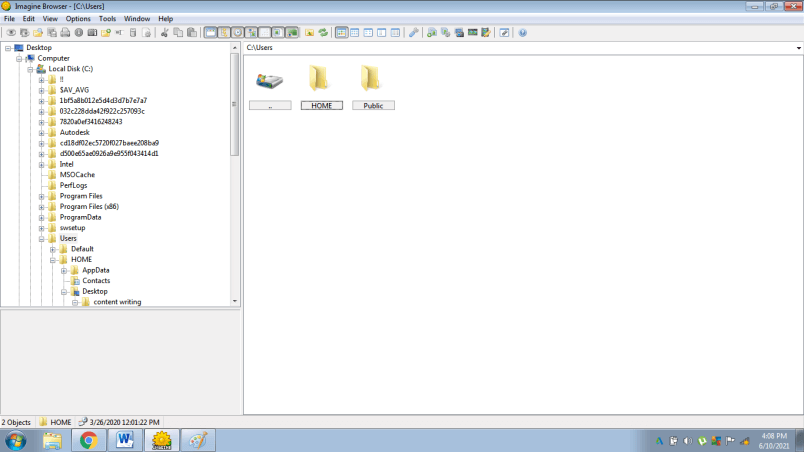
- Click on File and Open.
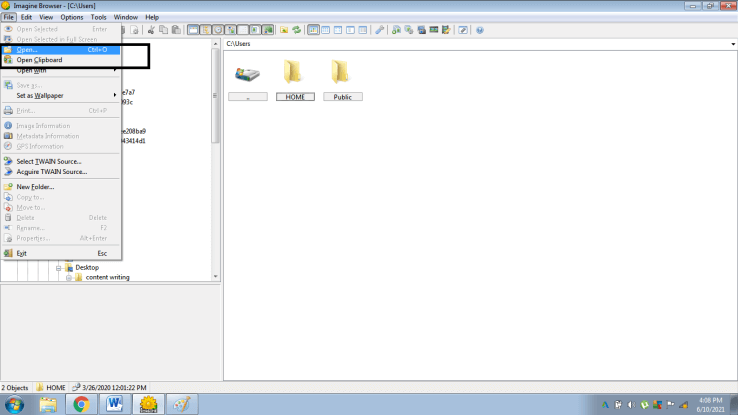
- Select the source folder where the .CDR file is saved to view the same
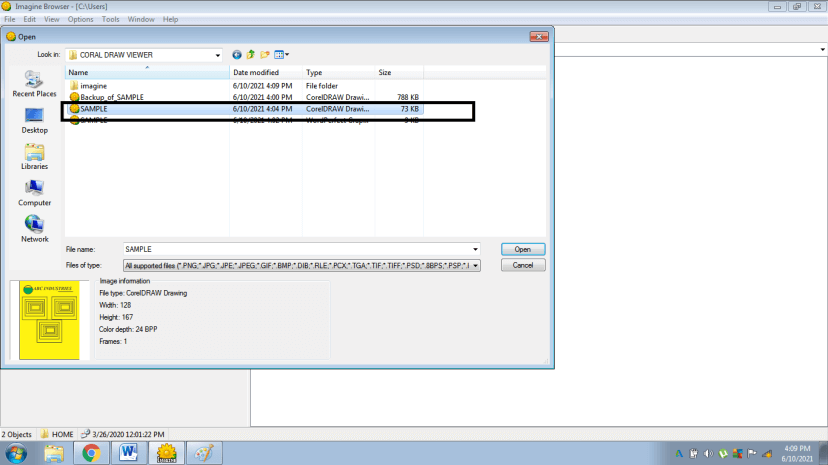
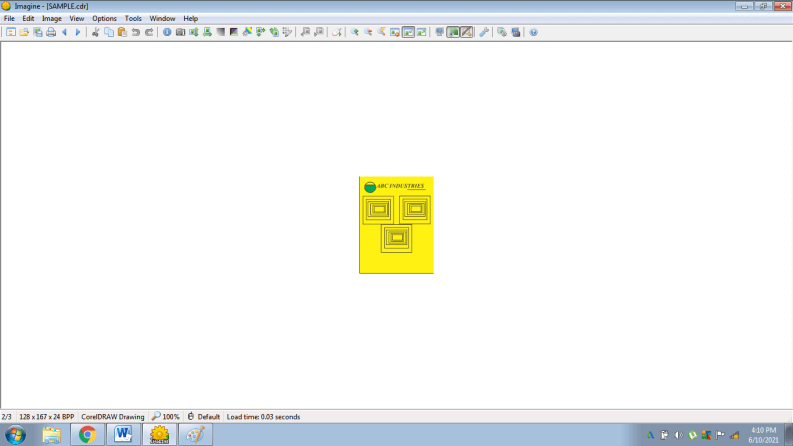
- Click on the file and view the .CDR file.
2. Inkscape
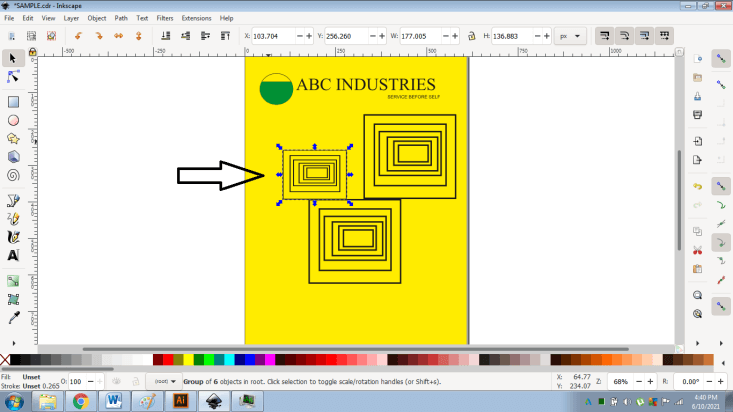
This program was created by SODIPODI developers. INKSCAPE is the successor of the Sodipodi program. This program is a vector graphics program, and it creates files in .SVG format (Scalable Vector Graphics). Other vector file formats such as .CDR can be viewed and edit within the software. The program proves to be functional and user-friendly. It has multiple features and can easily be used to create vector artworks.
Following are the steps to view .CDR files in the software:-
- Download and install the program from the internet.
- Open the program and click on File.
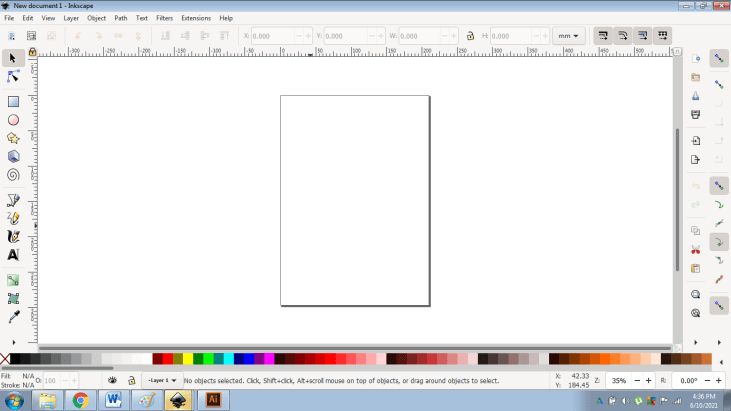
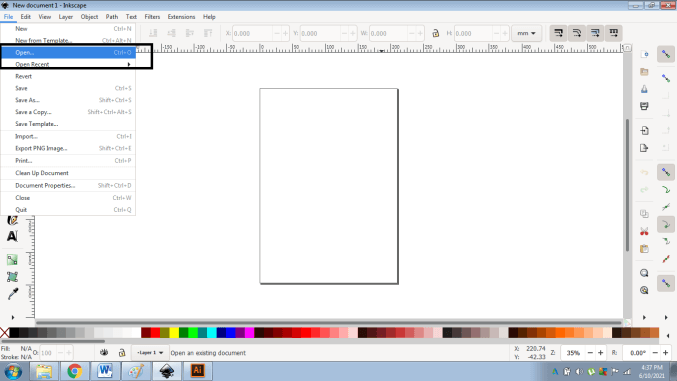
- Click on Open and select the CDR file that needs to be viewed
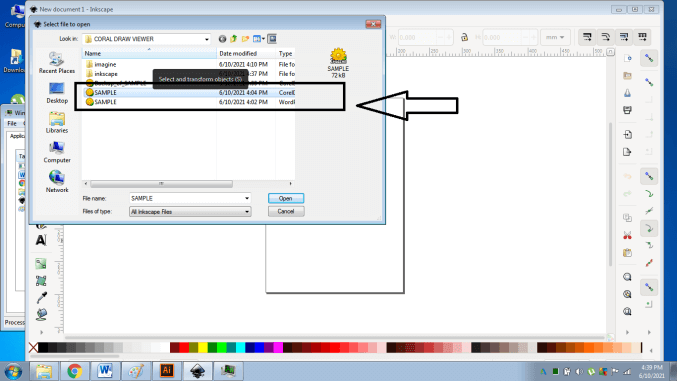
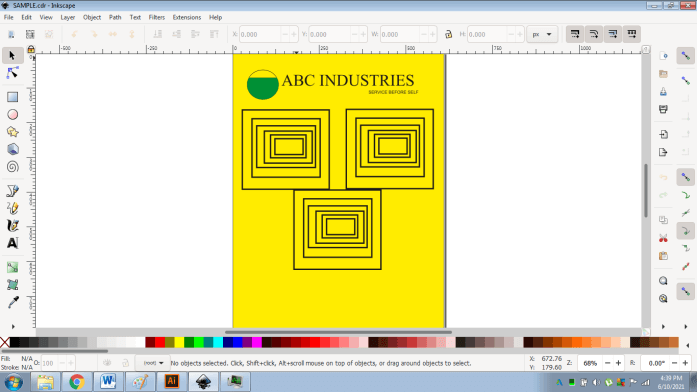
- Open the CDR file. The program is also capable of modifying the artwork easily.
3. Irfan View
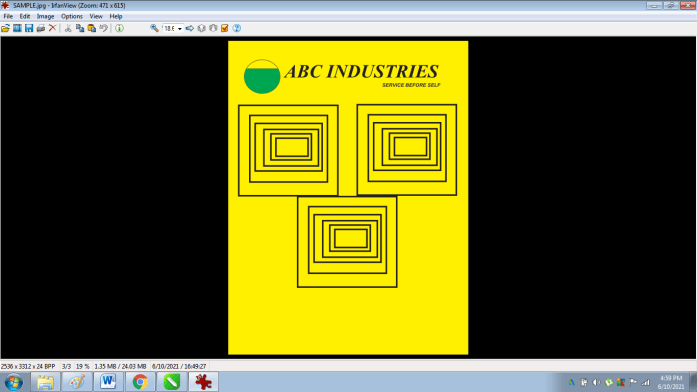
This is an open-source freeware program created by Irfan Skiljan in the year 1996. This program enables the user to create, edit, and organize graphic artworks. With downloadable plugins, this program can be used to view CorelDraw artworks. The program is a huge success and is popular amongst graphic designers for its fast pace interface and user-friendly configurations. It can be installed on Windows 32 bit & 64 bit operating systems.
Following are the steps to view .CDR files in the software:-
- Download and install the program from the internet.
- Open the program
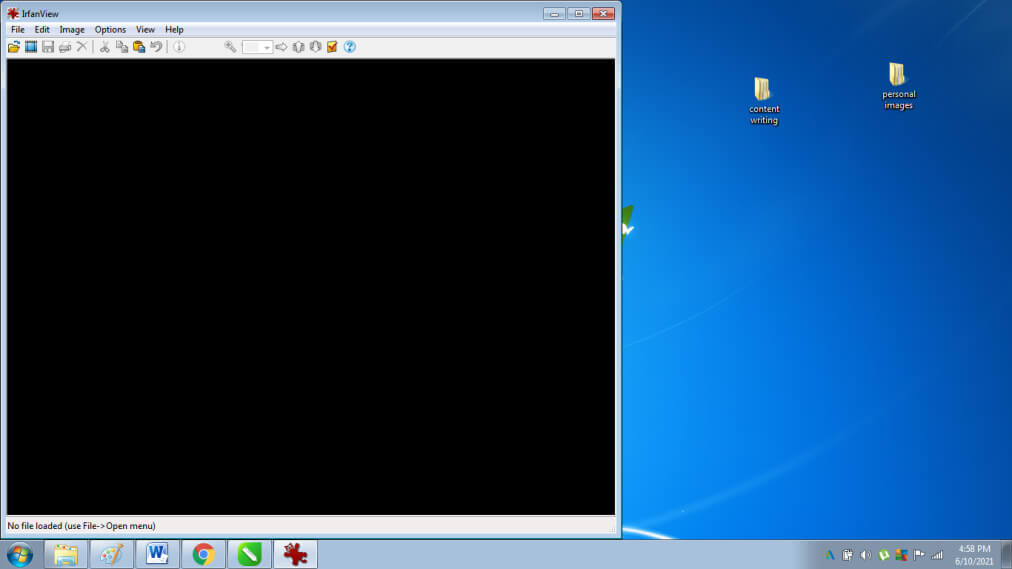
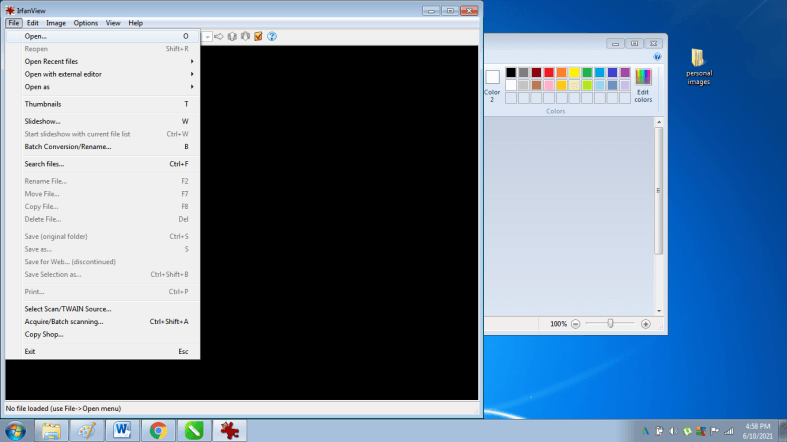
- Click on File > Open
- Select the CDR file that needs to be viewed
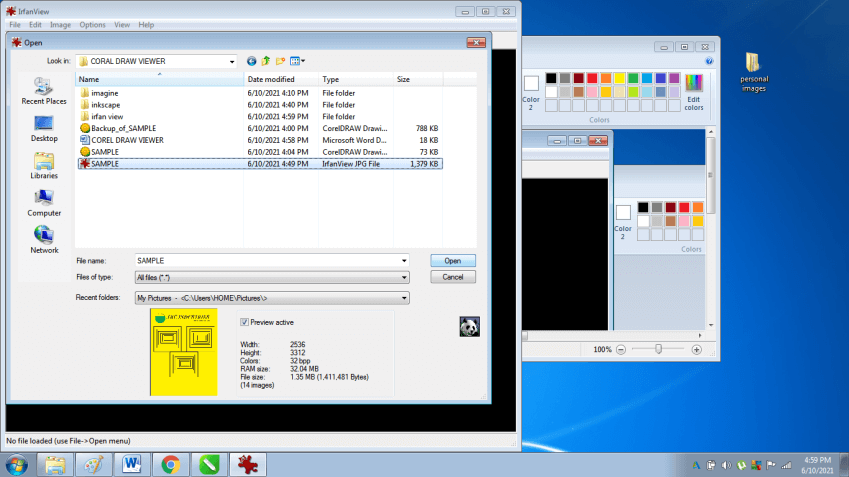
- Click on Open and view the CDR file.
4. LibreOffice
This program is open-source software used to view, create and edit images and artworks. The program is developed by THE DOCUMENT FOUNDATION. This particular program is also available online with the name LibreOffice Online. The program can be used to view and edit .CDR files. In addition to creating vector graphics, Libre Office is also capable of word processing, creating excel spreadsheets, PowerPoints, and also performing mathematical calculations. It is a useful program that has multiple features and is even available for users free of cost.
To view a .CDR file, the user either needs CorelDraw Viewer or may convert the same file extension to other file formats. In this way, the user can view a .CDR file on any software.
One of the programs that help the user to convert the .CDR files to any other file format is Bit Recover CDR CONVERTER WIZARD.
Following are the steps through which the user can covert the .CDR files to any other file format.
- Download and install Bit Recover CDR Converter wizard from the internet
- Click on Select files as shown in the image below
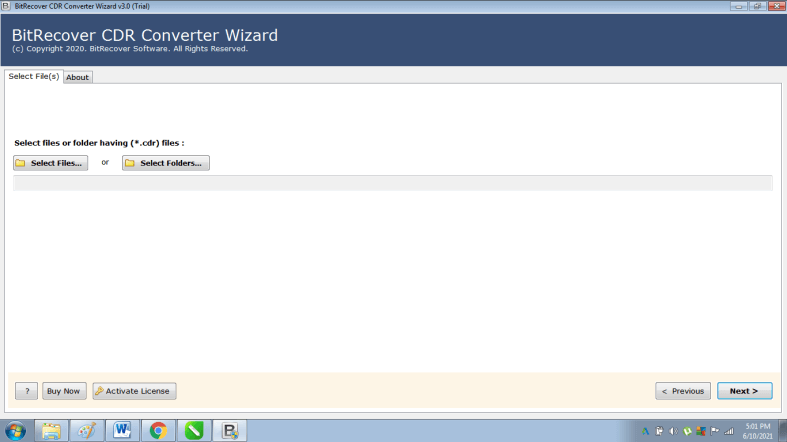
- Select the .CDR Files that you need to convert.
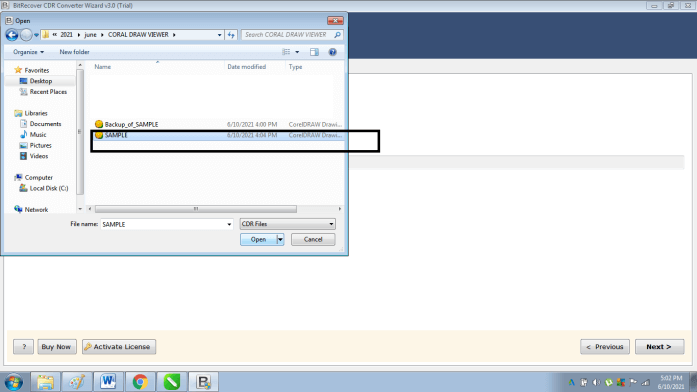
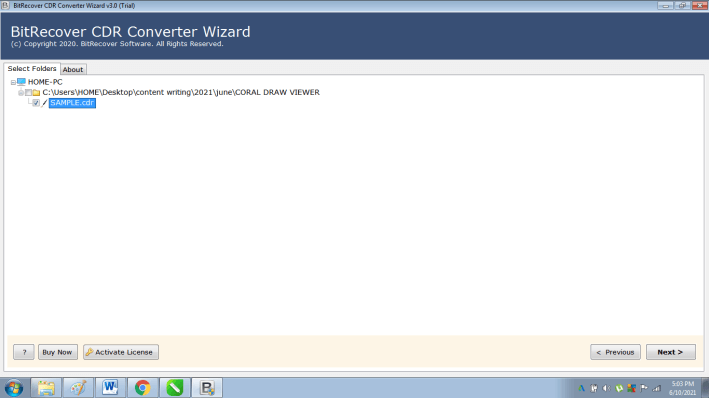
- Select the File extension you need to convert the .CDR files to
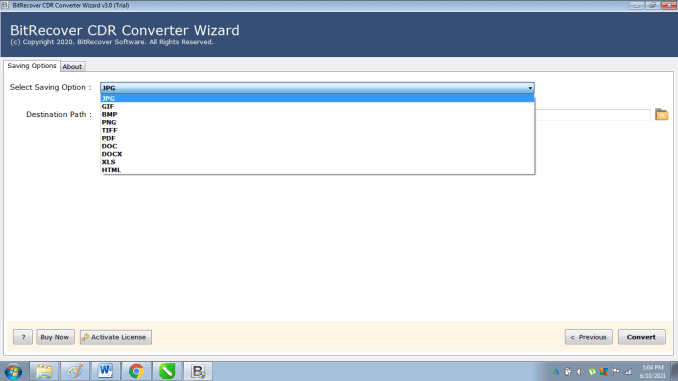
- Select the destination folder in which the files needs to be saved
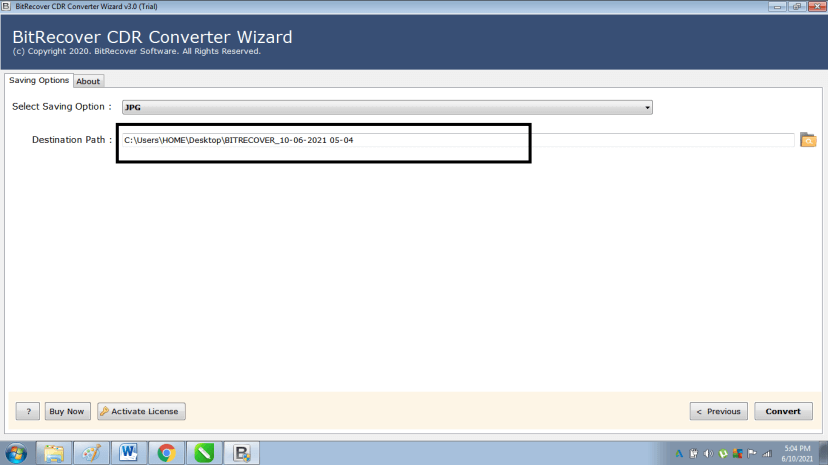
- Click on Convert
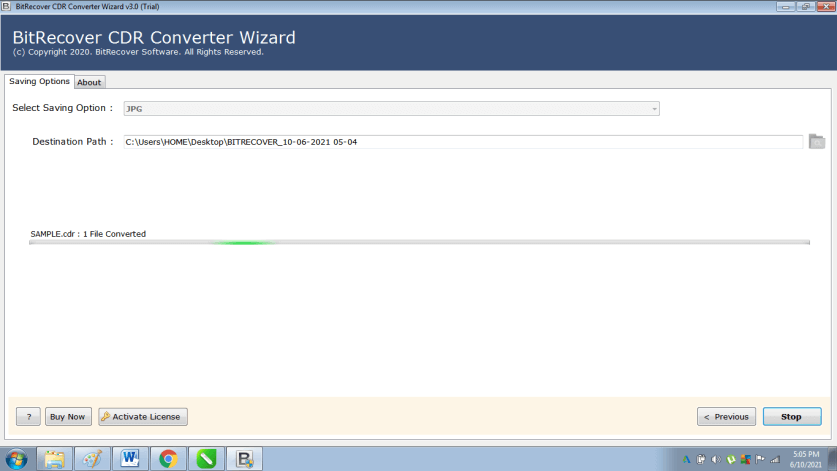
This program will help the user to convert the existing .CDR files to any other file format. With the program .CDR files can also be viewed in Adobe Photoshop or Adobe Illustrator programs.
Conclusion
To view CorelDraw files, the user can use some of the methods that are listed above. Since CorelDraw is a paid and expensive program, not every user can afford to purchase the software. In such a case, the user can use the open-source freeware programs to view or edit graphic artworks as per their requirements.
Furthermore, these open-source programs can only be used for viewing and simple editing. For complex and detailed modifications, the user will have to purchase CorelDraw software.
Recommended Articles
This is a guide to CorelDraw Viewer. Here we discuss the list of CorelDraw viewers like Imagine, Inkscape, Irfan view, and LibreOffice in detail with an explanation. You may also have a look at the following articles to learn more –

