


Introduction to Software for Construction Project Management
Not many have heard about the Software for Construction Project Management (CPMS), which remains relatively unknown. So, what is this software all about? Software for Construction Project Management is a tool specifically designed for construction industry professionals to manage processes that were previously handled manually, including critical workflows often supported by lien waiver software. Whether residential or commercial (government or private), the construction industry demands tight organization and disciplined management. With multiple contractors from different companies and numerous moving parts converging on a single project, coordination quickly becomes complex. This is where CPMS delivers value—centralizing control, standardizing processes, and reducing administrative friction.
Software for Construction Project Management Facilitates
- Efficient planning and management of construction projects.
- Detailed overview through Gantt charts
- Seamless coordination and collaboration.
- Efficient management of time.
- Easy tracking of any issues and prompt fixation.
- Management of documents.
Essential Attributes of Software for Construction Project Management
The software for Construction Project Management can differ from organization to organization, and its essential attributes are as below:
- Project Costing & Budgeting: This enables contractors to estimate material and labor costs, thus supporting companies in setting standard rates for the services offered, measuring costs, and controlling time expenses. Many firms also rely on construction job costing software to streamline budgeting, track expenses in real-time, and improve financial accuracy. Enterprise-level solutions such as Cleopatra Enterprise are often implemented to enhance cost control, benchmarking, and project performance analysis across complex construction portfolios.
- Document Maintenance and Management: As one of its key attributes, CPMS can manage relevant documents. This allows construction companies to create reports on workflow data through a single source. It thus helps in facilitating productivity and workflow processes. It also helps integrate with other business tools and safeguard information.
- Stock Management: This CPMS feature enables the management of inventory on the project site, curb any loss of stock, and help the project managers with quick inventories and distribution.
- Machinery Management: Construction cannot go without equipment, and CPMS assists the project managers in managing and allocating machinery across projects. It helps with notifying about machinery maintenance and schedules, identifying the installation of specific equipment, measuring performance, and sending alerts about the need for any particular machinery.
- Work Scheduling: This feature enables assigning tasks, machinery, or manpower across multiple projects. It also helps balance task loads and enables immediate stabilization when required.
- Motile Access: Contrary to office-based industries, construction employees work on the field or project site and in the office. Therefore, mobility is paramount as it enables the workers to access data from the construction site. This enables to efficiently manage time and resources without having to go to the office for any consultation. Thus, CPMS must support both desktop and mobile devices.
- Integration with Business Tools: The CPMS should offer the possibility of integration with other stand-alone applications, including solutions for fire prevention, accounting or reporting; otherwise, the transfer of information would consume a lot of time. Therefore, certain vendors offer modular software that provides built-in functions and an option to add on extra features later.
- Field-Site Logs: It is important for the Software for Construction Project Management to record and keep logs of the tasks at the construction site. These logs help project supervisors, contractors, and subcontractors keep track of completed tasks, inventory, and machinery. Thus, it facilitates an efficient workflow, reduces inventory waste, ensures precision in purchase orders, prevents loss of tools, and alerts when tools are required to be moved to other project sites.
- Co-ordination and Collaboration: One of the critical features of the CPMS is the ability to enable real-time communication with office managers and on-site workers. This helps to easily contact and locate site workers and notify them about any emergency with a click of a button. It facilitates better decision-making and problem-solving. It allows for easy transfer and dissemination of information, thereby notifying them of any emergencies or specific changes to be made.
Top Software for Construction Project Management at a Glance
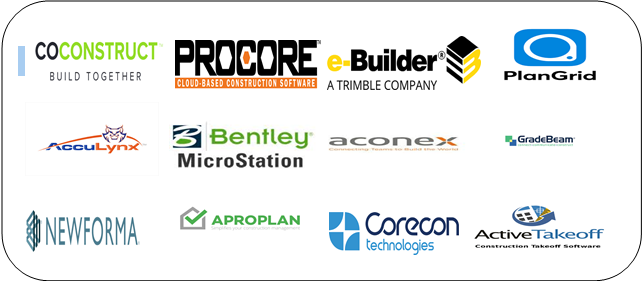
1. Procore
Procore is a construction management platform that helps teams manage projects, financials, documents, quality, safety, and field operations from one centralized system. It supports owners, general contractors, and specialty contractors throughout the construction lifecycle.
- Key Features: Project management, financial management, document management, scheduling, quality and safety management, RFIs, submittals, and reporting.
- Pricing: Custom pricing based on products, users, and project requirements.
- Pros: Comprehensive construction management, strong collaboration, centralized data, and extensive integrations.
- Cons: It may be costly for small businesses and can take time for new users to learn.
- Free Trial: No standard free trial; demos are available.
2. AccuLynx
AccuLynx is a construction management platform designed primarily for roofing and exterior contractors. It helps businesses manage leads, estimates, projects, production, documents, communications, and payments from a single platform.
- Key Features: CRM, estimating, project management, production management, scheduling, document management, invoicing, and reporting.
- Pricing: Pricing varies based on the company’s needs and the selected features.
- Pros: Specialized for roofing contractors, centralized workflows, strong project tracking, and useful integrations.
- Cons: Its specialized focus may make it less suitable for general construction companies.
- Free Trial: Free trial options may be available; a demo can be requested.
3. Bentley MicroStation
Bentley MicroStation is a CAD and infrastructure design software platform used by architects, engineers, contractors, and infrastructure professionals to create and manage detailed 2D and 3D designs.
- Key Features: 2D drafting, 3D modeling, visualization, drawing production, geospatial workflows, and design collaboration.
- Pricing: Commercial pricing varies based on licensing and subscription requirements.
- Pros: Powerful design capabilities, strong 3D modeling, support for complex infrastructure projects, and compatibility with engineering workflows.
- Cons: Has a steeper learning curve and may be more advanced than needed for simple projects.
- Free Trial: Trial options may be available depending on the current licensing program.
4. Oracle Aconex
Oracle Aconex is a cloud-based construction management platform that helps project teams manage documents, workflows, communications, and project information across complex construction and engineering projects.
- Key Features: Document management, workflow management, project collaboration, correspondence, cost management, reporting, and audit trails.
- Pricing: Custom pricing based on project size, requirements, and selected services.
- Pros: Strong document control, centralized project information, detailed audit trails, and suitable for large projects.
- Cons: Can be complex for smaller teams and may require training and implementation support.
- Free Trial: No standard free trial; demos are available.
5. INGENIOUS.BUILD
INGENIOUS.BUILD is a construction project management platform that brings project management, budgeting, forecasting, contracts, and reporting into one place. It helps owners, developers, and contractors track project performance, monitor costs, and identify potential budget risks in real time.
- Key Features: Project management, budget tracking, forecasting, contract management, change orders, and customizable reporting.
- Pricing: Custom pricing based on project and company needs. A demo is available upon request.
- Pros: Strong financial visibility, centralized project management, real-time cost tracking, and flexible reporting.
- Cons: May be more robust than needed for smaller teams and requires some onboarding to use its advanced features effectively.
- Free Trial: No free trial; free demos are available.
6. Newforma
Newforma is a construction and project information management platform that helps architecture, engineering, and construction teams organize project information, documents, emails, and communications.
- Key Features: Document management, email management, project information management, file sharing, document control, and project collaboration.
- Pricing: Custom pricing based on company size, products, and requirements.
- Pros: Strong information management, improved document organization, useful email management, and support for complex projects.
- Cons: Some features may require training, and pricing may be less suitable for smaller teams.
- Free Trial: Trial availability varies by product; demos are available.
7. Aproplan (LetsBuild)
Aproplan by LetsBuild is a construction quality and project management platform that helps teams manage site activities, inspections, defects, documents, and project communication from desktop and mobile devices.
- Key Features: Quality management, inspections, snagging, task management, document management, site reporting, and mobile collaboration.
- Pricing: Pricing is tailored to the project’s specific needs and chosen features.
- Pros: User-friendly field workflows, strong quality control, mobile access, and effective issue tracking.
- Cons: Pricing can vary based on project requirements, and advanced workflows may require onboarding.
- Free Trial: Availability may vary; users can request a demonstration.
8. Active Takeoff
Active Takeoff is construction estimating software designed to help contractors and estimators perform digital quantity takeoffs and calculate project measurements more efficiently.
- Key Features: Digital takeoffs, quantity measurements, area and linear measurements, estimating tools, plan viewing, and takeoff organization.
- Pricing: Paid plans are available, with pricing based on the selected plan and licensing requirements.
- Pros: Simplifies digital takeoffs, reduces manual calculations, improves estimating efficiency, and supports construction plans.
- Cons: Primarily focused on takeoff and estimating rather than complete construction project management.
- Free Trial: A free trial is available.
Why can using CPMS benefit construction companies?
Here are a few reasons why using Software for Construction Project Management could benefit construction firms:
- Construction-Site Access: Most CPMS have virtual access from anywhere at any time. Therefore, this saves time, resources, facilitates quick and current information, and cuts down rush visits to the office.
- Better Team Coordination and Collaboration: CPMS facilitates easy communication with office managers and construction site professionals. This helps enhance smooth work processes, efficient communication and decision-making, notifications and alerts on machinery and stock, and prompt and accurate dissemination of information.
- Reduction of Manual Documentation: CPMS helps reduce mundane, time-consuming paperwork. It improves access to project documentation, records, and task details for all employees in the company.
- Reduction in Time and Inventory Wastage: CPMS allows companies to disseminate information on stock, purchase orders, machinery deployment, monitoring, and the recording of field tasks. This allows construction workers and office managers to stay updated on emergencies and notifications from their respective sides.
- Precise Monitoring: The CPMS can precisely monitor everything related to the construction project. These include any information pertaining to the inventory stock, machinery, field-task records, project documentation, project scheduling, budgeting, and costing. This results in superior service delivery and efficient logistics management.
- Facilitates Communication between Off-site and On-site Employees: Unlike the other sectors, the construction sector requires workers to work on-site. Thus, Software for Construction Project Management plays a vital role in facilitating communication between off-site and on-site employees. This helps with better workflow management and promotes team building. It also results in efficient time management and the transfer of any information or emergency promptly and balances the workload.
Considering its many benefits, it is definitely worthwhile for construction companies to invest in Construction Project Management Software tailored to their requirements. And make the mundane construction tasks easier.
Conclusion
Now, as we are aware of the Software for Construction Project Management and its applicability, the software’s popularity is firm-specific. Therefore, the usage of construction software depends on how well the Software for Construction Project Management integrates with the firm’s existing software applications and tools.
Recommended Articles
This has been a guide to Software for Construction Project Management. Here we discussed the basic concept, essential attributes and how they will benefit the construction companies. You can also go through our suggested articles to learn more –

