
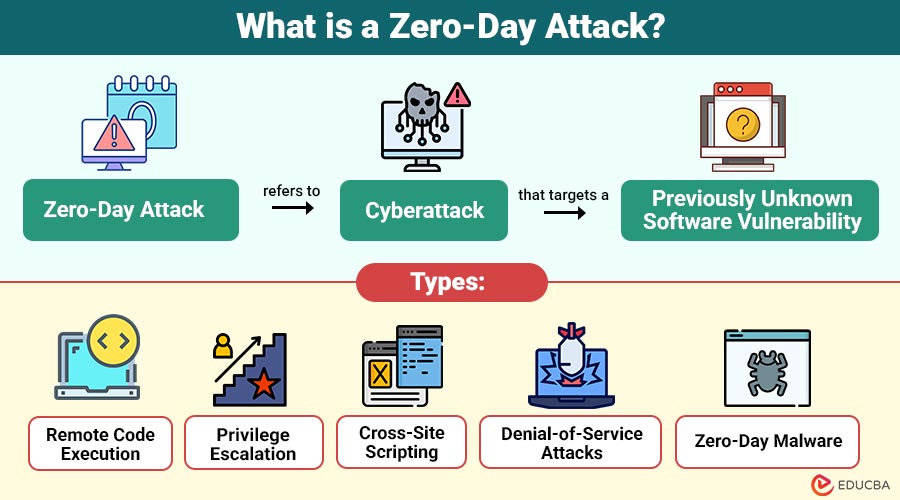
What is a Zero-Day Attack?
A Zero-Day Attack refers to a cyberattack that targets a previously unknown software vulnerability. The term “zero-day” originates from the fact that developers have zero days to fix vulnerability because they are unaware of its existence until it is exploited.
Key Points:
- Unknown Vulnerability: The software flaw has not been identified publicly.
- Immediate Threat: Since no patch is available, systems remain vulnerable until a fix is developed.
- High Impact: Zero-day attacks can cause severe data breaches, financial loss, and reputational damage.
Unlike common cyber threats like phishing or ransomware, zero-day attacks are stealthy and sophisticated, often targeting critical infrastructure, banking systems, and government networks.
Table of Contents:
- Meaning
- Working
- Types
- Real-World Examples
- Why are Zero-Day Attacks Dangerous?
- How to Protect Against Zero-Day Attacks?
- Challenges
- Difference
Key Takeaways:
- Zero-day attacks exploit unknown vulnerabilities, making them highly dangerous before patches or defenses become available.
- Layered security, timely updates, and monitoring significantly reduce risks from stealthy zero-day cyber threats today.
- Detection is difficult because zero-day exploits lack signatures and employ advanced evasion techniques.
- Awareness, preparation, backups, and rapid response help organizations minimize damage and recover faster from attacks.
How Do Zero-Day Attacks Work?
Zero-day attacks typically follow a structured approach:
1. Discovery of Vulnerability
Attackers or researchers uncover an unknown software or hardware flaw that vendors have not yet identified or patched.
2. Exploitation
Malicious actors create exploits using the vulnerability, often embedding malware, scripts, or payloads designed to bypass existing security defenses.
3. Attack Deployment
The attack spreads by tricking users with fake emails, hacked websites, harmful downloads, or by directly targeting weak network systems.
4. Execution
Once triggered, the exploit runs its payload, enabling data theft, malware installation, system manipulation, or unauthorized access.
5. Detection and Response
Security teams detect the attack after damage has occurred, and vendors release patches while organizations apply mitigations and updates.
Types of Zero-Day Attacks
Zero-day attacks can take various forms depending on the target and method of exploitation:
1. Remote Code Execution
Attackers exploit unknown flaws to run malicious code remotely, gaining full control over targeted systems and applications.
2. Privilege Escalation
Hackers abuse hidden vulnerabilities to elevate access rights, bypass security controls, and gain administrator-level system permissions.
3. Cross-Site Scripting
Attackers insert harmful scripts into hidden website weaknesses to steal user data, login details, sessions, or authentication information.
4. Denial-of-Service Attacks
Zero-day flaws are used to overload or crash systems, leading to downtime, unavailable services, and disrupted operations.
5. Zero-Day Malware
Specialized malware exploits unknown vulnerabilities, evading traditional security tools and spreading silently within systems.
Real-World Examples of Zero-Day Attacks
Understanding past zero-day attacks can illustrate the seriousness of these threats:
1. Stuxnet (2010)
Stuxnet was a very advanced computer virus that attacked Iran’s nuclear systems by secretly using unknown weaknesses in Windows computers.
2. Microsoft Windows Zero-Day (2020)
Hackers exploited a Windows zero-day vulnerability, CVE-2020-0674, to execute remote code and gain control of systems worldwide.
3. Google Chrome Zero-Day (2019)
A hidden flaw in the Chrome browser let hackers run harmful code, showing how common software can be risky.
Why are Zero-Day Attacks Dangerous?
Zero-day attacks are particularly alarming due to several reasons:
1. Lack of Patches
Without available patches, organizations have no direct protection, leaving systems fully exposed to active exploitation.
2. Stealthy Nature
Zero-day attacks often remain hidden for months, enabling attackers to steal data or manipulate systems unnoticed.
3. High Target Value
Attackers target critical infrastructure, financial institutions, and governments because successful exploits deliver massive strategic or financial impact.
4. Rapid Spread
Once exploited, zero-day vulnerabilities can propagate rapidly across connected systems, leading to large-scale, widespread cyber incidents.
How to Protect Against Zero-Day Attacks?
While preventing zero-day attacks entirely is challenging, organizations and individuals can adopt proactive measures:
1. Regular Software Updates
By fixing known vulnerabilities, updating operating systems and applications lowers the attack surface.
2. Endpoint Protection
Advanced antivirus and endpoint detection systems can identify suspicious behavior, even if the threat is previously unknown.
3. Network Segmentation
Dividing networks into smaller segments limits the impact of an attack and makes it harder for hackers to move laterally.
4. Application Allowlisting
Restricting the execution of unknown applications prevents malicious code from running.
5. Threat Intelligence
Monitoring cybersecurity feeds and reports helps anticipate emerging threats and understand potential zero-day exploits.
6. Regular Backups
Frequent backups ensure that organizations can restore data without significant loss, even if attackers compromise it.
Challenges in Detecting Zero-Day Attacks
Detecting zero-day attacks is inherently difficult because:
1. No Known Signatures
Zero-day attacks have no known patterns, so regular antivirus tools cannot recognize or stop them until updates are available.
2. Advanced Stealth Techniques
Attackers hide their activities using encryption and tricks to avoid being noticed by security systems, monitoring tools, and behavior checks.
3. Rapid Exploitation Window
Exploits are often launched immediately after discovery, leaving little time for defenders to identify vulnerabilities and deploy patches.
4. Complex Attack Patterns
Zero-day attacks blend with normal system behavior, making anomalies difficult to detect without advanced analytics and continuous monitoring.
Difference Between Zero-Day Attacks and Regular Cyberattacks
The table below highlights the key differences between zero-day attacks and regular cyberattacks:
| Feature | Zero-Day Attacks | Regular Cyberattacks |
| Vulnerability | Unknown to software developers | Known or publicly documented |
| Defense Availability | No patches available initially | Security patches usually exist |
| Detection Difficulty | High, often undetected | Easier to detect with an antivirus |
| Impact | Potentially severe, targets critical systems | Can vary, often less sophisticated |
| Exploitation Speed | Can be exploited immediately after discovery | Slower, dependent on known weaknesses |
Final Thoughts
A zero-day attack is among the most dangerous cybersecurity threats due to its stealth and the unknown vulnerabilities it exploits. Although full prevention is hard, risks can be reduced with regular updates, strong endpoint security, network separation, and responsible vulnerability research. Continuous awareness, vigilance, and rapid response are essential for minimizing damage and staying resilient against increasingly sophisticated zero-day cyber threats.
Frequently Asked Questions (FAQs)
Q1. How long does it take to fix a zero-day vulnerability?
Answer: The time varies depending on the complexity of the flaw, but it can take days to weeks for developers to create and deploy a patch.
Q2. Can antivirus software protect against zero-day attacks?
Answer: Traditional antivirus software may not detect zero-day exploits, but modern endpoint detection systems using behavioral analysis can offer some protection.
Q3. Are zero-day attacks illegal?
Answer: Exploiting a zero-day vulnerability without authorization is illegal. However, discovering vulnerabilities for responsible disclosure is legal and encouraged.
Q4. How can businesses minimize zero-day risks?
Answer: By implementing multi-layered security, regular software updates, employee training, and monitoring cybersecurity intelligence feeds.
Recommended Articles
We hope that this EDUCBA information on “Zero-Day Attack” was beneficial to you. You can view EDUCBA’s recommended articles for more information.


