
Updated March 28, 2023

Definition of XPath id contains
XPath id contains is defined in selenium, if simple XPath is not able to find the web element which was complicated from the test script then we need to use the id contains method. We can say that the id contains is a function in selenium within the XPath expression used to search the web elements which was contained in a particular ID.
What is XPath id contains?
We can locate the elements by using id by using a selenium webdriver. This is achieved by identifying the element by using a CSS locator or XPath. By using XPath and CSS locator expressions, we can use the regular expression to find the id. By using CSS expression we can use the * and perform the element match by using id. We can use css value should be input [id* = “id”], this means we can say that the id of the subtext is present in the actual text. We can also use the ^ symbol for performing a match with the id, then our value input is input [id^ = “gsc”], which means the text will be starting by using gsc. We can also use the $ symbol for performing a match with the id, then our value input is input [id$ = “id”], which means the text will end with id.
By using the expression, we can also use contains method to perform the partial match on the id. Below is the syntax of using id value by using XPath contains method is as follows.
Syntax:
//@ [contains (@id, id)]The id value is contained in an id, which means we can say that the subtext will be present in the actual text. We can also use the XPath start with to perform the match with the id, the css value by using XPath is //@ [starts-with (@id, ‘gsc’)], this means we can say that actual text starts with the gsc subtext. We can also use the XPath ends to perform the match with the id, the css value by using XPath is //@ [ends-with (@id, ‘id’)], this means we can say that the actual text ends with the gsc id. Below is the basic format of selenium id contains are as follows.
//h4/a [contains (@id. 'id')]As we know that XPath in selenium is the xml path that was used to navigate through the html structure of the web page.
Using XPath id contains method
The id contains the function used for the element of id which is the sibling of the parent element. If the parent element is known then the parent element is easily found in the located sibling attribute of the expression from the webdriver of selenium. Basically, XPath in selenium is nothing but the path of xml which was used for html web page structure. This is the syntax of language which was used to find the web page of an xml path expression. XPath is used in xml as well as html documents for finding the location of web elements.
id contains method is used to locate the particular web element of XPath. Basically contains method is used to identify the element when we are familiar with some parts of an attribute from an element. In the below example, we are locating the text box of a yahoo search engine by using contains method. We need to follow the below steps for locating the textbox which was provided by a yahoo search engine.
1. In the first step we are opening the yahoo url to inspect the text. We are opening the yahoo url after opening the url we are inspecting the text box of the yahoo page by right-clicking on the text box, it will open the inspect element tab, and after clicking on inspect element tag it opens the code of an element.

2. After opening the yahoo search engine web page in this step we are inspecting the same are as follows.
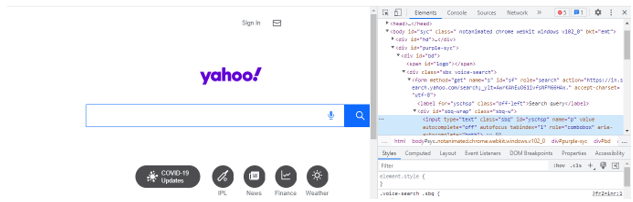
3. Now we need to take note of id attribute of the yahoo textbox search engine as follows.
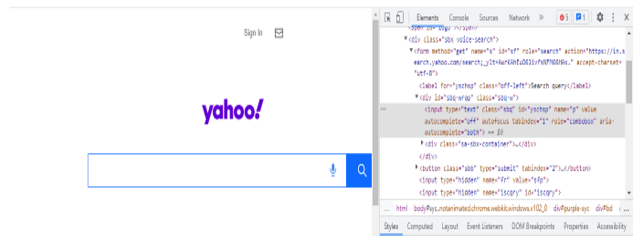
4. We need to use the below syntax to locate elements by using contains method as follows.
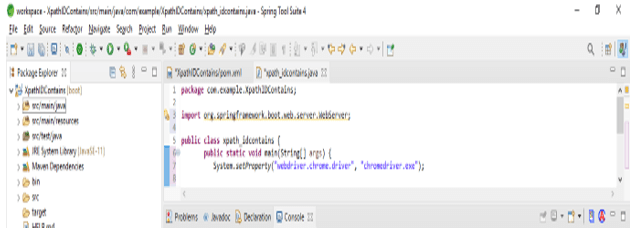
//* contains (@name_of_attribute, 'value of attribute')//tag of html [contains (@name_of_attribute, 'value of attribute')]5. By using contains method we are writing the below java code to find the id element with contains method.
Code –
public class XPathIDContains {
--------
}
XPath id contains Examples
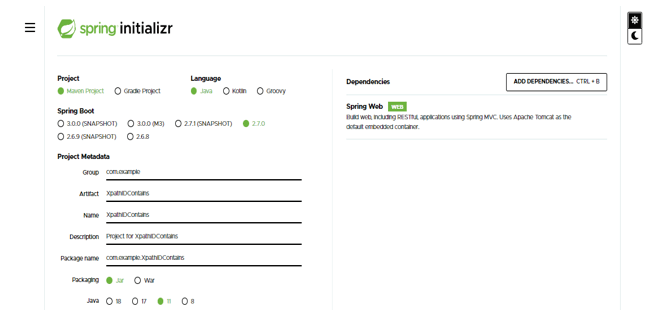
In the below example we are creating the project of XPathIDContains. In the below example, we are creating the template of project name as XPath id contains into the spring boot.
- While creating the project into the id contains by using spring boot we provide the name of the group as com.example, artifact name as XPathIDContains, project name as XPathIDContains, and selected java version as 11.
Group – com.example
Artifact name – XPathIDContains
Name – XPathIDContains
Spring boot – 2.6.7
Project – Maven
Java – 11
Package name – com.example. XPathIDContains
Project Description – Project for XPathIDContains
Dependencies – Spring web
Packaging – Jar
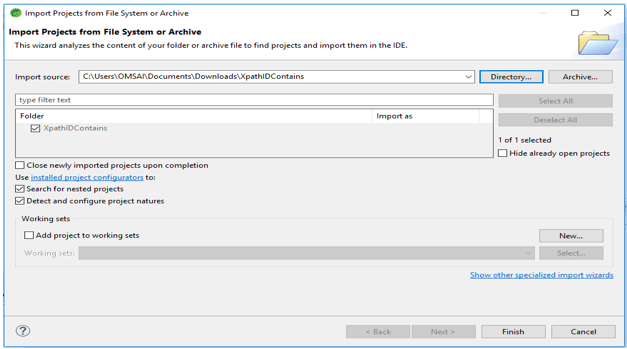
2. In the below figure we can see that extracting the project name as XPathIDContains and opening this project by using the spring tool suite.
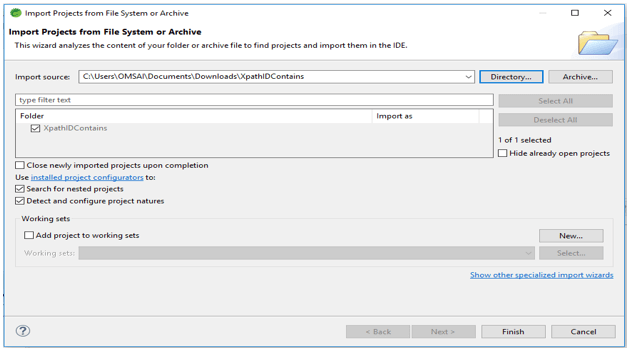
3. In the below step we are checking the structure of the id containing the project. Also, we are seeing the project dependency which was added to the pom.xml file. Also, we are checking all the structures of XPath id containing example projects.
4. In below we are adding the XPath dependency into the XPathIDContains project. We need to add the dependency as the tag of dependency.
Code –
<dependency>
<groupId> net.sf.saxon </groupId>
<artifactId> saxon-XPath </artifactId>
<version> 8.7 </version>
</dependency>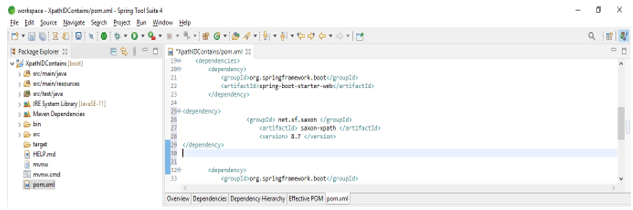
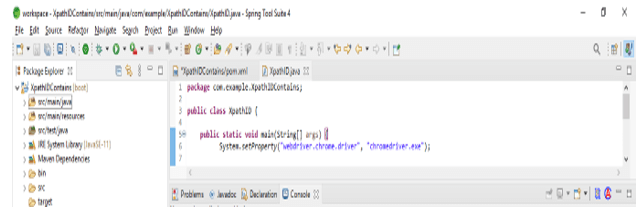
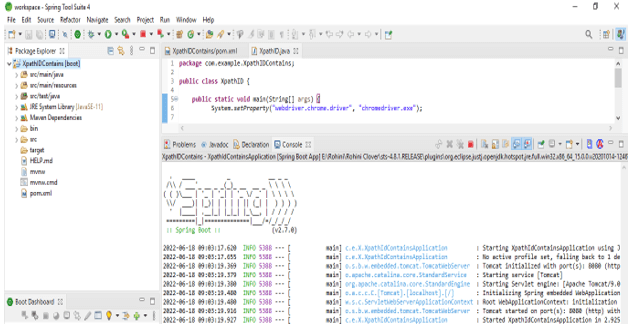
5. Now we are writing the java code to find the element by using contains method as follows.
Code –
public class XPathID {
--------
}
Conclusion
We can locate the elements in XPath by using id by using a selenium webdriver. We can say that the XPath id contains is a function in selenium within the XPath expression used to search the web elements which was contained in a particular XPath ID.
Recommended Articles
This is a guide to XPath id contains. Here we discuss the Definition, What is XPath id contains, how to use and examples with code implementation respectively. You may also have a look at the following articles to learn more –

