


Workflow Bottlenecks: Overview
In the fast-moving world of modern business, speed and efficiency are not luxuries—they are survival tools. Yet, even the most skilled teams often find their productivity derailed by hidden workflow bottlenecks. These bottlenecks act like traffic jams in your operations: frustrating, costly, and avoidable. The good news? With the right tools and approach, most workflow bottlenecks can be eliminated using automation.
What Are Workflow Bottlenecks?
A workflow bottleneck is any point in your business process where work gets delayed, blocked, or mismanaged. Bottlenecks often appear in areas where:
- Teams unnecessarily repeat manual work.
- Information must pass through multiple hands.
- Communication breaks down between teams or tools.
- Tasks lack clear ownership or standardized steps.
- Approvals or handoffs take too long.
These inefficiencies not only slow things down but also cost money, frustrate employees, and create a poor experience for customers.
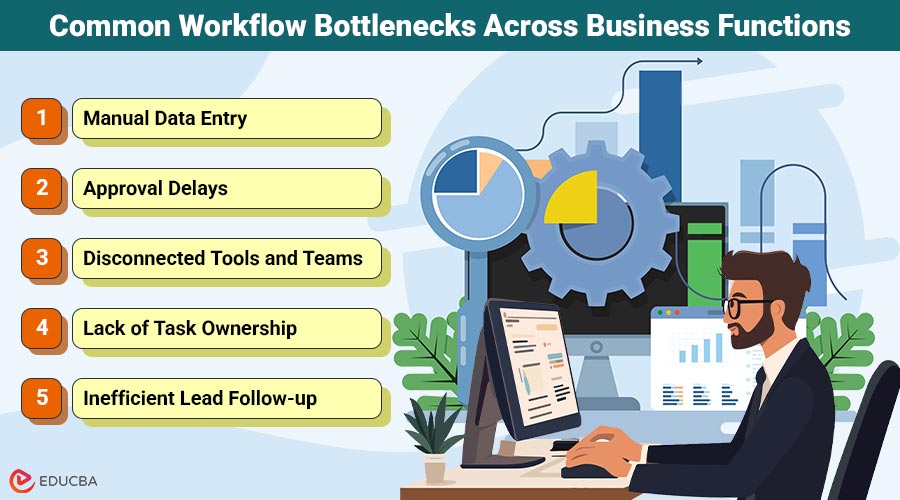
Common Workflow Bottlenecks Across Business Functions
Let us break down some of the most common (and costly) workflow roadblocks businesses face:
1. Manual Data Entry
Entering lead info into your CRM, copying form responses into spreadsheets, or syncing reports across tools—these are classic examples of time-eating manual work.
Automation Fix: Connect platforms like JotForm, Pipedrive, Airtable, and Google Sheets so data flows automatically, reducing human error and saving hours.
2. Approval Delays
Whether it is a marketing campaign needing sign-off or an invoice stuck in finance, waiting on approvals is one of the biggest productivity killers.
Automation Fix: Implement conditional approval workflows triggered by status changes, dollar amounts, or team roles to speed up the process.
3. Disconnected Tools and Teams
Using too many siloed tools without integration means tasks fall through the cracks and teams repeat work unnecessarily.
Automation Fix: A properly designed integration strategy can connect your CRM, project management, email, and chat tools, creating a seamless information ecosystem.
4. Lack of Task Ownership
When no one knows who is responsible for the next step in a process, progress halts. This is especially true in onboarding, offboarding, and customer service workflows.
Automation Fix: Automated task assignments based on workflow stages, roles, or conditions ensure clarity and accountability.
5. Inefficient Lead Follow-up
Sales teams often miss out on opportunities simply because follow-ups are not timely or structured.
Automation Fix: Triggered email sequences, reminders, and CRM updates based on lead activity can dramatically increase conversion rates and response times.
Why Automation is the Cure for Bottlenecks?
Automation works by removing the need for humans to handle repetitive, rule-based tasks. Instead of asking your team to remember every step, automation makes those steps happen automatically and consistently. But automation is not just about using tools it is about designing smarter workflows. That is why working with a trusted expert can make all the difference.
How to Identify Workflow Bottlenecks in Your Business?
Want to know if you are suffering from workflow bottlenecks? Ask yourself:
- Are tasks constantly getting delayed or forgotten?
- Does your team rely on spreadsheets to move work forward?
- Are clients or leads slipping through the cracks?
- Do you have multiple tools that do not talk to each other?
- Are approval processes painfully slow?
If the answer to any of these is yes, you are likely sitting on untapped automation potential.
The First Steps Toward Automation
Here is how to start fixing bottlenecks with automation:
- Map Your Processes: Document how tasks move through your organization.
- Identify Repetition & Delays: Look for tasks repeated manually or delayed often.
- Set Clear Objectives: Know what you want to improve (speed, accuracy, visibility).
- Bring in Experts: Work with a workflow automation consultant to translate problems into practical solutions.
Final Thoughts
Workflow bottlenecks may appear to be minor issues, but over time, they silently drain your business of valuable time, money, and energy. These delays and inefficiencies often go unnoticed until they start affecting team morale, customer satisfaction, and overall output. In the competitive market, identifying and eliminating these bottlenecks through automation is not just a smart move—it is essential. By streamlining processes, you can boost productivity, reduce errors, and create a more agile, responsive, and scalable business.
Recommended Articles
We hope this guide to workflow bottlenecks helps you streamline your processes. Check out these recommended articles for more tips to boost productivity and efficiency.

