
Introduction to Types of File Sharing
Types of file sharing refer to the various methods used to distribute or exchange digital files between users over a network or the internet. These methods range from traditional peer-to-peer (P2P) sharing and file transfer protocols (FTP) to modern cloud-based platforms, such as Google Drive and Dropbox. Understanding the types of file sharing helps users choose the most efficient, secure, and accessible method for their needs.
Why is File Sharing Important?
Here are the key reasons why file sharing plays an essential role in modern digital communication and workflow:
1. Collaboration
File sharing enables multiple users to access, modify, and contribute to shared files simultaneously, improving teamwork and communication.
2. Efficiency
It significantly reduces the time and effort required to send files, eliminating delays associated with manual or physical transfers.
3. Scalability
File sharing systems easily scale to meet the needs of individuals, small teams, or large global organizations with diverse requirements.
4. Backup & Sync
Files are automatically synchronized and backed up across devices, minimizing data loss and ensuring consistent access from any location.
5. Cost-Effective
Digital file sharing reduces expenses by eliminating the need for physical storage, courier services, printing, and other traditional distribution methods.
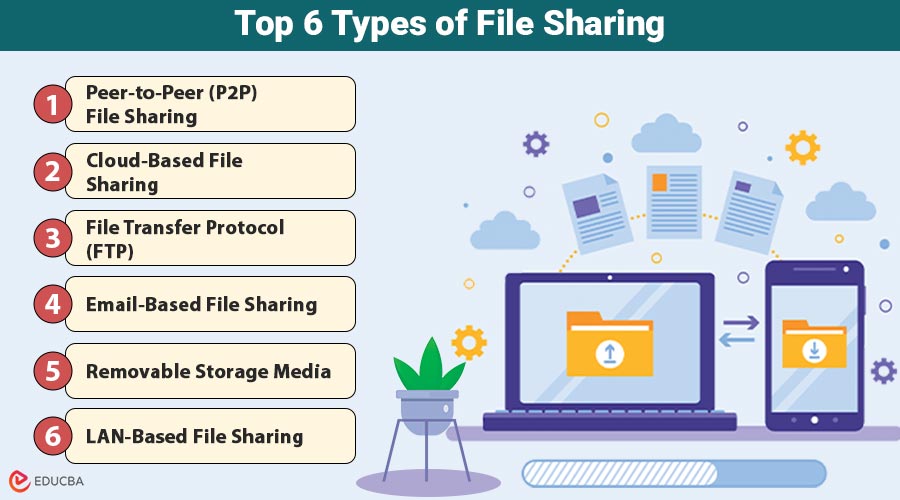
Top 6 Types of File Sharing
In today’s digital era, efficient file sharing is essential for productivity, collaboration, and seamless data exchange. Below are the six most widely used file-sharing types, along with their key features, pros, cons, and examples.
1. Peer-to-Peer (P2P) File Sharing
P2P file sharing enables direct data exchange between users’ devices without the need for a central server, making it efficient for distributing large files, especially within communities or open-source networks.
Features:
- No central authority
- Efficient for large files
- Popular for media distribution
Pros:
- Scalable
- Low-cost infrastructure
- Can resume interrupted downloads
Cons:
- Security risks
- Illegal use cases (piracy)
- Slower if peers are offline
Best for:
Sharing large files in communities or open-source distribution.
2. Cloud-Based File Sharing
Cloud-based file sharing enables users to upload, access, and collaborate on files through internet-connected platforms, making it ideal for teams that need real-time editing, secure access, and seamless integration with productivity tools.
Features:
- Access files from any internet-enabled device
- Real-time editing and syncing
- Tiered storage and sharing controls
Pros:
- User-friendly
- Secure with encryption and permissions
- Easy integration with productivity tools
Cons:
- Dependent on the internet
- Limited storage in free versions
- Potential data privacy concerns
Best for:
Businesses, remote teams, students, and collaborative work.
3. File Transfer Protocol (FTP)
File Transfer Protocol (FTP) is a standard protocol used for transferring files among computers on a network, commonly used by developers and IT professionals for managing websites and massive bulk file movements.
Features:
- Supports large file transfers
- Often used by web developers
- Requires login credentials
Pros:
- Reliable for structured environments
- Automated scripts possible
- Supports batch transfers
Cons:
- Needs technical setup
- Older FTP lacks encryption (use SFTP/FTPS)
- The user interface is not always intuitive
Best for:
Web hosting, IT professionals, and server-to-server transfers.
4. Email-Based File Sharing
Email-based file sharing involves sending documents as attachments via email, offering a simple and widely used method for sharing small files in everyday communication.
Features:
- Built-in with email services
- Simple and universal
- Often includes virus scanning
Pros:
- Easy for non-tech users
- Instant communication channel
- Widely accepted
Cons:
- Attachment size limitations
- Not suitable for real-time collaboration
- Clutters inbox
Best for:
Small documents and one-off shares.
5. Removable Storage Media
Removable storage sharing is a secure, efficient, and portable method of transferring files using physical devices—such as USB drives or external hard drives—without the need for an internet connection.
Features:
- Plug-and-play devices
- No internet required
- Offers offline storage
Pros:
- Fast transfer speeds
- Portable
- Great for backups
Cons:
- Risk of physical loss or damage
- Limited sharing capability
- Virus transfer potential
Best for:
Offline environments, secure or sensitive transfers, and backups.
6. LAN-Based File Sharing
LAN-based file sharing enables file access and transfer within a local network, commonly used in offices and institutions for fast, secure collaboration without internet dependency.
Features:
- Only works within a local network
- Controlled access rights
- Useful in office settings
Pros:
- Fast speeds within the LAN
- Secure with proper configuration
- Does not require internet
Cons:
- Requires network setup
- Limited to geographic location
- Challenging for remote access
Best for:
Office environments, schools, and internal departments.
Use Cases
Here are five practical use cases that demonstrate how different file-sharing methods serve specific needs across various environments and industries.
1. Remote Work
Cloud platforms like Google Drive and OneDrive support remote teams by enabling real-time editing, centralized storage, and seamless collaboration across multiple devices, regardless of physical location or time zone.
2. Software Distribution
Peer-to-peer (P2P) file-sharing systems, such as BitTorrent, are widely used for distributing large open-source software packages efficiently, thereby reducing server load and increasing download availability and speed.
3. Web Development
FTP clients, such as FileZilla and Cyberduck, help web developers upload, manage, and organize website files on remote servers, ensuring smooth deployment, version control, and content updates over networks.
4. Offline Environments
USB flash drives and other removable media offer a dependable solution for file transfers in settings with no internet access, such as military bases, secure institutions, and remote schools.
5. Corporate File Exchange
Enterprise tools like ShareFile and Box offer secure file exchange with features such as encryption, compliance support, access controls, and audit trails, enabling the efficient management of sensitive corporate data.
Final Thoughts
Choosing the right file sharing method depends on your specific needs—whether it is speed, security, collaboration, or accessibility. From P2P to cloud-based platforms and offline options, each type offers unique benefits and drawbacks. Understanding these differences enables users and organizations to select the most effective and secure file-sharing solution for their specific environment.
Recommended Articles
We hope that this EDUCBA information on “Types of File Sharing” was beneficial to you. You can view EDUCBA’s recommended articles for more information.

